COWMODSКаталог модов

create-schematic-compute

Create: Schematic Compute brings a graph-based visual programming interface​ to the Create ecosystem, allowing you to build complex computational blueprints without messy redstone dust.

Автор: StarryNight_Luo198 тыс.19обновлён 24 окт. 2026 г.
УправлениеТехнологии

Описание

Create: Schematic Compute

🎮 12 Programmable Blocks · 102 Node Types · Formula Syntax Highlighting & Autocomplete · Multiplayer Collaboration
十二种可编程方块 · 102种节点 · 公式语法高亮与自动补全 · 多人实时协作
Drag, connect, and build logic — just like Unreal Engine Blueprints!
拖拽连接,构建逻辑 — 像虚幻引擎蓝图一样直观!
Created by StarryNight_Luo (y15173334444)

GitHub License Version NeoForge Create MC


Table of Contents / 目录


📖 Overview / 简介

🇬🇧 Create: Schematic Compute is a Create mod addon that introduces 12 programmable blocks + 1 portable terminal with a visual node-based programming system. Instead of writing complex redstone circuits, simply drag and connect nodes to build logic — just like Unreal Engine Blueprints or Blender Geometry Nodes. Each computer runs at 20Hz (every game tick) for real-time control. All 12 blocks support real-time multiplayer collaborative editing with live cursor tracking and node lock protection. The FORMULA script editor features syntax highlighting (9 token colours), intelligent autocomplete (functions, variables, @output), real-time validation with error badges, and named constants (PI)/(E).

🇨🇳 机械动力:蓝图计算机 是一个机械动力附属模组,添加了十二种可编程方块和一个便携终端,采用可视化节点图编程系统。无需搭建复杂红石电路,只需拖拽连接节点即可构建逻辑——就像虚幻引擎的蓝图系统或 Blender 的几何节点一样直观。每台设备拥有独立的节点图,以 20Hz(每游戏刻) 的频率运行,适合实时控制应用。全部 12 种方块支持多人实时协作编辑,带实时光标追踪和节点锁定保护。FORMULA 公式脚本编辑器 支持语法高亮(9 种词法颜色)、智能自动补全(函数、变量、@output)、实时校验与错误徽章、以及命名常量 (PI)/(E)。


🖥️ Blocks / 方块

🖥️ Holographic Monitor / 全息显示器

3D floating display / 3D 悬浮显示方块

Feature / 功能Description / 说明
🖼️ Display Nodes / 显示节点TEXT, DATA, IMAGE, IMAGE_SEQUENCE / 文本、数值、图片、动画
🎨 16×16 Pixel Editor / 16×16像素编辑器Multi-frame animation + undo/redo / 多帧动画+撤销重做
📋 Layer Panel / 图层面板Drag-drop reorder + 24×24 thumbnails / 拖拽排序+缩略图预览
🎯 3D Positioning / 3D定位X/Y/Z + Roll/Pitch/Yaw freely adjustable / 自由调整位置和旋转
📡 Signal-Driven / 信号驱动IMAGE position/rotation via input signals / 通过输入信号驱位置旋转
📡 Redstone Input / 红石输入Read Redstone Link signals / 从红石链接网络读取信号

🖥️ Blueprint Computer / 蓝图计算机

Redstone Link controller / 红石链接控制器

Feature / 功能Description / 说明
📡 Redstone I/O / 红石I/ORead/Write Redstone Link network / 读写红石链接网络
🔗 Private Signal / 私有信号Named channel cross-computer communication / 命名通道跨计算机通信
🚌 Bus System / 总线系统BUS_IN/BUS_OUT multi-band data sharing / 多频段数据共享
📦 Encapsulation I/O / 封装导入导出File browser import/export .nbt files / 文件浏览器导入导出

⚡ Speed Proxy / 转速代理控制器

Speed Controller direct control / 转速直控

Feature / 功能Description / 说明
🔄 Speed Control / 转速控制Set adjacent Speed Controller RPM (-256~256) / 设置相邻转速控制器RPM
🔗 Private Signal / 私有信号输入Named channel cross-computer coordination / 命名通道跨计算机联动

⚙️ Programmable Transmission / 可编程变速器

In-line programmable gearbox / 轴上可编程变速

Feature / 功能Description / 说明
🎚️ Target RPM / 目标转速Scroll-set absolute output RPM; graph TX_OUT node overrides while running / 滚轮设定绝对输出转速,图运行时由 TX_OUT 节点接管
🔀 Face-Relative Direction / 面相对转向Output CW/CCW follows the placed face, creative-motor style / 输出逆/顺随放置面(创造马达同款语义)
↕️ 3-Axis Placement / 三向放置Horizontal or vertical in-line placement; wrench on side face rotates the axis / 水平/竖直线上放置,扳手点侧面换轴
⚙️ Bearing Visuals / 轴承动画Two independent shaft stubs: input follows network, output follows target / 两端独立轴头动画:输入随网络、输出随目标
🤝 Stress Network Member / 应力网络成员First-class driven member — no input power, no output / 官方应力网络一等成员,无输入动力则无输出

🔧 CNC Gearbox / 数控齿轮箱

Driven clutch + motion quota / 从动离合器 + 运动配额

Feature / 功能Description / 说明
🔌 Clutch / 离合器Output face carries a shaft only while engaged; idle auto-disengages / 仅接合时输出面对外传轴,空闲自动分离
📜 Command Stack / 指令栈FIFO motion commands: rotate (degrees) / move (meters) / wait / FIFO 运动指令:旋转(度)/ 直线(米)/ 等待
🎯 Motion Quota / 运动配额Open-loop travel booking, fires a completion pulse at zero / 开环行程记账,配额归零自动打完成脉冲
🔄 Encoder / 编码器Rotary (degrees) + linear (meters) accumulation for graph readback / 旋转(度)+ 直线(米)累计供图读取
↕️ 3-Axis + Wrench / 三向 + 扳手Wrench on end face flips the input, side face rotates the axis / 扳手点端面翻转输入端、点侧面换轴

🔌 Program Computer / 编程计算机

Sequential logic / 时序逻辑专用机

Feature / 功能Description / 说明
📡 Redstone I/O / 红石I/ORedstone Link network communication / 红石链接网络通信
🔗 Private Signal / 私有信号PRIVATE_IN/PRIVATE_OUT named channel I/O / 命名通道I/O
⏱️ Sequential Nodes / 时序节点Delay/Latch/T Flip-Flop/Gate/Pulse Extend/Loop/Fuse/Accumulator/Integrator / 延时/锁存器/T触发器/闸门/脉冲延长/循环/保险/累计器/连续积分器

🪑 Control Seat / 控制座椅

Sit-able controller / 可乘坐控制器

Feature / 功能Description / 说明
⌨️ 58 Key Bindings / 58键绑定Click-to-bind UI / 点击绑定
🖱️ Dual Mode / 双模式Joystick (mouse delta) / View Angle (rotation difference) / 摇杆/视角差
🎮 Gamepad / 手柄Dual stick + 15 buttons + analog triggers LT/RT / 双摇杆+15键+模拟扳机
🔄 Sable Compatible / Sable兼容Two camera modes (FIXED / VIEW_DIFFERENCE), world-orientation tracking via quaternion / 双相机模式,四元数世界朝向追踪
🚪 Controls / 操作Right-click sit / Shift+Right-click editor / ~ dismount / TAB mode / ESC release

📐 Attitude Sensor / 姿态传感器

Physics structure orientation / 物理结构姿态读取

Feature / 功能Description / 说明
📐 ATTITUDE / 姿态Block world-space pitch and roll (facing × sub-level rotation) / 方块自身世界姿态俯仰与横滚(朝向 × 子世界旋转)
🧭 FORWARD / 前方朝向World-space forward yaw/pitch / 结构世界空间朝向
⚡ ACCELERATION / 加速度Block-local X/Y/Z acceleration (structure motion in block axes) / 方块本地加速度(结构运动按方块朝向分解)
🚀 VELOCITY / 速度Block-local velocity ×2 m/s (structure motion in block axes) / 方块本地速度(结构运动按方块朝向分解)
🔄 POSE_CONVERT / 姿态换算Coordinate conversion / 坐标系转换

📡 3D Holographic Radar / 3D全息显示雷达

Real-time scanner / 实时实体扫描器

Feature / 功能Description / 说明
📡 Scan Range / 扫描范围1-128 blocks configurable / 1-128格可配置
🎯 Target Lock / 目标锁定Manual right-click + auto closest / 手动右键锁定+自动最近
🖥️ Display Style / 显示风格Classic XYZ axes / Holographic (white cube + blue plane) / 经典/全息
📊 TARGET_OUTOutput X/Y/Z/entity ID/distance / 输出坐标/实体ID/距离
🔍 Filters / 过滤Show/hide players, mobs, Sable structures / 独立显示玩家/生物/Sable

📱 Portable Terminal / 便携终端

Handheld remote editor / 手持远程编辑器

Feature / 功能Description / 说明
📡 Device Scan / 设备扫描Scan 1-128 blocks for programmable blocks / 扫描1-128格可编程方块
✏️ One-Click Edit / 一键编辑Open native GUI instantly / 即时打开原生GUI
📦 All 12 Blocks / 全12方块Monitor, Blueprint, Program, Radar, Seat, Sensor, SpeedProxy, Transmission, CNC Gearbox, Kinetic Gauge, Amplifier, Speaker
🔄 Sable Compatible / Sable兼容Sub-level scanning with rotation correction / 子世界扫描+旋转修正

🎛️ Kinetic Gauge / 动力传感器

In-line kinetic readout + graph host / 轴上传动读数 + 节点图宿主

Feature / 功能Description / 说明
📊 Built-in Readout / 内置读数Speed digits + stress bar (green→yellow→red, overload blink) + percentage, painted on the panel / 转速数字 + 应力条(绿→黄→红,超载闪烁)+ 百分比,直接画在面板上
🖥️ Graph Display / 图形接管DATA/TEXT nodes in its graph take over the panel (server-authoritative eval snapshot) / 图里的 DATA/TEXT 节点接管面板(服务端求值快照权威)
📈 STRESS / 应力状态4 outputs — ratio (0-1, >1 overloaded), used (SU), unused (0-1), left (SU) / 四个输出——占比、已用(SU)、未用、剩余(SU)
⚡ RPM / 转速1 output — signed network speed (0 unpowered/overloaded) / 一个输出——带符号网络转速(无动力/过载为 0)
🔄 3-Axis Placement / 三轴放置Floor/ceiling placement points the display at the player (all 4 yaws, vertical state placeable directly); wall placement uses the clicked face; auto-aligns to a shaft-bearing face / 贴地贴顶正对玩家(四向可选,竖置可直接放出);贴墙用点击面;贴轴自动对齐
🔧 Wrench / 扳手Shaft end: roll 90° through the four same-shaft poses (shaft fixed); top/bottom: yaw 90° keeping the current tilt; other faces: Create's IWrenchable default / 轴端面:同轴四态滚转 90°(轴不动);点上/下:保持当前俯仰偏航 90°;其余面:Create 官方默认
⚙️ Shaft Pass-Through / 贯通传轴Passes rotation along its own axis and reads the network it sits in / 自身沿旋转轴贯通传轴,并读取所在动力网络的转速与应力
🧩 Two Model Variants / 双模型变体Lectern panel for horizontal shafts, flat panel for vertical shafts; text always upright / 水平轴用讲台面板,竖直轴用平板屏,文字永远直立

🎛️ Amplifier Computer / 功放计算机

Audio graph host with program-computer timing / 音频图宿主 + 编程计算机时序

Feature / 功能Description / 说明
🎵 Audio Nodes / 音频节点MUSIC · AMP · WSHAPE · AUDIO_OUT · CHANNEL · SPEAKER_PLAY / 曲目 · 功放 · 波形整形 · 频段发布 · 声道拆分 · 播放
🎚️ Dynamics Curve / 力度曲线XY curve on the AMP node: note loudness → output level, chain gain applies after / AMP 节点 XY 曲线:音符力度→输出力度,链上增益随后叠加
🌊 Wave Shaper / 波形整形Per-sample shaping curve, identity curve = true bypass / 逐采样整形曲线,恒等曲线 = 真旁路
📡 Band Publish / 频段发布Publish audio to bus / private bands for speaker graphs to subscribe / 发布音频到总线/私有频段,供电音图订阅
⏱️ Timing / 时序Program-computer capability for play/stop triggers and delay staging / 编程计算机能力,供起停触发与延时编排
📻 Spectrum Monitor / 频谱监听Lid spectrum plays one monitored source: the graph's topmost MUSIC node by default (encapsulation-IO ordering), pinnable to any MUSIC node in the editor's monitor panel / 盖子频谱单源监听:默认图最上方 MUSIC 节点(封装 IO 同款排序),编辑器监听面板可指定任一 MUSIC 节点

🔊 Speaker / 音响

Band-subscribed playback terminal / 频段订阅式播放终端

Feature / 功能Description / 说明
🔉 Dumb Terminal / 哑终端Player-authored graph BUS_IN --audio wire--> SPEAKER_PLAY passes through identically; channel splitting belongs to the upstream CHANNEL / 图由玩家自己摆放(典型 BUS_IN --音频线--> SPEAKER_PLAY)恒等直通,声道拆分归上游 CHANNEL
🔊 World Playback / 世界发声Plays the subscribed band at its own position / 在自身坐标播放订阅频段
⚙️ Playback Settings / 播放设置Gain (0-4) · audible radius (1-4096, default 48) · mute, in the editor panel / 编辑器面板设增益(0-4)、可听半径(1-4096,默认 48)、静音
🔴 Redstone Mute / 红石静音Redstone high silences the speaker / 红石高电平静音

👥 Multiplayer Collaboration / 多人协作(v1.2.4+)

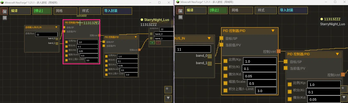
Real-time collaborative graph editing for all 12 block types. Multiple players can edit the same graph simultaneously. 全部 12 种方块支持多人实时协作编辑同一节点图。

Feature / 功能Description / 说明
🖱️ Live Cursor Tracking / 实时光标Colored crosshairs with player names / 彩色十字准星+玩家名
📦 Remote Drag / 远程拖拽Smooth animated node movement / 平滑动画节点移动
🔗 Wire Preview / 连线预览Live bezier curve while dragging / 实时贝塞尔曲线预览
👤 Player List / 玩家列表Right-side vertical list, host highlighted / 右侧竖向列表,房主高亮
🔒 Node Lock / 节点锁定IMAGE nodes protected during pixel edit / 像素编辑时锁定IMAGE节点
🚪 Auto-Close / 自动关闭UI closes when block destroyed / 方块破坏时自动关闭
⚡ Join/Leave / 加入离开Appear immediately on open, disappear on close / 打开即现,关闭即消

📝 Formula Script Node / 公式脚本节点

Multi-line script editor (v1.2.0+) — assignments, control flow, vec3, named outputs, comments, line continuation. 多行脚本编辑器 — 支持赋值、控制流、vec3、命名输出、注释、续行。完整语法见 docs/formula-syntax-manual.md。

🧮 Syntax Overview / 语法速览

赋值与输入引脚 / Assignments & input pins — any name assigned anywhere is an internal variable; every other name that is read becomes an input pin. 任何处被赋值的名字是内部变量,其余被读取的名字成为输入引脚:

x = a + 1        -- x 内部变量 / internal; a 成为输入引脚 / input pin
@output x

→ 1 input pin + 1 output / 1 输入 + 1 输出

控制流 / Control flow — repeat / while / if / else / break / continue:

acc = 0
repeat 100 { acc = acc + 1 }
if (acc > 50) { acc = 0 } else { acc = 1 }
@output acc

比较与逻辑 / Comparison & logic — < > <= >= are exact; ==/!= use a 1e-6 tolerance; && || ! judge truthiness as !=0. < > <= >= 精确;==/!= 1e-6 容差;&& || ! 以 !=0 判真。

vec3 与向量函数 / vec3 & vector functions:

v = vec3(3, 4, 0)
@output length(v)     -- 5
@output yaw(v)        -- 角度制,与 DIRECTION 节点一致 / degrees, mirrors DIRECTION
@output v             -- vec3 自动展开为 v.x/v.y/v.z 三个输出引脚 / expands into 3 scalar pins

Vector functions: vec3 length normalize dot cross dist yaw pitch; component access v.x/y/z. 向量函数:vec3 length normalize dot cross dist yaw pitch;分量访问 v.x/y/z。

函数表 / Functions(角度均按度 / trig in degrees): 15 个标量函数 / 15 scalar functions — sin cos tan asin acos atan2 sinh cosh sqrt ln log exp sec csc cot 7 个向量函数 / 7 vector functions — vec3 length normalize dot cross dist yaw pitch

中文输入即转 / CJK input converts live — ()→()、×→*、≥→>=,full-width letters/digits/spaces convert to half-width as you type. ()→()、×→*、≥→>=、全角字母/数字/空格即输即转半角。

预算池 / Budget pool — loop-heavy scripts spread across ticks: a thin progress bar below the node shows solve progress; outputs freeze during the spread and update only on completion (emit-on-done); the warm edit-panel toggle controls whether an input change keeps iterating or strictly freezes. 循环重负载脚本跨 tick 分摊:节点下方进度条显示解算进度,spread 期间输出冻结、完成才更新(emit-on-done);warm 编辑区开关控制输入变更时继续迭代还是严格冻结。典型应用见下方火控弹道解算示例。

🎯 火控弹道解算示例 / Fire-Control Ballistic Solver Example

Segment-collision aim solver aligned with the CreateBigCannons 5.11.x ballistic model (semi-implicit Euler dt=1/20, linear drag, per-tick segment hit test matching the in-game raycast), validated against the CBC tick-model golden reference — landing error ≤ 0.24 blocks across five scenarios. 弹道反解火控,对齐 CreateBigCannons 5.11.x 弹道模型(半隐式欧拉 dt=1/20、线性阻力、逐 tick 线段碰撞判定,与游戏内 raycast 同语义),对照 CBC tick 模型金标准五组场景对拍通过(落点误差 ≤ 0.24 格)。 Full paste-ready script: docs/examples/ballistic_solver.formula — ~2.5k–9k interpreter steps per solve (~65–250× leaner than the v1 600 000-step Newton solver), spread across ticks by the budget pool with a progress bar. Parameters baked in for a size-7 barrel · 8 charges · HE/AP shell (v0=160 b/s, g=20 b/s², fd=0.2); the script header table shows how to re-derive them for other charges or shell types. 完整可粘贴脚本:docs/examples/ballistic_solver.formula(每次解算约 2.5k–9k 步,较 v1 的 60 万步牛顿法精简 65–250 倍,由预算池跨 tick 分摊、带进度条)。参数已内化:7 系炮管 · 8 装药 · HE/AP 弹(v0=160、g=20、fd=0.2),脚本头部表格给出换装药/弹种的换算方法。

-- 输入:mx,my,mz 炮口 / tx,ty,tz 目标(参数已内化,见脚本头部参数表)
-- inputs: mx,my,mz muzzle / tx,ty,tz target (ballistic params baked in, see the header table)
-- 输出:ay 射向角[0,360) / ap 射角 / hit 可达 / vx0,vy0,vz0 初速向量
-- outputs: ay aim yaw [0,360) / ap aim pitch / hit reachable / vx0,vy0,vz0 velocity vector
ay = atan2(tx - mx, 0 - (tz - mz))
if (ay < 0) ay = ay + 360
cy = cos(ay)
sy = sin(ay)
-- 俯仰粗扫描(46 点 × 4°,记录低伸首谷+全局最优谷)+ 线段碰撞弹道模拟(半隐式欧拉 dt=1/20,距离持续增大 20 步提前终止)
-- pitch coarse scan (46 pts × 4°, flat-first + best valleys) + segment-collision simulation (semi-implicit Euler dt=1/20, early exit after 20 steps of increasing distance)
p = -89.899
bestwd = 1000000
repeat 46 {
  vx = v0 * cos(p) * sy
  vy = v0 * sin(p)
  vz = v0 * cos(p) * (0 - cy)
  -- ... 400 步线段碰撞模拟(完整脚本见上方链接) ... / 400-step segment simulation (full script linked above)
  p = p + 4
}
-- 细扫(0.5° × 17 点)+ 割线精化(≤10 轮),先低伸解、失败回退高抛解
-- fine scan (0.5° × 17 pts) + secant refinement (≤10 rounds), flat-first with high-arc fallback
@output ay
@output ap
@output hit

→ 6 inputs + 6 outputs / 6输入 + 6输出

🎨 Syntax Highlighting / 语法高亮

Real-time colour-coded editing with 9 token categories. 9 种词法分类的实时彩色标注。

Token Type / 词法类型Colour / 颜色Examples / 示例
Functions / 函数🟡 Yellow / 黄色sin, cos, sqrt, exp
Constants / 常量🩷 Pink / 粉色(PI), (E) — 仅分组括号内视为字面量
Identifiers / 标识符🩵 Light Cyan / 浅青x, speed, myVar
Numbers / 数字🟠 Orange / 橙色3.14, 42, 0.5
Operators / 运算符⬜ Grey / 灰色+, -, *, /, ^, %
Parens / 括号⬜ Grey / 灰色(, )
Comments / 注释🟢 Green / 绿色-- this is a comment
@output / 输出🟣 Purple / 紫色@output
Assignment / 赋值🟣 Purple / 紫色=
Unknown / 未知🔴 Red / 红色Invalid characters / 非法字符

🔍 Autocomplete / 自动补全

Type to trigger suggestions near the caret, rendered above all pins. 输入即触发,候选框显示在光标下方、所有引脚上方。

Trigger / 触发方式Behaviour / 行为
Type identifier char / 输入标识符字符Filtered dropdown: functions, constants, current variables / 过滤候选:函数、常量、当前变量
Type @ / 输入 @Immediately suggests @output / 立即建议 @output
Tab / EnterAccept selected candidate / 接受选中候选项
↑ ↓Navigate candidates / 导航候选项
Esc / any other keyClose popup / 关闭候选框
Click candidate / 点击候选项Accept and insert / 接受并插入
Zoom-aware / 缩放感知Popup scales with graph zoom level / 候选框随图缩放

✅ Real-Time Validation / 实时校验

Issues shown as red ⚠ badge on the node title bar. Hover the badge to see details. 错误以红色 ⚠ 徽章显示在节点标题栏,悬停查看详情。

Check / 校验项Type / 类型
Bracket matching / 括号匹配Error / 错误
Unknown function / 未知函数Error / 错误
Function arity / 函数参数数量不符Error / 错误
Invalid assignment / 无效赋值Error / 错误
Duplicate output names / 重复输出名Warning / 警告
@output invalid start / @output 起始非法Warning / 警告(表达式输出合法,如 @output length(v))
Red border on MLE / 输入框红色边框Visual feedback / 视觉反馈

📐 Named Constants / 命名常量

(PI) and (E) in grouping parentheses are literal constants (π ≈ 3.14159, e ≈ 2.71828). Bare PI / E or PI / E inside function calls like sin(PI) are treated as variable references (create input pins). (PI) 和 (E) 在分组括号内视为字面常量。裸 PI/E 或函数调用内的 sin(PI) 视为变量(创建输入引脚)。

-- (PI) = literal π, not a variable / 字面量π,不是变量
-- sin(PI) = PI is a variable input / PI 是变量输入
result = (PI) + sin(PI)
@output result

→ 1 input pin (PI) + 1 output / 1 输入引脚 + 1 输出


🚌 BUS System / BUS 总线系统

Global named-channel communication across computers. Like publish-subscribe message bus. 全局命名通道跨计算机通信系统,类似发布-订阅消息总线。

Feature / 功能Description / 说明
🚌 BUS_OUT / 总线输出Write values to named channel with bands / 写入命名通道+频段
🚌 BUS_IN / 总线输入Read band values from channel / 从通道读取频段值
📋 Band System / 频段Named sub-fields per channel / 每通道命名字段
🔢 Ref Counting / 引用计数Auto-cleanup when no BUS_OUT references / 无引用时自动清理
⚠️ Conflict Detection / 冲突检测Reject duplicate channel names / 拒绝重名通道

🧩 Node Reference / 节点参考(102 种)

📦 Values / 数值
Node / 节点Description / 说明
Constant / 常量Outputs constant value / 输出常量值
Redstone Input / 红石输入Reads from Redstone Link / 从红石链接网络读取
Private Signal Input / 私有信号输入Reads float from named channel / 从命名通道读取浮点数
Bus Input / 总线输入Reads bus channel bands / 从总线通道读取频段值
📊 Kinetic Readings / 动力读数 (Kinetic Gauge / Transmission / CNC Gearbox)
Node / 节点Description / 说明
Stress Status / 应力状态Kinetic network stress, 4 outputs: ratio (0-1, >1 overloaded), used (SU), unused (0-1), left (SU); all 0 with no network or zero capacity / 动力网络应力,四个输出:占比(0-1,超载 >1)、已用(SU)、未用(0-1)、剩余(SU);无网络/零容量全 0
Speed (RPM) / 转速Network rotation speed, signed (negative = reversed), 0 when unpowered/overloaded / 网络转速,带符号(负=反转),无动力/过载为 0
⚙️ Transmission & Gearbox / 变速器·齿轮箱 (Programmable Transmission + CNC Gearbox / 可编程变速器·数控齿轮箱)
Node / 节点Description / 说明
Target Speed / 目标转速Passthrough desired output RPM; the rev toggle negates it and the host transmission writes the target / 透传期望输出转速,rev 取反,宿主变速器写入目标
Move / 移动Command stack: rising edge enqueues "move N meters" (value = param, wire-overridable) / 指令栈:上升沿入队「移动 N 米」(数值=参数,可连线覆盖)
Rotate / 转动Command stack: rising edge enqueues "rotate N degrees" / 指令栈:上升沿入队「转动 N 度」
Wait / 等待Command stack: rising edge enqueues "wait N ticks" / 指令栈:上升沿入队「等待 N 刻」
Clutch / 离合Standing clutch intent / 常接合意图
Encoder / 编码器Motion feedback: angle (deg) · linear position (m) · actual speed (RPM); reset is body input pin 0 (level-triggered) / 运动反馈:角度(度)·线性位置(米)·实际转速(RPM);清零为节点体 0 号输入引脚(电平触发)
🔢 Basic Math / 基础运算
Node / 节点Description / 说明
Add / 加法A + B
Subtract / 减法A - B
Multiply / 乘法A × B
Divide / 除法A ÷ B (0 if B=0)
Modulo / 模运算A % B
Power / 次幂A ^ B
Root / 次方根B-th root of A
Absolute Value / 绝对值|input|
Ceil / 向上取整Round up
Floor / 向下取整Round down
📐 Advanced Math / 高级运算
Node / 节点Description / 说明
Formula / 公式Multi-line script editor / 多行脚本编辑器
Round / 保留N位小数Round to N decimals / 保留N位小数
Comparison Router / 比较路由|A-B| smart routing / 智能信号分流
Pose Convert / 姿态换算Pitch/Yaw/Roll coordinate conversion / 姿态角转换
Split / 分割Positive/negative signal split / 正负信号分离
Angle Compare (A-B) / 角度比对Two-angle compare: (A-B) folded into -180180 or 0360 / 双角度比对:差角 A-B 折返,-180180 或 0360 两模式

Trig / 三角函数(度): Sine · Cosine · Tangent · Arc Sine · Arc Cosine · Arc Tangent 2 · Hyperbolic Sine · Hyperbolic Cosine

Other / 其他: Square Root · Natural Log · Base-10 Log · Exponential · Secant · Cosecant · Cotangent · Direction (3-in 3-out)

🧠 Logic / 逻辑
Node / 节点Description / 说明
Greater Than / 大于A > B
Less Than / 小于A < B
Greater or Equal / 大于等于A ≥ B
Less or Equal / 小于等于A ≤ B
Equals / 等于A = B
AND Gate / 与门A > 0.5 and B > 0.5
OR Gate / 或门A > 0.5 or B > 0.5
Bool / 布尔Boolean with invert toggle / 布尔(可反转)
Gate / 闸门Signal gate with Set/Reset/Toggle / 信号门
Relay A / 继电器ASPDT relay — contact false→A, contact true→B / 双掷继电器
Relay B / 继电器BSPST relay — out = contact ? B : A / 单掷合并继电器
🎛️ Control / 控制
Node / 节点Description / 说明
PID Controller / PID控制器SP/PV PID (scalable output, anti-windup) / SP/PV 双输入 PID(输出可缩放,抗积分饱和)
Power PID / 动力PIDPID with base power input / 带基础动力PID
Clamp / 限制Min/Max clamp / 限幅
Map Range / 映射范围Range mapping / 范围映射
📤 Output / 输出
Node / 节点Description / 说明
Redstone Output / 红石输出Write to Redstone Link (0~15) / 写入红石链接
Private Signal Output / 私有信号输出Write to named channel / 写入命名通道
Bus Output / 总线输出Writes to bus channel / 写入总线通道
Speed Control / 转速控制Speed Controller RPM (-256~256) / 转速控制
⏱️ Sequential / 时序 (Program Computer only / 仅编程计算机)
Node / 节点Description / 说明
Delay / 延时Delay N ticks / 延时N tick
Latch / 锁存器Set/Reset latch, configurable default / 可配置默认状态
T Flip-Flop / T触发器Toggle flip-flop, configurable default / 可配置默认状态
Pulse Extender / 脉冲延长Extend input pulse N ticks / 脉冲延长N tick
Loop / 循环Fire pulse every interval, repeat count times / 循环脉冲
Safety Timer / 保险Trigger (rising edge) or held-high input → 2-tick pulse → cooldown; held-high repeats as pulse generator / 触发(上升沿)或持续高电平 → 2 tick 脉冲 → 冷却;持续高电平自动循环(脉冲发生器)
Accumulator / 累计器Rising-edge step counter / 累计器
Continuous Integrator / 连续积分器Continuous integration, configurable limit / 连续积分器
🎮 Input / 输入 (Control Seat + Attitude Sensor / 控制座椅+姿态传感器)
Node / 节点Description / 说明
Keyboard Key / 键盘按键58 bindable keys / 58键绑定
Mouse Joystick / 鼠标摇杆Dual mode: incremental (mouse delta) / absolute (stick with memory). Toggle in edit panel. / 双模式:增量/绝对值,编辑区切换
View Angle / 视角差View angle delta / 视角差
Mouse Button / 鼠标按键Left/Right mouse buttons / 鼠标按键
Gamepad Joystick / 手柄摇杆Dual stick LX/LY/RX/RY / 双摇杆
Gamepad Button / 手柄按键15 buttons / 15按键
Gamepad Trigger / 手柄扳机Analog triggers LT/RT (0~1) / 模拟扳机
World View / 世界视角Player absolute world view direction / 玩家绝对视角
Attitude / 姿态Block world-space pitch and roll (facing × sub-level rotation) / 方块自身世界姿态俯仰与横滚(朝向 × 子世界旋转)
Forward / 前方朝向World-space forward yaw/pitch / 结构朝向
Acceleration / 加速度Block-local X/Y/Z acceleration (structure motion in block axes) / 方块本地加速度(结构运动按方块朝向分解)
Velocity / 速度Block-local velocity ×2 m/s (structure motion in block axes) / 方块本地速度(结构运动按方块朝向分解)
World Position / 世界坐标World position with offset / 世界坐标(可偏移)
Target Output / 目标输出Radar target X/Y/Z/entityId/distance / 雷达目标
🖼️ Display / 显示 (Monitor + Control Seat HUD / 全息显示器+控制座椅抬头显示)
Node / 节点Description / 说明
Text / 文本Text display with color / 文字显示
Data Display / 数值显示Float value display / 数值显示
Image / 图像16×16 pixel image, signal-driven position / 像素图片
Image Sequence / 图像序列Multi-frame animation, signal-driven frame / 多帧动画
Pitch Ladder / 俯仰梯AR HUD pitch ladder (Control Seat), range & interval params / AR HUD 俯仰梯(控制座椅),range/interval 参数
🎵 Audio / 音频 (Amplifier Computer + Speaker / 功放计算机·音响)
Node / 节点Description / 说明
Music / 曲目Song host + transport: NBS playback, loop, play/stop, activation & start policy / 曲目宿主+传输:NBS 播放、循环、起停、输入激活×起播策略
Amplifier / 功放Gain 0-4 plus a dynamics curve (note loudness → output level) / 增益 0-4 + 力度曲线(音符力度→输出力度)
Wave Shaper / 波形整形Per-sample shaping curve; identity curve = true bypass / 逐采样整形曲线;恒等曲线 = 真旁路
Audio Output / 音频输出Publish audio to a named band / 发布音频到命名频段
Channel Split / 声道拆分Split multi-channel audio to standard layouts (stereo/quad/5.1/7.1) / 多声道音频按标准布局拆分(立体声/四声道/5.1/7.1)
Speaker Play / 播放Playback sink: hands the source to the host speaker / 播放下沉:把音源交给宿主音响发声
📦 Structure / 结构
Node / 节点Description / 说明
Encapsulation / 封装Nest sub-graphs inside a node / 嵌套子图
ENCAP_INPUT / 封装输入External input pin / 外部输入引脚
ENCAP_OUTPUT / 封装输出External output pin / 外部输出引脚
🔧 Debug / 调试 (All blocks / 全部方块)
Node / 节点Description / 说明
Comment / 便利贴Sticky-note annotation, resizable (808000×406000), scrollable, 3-color customizable. Drag header to move, parent-move contains nodes. Pure visual — skipped during evaluation. Press C with nodes selected to wrap. / 可调大小/滚动/三色自定义。拖拽顶部移动,父级移动携带内部节点。纯视觉辅助。选中节点按 C 包裹。
Signal Generator / 信号发生器Test signal source with XY curve preview + Y-axis range label, manual control-point curve or custom f(x) formula, frequency-generate or input-driven output modes, percentile-based robust auto-scale / 测试信号源,XY曲线预览+Y轴范围标注,手动控制点曲线或自定义f(x)公式,频率发生/指定模式输出,百分位数稳健自动缩放
Signal Probe / 信号探针Real-time signal monitor with 100-tick trend chart, percentile-based robust auto-scale (p1-p99), freeze/clear / 实时信号监视,100 tick趋势图,百分位数稳健自动缩放(p1-p99),冻结/清除

Signal Generator Modes / 信号发生器模式:

Mode / 模式Description / 说明
🎯 Manual Curve / 手动曲线Drag control points on XY chart. Double-click to add, right-click to delete, drag X/Y freely (X clamped between neighbors, server-sorted). Points synced via multiplayer collaboration. / XY图上拖拽控制点。双击添加,右键删除,XY双向自由拖拽(X被相邻点夹持,服务端排序)。多人协作同步。
📐 Custom f(x) / 自定义公式Enter formula expression using variable x (01). Supports all math functions (trig in degrees), auto full-width paren conversion. Speed/amplitude disabled — formula controls everything. / 输入公式表达式,变量 x(01)。支持全部数学函数(三角函数用度),自动全角括号转换。speed/amplitude 禁用。
🔄 Frequency Generate / 频率发生X auto-advances 0→1 cyclically. Speed control (manual mode only). Current X position shown as sky-blue marker on chart. / X自动0→1循环推进。speed控制速度(仅手动模式)。天蓝色标记线显示当前X位置。
🎯 Input-Driven / 指定模式X set by dragging sky-blue marker line on chart. No EditBox — pure drag interaction. / 拖拽天蓝色标记线设置X值。无输入框,纯拖拽交互。

Signal Probe Features / 信号探针功能:

  • 100-tick ring buffer trend chart with percentile-based robust auto-scale (p1-p99)
  • Percentile filtering replaces fixed ±5 clipping — correctly displays large-range data (e.g. 0~360)
  • Right-click: Freeze/Unfreeze, Clear History
  • Shows "---" when blueprint not running

🎮 Controls / 操作指南

Action / 操作Input / 按键
Add node menu / 添加节点Right-click empty / 右键空白
Two-column layout / 双列布局Click the state-label button on the menu title row (1 Col/2 Col), gold = two columns on / 点击菜单标题行右侧状态文字按钮(单列/双列),金色=双列开启
Edit params / 编辑参数Left-click → ▶ / 左键→▶
Connect / 连接Drag output pin → input pin / 拖拽输出→输入
Delete node / 删除节点Hover + X / 悬停+X
Delete connection / 删除连线TAB + Left-click / TAB+左键点击
Delete selected / 删除选中Delete
Box select / 框选TAB + drag / TAB+拖拽
Duplicate / 复制Ctrl + D
Undo / 撤回Ctrl + Z
Redo / 重做Ctrl + Y
Wrap in Comment / 注释包裹Select nodes + C / 选中节点+C
Edit Comment text / 编辑注释文本Double-click comment body / 双击注释节点
Resize Comment / 调整注释大小Drag bottom-right corner / 拖动右下角
Scroll Comment / 滚动注释Ctrl + Scroll / Ctrl+滚轮
Zoom / 缩放Scroll wheel / 滚轮
Pan / 平移Left-drag blank canvas (drag on a node = move it) / 左键拖拽空白处(节点上拖拽=移动节点)
Open editor (most blocks) / 打开编辑器Right-click / 右键
Speaker — Playback settings (gain/radius/mute) / 播放设置(音量/半径/静音)Second-row button in the speaker editor / 音响编辑器第二行按钮
Control Seat — Sit / 乘坐Right-click (empty hand) / 右键(空手)
Control Seat/Radar — Editor / 编辑器Shift + Right-click / Shift+右键
Control Seat — Dismount / 下马~
Control Seat — Switch mode / 切换模式TAB
Control Seat — Release mouse / 释放鼠标ESC
Signal Gen — Add control point / 添加控制点Double-click XY chart / 双击XY图
Signal Gen — Delete control point / 删除控制点Right-click control point / 右键控制点
Signal Gen — Drag control point / 拖拽控制点Left-drag (X clamped, Y free) / 左键拖拽
Signal Gen — Drag X marker / 拖拽X标记Left-drag sky-blue line (input mode) / 左键拖拽天蓝色线
Signal Gen — Switch mode / 切换模式Click toggle button (confirm with second click) / 点击切换按钮(二次点击确认)
Probe — Freeze/Unfreeze / 冻结解冻Double-click probe node / 双击探针节点
Probe — Clear/Clear History / 清除历史Right-click probe node / 右键探针节点
Bookmark — Open panel / 打开书签面板Click ★ bottom-right / 点击右下角★
Bookmark — Add / 添加书签[+] in panel or Ctrl+M / 面板内[+]或Ctrl+M
Bookmark — Rename / 重命名Click ✎ on bookmark row / 点击书签行✎
Bookmark — Delete / 删除Click × on bookmark row / 点击书签行×
Bookmark — Jump / 跳转Click → or name / 点击→或名称
Bookmark — Reorder / 拖拽排序Drag name area to new position / 拖拽名称区域到新位置
Bookmark — Reset view / 重置视角[↺] in panel or Home key / 面板[↺]或Home键

All editor actions above are rebindable — editor settings (top-right button) → Keys tab. / 上表编辑器动作均可在编辑器设置(右上角按钮)→「键位」标签页重绑。


🔄 Sable Physics Integration / Sable 物理集成

Deep integration with Sable physics engine for rotating structures. / 与Sable物理引擎深度集成,支持旋转结构。

Block / 方块Feature / 功能
Control Seat / 控制座椅Entity yaw tracks sub-level rotation / 实体yaw追踪子世界
Attitude Sensor / 姿态传感器Read logicalPose() quaternion / 读取姿态四元数

Thread safe / 线程安全: Shared fields volatile. Without Sable / 无Sable: Control Seat fully functional, Sensor outputs 0 / 控制座椅完全可用,传感器输出0


💾 Schematic Support / 蓝图兼容

All 12 blocks support Create's Schematicannon — graphs and state fully preserved. / 全部十二种方块支持蓝图大炮,图与状态完整保留。

Uses Create's IMergeableBE + SafeNbtWriter / 采用 Create 官方接口


📦 Recipes / 合成配方

Block / 方块Materials / 材料
🖥️ Monitor / 全息显示器Redstone Link×2 + Precision Mechanism + Glass Pane×2 + Brass Casing + Glowstone Dust×2
🖥️ Blueprint / 蓝图计算机Redstone Link×2 + Precision Mechanism + Glass Pane×2 + Repeater + Comparator + Brass Casing×2
⚡ Speed Proxy / 转速代理Brass Ingot×4 + Cogwheel + Glass Pane×2 + Comparator + Andesite Casing
🔌 Program / 编程计算机Andesite Casing×4 + Repeater + Glass Pane×2 + Comparator + Andesite Alloy
🪑 Control Seat / 控制座椅Heavy Weighted Pressure Plate + Iron Ingot×2 + Brass Casing + Redstone + Redstone Link×4
📐 Attitude Sensor / 姿态传感器Iron Ingot×6 + Repeater + Comparator + Brass Casing×2
📡 Radar / 雷达Monitor×2 + Iron Ingot×4 + Brass Casing + Redstone Block×2
📱 Portable Terminal / 便携终端Redstone Link×4 + Blueprint Computer + Glass Pane×4
🎛️ Kinetic Gauge / 动力传感器Iron Ingot×4 + Shaft×4 + Brass Casing

⚙️ Block Properties / 方块属性

Property / 属性Value / 值
Hardness / 硬度1.0 (hand breakable / 空手可破坏)
Hand break / 空手破坏Drops without NBT / 掉落无NBT
Wrench right-click / 扳手右键Rotate FACING / 旋转方向
Wrench Shift+right-click / 扳手Shift+右键Pick up with full NBT / 收回保留NBT
🎛️ Kinetic Gauge wrench / 动力传感器扳手Shaft end: roll through the 4 same-shaft poses (shaft fixed); top/bottom: tilt-preserving yaw; others: Create's default / 轴端面:同轴四态滚转(轴不动);点上/下:保倾偏航;其余面:官方默认

🔧 Technical Highlights / 技术亮点

Feature / 特性Description / 说明
👥 Multiplayer Collaboration / 多人协作Real-time editing, cursor tracking, node lock / 实时编辑、光标追踪、节点锁
⚡ Server-Authoritative Eval / 服务端权威评估Client receives EvalSnapshot — no local evaluator / 客户端接收快照,无本地评估器
⚡ Topological Sort Eval / 拓扑排序求值O(1) input query cache / O(1) 输入查询缓存
🚀 GC-Friendly / GC友好Reused evaluator instances / 重用求值器
🔄 Signal Bus / 信号总线Global named-channel communication / 全局命名通道通信
🧹 PID Anti-Windup / PID抗饱和Integral capping / 积分上限钳制
🛡️ Cycle Detection / 环检测Compile-time circular dependency check / 编译时循环引用检测
🎮 GLFW Raw Input / GLFW原始输入Bypass Minecraft keybinding system / 绕过MC键位系统
🔄 Sable Integration / Sable集成BlockEntitySubLevelActor sub-level pose reading / 子世界姿态读取

📜 Changelog / 更新日志

完整变更日志已拆分至 CHANGELOG.md —— 每个版本一个 <details> 块。 The full changelog now lives in CHANGELOG.md — one <details> block per release.

Version标题 / Title
v1.2.6.2修复:NBS 编辑器播放间歇延迟 · Sable 结构内音响无声 · 音频拆分节点编辑区未刷新时连线回退 · 功放菜单隐藏音频输出节点 / Fix: NBS editor playback was sometimes delayed · speaker inside a Sable structure went silent · audio-split node wires reverted when the edit panel wasn't re-selected · amplifier menu hides the audio-output nodes
v1.2.6.1修复:同名冲突者改名走人误退役频道致 BUS_IN 频段图被清(活候选值守退役)· 删除路径与 BUS_IN 改名的跨 owner 误清 / Fix: renaming a conflicted same-name BUS_OUT away wrongly retired the channel and pruned BUS_IN band graphs (claimant-aware retirement) · cross-owner wipes on the delete path and BUS_IN renames · 总线自愈挂点与收敛守卫实测二轮:自愈排在每 tick 收敛之前(图停止也跑),未定义=空不可证明、跳过保线 · bus self-heal and convergence guard, second in-game round: self-heal runs before the per-tick convergence (even while the graph is stopped) and an undefined channel is no longer proven-empty (skip pruning, keep the wires) · 角度解绕更名「角度比对」:双角度差比对 + 折返区间两模式 · angle unwrap renamed Angle Compare (A-B): two-angle delta compare with two fold-range modes · 音乐节点播放编辑区:输入激活 × 起播策略两模式 · music node playback edit panel: input activation and start-policy modes · 删除连线命中几何与画线同源(遮挡 / z 序门控) · delete-wire hit geometry shares the drawn curve with occlusion / z-order gating · 功放电脑监听音频节点(盖子频谱单源,默认图最上方,可指定) · amplifier monitor node (single-source lid spectrum, graph-topmost by default, pinnable) · 音响/雷达设置面板点击与滚轮穿透封口 · 键位配置重启不加载(v1.2.6 起) · 设置面板点外自动收回 · 私有信号引脚文本随承载类型切换 · 子编辑器(NBS/像素)占用锁跨屏幕保活 + 入口软锁 · speaker & radar settings panels seal their click & wheel leak · keybinding config fails to load at boot (since v1.2.6) · settings panels collapse on outside click · private pin text follows the carried audio/float type · sub-editor occupancy-lock keep-alive + entry soft-lock check · NBS 顶栏导入/导出并成文件钮(新建/导入/导出下拉) · NBS top bar merges import & export into a file button (new / import / export dropdown) · 层行音频钮随静音态换字形(扬声器±声波) · lane-row audio button swaps glyphs with the mute state (speaker with/without waves) · NBS 顶栏曲名点击行内改名(功放监听按曲名显示) · inline song-name rename on the NBS top bar (the monitor list labels by song name) · 功放/齿轮箱节点菜单按功能面收敛(齿轮箱 70→59 去高级运算并隐藏控制/累计/动力读数,功放 69→34 音频+编排控制面) · amplifier & gearbox node menus curated by functional surface (gearbox 70→59 drops math_advanced and hides control/accumulator/kinetic, amplifier 69→34 audio + orchestration plane)
v1.2.6功放电脑 + 音响 + NBS 钢琴卷帘编辑器(双视图 · 选择/剪贴板 · 拖移搬移 · 逐音符力度/声像/细音高 · 层面板与重排 · 静音 · 配色收编)· 与门节点 · 曲线双节点(AMP 力度曲线 + WSHAPE)· 闸门/T 触发器/锁存器当前态手动切换 / Amplifier Computer + Speaker + NBS Piano Roll Editor (dual views, selection & clipboard, drag-to-move, per-note velocity/panning/pitch, layer panel & reorder, mute, themed palette) · AND gate node · curve duo (AMP dynamics curve + WSHAPE) · manual current-state toggle on Gate / T Flip-Flop / Latch
v1.2.5.2修复:动力传感器扳手旋转(同轴滚转 · 点上/下保倾偏航)· 贴地放置修正 · 倒置朝下时屏幕读数翻正 · 行走时视角摇晃导致 HUD 虚像晃动 · 切换游戏语言后 HUD 文字变乱线 · 节点分类重构 · 视口裁剪 / 菜单命中 · 数控齿轮箱轴面常在 / 扳手回归官方 · 变速器过载后输出恢复 · 输出指令正反转与负行程 · 编码器清零改节点体引脚 · PID/PID_POWER 积分死区 · 频道名旧草稿回写(#10)· 去掉整图保存覆盖(#17)· 封装子图节点数据同步 · 封装子图展开状态跨玩家同步 · 参数输入框实时同步 · 封装子图顶栏合并 · 占用封装禁删 · 键位系统扩容(删除连线 + 像素编辑器动作)· 统一键鼠序列绑定 · 旧键位配置迁移 · 删节点撤销/重做恢复连线(pinId + 占用检测)· 变速器代理态显示(值盒「(代理)」+ 滚轮拒收) / Fix: Kinetic Gauge Wrench Rotation (Shaft Roll · Tilt-Preserving Yaw) · Floor Placement · Inverted Mount Text Upright · View Bobbing Wobble & Garbled HUD Text After a Language Switch · Node Category Refactor · Viewport Cull / Menu Hit · CNC Gearbox Shaft Faces Always Present / Wrench Back to Official · Transmission Output Recovers After Overload · Output-Command Forward-Reverse & Negative Travel · Encoder Reset on the Node Body · PID/PID_POWER Integral Deadband · channel-name stale-draft write-back (#10) · drop whole-graph save overwrite (#17) · sub-graph node data sync · sub-graph expansion state sync across players · live param-box sync · sub-graph top-bar merge · occupied-encapsulation delete guard · display-mode top-bar merge · display lock follows selection · smooth remote display-layout drags · key-binding system gains delete-wire and pixel-editor actions · unified sequence bindings (legacy key-binding configs migrate) · undo/redo node-delete restores wires (pinId + occupancy check) · transmission proxy display (value-box "(proxy)" + wheel refused while node-driven)
v1.2.5.1动力传感器(kinetic_gauge,Create 表同款 3 轴放置 · STRESS/RPM 节点 · 蓝屏显示)· 编辑器输入焦点与选中高亮修复 · GUI 巨型文件拆分(HUD 裁剪数学 / 显示编辑器 / 设置界面 tab)
v1.2.5公式语言升级:控制流 + vec3 + 预算池 / GUI 架构迁移 / 像素编辑器 / 可编程变速箱
v1.2.4.1回归审计 · 总线系统 · 封装状态 · 公式一致性 · Sable 加固
v1.2.4多人协作 + 调试工具链 + 公式编辑器体验

更早版本(v1.2.3 及以前)见 CHANGELOG.md。 Older releases (v1.2.3 and earlier): see CHANGELOG.md.


❓ FAQ / 常见问题

Node editor laggy? / 节点编辑器卡顿? Editor drawing is viewport-culled (v1.2.5.2): only on-screen nodes cost render time. 1024 nodes on screen runs fine — node count and PID count are no longer practical limits. / v1.2.5.2 起编辑器绘制做了视口裁剪(只画屏内节点):同屏 1024 个节点也无压力,节点数量与 PID 数量不再是实际限制。
Speed Proxy not working? / 转速代理不工作? Place directly adjacent to a Speed Controller. / 放置在转速控制器相邻面。
State lost after schematic? / 蓝图放置后状态丢失? Use Create 6.0.10+. Full NBT interfaces registered. / 确保使用Create 6.0.10+。
Can computers communicate? / 计算机可以通信吗? Yes — Private Signal I/O (named channels) or BUS_IN/BUS_OUT (banded). / 可以——私有信号I/O或BUS总线。

📥 Installation / 安装

Dependency / 依赖Version / 版本
Minecraft1.21.1
NeoForge21.1.233+
Create6.0.10+

Sable is optional / Sable 为可选

  1. Install NeoForge + Create / 安装 NeoForge + Create
  2. Place .jar in mods folder / 将 .jar 放入 mods
  3. Launch! / 启动!

🌐 Links / 链接

⭐ If you enjoy this mod, star us on GitHub! / 喜欢请在GitHub点⭐!
Unleash Create's potential with visual programming! / 用可视化编程释放机械动力的潜力!🚀

Галерея
Multiplayer Collaboration / 多人协作(v1.2.4+)

Последние версии

Все версии →
release

create-schematic-compute 1.2.6.2

1.2.6.2
24 окт. 2026 г.172Minecraft: 1.21.1neoforge
Скачать
Что нового
## Create: Schematic Compute 1.2.6.2 ### 🐛 Fixes / 修复 - ⏱️ **NBS 编辑器播放间歇延迟**:渲染卡顿导致音频声道欠载停播后重挂时,墙钟锚点冻结在停播时刻——重挂后第一批音符要再等完整段停播时长才响,**停播多久就晚多久**。现停播/冷启动路径把锚点重置到当前混音游标:停播期的乐理时间舍弃不拖欠,停顿后立即赶齐(打开编辑器后隔一阵首播的同病同修)。 / NBS editor playback was sometimes delayed: after a render hitch starved the output queue and the audio channel stopped, the wall anchor stayed frozen at the stop moment — the first batch after re-attach arrived late by exactly the stall. The stopped/cold path now resets the anchor to the current mixer cursor: the stall's musical time is discarded, not owed, and playback catches up immediately (the cold first-play shared the disease and is fixed too). - 🔊 **Sable 结构内音响发声**:Sable 把 sub-level 内容宿主在父维度的保留「绘图网格」区,音符包携带的网格本地坐标被父世界原样播放——发声点落在网格保留区、离结构任意远,距离衰减即无声。现客户端经 sub-level 姿态把发声点换算到世界空间(移动中的船也正确);停止标记键保持网格本地坐标,play/stop 同空间对键。 / Speakers inside Sable structures are audible again: Sable hosts sub-level content in a reserved plot-grid region of the parent dimension, so note packets carried grid-local positions that the parent world played as-is — the voice landed arbitrarily far from the structure and distance attenuation silenced it. The client now resolves the playback position through the sub-level's pose (correct on moving ships); the stop-marker key stays grid-local so play and stop keep keying in the same space. - 🧵 **声道拆分布局切换不再「连线回退」**:布局预设点击只手写参数,op 回显被跳过/未变守卫拦下——旧声道 pinId 上的连线成了幽灵线(服务端已剪、本地还画着),权威同步一到整批消失,且此后画的新线可能携旧声道名被服务端静默跳过。现点击瞬间本地镜像服务端的引脚重建:旧线就地剪除、新线按新声道名出线。 / Audio-split (CHANNEL) layout changes no longer revert wires: the layout click wrote params by hand while its op echo never reached the originator, leaving ghost wires on old channel pinIds that the next authoritative sync wiped wholesale (and wires drawn afterwards could carry stale names the server silently skipped). The click now mirrors the server's pin-set rebuild locally: old wires prune in place, fresh wires leave with the new channel names. - 🙈 **功放菜单隐藏「音频输出」节点**:「音频输出」只有音响能真正发声——功放图上它只发频段不出声,名字招误导;功放准入黑名单在 SPEAKER_PLAY 之外补上 AUDIO_OUT。对外把音频送到别的方块走音频承载的 BUS_OUT 同一条通路。 / The amplifier menu hides the "audio output" node: only a speaker truly emits sound - on the amplifier the node merely publishes a band and the name misleads; the amplifier blacklist gains AUDIO_OUT next to SPEAKER_PLAY. External audio delivery rides the audio-carrying BUS_OUT path. ### 📦 Requirements / 依赖 - **Create 6.0.10+**(必需 / required) - **Sable**(可选 / optional,1.2.2 实测;结构内发声需要它 / verified on 1.2.2; required for in-structure playback) - NeoForge 21.1.233+ · Minecraft 1.21.1 ### 📥 Install / 安装 1. Minecraft 1.21.1 + NeoForge 21.1.233+(或更高) / Minecraft 1.21.1 with NeoForge 21.1.233 or newer 2. 把 jar 放进 `mods/`,并安装 Create 6.0.10+ / Drop the jar into `mods/` and install Create 6.0.10+ 3. 完整变更日志见 [CHANGELOG.md](https://github.com/y15173334444/create-schematic-compute/blob/main/CHANGELOG.md#v1262) / Full changelog: [CHANGELOG.md](https://github.com/y15173334444/create-schematic-compute/blob/main/CHANGELOG.md#v1262) **SHA-256** `7240c27c5473b22a0f6e73187b9dcf650fe3d7b4e393ec07c84392855abc29d0` · `create-schematic-compute-1.2.6.2.jar`
release

create-schematic-compute 1.2.6.1

1.2.6.1
24 окт. 2026 г.40Minecraft: 1.21.1neoforge
Скачать
Что нового
## Create: Schematic Compute 1.2.6.1 ### 🐛 Fixes / 修复 - 🚌 **BUS 频道冲突者改名走人误退役**:同名冲突者改名走人不再把 BUS_IN 频段剪光(活候选守退役);删除路径与 BUS_IN 改名补 owner 门;自愈挂点收口到每 tick 收敛之前(图停止也跑),收敛守卫收紧为「未定义=空不可证明」、跳过保线。 / A conflicted rename-away no longer retires channels while a claimant lives; owner gates on the delete path and BUS_IN renames; self-heal runs before the per-tick convergence (even while the graph is stopped) and the convergence guard never treats an undefined channel as proven-empty. - 🔑 **键位配置重启不加载**(v1.2.6 起):自定义绑定重启静默回出厂——`CONFIG_PATH` 静态初始化顺序已修,被冲掉的绑定需手动重绑一次。 / Keybindings failed to load at boot since v1.2.6 (a static-init ordering bug); bindings eroded during v1.2.6 need one manual re-bind. - 🧵 **删除连线命中几何与画线同源**:「对准了删不掉」(公式/曲线节点 240px 宽的命中漂移)已修,含遮挡与 z 序门控。 / Delete-wire hit geometry now shares the drawn curve (fixes the 240px-wide node hit drift), with occlusion and z-order gating. - 🛡️ **音响/雷达设置面板点击与滚轮穿透封口**。 / Speaker & radar settings panels no longer leak clicks and the wheel. ### ✨ New / 新增 - 📻 **功放电脑监听音频节点**:盖子频谱取数源可选(单源、默认图最上方、可指定)。 / Amplifier computer monitor: a selectable single-source node for the lid spectrum. - 🎵 **音乐节点播放编辑区**:输入激活 × 起播策略两模式。 / Music node playback edit panel: input activation and start-policy modes. - 📐 **角度比对(A-B)**:原「角度解绕」更名,新增双角度差比对 + 折返区间两模式。 / Angle Unwrap renamed Angle Compare (A-B): two-angle delta compare with two fold-range modes. - 📁 **NBS 编辑器文件钮**:顶栏导入/导出并成一枚 ▤ 文件钮,点开下拉「新建曲目 / 导入 / 导出」;新建曲目走整曲快照撤销(Ctrl+Z 退回)。 / NBS editor file button: import & export merge into one ▤ button with a new/import/export dropdown; new song is whole-song undoable (Ctrl+Z). - ✏️ **NBS 顶栏曲名行内改名**:Enter 或失焦提交、Esc 取消——功放电脑「监听音频节点」列表按曲名显示,手搓/新建的曲子不再是「未命名曲目」。 / Inline song-name rename on the NBS top bar (Enter or blur commits, Esc cancels) — the amplifier monitor list labels by song name. - 🔈 **层行音频钮随静音态换字形**:有声 = 扬声器+声波,静音 = 裸扬声器。 / Lane-row audio button swaps speaker glyphs with the mute state. - 🖱️ **设置面板点外自动收回**、**功放监听面板滚动条可拖**、**私有信号引脚文本随承载类型**(音频/值)、**子编辑器(NBS/像素)占用锁跨屏幕保活 + 入口软锁**。 / Settings panels collapse on outside click; monitor-panel scrollbar drag; private pin text follows the carried type; sub-editor occupancy-lock keep-alive + entry soft-lock. ### ⚠️ Behaviour changes / 语义变更 - 🗂️ **功放/齿轮箱节点菜单按功能面收敛**:数控齿轮箱 70 → 59(8 类——去高级运算,整类隐藏控制/累计/动力读数),功放 69 → 34(7 类——音频 + 值/输出控制面 + 时序 + 触发逻辑 + 调试)。**已放入图中的节点照常求值,只影响新建菜单**;共享分类体系零改动。 / Amplifier & gearbox add menus curated by functional surface (gearbox 70 → 59, amplifier 69 → 34). Existing graphs are untouched — only the add menu changes; the shared taxonomy is unchanged. - 设置面板打开时点击面板外部 = 收回(这一下就地吞掉,不落到画布)。 / An outside click collapses an open settings panel (consumed in place). - 双击入口被他人占用时拒绝打开子编辑器(占用框跨屏幕保活)。 / Double-click entries refuse when another player holds the node. ### 📦 Requirements / 依赖 - **Create 6.0.10+**(必需 / required) - **Sable**(可选 / optional) - NeoForge 21.1.233+ · Minecraft 1.21.1 ### 📥 Install / 安装 1. Minecraft 1.21.1 + NeoForge 21.1.233+(或更高) / Minecraft 1.21.1 with NeoForge 21.1.233 or newer 2. 把 jar 放进 `mods/`,并安装 Create 6.0.10+ / Drop the jar into `mods/` and install Create 6.0.10+ 3. 完整变更日志见 [CHANGELOG.md](https://github.com/y15173334444/create-schematic-compute/blob/main/CHANGELOG.md#v1261) / Full changelog: [CHANGELOG.md](https://github.com/y15173334444/create-schematic-compute/blob/main/CHANGELOG.md#v1261) **SHA-256** `d33018896cd8e086af3ff7912fd13d0749f80507b6f61394fc546dc11135b0da` · `create-schematic-compute-1.2.6.1.jar`
release

create-schematic-compute 1.2.6

1.2.6
18 окт. 2026 г.1 тыс.Minecraft: 1.21.1neoforge
Скачать
Что нового
## Create: Schematic Compute 1.2.6 ### ✨ New / 新增 - 🎵 **功放电脑 + 音响 / Amplifier Computer + Speaker**(`create_schematic_compute:amplifier_computer` / `speaker`):两个新方块接上 **CSC 混音音频引擎**——服务端排程、音符展开时烘焙层音量/声像、事件带目标时刻由客户端墙钟定点播放(2s 预播吸收服务端停顿);功放开盖屏 16 频段频谱 + 增益曲线 + 声道拆分(聚合/立体声/4.0/5.1/7.1),音响按世界位置发声、带增益/静音/红石静音。 / Two new blocks on the **CSC mixing audio engine**: server-side scheduling with layer volume/panning baked at note expansion, target-timed events placed on the client's wall clock (a 2 s pre-roll absorbs server stalls); the amplifier's lid screen shows a 16-band spectrum with a gain curve and channel split (mix / stereo / quad / 5.1 / 7.1), and the speaker voices audio at its world position with gain / mute / redstone-mute controls. - 🎹 **NBS 钢琴卷帘编辑器 / NBS Piano Roll Editor**:双击 MUSIC 节点打开——钢琴卷帘(点放/擦除/拖拽涂抹)+ 层面板 + 传输条(播放/停止/循环/速度)+ 试听 + .nbs 导入导出(v1–v5 读 / v5 写);**双样式视图**(卷帘 tick×键 / 层列 tick×层 + 底部钢琴条);**选择 + 剪贴板**(框选 / Ctrl 点选 / 复制剪切粘贴,与 OpenNBS 等社区编辑器**跨窗互贴**);**拖移搬移**(拖到新格搬移、同格改音高、选区随拖);**逐音符力度/声像/细音高**(Set 弹窗 + 悬停微调);层面板逐行自包含 + 细调弹窗 + 层重排;图标化顶栏、卷帘键位列表与谱面 1:1 对齐、层总览面板、层静音开关、导入弹窗滚动条;13 个 NBS 命令入键位系统(播放/撤销/导入导出等可绑)。 / Double-click a MUSIC node: a piano roll (place / erase / drag-paint) with a layer panel, transport bar and audition, plus .nbs import/export (v1–v5 read / v5 write); **dual views** (roll tick×key / lane tick×layer with a piano strip); **selection & clipboard** (marquee / Ctrl-click / copy-cut-paste with **cross-window pasting** into OpenNBS-style editors); **drag-to-move** (a new cell relocates, the same cell retunes, selections travel); **per-note velocity / panning / fine pitch** (Set dialog + hover micro-adjust); self-contained layer rows with a detail popup and layer reorder; an icon top bar, a roll key list aligned 1:1 with the score, a layer overview picker, per-layer mute and an import-dialog scrollbar; thirteen NBS commands join the key-binding system. - 🎛️ **曲线双节点 / Curve duo**:AMP 力度曲线(x = 音符力度、y = 输出力度,拖点/双击加/右键删)+ 新节点 **WSHAPE 波形整形**(逐样本 LUT 骑 AudioRef 下发、起音时固化进采样,恒等曲线 = 真旁路)。 / The AMP dynamics curve (x = note velocity, y = output level) plus the new **WSHAPE wave shaper** (a per-sample LUT riding the AudioRef, baked into the sample at voice start; an identity curve is a true bypass). - 🎛️ **新节点:与门 / New node: AND Gate**:与或门完全镜像(2 入 1 出,A、B 都 >0.5 输出 1,NaN 判假),级联可拼多输入。 / A strict mirror of OR (two ins one out, 1 only when both exceed 0.5, NaN counts false); chain gates for more inputs. - 🎛️ **闸门 / T 触发器 / 锁存器当前态手动切换 / Manual current-state toggle**:三个时序节点的编辑区可手动拨当前态,调试更顺手。 / The three sequential nodes gain an edit-area toggle for their current state — handier for debugging. ### 🐛 Fixes / 修复 - 🐛 **NBS 编辑器实测反馈一批 / NBS editor field-feedback batch**:卷帘右键按下在空格上误放音符(改走擦除路径);右键点空白取消选择;导入换曲后速度框滞留旧值(失焦曾把旧速度写回新曲上传);钢琴条选中标记两缺陷(画序反写 + F/F# 黑白键身份颠倒,卷帘键行着色同修);导入弹窗滚轮滚动 + 真滚动条 + 文件计数;层名输入框点别处 / Esc 取消(此前滞留吃按键)。 / RMB press on blank cells placed notes (now erases); right-click on blank clears the selection; the tempo box kept the previous song's value after an import and committed it back on blur; the piano-strip selection marker hid under an inverted draw order and the F/F# black-key identity was swapped (the roll's key-row shading fixed with it); the import dialog gained wheel scrolling, a real scrollbar and a file count; the layer-name box cancels on an outside click / Esc instead of lingering and eating keystrokes. ### ⚠️ Behaviour changes / 语义变更 - **同列第二笔不再换键挪移**:同一 tick 列画第二笔时第一笔的音符原地不动,新音符落到下一个未锁定空层成和弦(没有空层自动扩一层);挪音符/改音高只走拖动手势与悬停滚轮。 / The same-column second stroke no longer relocates the first note — it stacks on the next free unlocked layer as a chord (growing the song when none is free); moving and retuning are exclusively the drag gesture and the hover wheel. - **层「试听」钮改为静音开关**:试听只播一个音、意义有限,改为是/否静音(播放展开整层跳过;静音是编辑期状态,不随 .nbs 导出/上传)。 / The layer audition button — which only ever played one note — became a mute toggle: playback expansion skips the layer; mute is editor-side state and never rides the .nbs file or uploads. - **NBS 编辑器配色收编主题系统**:面板/按钮/悬停/网格/播放头等改走用户颜色配置(换主题即时生效),默认观感略有变化(按钮井更深、dim 文字转灰、播放头/选中统一 accent)。 / The NBS palette now rides the user colour config (theme switches apply live); defaults shift slightly — deeper button wells, grey dim text, and playhead/selection share the accent colour. ### 📦 Requirements / 依赖 - **Create 6.0.10+**(必需 / required) - **Sable**(可选 / optional) - NeoForge 21.1.233+ · Minecraft 1.21.1 ### 📥 Install / 安装 1. Minecraft 1.21.1 + NeoForge 21.1.233+(或更高) / Minecraft 1.21.1 with NeoForge 21.1.233 or newer 2. 把 jar 放进 `mods/`,并安装 Create 6.0.10+ / Drop the jar into `mods/` and install Create 6.0.10+ 3. 完整变更日志见 [CHANGELOG.md](https://github.com/y15173334444/create-schematic-compute/blob/main/CHANGELOG.md#v126) / Full changelog: [CHANGELOG.md](https://github.com/y15173334444/create-schematic-compute/blob/main/CHANGELOG.md#v126) **SHA-256** `dab6835f4b8e0b16274ca06a5366196107d611f21f4e826331bc0d61a14d06b3` · `create-schematic-compute-1.2.6.jar`
release

create-schematic-compute 1.2.5.2

1.2.5.2
27 сент. 2026 г.1,7 тыс.Minecraft: 1.21.1neoforge
Скачать
Что нового
<details> <summary><b>v1.2.5.2</b> — 修复:动力传感器扳手旋转(同轴滚转 · 点上/下保倾偏航)· 贴地放置修正 · 倒置朝下时屏幕读数翻正 · 行走时视角摇晃导致 HUD 虚像晃动 · 切换游戏语言后 HUD 文字变乱线 · 节点分类重构 · 视口裁剪 / 菜单命中 · 数控齿轮箱轴面常在 / 扳手回归官方 · 变速器过载后输出恢复 · 输出指令正反转与负行程 · 编码器清零改节点体引脚 · PID/PID_POWER 积分死区 · 频道名旧草稿回写(#10)· 去掉整图保存覆盖(#17)· 封装子图节点数据同步 · 封装子图展开状态跨玩家同步 · 参数输入框实时同步 · 封装子图顶栏合并 · 占用封装禁删 · 键位系统扩容(删除连线 + 像素编辑器动作)· 统一键鼠序列绑定 · 旧键位配置迁移 · 删节点撤销/重做恢复连线(pinId + 占用检测)· 变速器代理态显示(值盒「(代理)」+ 滚轮拒收) / Fix: Kinetic Gauge Wrench Rotation (Shaft Roll · Tilt-Preserving Yaw) · Floor Placement · Inverted Mount Text Upright · View Bobbing Wobble &amp; Garbled HUD Text After a Language Switch · Node Category Refactor · Viewport Cull / Menu Hit · CNC Gearbox Shaft Faces Always Present / Wrench Back to Official · Transmission Output Recovers After Overload · Output-Command Forward-Reverse &amp; Negative Travel · Encoder Reset on the Node Body · PID/PID_POWER Integral Deadband · channel-name stale-draft write-back (#10) · drop whole-graph save overwrite (#17) · sub-graph node data sync · sub-graph expansion state sync across players · live param-box sync · sub-graph top-bar merge · occupied-encapsulation delete guard · display-mode top-bar merge · display lock follows selection · smooth remote display-layout drags · key-binding system gains delete-wire and pixel-editor actions · unified sequence bindings (legacy key-binding configs migrate) · undo/redo node-delete restores wires (pinId + occupancy check) · transmission proxy display (value-box "(proxy)" + wheel refused while node-driven)</summary> ### 🔧 动力传感器扳手 / Kinetic Gauge Wrench | Change / 变更 | Description / 说明 | |---------------|-------------------| | 🧰 **行为变更**:三语义 | ① <b>轴端面</b>(点击轴 ∥ 旋转轴)→ 同轴四态按角点序(右上→右下→左下→左上)滚转 90°,**轴不动**——对官方的有意偏离(官方端面点击会翻轴断连);② <b>点上/下</b> → 沿当前倾侧偏航 90°,屏幕保持朝上/朝下不翻面(第二处偏离);③ <b>其余面</b> → 与 Create `IWrenchable` 默认逐字相同(绕所点面的轴转;facing 同轴面翻 `axis_along_first`)。环表提纯在 `KineticGaugeStates.nextInShaftRoll`/`nextInYaw`(纯函数),`KineticGaugePlacementTest` 钉死每步绕轴 90°、`getClockWise` 同向、4 步闭合 / ① shaft-end: roll through the four same-shaft states in corner order, 90° per step, shaft fixed (deliberate deviation — official pivots the shaft); ② Y-face: yaw staying on the current tilt (second deviation); ③ other faces verbatim Create's `IWrenchable` default. Rings are pure functions in `KineticGaugeStates`, pinned for 90° steps, getClockWise sense and 4-cycle closure. | | 🐛 Y 轴滚转环序 **(bug 修复)** | 竖置轴的滚转环曾写成 NW→SW→NE→SE——第 2/4 步是 180° 对角跳(「互不重合」钉子查不出顺序错)。现改为 getClockWise 环(NW→NE→SE→SW),并由环序钉子(每步法线绕轴恰转 90°)锁死 / The vertical-shaft roll ring hopped 180° on steps 2 and 4; now a getClockWise cycle, locked by ring-order pins. | | 🐛 横置点上/下偏航 **(bug 修复)** | ① 竖置 facing 点上/下以前只在两个 `along_first` 态来回 → 现沿朝下环保倾偏航(倒置屏不翻回朝上);② 四个横置朝向里有两个屏幕朝下反了 → 重排 blockstate:**W/N/E/S 全部 x=0 上仰讲台**(up-west/north/east/south),偏航四步屏幕都朝玩家。`KineticGaugePlacementTest` 钉死 / Vertical-facing Y-click used to toggle two states; horizontal yaw had two inverted screens. Table now gives all four horizontals an up-tilted lectern pose. | | 🐛 同轴四态旋转重合 **(bug 修复)** | `up+false` 与 `west+false` 曾同为 `x=0,y=0`,`north+true` 与 `up+true` 同为 `x=0,y=90` —— 扳手绕轴循环里连着两步长得一样(实测「右上→右上→左下→右下」)。现同一旋转轴的 4 个状态落到 4 个互不重合的 `(model,x,y)`(轴 Z:`(0,0)/(0,180)/(180,180)/(180,0)`;轴 X:`y∈{90,270}×x∈{0,180}`),与 `Direction.getClockWise` 同向;`KineticGaugeStatesTest.eachShaftAxisHasFourDistinctRotations` 钉死 / Two states used to share `x=0,y=0` (and another pair `x=0,y=90`), so a wrench roll around the shaft stuttered. Each shaft axis now maps its 4 states to 4 distinct `(model,x,y)` triples, matching `getClockWise`; pinned by `eachShaftAxisHasFourDistinctRotations`. | | 🧹 清理 | `wrenchAction` 分类纯函数与中版的刚体反查(`rigidSideTarget`/`isDisplayFace`/`isSteepLook`)删除;环表提纯为 `KineticGaugeStates` 纯函数并补环序钉子 / The classifier and the interim rigid-lookup helpers are gone; the rings are pure functions with order pins. | ### 🧭 贴地/贴顶放置 / Floor &amp; Ceiling Placement | Change / 变更 | Description / 说明 | |---------------|-------------------| | 🧭 **放置重排** | `facing` **恒为水平**(贴墙=点击面,贴地/贴顶=水平正对玩家,不再因陡视变 up/down——2 态换不出 4 偏航角);横置/竖置由 `axis_along_first` 承担:平视=横置讲台,**陡视(nearestLooking 轴竖直)=竖直轴平板**;有结构轴时优先对齐(`RotatedPillarKineticBlock.getPreferredAxis`)。俯仰判定用 nearest-looking 而非 `getXRot`——Sable 会把 orderedByNearest mixin 到子世界局部系,世界俯仰角在旋转结构上会错(2026-09 实机) / Facing is always horizontal on placement; lectern vs vertical-shaft is the steep-look gate on `axis_along_first`; structure axis preferred when present; nearest-looking instead of world pitch for Sable-rotated structures. | ### 🖥️ 倒置屏幕读数 / Inverted Mount Readout | Fix / 修复 | Description / 说明 | |-----------|-------------------| | 🙃 倒置/朝下读数翻正 **(bug 修复)** | `facing=DOWN` 走 blockstate `x:180`,蓝屏正确朝下,但动态读数随整机一起颠倒(倒置挂墙/朝下时上下翻转)。渲染入口改为 `KineticGaugeStates.displayPanel`:`x:180` 时把字形右/上在面板平面内再转 180°(法线不动、右手系保持),从屏幕外侧看文字恢复正立;12 个状态的世界空间文字上方向 Y>0 由 `KineticGaugePlacementTest` 钉死 / `facing=DOWN` applies blockstate `x:180`, so the blue face correctly points down but the dynamic readout flipped with the whole unit. Rendering now goes through `KineticGaugeStates.displayPanel`, which spins the glyph right/up another 180° in the panel plane on `x:180` (normal untouched, still right-handed) so text reads upright from outside. All 12 states' world-space text-up Y>0 is pinned in `KineticGaugePlacementTest`. | ### 🔌 编码器清零改节点体引脚 / Encoder Reset on the Node Body | Change / 变更 | Description / 说明 | |---------------|-------------------| | 🔌 **行为变更** | ENCODER 的清零从**编辑区参数**改为**节点体输入引脚**(电平触发语义不变:拉高清零、持续拉高保持归零;未接线 = 0)。旧连线 pinId 本就是索引 `"0"`,V5→V6 迁移显式钉到 0 号输入并清掉过期 `reset` 参数 / The ENCODER reset moves from an edit-area parameter to a **body input pin** (level-triggered semantics unchanged; unwired = 0). Old wires already carry pinId `"0"`; the V5→V6 migration pins them to input 0 and drops the stale `reset` param. | ### 🎛️ PID / PID_POWER 积分死区 / Integral Deadband | Change / 变更 | Description / 说明 | |---------------|-------------------| | 🎛️ **积分死区 deadband** | 新增可编辑/可连线参数 `deadband`(默认 **0.001**):`|err|≤deadband` 时积分**保持**——不增长也不清除;`|err|>deadband` 时正常积分。取代旧的「|err|≤0.001 清零」语义(近零误差不再冲掉 I 项)。PID 参数表变为 `kp,ki,kd,scale,ilimit,deadband`,PID_POWER 为 `kp,ki,kd,ilimit,deadband`。**V5→V6 迁移**(与编码器清零同一步)自动为旧节点补默认 0.001(用户已设值含 0 不覆盖),递归处理封装子图。测试:`PidDeadbandTest` / New editable/wire-overridable `deadband` param (default **0.001**): when \|err\| ≤ deadband the integral **holds** (neither grows nor clears); outside it integrates normally — replacing the old "clear when \|err\| ≤ 0.001" so a near-zero error no longer wipes the I term. PID params become `kp,ki,kd,scale,ilimit,deadband`; PID_POWER `kp,ki,kd,ilimit,deadband`. The **V5→V6 migration** (same step as the encoder reset pin) fills the default 0.001 on legacy nodes (user-set values incl. 0 survive), recursing into sub-graphs. | ### 🎛️ 输出指令正/反转与负行程 / Output-Command Forward-Reverse & Negative Travel | Change / 变更 | Description / 说明 | |---------------|-------------------| | 🐛 负数恒无效 **(bug 修复)** | `MotionQuota.of` 用 `Math.max(0f, amount)` 把负行程打成 0 配额 → 负数 ROTATE/MOVE 当帧完成、形同假值。现行程量取 `Math.abs`,符号只表示方向 / Negative ROTATE/MOVE quotas were clamped to 0 and completed instantly. Travel is now `Math.abs`; the sign only encodes direction. | | 🔄 负行程 = 反转 | ROTATE/MOVE 入栈快照的负数值 → 执行期间输出面 `getRotationSpeedModifier = -1`(官方 Gearshift 反转语义),编码器积分/瞬时速度同步取输出符号;WAIT / 空闲 / CLUTCH 常接合不反转 / A snapshotted negative ROTATE/MOVE runs the output face at modifier -1 (official Gearshift reverse) and the encoder books the output sign; WAIT / idle / standing CLUTCH never reverse. | | 🔘 正/反转按钮 | 位移 / 旋转 / 目标转速 / 转速控制编辑区新增「正转/反转」独立 `rev` 开关(**不改数值 EditBox**——数值可被引脚覆盖):MOVE/ROTATE 在入栈时对快照值取反;TX_OUT/SPEED_CTRL 在求值结果上取反(与 SPEED_CTRL 的 dir 引脚 XOR)/ Independent `rev` toggle on Move/Rotate/Target RPM/Speed Control that does **not** edit the value EditBox (the value is wire-overridable). MOVE/ROTATE negate the snapshotted value at enqueue; TX_OUT/SPEED_CTRL negate the eval result (XOR with SPEED_CTRL's dir pin). | ### 🔧 数控齿轮箱扳手回归官方 / CNC Gearbox Wrench Back to Official | Change / 变更 | Description / 说明 | |---------------|-------------------| | 🧹 **行为变更** | 扳手点轴端面「翻转输入端」与 action bar 字幕(`input face: …`)已移除——输入/输出面由放置感知 + `autoSenseInputFace` 自动识别(官方从动件同款)。任意面扳手走 `IWrenchable` 默认旋转;`disengageForFlip` / `resyncKineticsAfterFlip` 一并删除 / Wrench-on-end-face "flip input end" and its action-bar subtitle are gone — input/output faces are auto-sensed (placement + `autoSenseInputFace`), like a vanilla driven member. Wrenching any face is the official `IWrenchable` rotate; `disengageForFlip` / `resyncKineticsAfterFlip` deleted with it. | ### 🎛️ 变速器过载后输出不恢复 / Transmission Output Stays Dead After Overload | Fix / 修复 | Description / 说明 | |-----------|-------------------| | 🐛 过载拆输出 **(bug 修复)** | 输出端负载超容 → 整网 `overStressed`,官方 `getSpeed()` 恒 0。`cleanOrphanedKineticState` 用 `getSpeed()` 判源死活,把仍在转的源打成失速,**每 tick detach** 拆掉输出侧子树(「过载后自动断开应力」)。输入端应力恢复后 `getSpeed()` 变回非 0,预检早退认为健康,**不会接回**已拆下游;只有改转速触发 `updateTargetRotation` 全量拆建才恢复(「改转速才可以刷新输出」)。现源健康/幻影速判定改用 `getTheoreticalSpeed()`(= `speed` 字段,官方 `validateKinetics` 同款)/ Output load past capacity trips network-wide `overStressed`, and official `getSpeed()` is hard-zeroed. The orphaned-state pre-check used `getSpeed()` for source health, so a live source looked dead and every tick detached, tearing down the output subtree. Once capacity recovered the pre-check saw a spinning source and early-returned — never re-attaching what it tore down; only a target change's full rebuild did. Health/phantom checks now use `getTheoreticalSpeed()` (the raw field, matching official `validateKinetics`). | ### ⚙️ 数控齿轮箱输出端轴面常在 / CNC Gearbox Output Shaft Face Always Present | Fix / 修复 | Description / 说明 | |-----------|-------------------| | 🐛 放轴不吸附 **(bug 修复)** | 无指令/空闲自动分离时 `hasShaftTowards` 把输出端轴面整段否掉——Create 的放置吸附(`RotatedPillarKineticBlock.getPreferredAxis`)与传动耦合(`RotationPropagator` 要求双方轴面)都认它,贴上去的传动轴**不吸、不连**。现改为官方 `AbstractEncasedShaftBlock` 同款:两端轴面恒在(只看轴向);离合隔离改走官方 `SplitShaftBlockEntity.getRotationSpeedModifier`(输出面分离时 0)+ 既有 detach/attachKinetics。BE 基类升为 `SplitShaftBlockEntity` / While idle the clutch used to return false from `hasShaftTowards` on the output face, which Create's placement snap and axis coupling both consult — shafts placed against the block would not attach. Now axis-only like official `AbstractEncasedShaftBlock`; isolation moves to official `SplitShaftBlockEntity.getRotationSpeedModifier` (0 on the output face while disengaged) plus the existing detach/attachKinetics. The BE base class is now `SplitShaftBlockEntity`. | ### 🗂️ 节点分类与方块名单 / Node Categories &amp; Per-Block Allowances | Change / 变更 | Description / 说明 | |---------------|-------------------| | 🗂️ 分类 14→21 **(UI 变更)** | 节点菜单分组重划:`input` 拆为 `input_ctrl`/`input_view`/`input_motion`/`input_pose`,`sequential` 拆为 `sequential_acc`/`sequential_state`;新增 `transmission`/`speed`/`radar`。`ROUND` 归 `math_basic`,`SQRT/LN/LOG/EXP` 移出三角,`POSE_CONVERT`/`SPLIT` 归 `input_pose`。 | | 📋 名单机制 | 10 处逐节点枚举改为 `NodeCategory` + `NodeAllowance`(分类白名单 + 类内黑名单);新增节点落入已允许分类即自动可用。 | | ➕ 能力补齐 | 程序计算机 / 数控齿轮箱净增 23 项:基础运算 11(`ADD`…`ROUND`)、比较与 `OR` 6、`FORMULA`/`INTERP`、控制类 4(`PID`/`PID_POWER`/`CLAMP`/`MAP`)。传感器净增 `POSE_CONVERT`/`SPLIT`。 | | ➖ 能力收紧 | 蓝图计算机失去 `STRESS`/`RPM`(对齐文档「仅动力宿主图」);已有图中节点不删除,仅不能新建。 | | 🧪 回归 | `NodeAllowanceMigrationTest`:覆盖比对 + 允许集差异必须等于声明变更 + 例外最小化。 | ### 🖱️ 图编辑器命中与裁剪 / Graph Editor Hit &amp; Cull | Fix / 修复 | Description / 说明 | |-----------|-------------------| | 🐛 添加节点菜单命中 **(bug 修复)** | 菜单面板(含压在顶栏上的顶部)内点击归菜单,不再被顶栏改名框/设置钮误吞;菜单改为最后渲染、盖在顶栏上,与命中顺序一致。 | | 🐛 展开节点视口裁剪 **(bug 修复)** | 节点体滚出屏幕、编辑区仍在画面时不再整节点剔除:体/编辑区分别判交;展开高度取有/无 `EditState` 的较大值(FORMULA MLE 动态行、ACCUMULATOR 动态字段)。 | ### 🖥️ HUD 虚像与视角摇晃 / HUD Virtual Image &amp; View Bobbing | Fix / 修复 | Description / 说明 | |-----------|-------------------| | 🚶 行走时虚像晃动 **(bug 修复)** | Minecraft 把 `bobHurt`/`bobView` 写进一个 PoseStack 后**乘进投影矩阵**(`GameRenderer.renderLevel`: `matrix4f.mul(posestack.last().pose())`),它作用于 view space,从不进入 BER 的 poseStack。行走时 HUD 虚像内容随之晃动(关闭视频设置里的「视角摇晃」即完全消失,已实测确认)。数值诊断(`ViewBobWobbleDiagTest`,16 相位采样整圈步态)定位根因:深度锚定在预 bob 坐标上做,GPU 侧把 bob 乘回顶点时,bob 的视空间平移按**玻璃深度**(近,~3 格)做透视除 → 虚像按近物视差随玻璃晃动(0.038 NDC ≈ 1.3°),与设计文档 §9.1「无限远聚焦」矛盾。修复(用户 2026-09-19 选定方案 C「远处虚像」):锚定改为沿 **bob 后**射线(`MonitorClipMath.anchoredEmit`,先乘 bob 再锚定,发射时预乘 `viewRotInv·B⁻¹` 让 GPU 的 bob 恰好抵消)——屏幕位置保持远处画布投影(平移视差按 D+gz 除,小 30+ 倍),只剩与全世界一致的旋转分量(0.0113 NDC,共形下限 0.0123);玩家屏幕定位遮罩的投影眼改为**视觉眼** `B⁻¹·0`(bob 后视线束在预 bob 视空间的汇聚点)——裁剪窗口与玻璃的落差精确为 **0.0000**,窗口贴住玻璃;深度仍落玻璃平面,遮挡关系不变。文字字形路径(`anchorTextVertex`)同步修改,锚定数学迁入 `MonitorClipMath` 纯函数 / Minecraft folds bob into the PROJECTION matrix, acting in view space; it never reaches the BER poseStack — and the HUD virtual-image content wobbled while walking (disabling "View Bobbing" removes it entirely, confirmed). Numeric diagnosis (ViewBobWobbleDiagTest, 16-phase sampling of a full gait cycle) found the root cause: anchoring in pre-bob coords makes the GPU-side bob translation perspective-divide at the **glass depth** (near, ~3 blocks) → the image swayed with near parallax, glued to the glass (0.038 NDC ≈ 1.3°), contradicting design-doc §9.1 infinite focus. Fix (user-chosen option C, "far virtual image"): anchor along the **post-bob** ray (MonitorClipMath.anchoredEmit — apply bob first, then anchor; emit premultiplied by viewRotInv·B⁻¹ so the GPU's bob lands exactly on the desired view position) — the screen position keeps the far-canvas projection (translation parallax divides at D+gz, 30+× steadier) and only the world-rotation sway remains (0.0113 NDC, conformal floor 0.0123); the player-screen mask now projects from the **visual eye** B⁻¹·0 (where the bobed view rays converge) — the clip window tracks the glass with a gap of exactly **0.0000**; depth still lands on the glass plane, occlusion unchanged. The text-glyph path (anchorTextVertex) is fixed the same way, and the anchoring math moved into MonitorClipMath pure functions. | > **设计决策(用户 2026-09-19 选定,钉在 `ViewBobWobbleDiagTest` / `ViewBobAnchorTest`)** > **Design decisions (user-chosen 2026-09-19, pinned in ViewBobWobbleDiagTest / ViewBobAnchorTest)** > 1. 虚像内容 = 远处物体:行走时只随全世界一起转(bob 的旋转分量,远物参照 0.0123 NDC), > bob 平移分量必须消失。开发中曾先尝试只把遮罩眼挪到 `+B·0`,实测否决——遮罩眼与 > 锚定方式必须**配对**(沿 bob 后射线锚定 ↔ 视觉眼 `B⁻¹·0`;预 bob 锚定 ↔ 原点眼), > `+B·0` 与任何锚定都不封闭(Y 向窗口滑差 0.046 NDC),且它没触及内容摆动的根因。 > The virtual image behaves as a far object: only the world-rotation sway remains; the > mask eye must be PAIRED with the anchoring (post-bob anchor ↔ visual eye B⁻¹·0; > pre-bob anchor ↔ the origin eye) — the earlier +B·0 attempt closed with nothing > (Y window slide 0.046 NDC) and never touched the root cause. > 2. 「补偿更差 3.7 倍」的旧测量是稻草人对比:拿静态内容对比摇晃玻璃,量到的本就是 > 玻璃自己的晃动,不是虚像的性质。 > The old "compensating drifts 3.7× more" measurement was a strawman: static content > measured against a bobbing glass captures the glass's own motion, not the image's. > 3. 站定(amp=0)时 B = I,路径与修复前逐字节一致。 > Standing still (amp=0) keeps bob the identity: the path is unchanged. > **已知范围外 / Known limitation**: 同一 PoseStack 里的 `bobHurt`(受伤抖动)依赖 > GameRenderer 私有的 `hurtTime`,无法从外部重建,受伤瞬间那一下抖动不在本次修复范围 > (持续不到 1 秒、幅度小)。 > `bobHurt` sits in the same PoseStack but depends on GameRenderer's private `hurtTime` > and cannot be rebuilt from outside; that brief hurt wobble is out of scope. ### 🔤 手动字形与语言切换 / Manual Glyphs &amp; Language Switch | Fix / 修复 | Description / 说明 | |-----------|-------------------| | 🔤 切语言后 HUD 文字变乱线 **(bug 修复)** | 手动字形路径(不走 MultiBufferSource,直接读 `BakedGlyph` 几何/UV 生成顶点)曾把取到的 `FontSet` 与字形 `RenderType` 各缓存一份,且只判 `== null`(永不刷新)。主界面切换游戏语言(或任何资源重载)时,旧缓存的字形几何与 UV 仍指向已被替换的 atlas,文字画成一团乱线。修复粒度是 **FontSet 本身**:`getFontSet` 现在**每次实取**(它只是 `this.fonts.apply(id)` 一次 map 查找,成本可忽略);字形 `RenderType` 缓存绑定**取到的 FontSet 实例** / The manual-glyph path cached the fetched `FontSet` and the glyph `RenderType` on `== null` (never refreshed). A language switch / reload replaces the atlas, so the stale glyph geometry and UV drew the text as a tangle of lines. Fixed at **FontSet granularity**: `getFontSet` is now **fetched every time** (it is just `this.fonts.apply(id)`, a map lookup — negligible), and the glyph `RenderType` cache is bound to the **fetched FontSet instance**. | > **为什么不能按 `Font` 实例做缓存守卫(第一版踩的坑,已改正)** > **Why the cache guard must not key on the `Font` instance (the first version's mistake)** > `Minecraft.font` 只在构造器赋值一次(`this.font = this.fontManager.createFont()`), > 注册为重载监听器的是 `fontManager` —— 所以语言切换时 **Font 实例不变**,被重建的是 > FontManager 内部的 `FontSet`(`FontManager.reload`:`fontSets.clear()` 后 `new FontSet`, > 旧对象已 `close()`)。绑 Font 的守卫永远不会再次触发,等于没修。 > `Minecraft.font` is assigned once in the constructor, and it is `fontManager` — not font > — that is registered as the reload listener. A language switch therefore leaves the Font > instance untouched and rebuilds the `FontSet` inside FontManager (`fontSets.clear()` then > `new FontSet`; the old one is closed). A Font-bound guard never fires again. > 附注:`hudTextRenderType` 旧注释写着"资源重载后自动更新",实现却是 `if (== null)` > —— 注释与实现不符,已按代码实际行为改正 / The old comment claimed "refreshed after a > resource reload" while the code was `if (== null)`; corrected. > **无回归测试 / No regression test**: 该修复依赖 Minecraft 的资源重载(切换语言), > 沙箱内无法驱动,故未钉单测 —— 需游戏内实测:主菜单切换语言 → 进世界看 HUD 文字。 > This fix depends on Minecraft's resource reload (a language switch), which cannot be > driven in the sandbox, so it is not pinned by a unit test — verify in game: switch the > language in the main menu, then enter a world and look at the HUD text. ### ✨ 删节点撤销/重做恢复连线 / Node-Delete Undo-Redo Wire Restore | Change / 变更 | Description / 说明 | |---------------|-------------------| | ✨ **删节点撤销/重做恢复连线(含 pinId 占用检测)** | 删节点(X 单删 / Delete 多选,含多选节点间互连)原先只入栈 `REMOVE_NODE`,`removeNode` 剪掉的连线一去不返——Ctrl+Z 只回来节点空壳。现删除前把触及被删节点的连线(去重)逐条记为**携带稳定 pinId 的 `REMOVE_CONN`**(同批 + 同步协作者),批次逆序撤销 = 先 `ADD_NODE` 恢复节点、再按 **pinId** 接线;`ADD_CONN` 恢复时走 `addConnectionWithPinIds`:**pinId 解析不到或输入脚已被占用则静默跳过**(不覆盖现有线)。pinId 编入 op `stringValue`(协议零扩面);删线/连线创建同步携带 pinId,普通删线撤销同样受益。测试:`GraphOpTest`(打包/解析)+ `NodeGraphTest`(解析、占用跳过、删后按 pinId 回接、按 pinId 删线)/ Deleting a node (X / Delete, including wires between multi-selected nodes) used to record only `REMOVE_NODE` — `removeNode` pruned the wires and Ctrl+Z brought back a bare node. Wires touching the doomed set are now recorded first (de-duplicated) as **pinId-carrying `REMOVE_CONN`** ops in the same undo batch and synced to collaborators; the reverse batch restores nodes first, then rewires **by pinId**. `ADD_CONN` restore goes through `addConnectionWithPinIds`: **unresolvable pinId or occupied input pin is skipped silently** (never clobbers). PinIds ride in the op's `stringValue` (no wire-format change); wire create/delete carry pinIds too, so ordinary wire-delete undo benefits as well. | ### 🛠️ 图编辑器与多人协作 / Graph Editor & Collaboration | Change / 变更 | Description / 说明 | |---------------|-------------------| | 🐛 **#10 频道名旧草稿回写 (bug 修复)** | 输入框聚焦时面板重建会保留改名前草稿(有意为之,不打断打字),但随后防抖把旧文本当作新改名写回服务端,把权威名顶回去。现引入 `busNameUserDirty`:**只有用户敲键**才标脏;程序装入(初值 / 保留草稿 / 远端刷新)一律不得提交。非 dirty 的差异在失焦/关屏/编译时丢弃并提示「已丢弃未确认的频道名草稿」。守卫收在 `GraphBusEditor.shouldCommitBusName` 一处 / Focused busBox drafts preserved across panel rebuilds used to be re-committed by the debounce, overwriting the authoritative name. Now only real keystrokes set `busNameUserDirty`; programmatic loads never commit. Stale drafts are discarded with a chat hint. | | 🐛 **#17 整图保存覆盖 (bug 修复)** | 编译/保存原先是 `BlueprintSavePacket` 整图 NBT 整体替换服务端图——客户端副本一旧就把服务端回退,静默冲掉并发编辑。现改为 `GraphSaveRequestPacket`(只带坐标):服务端在**自己的权威图**上执行编译复位(GATE/T_FLIPFLOP/LATCH `params[1]=params[0]`,含子图)+ 环检测 + 落盘 + 全量同步。`BlueprintSavePacket` 与孤儿 `loadGraphFromBytes` / `loadEditorTag` 链一并退役删除 / Save/compile used to replace the server graph with the client snapshot. It is now a position-only request; the server runs compile semantics on its own graph. `BlueprintSavePacket` and the orphaned `loadGraphFromBytes` / `loadEditorTag` chain are retired. | | 🐛 **封装子图节点数据同步 (bug 修复)** | 子图内编辑公式时,响应器用 `host.getGraph().findNode`(主图)找节点——找不到就静默 return,**SET_FORMULA 根本不发送**,本地框却仍显示输入;两端因此各显示各的公式/参数。另:远端 SET_PARAM 刷新用 `fieldParamIndices.get(paramIndex)` 把字段位次当下标,`fi==-1`(busBox 槽)时 `fields.get(-1)` 抛 IOOBE 中断刷新;UI 刷新未校验 `ownerNodeId` 作用域,子图/主图同 id 互相污染。现改为 `ed.getGraph()` + `indexOf` 反查 + 同作用域才刷 UI / Sub-graph formula edits silently dropped (wrong graph lookup), remote SET_PARAM UI refresh crashed on field-slot reverse lookup, and UI refresh ignored scope. | | 🐛 **封装子图展开状态跨玩家同步 (bug 修复)** | 远端 `EXPAND_NODE`/`COLLAPSE_NODE` 把图数据字段 `n.expanded`(随 NBT 持久化,也是**进入子图时 init 恢复的唯一依据**)一起门在 `sameScope` 里——玩家停在主图时收到的子图展开/折叠 op 被整条忽略,随后进入子图就恢复出过期状态(别人展开的显示折叠、已折叠的显示展开)。现拆**数据半边**(`n.expanded` 恒应用到自己子图副本)与 **UI 半边**(展开集合/编辑状态仍仅同作用域) / Cross-scope remote expand/collapse ops left the local sub-graph copy's `n.expanded` stale (the flag was gated behind the same-scope UI guard), so entering the sub-graph restored the wrong expansion state. The data half now always applies; the UI half stays scope-gated. | | 🐛 **参数输入框实时同步 (bug 修复)** | ① 远端只回显 `ff3(float)`,与正在输入的字符串不一致;② 清空/未完成输入 `parseFloat` 失败被吞、**不发包**,对端停在默认值;③ `ff3` 用 `Math.round(float)`(返回 `int`),`\|v\|>2147483.647` 时饱和成 `Integer.MAX_VALUE`,大数被压成 `2147483.x`。现:SET_PARAM 携带草稿原文(含空串)驱动对端 EditBox 显示(本端聚焦时不覆盖);空/半截输入保持上次权威值只同步草稿;**参数值不再进编辑状态指纹**(值一变就 `createEditState`+`ff3` 会把 `000` 刷成 `0.0`、大数刷成科学计数);**失焦才归位**为 `ff3` 规范格式并同步给对端,不改权威值;`ff3` 改 double 舍入;OpExecutor 对值相同的 SET_PARAM 跳过 `bumpGeneration` / Peers showed `ff3(float)` instead of the in-progress string; empty/partial input never shipped; `ff3`'s `Math.round(float)` saturated large magnitudes. SET_PARAM now carries the raw draft (incl. clear); empty input keeps the last committed number; param *values* are out of the edit-state fingerprint so drafts survive rebuilds; blur normalizes to `ff3` without changing the value; OpExecutor skips `bumpGeneration` when unchanged. | | 🐛 **封装子图顶栏合并 (bug 修复)** | 子图的「封装编辑模式」横条(y=2..22)与每帧都画的顶栏重叠、右上 Back 按钮与设置按钮同槽互盖,且 Back 渲染在 y=4、命中却在 `TOP_BAR_H+2`(渲染/命中脱节,点画的按钮没反应)。现两作用域合并为**同一根顶栏**(同底色同高度):主图 = 名称 + 设置;子图 = 模式标识「◈ 封装编辑模式 ◈ (n/N)」(超限红色 ⚠ + 提示放得下才画)+ **Back 占用设置按钮的同一槽位**(渲染/命中几何一致);子图隐藏图名框并在进入时交出焦点 / The sub-graph mode strip (y=2..22) overlapped the always-drawn top bar, the Back button collided with Settings, and Back's render (y=4) and hit region (`TOP_BAR_H+2`) diverged. Both scopes now share **one top bar**: main = name + settings; sub = mode indicator (count / over-limit) + **Back in the settings slot** with matching render/hit geometry; the name box hides in the sub-graph and releases focus on entry. | | 🐛 **占用封装禁删 (bug 修复)** | 主图按 X(悬停删除)/ DEL(批量删除)可以直接删除**有玩家正在其子图内编辑**的封装节点——对端的编辑器被连人带图拽出来。现删除前经 `GraphPresenceTracker.encapOccupied` 判定(只认节点编辑模式 presence):占用则跳过/拒绝并给动作栏提示「无法删除:该封装内有玩家正在编辑」。与节点软锁同为建议性 presence 守卫(服务端对 presence 是纯中继);批量删除时占用封装跳过、其余照删 / Pressing X (hover-delete) or DEL (bulk delete) on the main graph could delete an encapsulation **while players were editing inside its sub-graph**, yanking their editor out. Deletion now consults `GraphPresenceTracker.encapOccupied` (node-editor-mode presence only): occupied encapsulations are refused/skipped with an action-bar hint. Same advisory presence trust level as the node soft lock (the server merely relays presence); in bulk deletes only the occupied ones are skipped. | | 🐛 **显示布局锁跟随选择 (bug 修复)** | 显示布局模式的软锁只有**拖动**才生效、松手即解锁——但本端选择框还在,队友看到的是「无锁可抢」,双方可同时选中/抢占同一元素。现选中元素经 presence `selectedNodeId` 上报,锁判定改为拖拽 id 或选中 id 任一命中即锁(与节点模式「选中 = 软锁」语义一致);mode 1 时节点图字段(选择/多选/连线拖拽)一律置空,节点图锁列表叠加层过滤 mode 1——显示元素 id 不再以假锁污染相同 id 的节点图节点;协作叠加层的软锁描边同步改为拖拽**或**选中即常驻显示(此前只画拖拽,选中占锁在队友屏幕上不可见)/ The collaboration overlay's lock outline also renders while merely selected (it previously drew only during a drag, making a selection-held lock invisible to teammates); The display-layout soft lock only applied WHILE dragging and released on mouse-up, yet the local selection box stayed up — teammates saw a grabbable element and both sides could claim the same one. The selected element now rides presence `selectedNodeId`; the lock hits on dragged OR selected id (matching the node editor's selection-lock semantics). Node-graph fields are zeroed in mode 1 and the node lock overlay filters mode 1, so a display element id can no longer phantom-lock a same-id graph node. | | 🧹 **显示布局远端拖拽平滑 (行为变更)** | 节点图远端拖拽有 smoothstep 插值(remote* 字段 + 每帧推进),显示布局的 `SET_DISPLAY_LAYOUT` 却直接落地坐标——队友拖组件在别人屏幕上一跳一跳。现对齐节点模式:位置变化超阈值(归一化 0.005)时启动插值(`GraphNode` 新增 `layoutLerpT/layoutStart*/layoutTarget*`,OpExecutor 在 animateMoves 时置起点/目标),客户端每帧推进 `layoutX/Y` 并在插值期间强制重建元素缓存(插值不 bump 代际,缓存不强制重建会吞掉动画);缩放/旋转不插值。监视器以 100ms 节流流式发送,多帧插值让远端观感连续 / Remote display-layout drags used to land coordinates instantly and looked jumpy on other clients, while the node graph has smoothstep interpolation. SET_DISPLAY_LAYOUT now starts the interpolation past a normalized 0.005 threshold (new `layoutLerpT/layoutStart*/layoutTarget*` on GraphNode, armed by OpExecutor under animateMoves), the client advances layoutX/Y per frame and force-rebuilds the element cache while animating (a lerp doesn't bump the generation); scale/rotation don't lerp. With the monitor's 100ms throttled stream, remote motion reads as continuous. | | 🧹 **显示布局模式并入合并顶栏 (行为变更)** | 显示器显示布局模式原在顶栏下方自绘一条工具条(`< 编辑` / 设置 / S·R)。现并入合并顶栏(与主图/封装子图同一 chrome):左 = 「◈ 显示布局编辑 ◈」+ 选中元素的 S/R 内联编辑,右 = 设置(面板开关)+ 返回两枚 46 宽按钮;渲染与命中几何一致。旧工具条占位行收回——显示区与图层面板整体上移,可视画布更高 / The monitor display-layout mode used to draw its own strip below the top bar (`< Graph` / Settings / S·R). It is now part of the merged top bar (same chrome as the main graph / encapsulation sub-graph): left = 「◈ Display Layout Edit ◈」+ the selected element's S/R inline editors, right = Settings (panel toggle) and Back as two 46-wide buttons with matching render/hit geometry. The old strip's reserved row is reclaimed — the display area and the layer panel move up, giving a taller canvas. | ### ⌨️ 键位系统 / Key Bindings | Change / 变更 | Description / 说明 | |---------------|-------------------| | 🎛️ **键位系统扩容:删除连线 + 像素编辑器 (行为变更)** | 键位设置系统新增 11 个可绑定动作:① **删除连线**(默认 W,悬停连线按键即删;原 Tab+左键 组合保留);② 像素编辑器的 画笔(B)/橡皮(E)/填充(F)/取色(I)/直线(L)/矩形(R)/抓手(H)/网格(G)/笔刷变小([)/变大(]) 全部改走共享键位系统,出厂键与旧硬编码逐项一致(唯一例外:[ / ] 的默认键取 GLFW 真值 91/93——旧硬编码的 219/221 是 Windows VK 码,经 GLFW keyPressed 永不命中,即 [ / ] 笔刷快捷键借此首次真正可用);1..7 按轨道顺序选工具保持固定。冲突规则(等长全同必拒等)覆盖全部新动作,设置界面即时生效;**键位升级为统一序列模型(键鼠交错)**——每个动作只有一条触发序列,**步骤既可以是按键也可以是鼠标点击**,设置里直接录入任意交错队列:点键帽追加键步、点鼠标键把按钮加入队列、**再次点击移出**(预览行实时显示整条队列,如「Tab → 左键 → A → 右键」),「确定绑定」整条提交;引擎分纯键域/混合域独立推进——键步 keyPressed 推进、鼠标步点击推进,任一事件完成即触发,纯右键=单鼠标步、Ctrl+Z=纯键步、Tab → 左键=出厂删线组合,与框选 Tab 键序跨域并存;**上下文菜单恢复键序触发**(按绑定键在光标处打开,且吞掉开菜单键的字符——搜索输入框不再吃到这部分输入;吞字符标志在下一按键事件先行作废、不滞留误吞;菜单打开时引擎不喂键——模态菜单持有键盘,搜索框打字不再误触动作);**删除连线出厂即恢复老组合 Tab+左键**(W 退役)——组合的键盘半边由混合域缓冲推进(Tab 按键触发框选的同时为组合入混合缓冲,事件被引擎消费),与框选键 Tab 的纯键序分域并存、互不清理;**平移 = 按住抓图组合键**:绑定单键后按住它移动鼠标即拖图、成为唯一触发(绑键后左键拖动停用;出厂未绑默认左键拖动;panByKey 与 mouseMoved 物理键态轮询保证松键即停、切屏/失焦不卡死);纯鼠标与组合可共享同一按钮(出厂 PAN 左键拖动 + 删线 Tab+左键 并存),同钮冲突经前缀歧义校验——等长全同对与修饰 ⊆ 前缀对必拒,修饰可区分的不等长对可共存(如 Ctrl+左键 与 左键→右键 各自只在己方修饰态命中);**旧配置迁移**——旧版保存从不写标记,配置新增 `editorKeys.format=2` 标记用于新表;加载时无标记不再整表回出厂:seq 键序值原样保留(历史脏数据——早期构建未初始化的鼠标槽默认 0=左键并写盘、设置里一堆「/ 左键」的根源——只在 .mouse 鼠标槽字段,读取时忽略、保存时移除并写回标记);冲突校验:键序前缀歧义拒绝、PAN 抓图键对所有序列的键步独占 / 像素编辑器操作指南的键位文案改为**动态读取当前绑定**(模板 + `EditorKeys.seqText`,重绑后指南同步;模板必须走 `I18n.get(key, args...)` 带参重载——无参重载对 %s 模板先零参 format,整行渲染成 "Format error: …"),/ Conflict rules cover every new action and the settings tab applies them live; **the bindings upgrade to the unified sequence model (interleaved key+mouse)** - each action holds ONE trigger sequence whose steps may be KEY presses or MOUSE clicks; the settings record arbitrary interleaved queues: keycap clicks append key steps, a mouse-chip click adds the button and a second click removes it (the preview line shows the whole queue live, "Tab → left-click → A → right-click"), and Bind commits it wholesale; the engine advances two independent domains - key steps via keyPressed, mouse steps via clicks, fired by whichever event completes them (a bare right-click = a single mouse step, Ctrl+Z = a pure key sequence, Tab → left-click = the factory wire chord coexisting cross-domain with the box-select Tab sequence); **the context menu regains its key trigger** (opens at the cursor on the bound key, swallowing the opening key's character so the search box never eats that input - the swallow flag is voided on the next key event so it never lingers; the engine is not fed while the menu is open - the modal menu owns the keyboard, so typing in the search box can no longer mis-fire actions); **delete-wire ships as the legacy Tab+left-click chord again** (W retired) - a combo's keyboard half advances through the mixed-domain buffer (the Tab press fires box-select while arming the chord, the key event consumed by the engine), coexisting with the box-select Tab sequence across independent domains; **pan = the hold-grab combo**: bind one key, hold it and move the mouse to drag the canvas as the only trigger (button-drag panning disabled while bound; unbound by factory with left-drag as the default; panByKey plus a physical-key poll in mouseMoved guarantee release-ends-it and no stuck pan across screen switches or focus loss); a plain and a combo may share one button (factory: PAN left-drag + the wire Tab+left chord coexist), same-button clashes go through the prefix-ambiguity check - equal-length all-equal pairs and mods-contained prefixes are refused, modifier-distinguishable pairs coexist (Ctrl+left-click vs left-click → right-click each fire only in their own modifier state); **legacy config migration** - the old save() never wrote a marker; configs now carry an `editorKeys.format=2` marker, and a marker-less table no longer resets wholesale: its seq values carry over verbatim, while the historical dirty data (early builds' uninitialized mouse slots defaulting to 0 = left button leaking into saves - the source of the screenshot's pile of "/ left-click" rows) lived only in the `.mouse` slot fields, which are ignored on load and removed on save with the marker written back; conflict checks: key-prefix ambiguity refused, PAN's grab key exclusive against the key steps of every sequence; the pixel editor's guide popup now reads its key text **live from the current bindings** (templates + `EditorKeys.seqText`, staying in sync after rebinds; the templates go through the parameterized `I18n.get(key, args...)` - the no-arg overload zero-arg-formats a %s template first and renders "Format error: ..."); The binding system gains 11 bindable actions: ① **Delete Wire** (default W, press on a hovered wire; the Tab+click chord stays); ② the pixel editor's Brush(B)/Eraser(E)/Fill(F)/Eyedropper(I)/Line(L)/Rect(R)/Hand(H)/Grid(G)/brush Smaller([)/Bigger()] all move to the shared binding system with factory keys identical to the old hardcodes (one exception: [ / ] default to the true GLFW codes 91/93 - the old hardcode's 219/221 were Windows VK codes that GLFW's keyPressed never delivers, so those shortcuts become functional for the first time); the 1..7 rail-order picks stay fixed. Conflict rules cover every new action and the settings tab applies them live. | ### 🎛️ 变速器代理态显示 / Transmission Proxy State | Change / 变更 | Description / 说明 | |---------------|-------------------| | 🎛️ **变速器代理态显示 (行为变更)** | 可编程变速器此前无论目标来自节点图还是滚轮值盒,值盒都显示滚轮值——节点控制时玩家盯着的是一个**不生效的数字**,而滚轮照改(改完立刻被图覆盖,谁说了算看不出来)。现引入**代理态**:图运行且图中存在 `TX_OUT`(存储序首个;该规则收敛到 `NodeGraph.firstNodeIdOfType`,**代理态判定与目标取值同处发生**,避免两条手写遍历漂移成「盒里写(代理)、实际听滚轮」的死守卫)。此时 ① 值盒显示「**已应用目标 (代理)**」——取 `CscTxApplied`(已同步的生效值),不取滚轮值、也不新增"节点意图值"字段;两种态都取**绝对值**(正负号是"以输出面为参考"的另一套语义,不混进这个格子);② 滚轮/右键**拒收输入**,走 Create 自带的双边闸门 `acceptsValueSettings`(客户端输入 `ValueSettingsInputHandler:82`、服务端收包 `ValueSettingsPacket:60`、剪贴板读写 `ValueSettingsBehaviour:57-69` 三处真检查——第三处顺带堵住"用剪贴板把滚轮值灌回来"的旁路),`setValueSettings` 另做防御性早退;③ 悬停提示第一行改说「目标转速 · 由节点控制」(Create 硬编码的第二行「按住以编辑」删不掉,故由第一行纠正)。代理态由**服务端判定**并随方块实体包同步(`CscTxProxy`,仅当代理态或已应用值真的变化时发包,受 4 tick 拆建冷却限频,与官方 `setValue → sendData` 同量级),客户端只消费、不按本地图推导(本地图会被未 ACK 的编辑带偏)。图停止或图中无 `TX_OUT` 时完全回到手动态:盒内裸数字、滚轮生效。文案走 lang key 双语(zh `(代理)` / en `(proxy)`)。代理态下盒内数字受 4 tick 冷却与包延迟影响,可能短暂滞后于节点当前输出;**闸门同样滞后** —— 手动态→代理态翻转后、包到达前,客户端仍按旧值放行片刻,玩家可能看到一瞬「可编辑」的假象(值不会落地:服务端按自己的权威值再查一次闸门,客户端先行的输入被拒)。 / The transmission's value box showed the wheel value no matter who owned the target — while the graph drove it the player stared at a **number that did nothing** and the wheel stayed editable (the graph overwrote it immediately, so ownership was invisible). New **proxied state**: while the graph runs with a `TX_OUT` node (first in storage order; the rule now lives in `NodeGraph.firstNodeIdOfType`, and the proxy flag and the target value are decided at the **same site**, so two hand-rolled scans cannot drift into a "box says proxied, wheel still wins" dead guard) — (1) the box reads "**applied target (proxy)**" from `CscTxApplied` (the synced effective value), never the inert wheel value and with no extra "node intent" field; both modes take the **magnitude**, since the sign is output-face-relative and belongs to another concept; (2) the wheel / right-click **refuses input** through Create's own two-sided gate `acceptsValueSettings` (really checked in three places: client input, the server packet handler and clipboard read/write — the third also closes the "paste the old wheel value back" bypass), with a defensive early return in `setValueSettings`; (3) the hover tip's first line becomes "Target speed · Node-controlled" (Create's hardcoded "hold to edit" line cannot be removed, so the first line corrects it). The state is **server-decided** and shipped in the block-entity packet (`CscTxProxy`, sent only when the flag or the applied value actually changes, cooldown-limited by the 4-tick rebuild — the same order as the official `setValue -> sendData`), and the client consumes it instead of deriving it from its local graph, which local un-ACKed edits skew. With the graph stopped, or no `TX_OUT` at all, everything returns to manual mode: bare magnitude in the box, live wheel. Wording rides bilingual lang keys (zh `(代理)` / en `(proxy)`). While proxied the number can briefly lag the node's current output because of the 4-tick cooldown and packet latency. **The gate lags the same way**: between the manual→proxied flip and the packet's arrival the client still lets the interaction through, so the box can look briefly editable — no value lands, because the server re-checks the gate against its own authoritative flag and rejects the client's optimistic input. | ### 🧪 测试 / Tests | Change / 变更 | Description / 说明 | |---------------|-------------------| | 🧪 测试 | `CompileResetAndBusNameGateTest` 钉死 dirty 门闩(含工厂装入/保留/响应器执行路径)与编译复位(含子图递归)+ `fieldIndexOf` 反查 + `ff3` 大数不饱和 + 草稿文本随 op;`EncapSubGraphExpandSyncTest` 钉死展开状态跨作用域数据同步、「进入子图 → init 恢复」全链路(renderBg 恢复块抽为 `restoreOrRebuildEditStates` 作测试缝隙)+ `encapOccupied` 占用判定(节点编辑模式才算、显示模式/异作用域/非法 id 不算)/ Pins the dirty gate (including the factory load/preserve/responder path), compile reset (with sub-graph recursion) and field reverse-lookup, `ff3` large-magnitude safety and draft text on ops; `EncapSubGraphExpandSyncTest` pins cross-scope expansion data sync, the full enter-sub-graph → restore chain (the renderBg restore block extracted as `restoreOrRebuildEditStates`) and the `encapOccupied` policy (node-editor mode only; display mode / other scopes / invalid ids never count);`EditorKeysPixelAndWireTest` / `EditorKeysSequenceTest` 钉死出厂触发(含 [ / ] 的 GLFW 91/93)、键鼠交错队列、能力/同域冲突、PAN 抓图/拖动切换与旧配置迁移(legacy seq 原样保留、.mouse 槽字段弃用并写回标记); `EditorKeysPixelAndWireTest` / `EditorKeysSequenceTest` pin the factory triggers (incl. GLFW 91/93 for [ / ]), the interleaved key+mouse queues, the capability/same-domain clashes, the PAN grab/drag switch and the legacy config migration (seq values carry over verbatim; .mouse slots dropped and the marker written back). `TransmissionScrollDisplayTest` 钉死值盒文本形态(手动态 = 裸绝对值;代理态 = 绝对值 + 空格 + 后缀,含空后缀、Integer 极值与「符号不外泄」),`GearboxNodesEvalTest` 增补 `firstNodeIdOfType`(存储序首个 `TX_OUT`、删掉首个由次个顶上、全无则 -1 = 回落手动)/ `TransmissionScrollDisplayTest` pins the box-text shape (bare magnitude when manual; magnitude + space + suffix when proxied, incl. the empty suffix, the Integer extremes and the no-sign-leak rule) and `GearboxNodesEvalTest` now covers `firstNodeIdOfType` (first TX_OUT in storage order, the next one taking over once the first is removed, -1 when none remain = manual fallback). 游戏内单客户端实测通过(2026-09-27):图 running 且 `TX_OUT` 在控(节点要 -10、滚轮值停在 256)时,值盒显示 `10 (代理)`、悬停提示第一行「目标转速 · 由节点控制」、滚轮与右键均无反应;同刻存档 NBT 直读为 `CscTxProxy=1` / `CscTxApplied=-10` / `CscTxScroll=256`(region 文件逐块解压核对)。**未覆盖**:停图回落手动态、图 running 但图中无 `TX_OUT`、`TX_OUT` 存在但未接线(按实现应为 `0 (代理)`)。 / Verified in-game on a single client (2026-09-27): with the graph running and a TX_OUT in control (node asking -10 while the wheel sat at 256) the box read `10 (proxy)`, the hover tip's first line read "Target speed · Node-controlled", and both the wheel and right-click did nothing; the save's own NBT at that moment held `CscTxProxy=1` / `CscTxApplied=-10` / `CscTxScroll=256` (read straight out of the decompressed region chunks). **Not covered yet**: stopping the graph (fallback to manual), a running graph with no TX_OUT, and a TX_OUT with nothing wired to it (expected `0 (proxy)`). | </details>
release

create-schematic-compute 1.2.5.1

1.2.5.1
13 сент. 2026 г.1,1 тыс.Minecraft: 1.21.1neoforge
Скачать
Что нового
<details> <summary><b>v1.2.5.1</b> — 动力传感器(Create 表同款 3 轴放置 · STRESS/RPM 节点 · 蓝屏显示)· 编辑器输入焦点与选中高亮修复 · GUI 巨型文件拆分 / Kinetic Gauge (Create-style 3-axis Placement · STRESS/RPM Nodes · Blue Screen) · Editor Input Focus &amp; Highlight Fixes · GUI Decomposition</summary> ### 🎯 编辑器输入与选中修复 / Editor Input &amp; Selection Fixes | Fix / 修复 | Description / 说明 | |-----------|-------------------| | ⌨️ 输入中途丢焦点 / Focus lost mid-typing | 重建 `EditState` 会把整批 `EditBox` 换成新实例并丢掉焦点;现在重建前记录聚焦字段下标与光标,重建后按下标还原(光标仅多行编辑器且文本仍够长时还原)/ An `EditState` rebuild replaced every box and dropped focus; the focused field index and caret are now captured and restored | | 🔁 显示编辑器吞键 / Display editor swallowed keys | `MonitorDisplayEditor.handleKeyPressed` 曾无条件 `return true`,设置面板打开时(离开显示模式后并不关闭)节点图输入框完全收不到按键;改为「仅面板打开且未消费 → 返回 null」把输入交还屏幕(`charTyped` 同步修正)/ The display editor consumed every key unconditionally, so node-graph edit boxes got nothing while the settings panel was open | | 🖱️ 设置面板点击穿透 / Settings-panel clicks fell through | 拆分丢失了「设置面板点击优先」与模式无关的语义:在显示模式点开设置面板后回到节点图,面板仍渲染但点击穿透到底下图编辑区(关闭/保存按钮、输入框不可点);现恢复面板打开即优先——`handleSettingsClick` 提为 public,屏幕在面板打开时直接路由 / The split lost the mode-independent settings-panel click priority: a panel opened in display mode kept rendering in graph mode while clicks fell through to the graph editor (close/save buttons and EditBoxes unreachable). Priority is restored — the screen routes to the now-public `handleSettingsClick` whenever the panel is open | | 🖼️ 选中高亮消失 / 回弹 / Highlight vanished or bounced | 高亮判定原用对象相等,整图同步或重载替换节点实例后旧实例再也匹配不上;改为按 id 判定(`isSelectedById` / `isPrimaryById`)/ Highlight matching is now by id instead of object identity | | ⚡ 每秒数次整批重建 / Edit boxes rebuilt several times per second | 图代际是 per-instance 的,跨实例用裸 int 比较永远「看起来变了」(实测 1→2→3→4→1 循环);改为绑定图实例 + 按节点结构指纹增量重建,无结构变化即零重建 / The generation compare is bound to the graph instance and rebuilds are incremental per node | | 📝 折叠丢未提交输入 / Collapse dropped uncommitted input | 增量重建引入的清理曾把「折叠但仍在图」的节点编辑状态一并删除,整图同步导致的折叠后再展开会丢 busBox 未提交文本;现只清已离开图的节点,折叠节点保留状态与指纹、仅退出展开集合 / The cull added with the incremental rebuild also dropped collapsed-but-present nodes' edit states, so a collapse arriving via a whole-graph sync lost uncommitted busBox text on re-expand; only nodes that left the graph are culled now | | 🔖 书签命名对话框加确认/取消按钮 / Bookmark name dialog gains Confirm/Cancel buttons | 新建/重命名对话框底部新增 **确认/取消** 按钮,纯鼠标即可完成,不再必须按 Enter/Esc;键盘路径保持不变(确认与 Enter 同路径,取消与 Esc 同路径);对话框内点击改为模态消费,不再穿透到底下画布 / The add/rename dialog gains **Confirm/Cancel** buttons for a mouse-only flow — Enter/Esc are no longer required and keep working (Confirm shares the Enter path, Cancel the Esc path); clicks inside the dialog are consumed modally instead of falling through to the canvas | | 🏷️ 方块名输入框透明化 + 图名软锁 / Transparent block-name box + graph-name soft lock | 顶栏方块名输入框背景改为透明(聚焦时以细底边提示可编辑区);新增**图名软锁**:一人改名时其余玩家的名字框自动只读并交出焦点,名字框显示金色描边与编辑者名字,防止两人同时改名;焦点翻转立即上报(键盘编辑不触发鼠标移动,锁的广播与释放不等 30s 过期)/ The top-bar block-name box is now transparent (a thin underline marks the editable region while focused); a **graph-name soft lock** makes everyone else's box read-only and unfocused with a golden outline and the editor's name shown, preventing simultaneous renames; focus flips broadcast immediately — keyboard editing never moves the mouse, so the lock no longer waits out the 30 s presence expiry | | 🗂️ 添加菜单节点分类按方块收敛 / Add-menu node categories scoped per block | 蓝图计算机的黑名单漏掉了齿轮箱分类——运动节点(移动/转动/等待/离合/编码器)与目标转速混进了蓝图菜单;现**变速箱**白名单与**转速代理控制器**同款(输出节点为 TX_OUT)、**CNC 齿轮箱** = **编程计算机**同款 + 五个运动节点、蓝图不再出现齿轮箱分类(与 node-guide 的「仅数控齿轮箱图 / 仅变速器图」声明对齐)。只影响添加菜单,旧存档中已放置的节点不受影响 / The blueprint blacklist missed the gearbox category — motion nodes (move/rotate/wait/clutch/encoder) and TX_OUT leaked into its menu; the **transmission** now mirrors the **Speed Proxy's** set (with TX_OUT as its output), the **CNC gearbox** = the **Program Computer's** set + the five motion nodes, and the blueprint menu no longer shows the gearbox category (matching node-guide's "CNC-graph-only / transmission-graph-only" claims). Menu-only: nodes already placed in old saves are unaffected | ### ⚙️ 图求值修复 / Graph Evaluation Fixes | Fix / 修复 | Description / 说明 | |-----------|-------------------| | 🎛️ 封装内的齿轮箱节点丢失宿主注入 / Gearbox nodes inside encapsulations lost host access | 子图求值器不继承宿主注入(encoderView / commandSink / radarPos):**封装内的 ENCODER 恒输出 0**、MOVE/ROTATE/WAIT/CLUTCH 的指令入栈被静默丢弃、雷达节点同样退化——这正是「编码器输出 0」的根因(宿主构造器的注入只到顶层求值器)。现子图求值器创建时继承全部宿主注入(`GearboxNodesEvalTest` 新增回归用例),并补上 `recompileEvaluatorLight` 漏掉的定制回调重放 / Sub-graph evaluators did not inherit host injections (encoderView / commandSink / radarPos): an **encapsulated ENCODER read a null view — pinned at 0** — motion-command enqueues inside encapsulations were silently dropped, radar likewise; this is the root cause of the "encoder outputs 0" report (the constructor injection only ever reached the top-level evaluator). Sub-evaluators now inherit every host injection (regression test in `GearboxNodesEvalTest`), and the missed customizer replay in `recompileEvaluatorLight` is restored | | ⚠️ **语义变更**:编码器只在离合接合时计量 / **Behaviour change**: the encoder measures only while engaged | 编码器的位置积分与转速读数此前**无条件**跟随输入网络转速——没有指令、离合已分离甚至图已停止时仍在计数(「没有指令也在动」)。现积分与转速都门控到接合状态,且**积分与指令配额逐 tick 对齐**(在运动决策的同一位置积分、以本 tick 的接合决策作门控——门控读方块状态会因翻转时序在指令起止边界各丢一个 tick 的行程,256rpm 下即 76.8°);分离/空闲时位置保持、转速读 0;node-guide #88 已同步 / The encoder's position integration and velocity readout followed the input network speed **unconditionally** — counting with no commands, a detached clutch, even a stopped graph. Both are now gated on engagement **and tick-aligned with the quota bookkeeping** (integrated at the motion-decision point with this tick's engagement decision — a blockstate-read gate lags the quota across every ENGAGED flip, losing one tick of travel per command boundary = 76.8° at 256 rpm); held with zero velocity while disengaged; node-guide #88 updated | | 📉 组合线整图同步收敛到显式全量同步 / Composition-line whole-graph sync scoped to explicit full syncs | 组合线方块实体(数控齿轮箱 / 可编程变速器)此前把**整张图**塞进每个客户端数据包——Create 在每次转速变化/状态翻转都会 sendData,打开编辑器的客户端因此反复整图重建(「断动力/启停时一直在刷新图」)。现仅 join / flagFullSync 挂起时携带整图,常规包只带 running 等轻量字段;图变化走 op 通道,存档走 NBT / The composition-line BEs (CNC gearbox / programmable transmission) shipped the **whole graph** in every client data packet — Create fires sendData on every speed change / state flip, so open editors rebuilt wholesale. The graph now travels only on join / flagFullSync; routine packets carry light fields, graph changes ride the op channel, saves write NBT | ### 🧩 GUI 巨型文件拆分 / GUI Decomposition(步骤 1–3) | Refactor / 重构 | Result / 结果 | |-----------------|---------------| | ✂️ HUD 裁剪数学抽出 / HUD clip math extracted | `MonitorBlockEntityRenderer` 1742 → 1465 行,新增 `MonitorClipMath`(纯几何/裁剪/投影,可单测)/ New `MonitorClipMath`, behaviour-preserving | | 🖥️ 显示器显示编辑 GUI 脱离 / Display-layout editor extracted | `MonitorScreen` 1767 → 348 行,新增 `MonitorDisplayEditor`(显示区/图层面板/设置面板/协作存在包);评审时移除从未接线的 `drawToolbarStrip` 死缝(工具栏条仍由编辑器内部绘制,与原实现一致)/ Display-mode GUI, layer panel, settings panel and presence moved out; the review pass removed the never-wired `drawToolbarStrip` seam (the toolbar strip stays drawn inside the editor, as in the original) | | ⚙️ 设置界面按 tab 拆分 / Settings screen split by tab | `EditorSettingsScreen` 1204 → 893 行;新增 `EditorSettingsGuideTab`、`EditorSettingsColorsTab`、`EditorSettingsHost`;键位 tab 待办(计划见 `docs/gui-decomposition-plan.md`)/ Guide + colours tabs extracted; the keys tab remains, with its plan documented | **新增文档 / New docs** - [`docs/gui-decomposition-plan.md`](gui-decomposition-plan.md) — GUI 巨型文件拆分路线图(含实施记录与两条拆分裂缝经验) - [`docs/editor-focus-selection-loss.md`](editor-focus-selection-loss.md) — 输入焦点/选中丢失的根因分析与运行取证 ### 🚌 总线频段解析改为服务端唯一权威 / Bus Band Resolution Now Server-Authoritative | Fix / 修复 | Description / 说明 | |-----------|-------------------| | 🎛️ 同一个 BUS_IN 在不同客户端显示不同频段图 / Same BUS_IN showed a different band graph per client | BUS_IN 的频段列表过去**不随操作传递**,而是每一侧各自查自己那份全局频段注册表解析。某个频道名失去发布方时,服务端会清掉自己那份定义却**不通知客户端**,各端缓存因此分叉 —— 实测同一次改名得到「服务端空 / 一个客户端空 / 另一个客户端 6 个频段」三种结果。现在解析只发生在**服务端一处**,结果作为一条权威 `SET_BANDS` 下发给该图**全部编辑者(含发起者)**,各端只应用同一个值 / The list was resolved independently on each side against a per-side cache; the server pruned a dead channel name without telling clients, so the caches diverged (one rename produced three different answers). Resolution now happens once on the server and ships as an authoritative `SET_BANDS` to every editor, originator included | | 🧹 客户端不再自行解析频段 / Clients no longer resolve bands themselves | 移除客户端**四处**解析:改名提交处、展开 BUS_IN 时的自动同步、收到改名 op 后按注册表同步、渲染循环逐帧按本地频段表刷新(正是它长期遮掩了 #15 的过期列表)/ Four client-side resolution sites removed: the rename commit, the expand-BUS_IN auto-sync, the per-op registry re-sync, and the per-frame render-loop refresh (the one that long masked #15's stale lists) | | ⚠️ **语义变更**:采用到无发布方的频道名会清除该节点频段上的连线 / **Behaviour change**: adopting a name with no publisher prunes that node's band connections | 统一走 `SET_BANDS` 的剪线语义后,把一个 BUS_IN 改名到一个**无定义的频道名**会让频段归空,从而**删除该节点频段上的连线,且不可撤销**(撤销只恢复名字与频段列表)。改名到**有定义**的频道名不受影响 / Uniform pruning via `SET_BANDS` means renaming a BUS_IN to a name with no publisher empties its bands and deletes the connections on them, with no undo (Ctrl+Z restores the name and band list only). Renaming to a defined name is unaffected | | 🧪 新增回归测试 / New regression tests | `BusInBandResolutionTest` —— 改名不得触碰频段、解析顺序(同图节点 → 注册表 → 空)、解析不读自身、`SET_BANDS` 值未变时为空操作 / Rename must not touch bands; documented resolution order; no self-adoption; unchanged `SET_BANDS` is a no-op | ### 🚌 总线冲突标志与频段收敛 / Bus Conflict Flags &amp; Band Convergence | Fix / 修复 | Description / 说明 | |-----------|-------------------| | ⚠️ 跨方块频道冲突警告终于显示(#12)/ Cross-block conflict warnings now show | 客户端原判定分支结构上不可达,且本地赋值会**抹掉**随图同步来的服务端权威冲突标志;现客户端只合并本地可证明的部分(同图重名**只增不减**),跨方块冲突以服务端下发的标志呈现 / The client branch was structurally unreachable and its local assignment silently erased the server-synced flag; the client now merges only what it can prove (same-graph duplicates, raise-only) while cross-block conflicts arrive from the server | | 🚫 冲突的 BUS_OUT 不再充当频道定义来源(#14)/ A conflicted BUS_OUT is no longer a definition source | 服务端唯一解析点的「同图优先」分支未排除冲突节点:输家方块内的 BUS_IN 采纳了输家的频段图,而其它方块拿到赢家的。现定义来源必须是非冲突 BUS_OUT / The same-graph-priority branch didn't exclude conflicted nodes, so the BUS_IN inside the losing block adopted the loser's band graph; only a non-conflicted BUS_OUT may now serve as the source | | 🔁 BUS_IN 频段列表收敛为每 tick 服务端不变量(#15)/ BUS_IN band lists converged by a per-tick server invariant | 频道定义变化后,其它方块里已有 BUS_IN 的频段列表永不刷新(重开编辑器也无效——服务端副本本身就是旧的)。现挂进 GraphHost 每 tick:把每个 BUS_IN 收敛到频道定义,**变化才经节点数据通道**(BusBandSyncPacket)下发,绝不走整图推送 / After a definition change, other blocks' BUS_IN lists never refreshed (reopening the editor didn't help — the server's own copy was stale). GraphHost now converges every BUS_IN per tick, shipping only real changes over the node-data channel (BusBandSyncPacket), never a whole-graph push | | 🛡️ 收敛跳过「无已加载发布方」的频道(#15 后续修正)/ Convergence skips channels with no loaded publisher | 缺席不是定义:发布方块区块卸载、服务器重启首 tick 的注册顺序、方块被拆除,都会让频道暂时无主——照常收敛会把 BUS_IN 收敛为空、按索引剪光输入连线并落盘,发布方回归后频段恢复而连线**永久丢失**。现解析为空且 CHANNELS 无该名字条目时整轮跳过、保留原列表;改名到死名仍由改名路径的权威 SET_BANDS 清空(#11 语义不变)/ Absence is not a definition: an unloaded publisher chunk, a restart's registration order or a broken block leaves the channel momentarily ownerless — converging then emptied the BUS_IN, pruned every input wire by index and persisted the loss; the bands returned but the wires never did. The pass now skips channels whose name resolves empty with no CHANNELS entry and keeps the list; renaming onto a dead name is still emptied by the rename path's authoritative SET_BANDS (#11 semantics unchanged) | | 🧬 接替的 BUS_OUT 不再带着别人的频段图上线(#16)/ A successor BUS_OUT no longer comes online with someone else's bands | 同名对齐路径(GraphBusEditor.syncBusBands)只检查了来源、没检查目标:拥有者的频段图被复制进冲突 BUS_OUT,拥有者被删后接替者带着别人的图上线。现来源与目标都过资格检查 / The same-name alignment path checked the source but not the target: the owner's band graph was copied into the conflicted BUS_OUT, and when the owner was deleted the successor came online carrying it. Source and target are now both eligibility-checked | | 🧹 改名链路收尾(审查跟进)/ Rename-path cleanups (review follow-up) | ① BUS_IN 改名只在**频段真的变化**时才产生权威 `SET_BANDS`(相同值不再白付版本号 bump、日志与全员广播);② 改名与新频段经**合并版全量同步**(40 tick 宽限)带给非编辑者客户端——此前该通道仅 Monitor 宿主存在,其余宿主的非编辑者会过期到下次整图同步;③ PRIVATE 名框不再逐键按客户端本地 BAND_REGISTRY 重写频段——各端自行推导模式的最后一处残留,PRIVATE 节点本无频段引脚 / ① the authoritative `SET_BANDS` is emitted only when a rename actually changes the bands (no version bump / log / broadcast for an identical value); ② the rename and its bands reach non-editor clients through the coalesced full sync on every host (only the Monitor had that channel before, and the convergence had no diff left to push); ③ the PRIVATE name box no longer rewrites bands from the client's local registry per keystroke — the last leftover of per-side derivation, on nodes that have no band pins anyway | ### 🎛️ 新方块:动力传感器 / New Block: Kinetic Gauge (`create_schematic_compute:kinetic_gauge`) - **3 轴多状态放置**(Create 官方应力表/转速表同款语义):`facing`(显示面朝向,恒为水平)+ `axis_along_first`;贴着带轴的面放置时自动对齐轴。**放置朝向对官方表有一处有意偏离**:官方表把 `facing` 取成点击面,贴地/贴顶时点击面是竖直的,只剩 `axis_along_first` 一个自由度 —— 2 个状态换不出 4 个偏航角,屏幕只能朝西或朝北(2026-09-13 实测报告);故贴地/贴顶改为"显示面水平正对玩家"(四向可选),代价是贴顶安装时斜板朝上翘进天花板。贴墙仍保持官方语义(显示面 = 点击面)。回归测试 `KineticGaugePlacementTest`。扳手:点击**轴端面**或**显示面**时,面板绕轴 90° 循环(轴与连接不动,即机械动力对轴端旋转的标准 90° 循环);点击其余两个侧面则整表刚性旋转一步(轴绕点击轴换向、显示随动,同可编程变速器的换轴);潜行拆除走官方默认;自身沿旋转轴贯通传轴。 **3-axis multi-state placement** (Create gauge semantics): `facing` (display direction, always horizontal) + `axis_along_first`; auto-aligns against shaft-bearing faces. **One intentional deviation from the official gauge**: it takes `facing` from the clicked face, and a floor/ceiling click is vertical — leaving only `axis_along_first`, so two states cannot encode four yaws and the screen could only face west or north (in-game report, 2026-09-13). Floor/ceiling placement therefore points the display horizontally at the player (all four directions selectable); the cost is that a ceiling-mounted gauge tilts its panel up into the ceiling. Wall placement keeps the official semantics (display = clicked face). Regression test: `KineticGaugePlacementTest`. Wrench rotation: the **shaft end face** and the **display face** cycle the panel 90° around the shaft (the shaft and its connections never move — Create's standard 90° end-face rotation); the two remaining side faces rigidly rotate the whole gauge one step (the shaft pivots onto the clicked axis and the display follows — same as the transmission's axis cycling). Deliberately NOT Create's default for this family ("click the display face = cycle `axis_along_first`"), which would flip the rotation axis between horizontal and vertical, jump to the `_shaft_y` variant and disconnect the gauge from its shaft. Sneak-dismantle keeps the official default; the block passes rotation through along its axis. - **模型双变体**:基础变体(用户手工建模,讲台式屏幕法线上仰 45°,传动轴沿水平方向)覆盖 8 个水平轴状态;`_shaft_y` 变体(机架滚转 + 西面竖直平板屏)覆盖 4 个竖直轴状态——数学上单一网格无法同时覆盖(屏幕法线⊥轴是旋转不变量),竖直轴状态的屏幕由 BER 复刻 blockstate 旋转绘制,文字永远直立可读。 **Two model variants**: the base (hand-made lectern screen tilted 45° up) covers the 8 horizontal-shaft states; `_shaft_y` (rolled frame + flat west panel) covers the 4 vertical-shaft states — a single mesh provably cannot (screen normal ⊥ shaft is rotation-invariant). The BER replays the blockstate rotation, so text is always upright. - **蓝屏显示**(与全息显示器同机制):图里有 DATA/TEXT 节点 → 逐行显示它们(服务端求值快照权威);否则显示内置读数——转速数字 + 应力比例条(绿→黄→红,超载闪烁,对齐 Create 的 1.125 约定)+ 百分比。全部自发光。 **Blue-screen display** (same mechanism as the holographic monitor): DATA/TEXT nodes when present (server eval snapshot); otherwise the built-in readout — speed digits + stress bar (green→yellow→red, overload blink aligned with Create's 1.125 convention) + percentage. Fully emissive. - **读数自适应排版**:内置读数只使用面板**未被边框遮挡**的窗口(脚本从模型几何推导),窄竖屏把标签与数值上下堆叠、进度条为百分比预留空间;文字/数字比例对齐全息显示器(`GeometryConstants.FONT_BLOCK_SCALE`,约 0.24 模型单位/像素)。转速或应力变化时主动同步读数(Create 默认只在转速变化时同步),无需重开界面即可刷新。 **Adaptive readout layout**: the built-in readout stays inside the panel's bezel-unoccluded window (derived from model geometry by script); on the narrow vertical panel the label stacks above the digits and the bar reserves room for the percentage; glyph scale matches the holographic monitor (`GeometryConstants.FONT_BLOCK_SCALE`, ≈0.24 model units/px). The readout is pushed when speed *or* stress changes (Create by default only syncs on speed changes), so it live-updates without reopening the UI. - **传动轴绘制**:BER 用共享的 `KineticShaftRenderer` 按 `AnimationTickHolder` 相位绘制前后两段轴,转速/相位与相邻的 Create 轴一致。 **Shaft rendering**: the BER draws the front and rear shaft segments through the shared `KineticShaftRenderer` using the `AnimationTickHolder` phase, matching neighbouring Create shafts in speed and phase. ### 📊 新节点:动力网络读数 / New Nodes: Kinetic Network Readings - **STRESS(应力状态)**:0 入 4 出——占比(0-1,超载 >1)、已用(SU)、未用(0-1)、剩余(SU);无网络/零容量全 0。 **STRESS**: 0-in/4-out — ratio (0-1, >1 overloaded), used (SU), unused (0-1), left (SU); all 0 offline. - **RPM(转速)**:0 入 1 出——网络转速(RPM 带符号,过载/无动力为 0)。 **RPM**: 0-in/1-out — network speed (signed RPM, 0 when unpowered/overloaded). - 经新宿主注入视图 `KineticNetworkView` 读取(求值器保持纯净),ENCAPSULATION 子图求值器同 propagate;动力传感器/可编程变速器/数控齿轮箱三个动力宿主的图均可使用(新增「动力读数」分类)。 Read through the new host-injected `KineticNetworkView` (evaluator stays pure), propagated into ENCAPSULATION sub-evaluators; available in all three kinetic hosts (new "Kinetic Readings" category). ### 🧪 质量与接入 / Quality & Integration - 新增 `KineticNodesEvalTest`(视图注入、无注入零退化、封装传播、超载/零容量守卫,6 用例);全仓 421 测试通过。 Added `KineticNodesEvalTest` (6 cases: injection, zero degradation, encapsulation propagation, overload/zero-capacity guards); all 421 tests pass. - **模型流水线入库**:手工 Blockbench 工程放在 `assets-src/kinetic_gauge/`(基础变体 + 竖直变体及各自贴图),由 `tools/gen_gauge_assets.py` 生成并校验方块模型/贴图/方块状态;校验项含命名契约(必须有 `screen` 元素、`bezel*` 建议)、元素旋转后的包围盒、贴图覆盖率与屏幕面未遮挡跨度,`--check` 模式可随时复验。 **Model pipeline in-repo**: the hand-made Blockbench projects live in `assets-src/kinetic_gauge/` (both variants and their own textures) and `tools/gen_gauge_assets.py` generates and validates the block models, textures and blockstate; checks cover the naming contract (a `screen` element is required, `bezel*` recommended), rotation-aware element bounds, texture coverage and the screen face's unoccluded span — `--check` re-verifies at any time. - **便携终端接入修复**:终端对未登记路由的方块(如刚放置、路由表尚未命中的新设备)执行"编辑"时不再抛空指针崩溃,本方块已在便携终端设备表登记(`TerminalRoutingTest` 覆盖)。 **Portable terminal routing fix**: "Edit" on a block the terminal has no route for (e.g. a freshly placed device not yet matched by the route table) no longer crashes with a null pointer, and this block is registered in the terminal's device table (`TerminalRoutingTest` covers it). - 右键(非扳手、非轴端面)打开图编辑器;护目镜悬停显示转速/应力读数;创造标签页、战利品表、配方(黄铜外壳+轴+铁)、Create 蓝图 SafeNbt 全套接入。 Right-click (non-wrench, non-axis face) opens the graph editor; goggles show live readings; creative tab, loot table, recipe (brass casing + shafts + iron) and Create schematic SafeNbt all wired. </details>
release

create-schematic-compute 1.2.5

1.2.5
11 сент. 2026 г.176Minecraft: 1.21.1neoforge
Скачать
Что нового
<summary><b>v1.2.5</b> — 公式语言升级:控制流 + vec3 + 预算池 / GUI 架构迁移 / 像素编辑器 / 可编程变速箱 / Formula Language Upgrade: Control Flow + vec3 + Budget Pool / GUI Architecture Migration / Pixel Editor / Programmable Gearbox</summary> ### 🧮 公式语法升级 / Formula Syntax Upgrade | Feature / 功能 | Description / 说明 | |----------------|-------------------| | 🔁 Control Flow / 控制流 | `repeat` / `while` / `if` / `else` / `break` / `continue` — loop-heavy formulas spread across ticks / 循环公式跨 tick 分摊 | | 🧊 vec3 + Vector Functions / 向量 | `vec3(x,y,z)`, swizzle `v.x/y/z`, `length`/`normalize`/`dot`/`cross`/`dist`/`yaw`/`pitch` (`yaw`/`pitch` aligned with the DIRECTION node, degrees, yaw ∈ [0,360)) | | ⚖️ Comparison & Logic / 比较逻辑 | `< > <= >=` exact; `==`/`!=` 1e-6 tolerance; `&&` `\|\|` `!` with `!=0` truthiness | | 📐 Scalar Functions / 标量函数 | `sin cos tan asin acos atan2 sinh cosh sqrt ln log exp sec csc cot` (degrees convention) | | 🎯 @output vec3 Expansion / 输出展开 | `@output v` (vec3) auto-expands into 3 scalar pins `v.x`/`v.y`/`v.z` with stable pinIds | | 🔗 Warm Restart Toggle / 温启动开关 | Pinless eval-policy setting in the formula edit panel (segmented toggle like the signal generator's mode switch): warm keeps iterating toward new inputs without resetting progress vs strict freeze (default) / 编辑区无引脚两段式按钮:温启动保留进度继续迭代 vs 严格冻结(默认) | | 🌐 CJK Input / 中文输入 | Chinese/full-width symbols, letters, digits and spaces convert to half-width ASCII as you type (()→(), ×→*, ≥→>=, full-width x→x …) / 中文/全角符号输入即转半角 | | ✍️ Editor Support / 编辑器支持 | Syntax highlighting, autocomplete and validation for all new tokens; `--` line comments / 新语法高亮补全校验;`--` 行注释 | - **统一求值引擎 / Unified eval engine**:single `Value` stack machine for legacy RPN and new AST scripts — old formulas are byte-identical, no migration, no dual-engine drift. / 单一栈机统一求值,旧脚本逐位不变。 - 详见 [`docs/formula-syntax-manual.md`](https://github.com/y15173334444/create-schematic-compute/blob/main/docs/formula-syntax-manual.md)。 ### ⏱️ 公式预算池 / Formula Budget Pool | Mechanism / 机制 | Behavior / 行为 | |------------------|----------------| | 🕒 Per-Node Slice / 节点配额 | `slice = formulaBudgetMs / N_heavy_prev` (default 3.0ms, configurable 0.5–20); every node admitted every tick — zero starvation / 保底零饿死 | | 🤝 Cooperative Suspend / 协作挂起 | Wall-clock check every 16 iterations at loop boundaries; carrier (loop stack + Env snapshot) saved, resumed next tick via seek execution — no lost iterations / 循环边界挂起续算不丢迭代 | | 📤 Emit-on-Done / 收敛输出 | Outputs frozen during spread, fresh value only on done — half-converged values never leak / 半收敛解永不流出 | | 🧊 Freeze / Warm / 冻结与温启动 | Input change mid-spread: strict freeze completes the old snapshot (default); warm keeps iterating toward the new inputs without resetting progress (opt-in) / 温启动保留进度继续迭代 | | 🛡️ MAX_ITER Backstop / 兜底 | 1M iterations spread-wide → shed to lastGood + one-shot warning, unfrozen on formula edit / 超限冻结直到编辑 | | ⚡ Dedup / 去重 | Same script + same inputs deduplicated per tick (pure functions, array-isolated) / tick 级去重 | | 📊 Progress Bar / 进度条 | Thin render-state bar on FORMULA nodes (no values): 0..1 progress, breathing fill for `while` (indeterminate) / 渲染态进度条 | - **架构 / Architecture**:inline gating — FORMULA evaluates in place at its topological position; no central queue, no added tick latency. / 内联门控,无中央队列无延迟。 ### 🎯 火控弹道解算示例 / Fire-Control Ballistic Solver Example [`docs/examples/ballistic_solver.formula`](https://github.com/y15173334444/create-schematic-compute/blob/main/docs/examples/ballistic_solver.formula) — Newton-iteration aim solver ported to the FORMULA language (CreateBigCannons ballistic model: semi-implicit Euler dt=1/20, linear/quadratic drag). 361-point pitch scan + damped Newton refinement; ~600k interpreter iterations per solve, spread across ticks by the budget pool with a progress bar. 11 input pins (muzzle/target positions, v0, gravity, drag, density) → 6 outputs (yaw/pitch/reachable + velocity vector). Validated against a Python reference implementation across four scenarios. / 牛顿迭代弹道反解:361 点俯仰扫描 + 阻尼牛顿精化,单次约 60 万次解释器迭代、由预算池跨 tick 分摊(带进度条)。11 输入(炮口/目标坐标、初速、重力、阻力、密度)→ 6 输出(射向角/射角/可达 + 初速向量)。四组场景与 Python 参考实现对拍通过。 ### 🖥️ GUI 架构迁移 / GUI Architecture Migration - **7 个编辑界面脱离容器体系 / All 7 editors leave the container system**:全部 7 个编辑界面(蓝图 / 转速代理 / 编程计算机 / 传感器 / 控制座椅 / 显示器 / 雷达)从 `AbstractContainerScreen` + `Menu` 体系迁移为继承新基类 `AbstractGraphScreen`(纯 `Screen`),由方块在客户端直接 `setScreen` 打开——无 Menu 注册、无网络 round-trip、即时打开。/ All 7 editors (blueprint / speed proxy / program computer / sensor / control seat / monitor / radar) now extend the new `AbstractGraphScreen` base (plain `Screen`) and open client-side via `setScreen` — no menu registrations, no network round-trip, instant open. - **第三方模组注入规避 / Third-party mod injection avoided**:界面不再被 FTB Quests、Quark 等模组识别为容器界面,节点编辑器画布上不再出现无关按钮、任务覆盖层或装饰边框。/ Screens are no longer recognized as container GUIs, so unrelated buttons, quest overlays and decorative frames no longer appear on the node canvas. - **容器设施全部删除 / Container plumbing removed**:删除 7 个 `XxxMenu` 类、`SchematicCompute.MENUS` 注册(7 个 MenuType)、`ClientSetup.registerScreens`、`SyncedGraphBlockEntity` 的 `MenuProvider` 以及 7 个 BE 的 `getDisplayName`/`createMenu`。/ Deleted the 7 menu classes, the MENUS DeferredRegister, registerScreens, MenuProvider on the base BE, and getDisplayName/createMenu on all 7 BEs. - **便携终端路径 / Portable terminal path**:终端打开设备编辑界面改为直接构造 `XxxScreen(editingPos)`,不再构造虚拟 Menu。/ The terminal now constructs editor screens directly from the edit position — no virtual menus. - **守卫保持 / Guards preserved**:`pendingLocalOps` 回弹保护(`5892caa`)、BE 失效自动关界面、`GraphJoin/LeavePacket` 协作生命周期全部迁入基类,行为与迁移前一致;雷达设置面板 EditBox 写回经 `preClose()` 钩子保留。/ The pendingLocalOps bounce-back guard, BE-invalidation auto-close and join/leave collaboration lifecycle all moved into the base class with unchanged behavior; the radar settings EditBox write-back survives via the `preClose()` hook. ### 🖼️ 显示器图像系统修复 / Monitor Image System Fixes | Fix / 修复 | Description / 说明 | |------------|-------------------| | ⚓️ 图像锚点对齐 / Image anchor clamp | 编辑器与世界渲染器统一为左上角锚点语义;修正世界渲染器 clamp 上界缺因子 2(`1-bbHalfW` → `1-2*bbHalfW`),缩放图像不再在右/下边框伸出半个图像宽度、与编辑器错位 / Editor and world renderer now share the top-left anchor; the world clamp bound missing the factor-2 was fixed, so scaled images no longer overhang the right/bottom border by half their size | | 📏 边框与辅助线 / Bezel + placement grid | 死区减半(0.08→0.04 屏宽,编辑器与世界渲染器同源常量);摆放辅助线绑定内容区 16 等分 + 中心十字,整格对齐 / Bezel margin halved (shared constant across editor and world renderer); the placement grid is bound to the content area in 16 exact divisions with a bold center cross | | 🖱️ 陈旧选择拖拽 / Stale-selection drag | 空白处按下不再抓取图层面板的旧选择——仅当按下点落在已选元素(裁剪后的旋转 AABB)内才开拖;"先点图1、再拖图2"不再误移图1 / Pressing empty canvas no longer grabs the layer-panel selection; the press must fall inside the selected element's clamped rotated AABB, fixing the "select image 1, drag image 2 → image 1 moves" bug | | 🧩 图像画布尺寸 / IMAGE canvas size | IMAGE/IMAGE_SEQUENCE 支持自定义 W×H(1..32,默认 16×16):EditPanel 宽高输入、像素编辑器/缩略图/世界渲染/命中/拖拽全链路按节点尺寸、改尺寸左上角保留内容且全帧同步、旧档迁移保护;像素撤销计数标记改用并行元数据(1×1 画布不再冲突),并补全帧操作缺失的重做路径 / Custom W×H canvas (1..32, default 16×16) with edit-panel inputs, size-aware pixel editor/thumbnails/renderer/hit-tests, top-left-preserving resize across all frames, and legacy-save migration guard; pixel-undo count markers moved to parallel metadata (no more 1×1 collision) and the missing frame-redo path was completed | | 🖌️ 像素同步与拖拽稳定性 / Pixel sync + drag stability | 像素编辑器所有关闭路径统一走定向同步(SET_IMAGE_PIXELS op),颜色确认(Enter/OK)不再静默关闭丢画;**不再全量上传整图**(避免冲掉其他玩家并发编辑);显示区拖拽改节流流式同步(100ms,松手终发)并支持触屏(mouseDragged 同样更新);整图同步替换后 selectedDisplayNode 按 id 重映射,消除"首次拖正常、之后本地冻结"的孤儿引用 / Every pixel-editor close path now runs the targeted SET_IMAGE_PIXELS sync — color confirm (Enter/OK) no longer closes silently and loses the painting; no more full-graph upload on close (which clobbered other players' concurrent edits); display drags throttle-stream their layout (100ms, final op on release), work on touch (mouseDragged updates too), and selectedDisplayNode is remapped by id after full-graph syncs, fixing the orphaned-reference freeze after the first drag | | 🤝 显示布局实时协作 / Display-layout collaboration | 拖拽位置实时同步给队友;显示模式下渲染队友光标+名字+拖拽组件彩色描边(组件软锁:队友拖拽中的组件不可抓取);存在光标严格按模式隔离(节点图模式与显示模式互不串场)/ Drag positions sync live to teammates; the display editor renders teammates' cursors with name tags and colored outlines around components being dragged (soft lock: those components cannot be grabbed); presence cursors are strictly per-mode (node-graph and display modes no longer bleed into each other) | | 🚪 关屏定向提交 / Close-time targeted commit | 显示器关屏不再全量上传整图(旧行为会用本客户端快照覆盖服务端、冲掉其他玩家并发的编辑);改为只把尚未同步的局部编辑定向提交:EditBox 输入(含 TAB 切焦点遗留文本)、busBox 频道名与频段改名、像素编辑器当前帧、进行中的显示区拖拽终态——全部走定向 op/包,图数据早已由各 op 实时同步,服务端即最新真相;设置面板保持显式 Apply 契约 / Closing the monitor screen no longer uploads the whole graph (which overwrote the server graph with this client's snapshot and clobbered other players' concurrent edits); only unsynced in-progress edits are committed via targeted ops/packets: EditBox text (incl. text left by TAB focus moves), busBox channel names + band renames, the pixel editor's current frame, and the final state of an in-flight display drag — the graph is already kept in sync live by ops, so the server holds the truth; the settings panel keeps its explicit-Apply contract | - 详见 [`docs/monitor-image-fixes-audit.md`](https://github.com/y15173334444/create-schematic-compute/blob/main/docs/monitor-image-fixes-audit.md)(评审结论、grilling 决策与提交记录)。 ### 🎨 像素编辑器 / Pixel Editor | Feature / 功能 | Description / 说明 | |----------------|-------------------| | 🖥️ Standalone Screen / 独立界面 | Double-click an IMAGE/IMAGE_SEQUENCE node opens a dedicated `PixelEditorScreen` (painting-app layout) instead of an in-editor overlay; ESC/✕ returns to the graph editor (portable-terminal wrapper preserved) / 双击 IMAGE/IMAGE_SEQUENCE 节点打开独立 `PixelEditorScreen`(绘画软件布局),替代编辑器内浮层;ESC/✕ 回到图编辑器(便携终端包装保持) | | 🧰 Toolbar / 工具栏 | Responsive tile layout that **never overlaps**: left panel (single-column compact tool rail: Brush, Eraser, Paint-bucket fill, Eyedropper, Line, Rectangle — brush size/opacity/current colour now live in the top bar), slim top bar (brush state + Fit + Guide + Undo/Redo + Canvas + Close, right-aligned) — the color palette is an **embedded always-on right panel** (see below), so the canvas fills the whole central column / 响应式瓦片布局,**任何窗口尺寸都不重叠**:左面板(单列窄工具列:画笔、橡皮、油漆桶、取色器、直线、矩形——笔刷大小/透明度/当前色已移入顶栏)、瘦身顶栏(画笔状态 + 适配 + 指南 + 撤销/重做 + 画布 + 关闭,右对齐)——取色器为**内嵌式常驻右面板**(见下),画布占满整条中央列 | | 📐 Layout / 布局 | Every panel keeps its content inside its own strip (top bar `y<30`, left panel `x<30`, palette in the reserved right band, canvas/frame strip in the central column), so components can never overlap at any window size; internal controls are all positioned relative to their own panel anchor (no hard-coded absolute screen coords) / 每个面板内容都约束在自身条带内(顶栏 `y<30`、左面板 `x<30`、取色器在右缘预留带、画布/帧条在中央列),因此任何窗口尺寸都不重叠;内部控件全部相对各自面板锚点定位(不再使用硬编码绝对屏幕坐标) | | 🖌️ PS Tool Rail / PS 式工具列 | The left tool rail is now PS-style: it hugs the left edge and the right divider (no empty gap), drops the per-button border outline, and highlights the whole cell rectangle only on hover/selected; the rail is slimmed to ~30px so the canvas gets more room / 左侧工具列改为 PS 式:紧贴左缘与右分隔线(不留空隙),去掉每个按钮的单独边框,仅悬停/选中时高亮整块矩形;工具列收窄到约 30px,把更多空间让给画布 | | ✨ Beautify / 美化 | PS-style polish: cleaner two-tone tool icons, a context status bar (current tool / brush size / zoom (cell px) / grid state / hovered cell / sequence frame), a Fit zoom button, a grid toggle (`G`), and keyboard shortcuts (`B/E/F/I/L/R/H` tools, `1..7` rail order, `[`/`]` brush size, `Ctrl+Z/Y` undo/redo); the brush size also has a draggable **slider on the right of the top-bar status row** (1–32, same range as `[`/`]`) / PS 风格打磨:双色调更清晰的工具图标、上下文状态栏(当前工具/笔刷大小/缩放(单元格 px)/网格状态/光标格/序列帧号)、Fit 缩放按钮、网格开关(`G`)、键盘快捷键(`B/E/F/I/L/R/H` 工具、`1..7` 按顺序、`[`/`]` 笔刷大小、`Ctrl+Z/Y` 撤销重做);笔刷大小另有**顶栏状态行右侧可拖动滑块**(1–32,与 `[`/`]` 同范围) | | ✋ Hand Tool / 抓手工具 | A Hand tool at the end of the tool rail (shortcut `H`): with it selected, left-click-drag pans the canvas — no need for middle-mouse or Space / 工具列末尾新增抓手工具(快捷键 `H`):选中后左键拖拽即可平移画布,无需中键或空格 | | 🎨 Embedded Palette / 内嵌调色板 | The color picker is an **embedded** always-on panel on the right (scaled ~0.8x): the panel fills the right band down to the screen bottom, with a solid background + left divider like the other panels (not a floating popup), no toggle, no outside-click close, and the canvas stops at its left edge. The Favorites/Recent titles are drawn at full size (readable) and each shows more rows; the **OK and Eraser buttons are hidden** (in the embedded palette) and the eraser logic was removed from `ColorPickerWidget` entirely / 取色器改为**内嵌式**常驻右侧面板(约 0.8x):面板铺满右缘到屏幕底部,实心底 + 左侧分隔线(非浮空弹窗)、无开关、点外部不关闭,画布止于其左缘;「常用/最近使用」标题字放大、各显示更多行;**不再显示「确定」和「橡皮擦」按钮**,且从 `ColorPickerWidget` 里**彻底移除了橡皮擦逻辑** | | 🖱️ RMB Erase / 右键擦除 | Right-click erases to transparent under any tool / 任何工具下右键直接擦为透明 | | 🩸 Eyedropper Sync / 取色器同步 | The eyedropper now syncs the embedded palette: picking a colour on the canvas updates the palette's SV plane / hue / alpha bars and hex field in real time / 吸管取色后内嵌调色板实时同步:SV 平面、色相/透明度滑条与 hex 输入框都切到吸取的颜色 | | 🔍 Zoom & Pan / 缩放平移 | Mouse-wheel zoom (anchored at cursor), middle-drag or Space+LMB to pan / 滚轮缩放(光标锚定),中键或空格+左键平移 | | ↩️ Undo/Redo Buttons / 撤销重做按钮 | Top-bar Undo/Redo buttons + Ctrl+Z/Y; resize undo restores size and all frames / 顶栏撤销/重做按钮 + Ctrl+Z/Y;尺寸撤销恢复旧尺寸与全部帧 | | 🎞️ Frame Strip / 帧条 | Bottom thumbnail strip with click-to-switch, ◀/▶ nav, +New (blank / from current), Delete frame, and drag-to-reorder — new `REMOVE_IMAGE_FRAME` / `MOVE_IMAGE_FRAME` ops keep frame edits server-authoritative / 底部缩略图条:点击切换、◀/▶ 导航、+New(空白/复制当前)、删除帧、拖拽重排 — 新增 `REMOVE_IMAGE_FRAME` / `MOVE_IMAGE_FRAME` op 保持帧编辑服务端权威 | | 🎞️ Sequence Area Layout / 序列区布局 | The sequence area is now stacked: a button row (◀/▶ nav + frame count, +New, Delete) sits directly above the thumbnail strip, and the thumbnail strip is flush against the bottom of the screen — the +/- buttons no longer sit inside the strip, and thumbnails fill it from the left margin / 序列区改为上下两段:±/导航 + 帧号、+New、删除 的按钮行紧挨在缩略图条上方,缩略图条紧贴屏幕底部(按钮不再嵌在条内),缩略图从左边缘起填满 | | 🖼️ Dynamic Thumbnails / 缩略图动态缩放 | Sequence-frame thumbnails now scale dynamically: the height stays fixed (36px — bigger, compact) while the width follows the image's aspect ratio (a wide frame gets a wide thumb, a tall frame a narrow one), rendered to fill by per-pixel integer rects; the per-thumbnail cell borders are removed, the current frame is highlighted with a coloured backdrop instead, and the strip is tightened so the images sit flush at the bottom with no gap / 序列帧缩略图改为动态缩放:**高度固定(36px,更大更紧凑)、宽度随图像宽高比**(宽图宽缩略图、高图窄缩略图),用逐像素整数矩形缩放填满;去掉了每帧的边框,当前帧改用底色高亮替代,并收紧条高让图像**紧贴底部无间隙** | | 📐 Canvas Size / 画布尺寸 | A "Canvas" button opens a small W/H popup (1..32) with separate Apply/Cancel — Apply resizes every frame / 「画布」按钮弹出 W/H 小窗(1..32)+ 应用/取消,应用时对所有帧生效 | ### 🪟 全息显示器 HUD 模式(Phase 1)/ Monitor HUD Mode (Phase 1) - **选项卡切换**:显示器设置面板新增 `[3D 模式] [HUD 模式]` tab——点击立即切换(服务端权威、`MonitorSettingsPacket` 广播、所见即所得);HUD tab 提供面板宽/高/横纵偏移/距离 5 参数,沿用显式 Apply/Enter 契约。设计文档 [`docs/monitor-hud-mode-design.md`](https://github.com/y15173334444/create-schematic-compute/blob/main/docs/monitor-hud-mode-design.md) / Settings panel gains `[3D Mode] [HUD Mode]` tabs: clicking switches immediately (server-authoritative, broadcast via MonitorSettingsPacket, WYSIWYG); the HUD tab exposes panel width/height/lateral/vertical offsets and standoff distance under the explicit Apply/Enter contract. - **世界内玻璃面板**:中心锚点玻璃 quad 按 `FACING` 对齐、距方块表面可调(≥0.05 防 z-fighting)、尺寸 0.1–10 方块、世界固定尺寸远小近大;内容复用现有 `TEXT`/`DATA`/`IMAGE`/`IMAGE_SEQUENCE` 节点,在 BER 主 pass **直接绘制**(纯官方接口:`PoseStack` + `MultiBufferSource` + `MonitorRenderTypes.SCREEN_PIXEL` + `Font.drawInBatch`,与 3D 模式同一套 Sodium/Iris 已验证管线;弃用离屏 FBO——Sodium/Veil 世界管线在 flush 时重置视口/裁剪,读回实证内容只落进纹理一角),玻璃自发光全亮(`0xF000F0`),任意视角不消失(裁剪包围盒覆盖玻璃体积) / In-world glass panel: center-anchored quad aligned to `FACING` with adjustable standoff (≥0.05 anti-z-fighting), 0.1–10 blocks, fixed world size (perspective-correct near/far); content reuses `TEXT`/`DATA`/`IMAGE`/`IMAGE_SEQUENCE` nodes drawn **directly in the BER main pass** (official interfaces only: `PoseStack` + `MultiBufferSource` + `MonitorRenderTypes.SCREEN_PIXEL` + `Font.drawInBatch` — the same Sodium/Iris-proven pipeline as 3D mode; the offscreen FBO was dropped because the Sodium/Veil world pipeline resets viewport/scissor at flush time, with readback proving content only landed in one corner of the texture); the glass is fully self-lit and never vanishes at odd angles (cull box covers the glass volume). - **AR HUD Phase 2(共形俯仰梯 + 地平线,2026-08-19 首批)**:新增 `HUD_PITCH_LADDER` 节点(输入 pitch/roll + **透传输出**,玩家在图中自接 `ATTITUDE`/`VIEW_ANGLE`/公式/总线等任意源;刻度参数 range/interval,默认 **±90° 全姿态**——Sable 物理引擎四元数旋转、无万向锁)。刻度族贴世界水平面共形投影(§9.1:玩家相机 → 世界方向族 → 玻璃平面求交,t≤0/出界自动裁剪),地平线加粗高亮,pitch/roll 输入驱动绿色姿态标记。**普通组件(TEXT/IMAGE 等)可选「贴玻璃 / 贴世界」锚定模式**(世界绝对方向 yaw/pitch,创建时默认取玩家当前视线,`GraphNode` 独立字段 + NBT v5 迁移);编辑器用固定相机模拟预览。数据 20Hz 随 `ClientboundGraphEvalPacket` 刷新。 / AR HUD Phase 2 (conformal pitch ladder + horizon, first batch 2026-08-19): new `HUD_PITCH_LADDER` node (inputs pitch/roll + passthrough outputs, wired by the player to any source — `ATTITUDE`/`VIEW_ANGLE`/formula/bus; ladder params range/interval, default **±90° full attitude** — Sable's quaternion physics has no gimbal lock). Ladder lines are world-horizontal direction fans projected conformally (§9.1: player camera → world direction fan → glass-plane intersection, t≤0/off-panel auto-clipped), the horizon is bold, and the pitch/roll inputs drive a green attitude marker. **Ordinary components (TEXT/IMAGE etc.) can choose on-glass / on-world anchoring** (world-absolute yaw/pitch, defaulting to the player's current view at creation; `GraphNode` fields + NBT v5 migration); the editor shows a fixed-camera mock preview. Data refreshes at 20Hz via `ClientboundGraphEvalPacket`. - Phase 2 后续(航向带/速度矢量/其余 `HUD_*` 组件)随排期,见设计文档 §十三 / Remaining Phase 2 (heading tape, velocity vector, other HUD_* components) stays on the roadmap, see design doc §13. - **近处屏幕 + 远处虚像画布(2026-08-21 定稿:顶点级深度锚定 + 玩家屏幕 4 边形遮罩)**:HUD 按真实原理实现——近处玻璃屏幕只画**边框**,内容画在**沿 -FACING(玩家面前)100 格的虚像画布**上(尺寸 ×100 保持角尺寸,内容恒定大小浮在远处 = 无限远聚焦);画布世界固定(poseStack 局部坐标)→ **天然共形(贴世界)且不依赖玩家相机投影,Sable 结构天然支持**;俯仰梯 = 画布内姿态仪(tan 透视刻度 + pitch 平移地平线 + roll 旋转,`ladderCanvasY` 纯函数);**深度锚定(顶点级几何实现,2026-08-21)**:顶点构造为 `V'=(fx·gz/fz, fy·gz/fz, gz)`——屏幕位置保持远处画布投影、深度 = 玻璃平面 gz(官方接口 + vanilla `position_color` shader,无自定义 shader——Veil 4.0 拦截自定义 ShaderInstance 绑定)→ **前方物体遮挡虚像、后方物体不遮挡**(真实 HUD 遮挡关系);**玩家屏幕定位遮罩(4 边形)**:玻璃面板 4 角点从玩家眼睛投影到画布平面(`projectGlassCornersToCanvas`),内容(IMAGE 像素 / 俯仰梯刻度)经 Sutherland-Hodgman 凸裁剪(`clipPolyToQuad`)**只在玩家透过玻璃看到的 4 边形区域内显示**——「hud 只在玻璃上显示」,视线离开玻璃(画布不在玻璃投影内)内容消失;组件级剔除(逐像素/逐字符画布矩形裁剪、view-ray)已移除(GPU 省不了多少、CPU 开销大);姿态数据 20Hz 客户端指数插值到 60fps。`ConformalProjectionTest` 覆盖 4 边形投影与裁剪纯函数 / Near screen + far virtual-image canvas (2026-08-21 final: vertex-level depth anchor + player-screen 4-gon mask): HUD follows the real principle — a near glass screen drawing only a **border**, with content on a **virtual-image canvas pushed 100 blocks along -FACING (in front of the player)** (size ×100 preserves angular size; content floats at constant size far away = infinite focus); the canvas is world-fixed (poseStack local frame) → **natively conformal (world-anchored) with no player-camera projection, Sable structures work natively**; the pitch ladder is an in-canvas attitude indicator (tan-perspective ticks, pitch-shifted horizon, roll rotation, pure `ladderCanvasY`); **depth anchoring (vertex-level geometric, 2026-08-21)**: vertices are built as `V'=(fx·gz/fz, fy·gz/fz, gz)` — screen position keeps the far-canvas projection while depth lands on the glass plane gz (official interfaces + the vanilla `position_color` shader; no custom shader — Veil 4.0 skips custom ShaderInstance binding) → **near objects occlude the image, far ones do not** (real-HUD occlusion); **player-screen-positioned 4-gon mask**: the glass panel's 4 corners project from the player's eye onto the canvas plane (`projectGlassCornersToCanvas`), content (IMAGE pixels / pitch-ladder ticks) is Sutherland-Hodgman-clipped (`clipPolyToQuad`) **to show only inside the 4-gon region seen through the glass** — "HUD shows only on the glass", looking away (canvas outside the glass projection) hides it; component-level culling (per-pixel/per-glyph canvas-rect clipping, view-ray) was removed (negligible GPU savings, heavy CPU cost); 20Hz attitude data is exponentially interpolated client-side to smooth 60fps. `ConformalProjectionTest` covers the 4-gon projection and clipping pure functions. ### 🖱️ 拖拽不再刷新全部节点状态 / Drag No Longer Refreshes All Node States | Fix / 修复 | Description / 说明 | |------------|-------------------| | 🎨 视觉 op 不 bump 代际 / Visual ops no longer bump | `MOVE_NODE` / `SET_ZORDER` / `SET_COMMENT_TEXT` / `SET_COMMENT_COLORS` / `SET_COMMENT_SIZE` 是纯视觉 op(不进求值器、非 Monitor 显示内容),不再 `bumpGeneration()`——此前拖拽节流(50ms)下每个 op 都触发服务端 `recompileEvaluatorFull` → `runtimeState.clear()` 清零全部时序状态,并让客户端 `renderBg` 重建所有展开节点的编辑区 / These visual-only ops (never read by the evaluator, not monitor display content) no longer bump the generation — previously every throttled drag op (50ms) triggered a server full recompile → `runtimeState.clear()` wiped all sequential state and rebuilt every expanded EditState on clients. | | 🧩 移除 applyOp 无条件父图 bump / No unconditional parent bump | `EditSessionRegistry.applyOp` 不再无条件 bump 父图代际——结构 op 由 `NodeGraph` 内部 bump,子图 op 靠子图代际陈旧检测 + `rebuildInputCache()` 兜底(仅引脚映射变化才 bump)/ No more unconditional parent-graph bump in `applyOp` — structural ops bump inside `NodeGraph`, sub-graph ops rely on per-subgraph staleness + `rebuildInputCache()` (bumps only when pin indices actually change). | | 📡 Monitor 全量同步限流 / Coalesced monitor full sync | 显示拖拽的 `flagFullSync` 改为 `requestFullSync` + tick 内 `flushPendingFullSync` 合并冲刷——20Hz 的显示 op 只向非编辑者推 ~0.5Hz 全图 NBT(`FULL_SYNC_GRACE_TICKS` 节流字段此前是死代码);编辑者仍经 op 广播实时同步 / Display-drag full syncs now coalesce via `requestFullSync` + tick `flushPendingFullSync` — 20Hz display ops push the full graph NBT at ~0.5Hz to non-editors (the `FULL_SYNC_GRACE_TICKS` throttle was dead code); editors still sync in real time via op broadcast. | | 🧪 回归测试 / Regression tests | `OpGenerationTest`(10 例):MOVE/视觉 op 不 bump、求值 op 仍 bump、结构变更仍 bump / 10 cases: move/visual ops don't bump, eval ops still bump, structural changes still bump. | - 详见 [`docs/drag-state-churn-fix.md`](https://github.com/y15173334444/create-schematic-compute/blob/main/docs/drag-state-churn-fix.md)。 ### 🔄 编辑不再清空时序/积分状态 / Edits No Longer Reset Sequential & Integral State | Fix / 修复 | Description / 说明 | |------------|-------------------| | 🧬 重编译保留主图状态 / Recompiles preserve main-graph state | `recompileEvaluatorFull` 改为像子图状态一样**保存→剪除→恢复**主图五类状态(`pidState` 含 PID/ACCUMULATOR/INTEGRATOR、`delayQueues`、`flipflopStates`、`pulseTimers`、`debugTime`)——连线、添加节点、公式输入、参数编辑(如时序节点参数引脚动态调参)**不再清空时序与积分**;删除节点仅剪除该节点状态(含辅助槽位 `-(id+1)`/`id+100000`/`id+200000`)/ `recompileEvaluatorFull` now saves→prunes→restores the five main-graph state maps (like sub-graph state): wiring, adding nodes, formula input and param edits (e.g. dynamic tuning via sequential-node param pins) no longer wipe timing or integrals; removing a node prunes only its own state incl. auxiliary slots. | | ⚙️ base/light 重编译同步修复 / base & light recompiles fixed too | `recompileEvaluator` / `recompileEvaluatorLight`(Sensor/ControlSeat/Radar/Monitor/SpeedProxy)不再 `pidState.clear()`——其他方块编辑时 PID 积分同样保留 / These no longer clear `pidState` — PID integrals survive edits on the other five block types too. | | 🗑️ 语义保持 / Semantics kept | 整图替换(`loadGraphFromBytes`/关屏上传)仍显式清空(旧节点 ID 无意义);编译按钮的 Latch/GATE/T_FLIPFLOP 当前状态回归初始(`params[1]`)不变 / Whole-graph replacement still clears explicitly (old IDs meaningless); the compile button's latch-state reset stays unchanged. | | 🧪 测试 / Tests | `RuntimeState.pruneToAliveIds` + 3 例单测(保留含辅助槽/剪除死节点/空集合),全量测试通过 / prune logic + 3 unit tests; full suite green. | ### 🗂️ 添加节点菜单双列切换 / Add-Node Menu Two-Column Toggle | Feature / 功能 | Description / 说明 | |----------------|-------------------| | 🖱️ 手动双列开关 / Manual two-column toggle | 菜单标题行右侧的状态文字按钮(`单列`/`双列`,双语),点击切换,开启时金色文字+金框高亮:开启后**所有展开分类**均按双列渲染;关闭时全部单列(三角函数不再自动双列)/ A state-label button on the menu title row (`1 Col`/`2 Col`, localized): click to toggle, gold text+border while active. When on, **every expanded category** renders in two columns; when off, all are single-column (Trig no longer auto-expands to two). | | 📏 宽度常驻 / Persistent width | 双列开启时面板宽度**常驻双列**——即使没有任何展开分类也保持,切换不跳动 / While two-column is on, the panel width stays two-column even with nothing expanded — no resizing jump. | | 🔍 搜索列数同步 / Search columns follow | 搜索模式扁平列表列数跟随开关(开启=2 列,关闭=1 列),不再硬编码 2 / The search flat list follows the toggle (on=2, off=1) instead of a hardcoded 2. | | 🖱️ 搜索可滚动 / Search scrollable | 搜索模式 `totalH` 改为扁平列表真实高度——匹配多时出现滚动条,滚轮/拖拽可滚动(此前恒短、无法滚动)/ Search-mode `totalH` now reflects the flat-list height — the scrollbar appears for many matches and wheel/drag scrolling works (previously the list was always shorter than the panel and could not scroll). | | 📐 布局联动 / Layout consistency | 面板宽度 / 高度封顶 / 滚动条 / 点击命中全部按当前生效列数计算,切换瞬间重排无错位 / Panel width, height cap, scrollbar and click hit-testing all follow the effective column count — no misalignment on toggle. | ### 📐 姿态传感器 ATTITUDE 修复 / Attitude Sensor ATTITUDE Fix - **ATTITUDE 节点随方块朝向变换 / ATTITUDE now follows the block facing**:同一 Sable 结构上朝向不同的姿态传感器,ATTITUDE(pitch/roll)输出此前完全相同——旧实现只取**结构级**俯仰/横滚(`cachedSubPitch/cachedSubRoll`),与方块朝向无关。该结构级语义自 **v1.0.1 首次 Sable 集成(`ca514a1`)** 起遗留至今:当时及 1.1.x 只实测了 VELOCITY/FORWARD 等朝向类节点,ATTITUDE 从未对照方块朝向验证。修复后由「方块朝向 × 子世界旋转」的**局部基向量**推导方块自身世界姿态:前向向量决定俯仰(与 FORWARD 节点同公式、同符号约定),上向量绕前向轴的倾斜决定横滚。同一结构上侧向安装的传感器,其结构俯仰表现为自身横滚,输出不再相同。/ ATTITUDE (pitch/roll) outputs were identical across differently-faced sensors on the same Sable structure — the old implementation used structure-level pitch/roll only, ignoring the block facing. That structure-level semantics had been inherited since the first Sable integration at **v1.0.1 (`ca514a1`)**: only VELOCITY/FORWARD heading-type nodes were verified in 1.0.1–1.1.x, and ATTITUDE was never checked against block facings. Now the block's world-space attitude is derived from its local basis rotated by facing × sub-world pose: the forward vector yields pitch (same formula and sign convention as the FORWARD node) and the up vector's tilt around the forward axis yields roll. A sideways-mounted sensor reports the structure pitch as its own roll. - **输出引脚不变 / Output pins unchanged**:仍为 2 引脚(pitch、roll),无图迁移。/ Still 2 pins (pitch, roll) — no graph migration. - **纯函数可单测 / Pure-function testable**:新增 `SensorAttitudeMath.blockAttitude()`(零 Minecraft/Sable 依赖)+ `SensorAttitudeMathTest`(7 例,含实测数值锁定:结构 yaw=6.37°/pitch=19.03°/roll=-0.28° 时,面 WEST→(0.27,-19.03)、面 NORTH→(19.03,0.28)、面 SOUTH→(-19.03,-0.28))。/ New `SensorAttitudeMath.blockAttitude()` (zero Minecraft/Sable deps) + `SensorAttitudeMathTest` (7 cases, locking measured values). - **注意 / Note**:pitch 符号约定由旧的欧拉角约定改为前向仰角约定(与 FORWARD 一致)——面朝与结构相反方向的传感器 pitch/roll 符号可能翻转;依赖旧数值的现有图需复查。/ The pitch sign convention switched from the legacy Euler-angle convention to the forward-elevation convention (matching FORWARD) — sensors facing opposite the structure may flip sign; existing graphs relying on legacy values should be re-checked. - **文档更正 / Docs correction**:VELOCITY / ACCELERATION 描述由「结构本地 / Structure-local」更正为「方块本地 / Block-local」——代码始终按方块 FACING 将结构运动分解到方块自身坐标轴(与 FORWARD/ATTITUDE 的朝向相关语义一致),文档此前与代码不符。/ VELOCITY / ACCELERATION descriptions corrected from "Structure-local" to "Block-local" — the code always resolves structure motion into the block's own axes via FACING (consistent with the facing-dependent FORWARD/ATTITUDE semantics); the docs previously contradicted the code. ### ⏱️ 保险节点长信号支持 / FUSE Long-Signal Support - **长信号 = 脉冲发生器 / Held-high input = pulse generator**:FUSE(保险)此前只在输入**上升沿**触发一次(2 tick 脉冲 → 冷却),持续高电平期间冷却结束后不会再次触发,无法当脉冲发生器。现在输入**持续高电平**时,冷却结束后自动再触发(周期 ≈ 2 + cooldown),输入变低即停止;上升沿仍立即触发、冷却期间的新上升沿仍被忽略、输入在脉冲/冷却中途变低时当前一轮完整走完——旧行为完全兼容。/ FUSE previously fired only once on a rising edge (2-tick pulse → cooldown) and never re-fired while the input stayed high, so it could not act as a pulse generator. A held-high input now re-fires after each cooldown (period ≈ 2 + cooldown) and stops when the input drops; rising edges still fire immediately, new rising edges during cooldown are still ignored, and a drop mid-cycle lets the current cycle finish — fully backward compatible. - **脉冲宽度修正 / Pulse-width fix**:文档与注释均写「2 tick 脉冲」,旧代码因计数器 off-by-one 实际只输出 1 tick——已修正为真正的 2 tick(触发 tick + 1)。/ The docs and comments claimed a "2-tick pulse" but an off-by-one in the pulse counter emitted only 1 tick — now a true 2-tick pulse (fire tick + 1). - **回归测试 / Regression tests**:新增 `FuseLongSignalTest`(4 例):上升沿 2 tick 脉冲+冷却、持续高电平循环脉冲(t0/t6/t12 触发)、中途变低当前轮走完+重武装、冷却期上升沿忽略+长信号再触发。/ New `FuseLongSignalTest` (4 cases): rising-edge 2-tick pulse + cooldown, held-high repeating pulses (fires at t0/t6/t12), mid-cycle drop completes then re-arms, cooldown-period rising edge ignored + held-high re-fire. ### 🔌 时序节点参数引脚修复 / Sequential-Node Param-Pin Fix - **可连线编辑区参数引脚生效 / Wireable edit-area (param) pins now work**:DELAY/PULSE_EXTEND/LOOP/FUSE 等时序节点的参数引脚(可连线编辑区)此前连上信号**没有任何效果**——通用参数覆盖机制(连线值临时覆盖 `node.params`)只应用在 `eval()` 默认路径,时序节点走 `evalExt()` 直接读 `node.params`,从未应用覆盖。修复后 `evalExt` 顶部统一应用、尾部恢复(连线值只在该 tick 生效,不污染 EditBox/NBT,断开连线恢复默认)。/ The wireable edit-area (param) pins of sequential nodes (DELAY/PULSE_EXTEND/LOOP/FUSE) previously had **no effect** when wired — the generic override mechanism (wired values temporarily replace `node.params`) only ran in the `eval()` default path, while sequential nodes go through `evalExt()` and read `node.params` directly. `evalExt` now applies the override up front and restores afterwards (wired values last one tick only — the EditBox/NBT stay clean and un-wiring restores the default). - **DELAY 入队移入求值器 / DELAY enqueue moved into the evaluator**:DELAY 的入队此前在方块实体(求值器外)读取 `params[0]`——参数恢复后读不到连线值。现入队并入 DELAY 求值分支(与子图一致),连线的 duration 即刻生效;BE 侧入队代码移除。/ The DELAY enqueue previously lived in the block entities (outside the evaluator), reading `params[0]` after the override was restored — so a wired duration never applied. The enqueue now lives inside the DELAY evaluation branch (matching sub-graphs); the BE-side enqueue was removed. - **边界行为(维持现状)/ Edge behavior (unchanged)**:`<0`/`0` 一律钳制为 1(最小时长),非整数向零截断(2.9→2);INTEGRATOR limit<0 输出恒 0、负 step 反向计数由玩家自行负责。/ Values `<0`/`0` clamp to 1 (minimum duration); non-integers truncate toward zero (2.9→2); INTEGRATOR limit<0 forces output 0 and negative step counts backwards — left to the player. - **回归测试 / Regression tests**:新增 `SequentialParamPinTest`(3 例):FUSE cooldown 连线(cd=5→周期 6)、PULSE_EXTEND duration 连线(3 tick)、LOOP count+interval 连线(count=2/interval=3)。/ New `SequentialParamPinTest` (3 cases): FUSE cooldown wired (cd=5 → period 6), PULSE_EXTEND duration wired (3 ticks), LOOP count+interval wired (count=2/interval=3). ### 🖥️ 显示器设置面板合并 + 统一细边框 / Monitor Settings-Panel Merge + Unified Thin Border | Feature / 功能 | Description / 说明 | |----------------|-------------------| | 🔀 设置面板合并 / Merged settings panel | 3D 与 HUD 两组设置不再用 tab 切换——面板顶部一个 **HUD 模式复选框**(`hudMode` 布尔开关),下方 3D 8 项 + HUD 6 项字段**常显**,非激活组置灰禁用(保存时两组都写入,切回模式数值不丢)/ 3D and HUD settings no longer switch via tabs — a single **HUD-mode checkbox** (`hudMode` boolean) sits at the top with both field groups (3D 8 + HUD 6) always visible; the inactive group is greyed out (both groups are still saved, so values survive mode switches) | | 📏 统一细边框 / Unified thin border | 3D 模式丢弃 0.04 方块粗边框(`drawBorderFace` 已删除),改用与 HUD 一致的 4 条 `addThickLine` 细线(≈1 像素)——两模式视觉一致 / 3D mode drops the 0.04-block border (`drawBorderFace` removed) for the same 4 `addThickLine` fine lines as HUD (≈1 px) — both modes now look identical | | 🔍 虚像屏幕大小 / Virtual-image scale | 新增设置 `virtualImageScale`(虚像缩放系数,默认 1.0,范围 0.25–4.0):只缩放 HUD 虚像**内容画布**,与物理玻璃面板(`panelSizeX/Y`)解耦——调大虚像时玻璃不变,超出玻璃视口的内容被 4 边形遮罩裁剪(透过玻璃看 HUD,物理正确)/ New setting `virtualImageScale` (default 1.0, range 0.25–4.0): scales only the HUD virtual-image **content canvas**, decoupled from the physical glass (`panelSizeX/Y`) — enlarging the image leaves the glass unchanged and content beyond the viewport is clipped by the 4-gon mask (physically correct through-glass view) | | 💾 数据契约扩展 / Data-contract extension | `MonitorSettingsPacket` 增至 15 字段(`virtualImageScale` 追加在 HUD 组末尾);BE 新增 NBT key `vis`——旧档缺省回落 1.0,无迁移 / `MonitorSettingsPacket` grows to 15 fields (`virtualImageScale` appended after the HUD group); new BE NBT key `vis` — legacy saves default to 1.0, no migration | | 🧪 编解码回归测试 / Codec regression test | 新增 `MonitorSettingsPacketCodecTest`:15 字段编解码往返逐字段一致 + 字段流顺序断言(vis 位于 HUD 组之后)/ New `MonitorSettingsPacketCodecTest`: 15-field codec round-trip + byte-stream order assertion (vis sits after the HUD group) | - 详见 [`docs/monitor-mode-settings-merge-plan.md`](https://github.com/y15173334444/create-schematic-compute/blob/main/docs/monitor-mode-settings-merge-plan.md)。 ### 🎯 可编程变速箱 + 数控齿轮箱 / Programmable Transmission + CNC Gearbox | Feature / 功能 | Description / 说明 | |----------------|-------------------| | ⚙️ 可编程变速器 / Programmable Transmission | 新方块 `programmable_transmission`:由节点图编程目标转速(`TX_OUT` 节点),经 `RotationPropagatorMixin` 以**绝对速度**传导到机械网络 / New block: programs an absolute target RPM from the node graph (`TX_OUT` node), conveyed to the kinetic network via `RotationPropagatorMixin` | | 🎛️ 数控齿轮箱 / CNC Gearbox | 新方块 `cnc_gearbox`:离合 + 运动配额(quota)——速度由上游变速器决定,运动方块只做接合/脱开 / New block: clutch + motion quota — speed comes from the upstream transmission; the motion block only clutches | | 📜 指令栈节点 / Command-stack nodes | `MOVE`(米)/ `ROTATE`(度)/ `WAIT`(tick)——触点上升沿入队;`CLUTCH` 保持常接合意图;`ENCODER` 报告位置/速度,带电平触发复位引脚 / Rising edge enqueues; `CLUTCH` keeps standing engagement; `ENCODER` reports position/velocity with a level-triggered reset pin | | 🧩 参数引脚 / Param pins | 运动类节点输入成为可编辑参数(可选连线覆盖),与 CLAMP min/max 同机制 / Motion-category node inputs become editable params with optional wire override | | 🧠 触发级内存 / Trigger-level memory | `nodeEdge` 状态跨重编译、BE 重建与存档重载存活 / survives recompiles, BE recreation and reloads | | 🐛 修复 / Fixes | 负方向网络不再卡死运动配额(quota 永续楔死)/ negative-direction networks no longer wedge the motion quota forever | | 📚 文档 / Docs | [`docs/programmable-gearbox-plan.md`](https://github.com/y15173334444/create-schematic-compute/blob/main/docs/programmable-gearbox-plan.md) · [`docs/programmable-gearbox-eval.md`](https://github.com/y15173334444/create-schematic-compute/blob/main/docs/programmable-gearbox-eval.md) · [`docs/programmable-gearbox-handoff.md`](https://github.com/y15173334444/create-schematic-compute/blob/main/docs/programmable-gearbox-handoff.md) · [`docs/graph-host-convergence-plan.md`](https://github.com/y15173334444/create-schematic-compute/blob/main/docs/graph-host-convergence-plan.md) | ### 💾 运行时状态跨存档重载存活 / Runtime State Survives World Reloads | Fix / 修复 | Description / 说明 | |------------|-------------------| | 🗃️ 全量恢复 / Full restore | 存档写入的始终是完整运行时状态,但恢复侧长期只读回 `pidState` 一项——`delayQueues`、`flipflopStates`、`pulseTimers`、`debugTime`、`nodeEdge`、`subStates` 六类在每次重载后静默归零。现由 `RuntimeState.putAllFrom()` 单点全量恢复,继承线与 Kinetic 线共用同一入口 / Saves always wrote the full runtime state, but the restore side read back only `pidState` — six more categories silently reset on every world reload. `RuntimeState.putAllFrom()` now restores all seven in one place, shared by the inheritance and the kinetic line. | | ⚠️ 触发误重触发 / Spurious re-trigger | 触发电平(`nodeEdge`)丢失会把"常高"信号误判为新的上升沿 → 存档重载或区块重载后 `MOVE`/`ROTATE`/`WAIT` 指令被反复重新入队("输入一次指令后一直转")。已修复并由回归测试守着 / Losing the trigger level re-fired held-high signals as fresh rising edges, re-enqueuing motion commands after every reload ("one command, spins forever"). Fixed and covered by regression tests. | | 🧩 分叉抹平 / Divergence removed | Blueprint / ProgramComputer / Radar 原先各自在子类里补**互不相同**的恢复子集,其余四种 BE 只有 pid;现统一上提到基类,子类不再打补丁 / those three used to patch in **different** subsets while four other BEs got pid only; it now happens once in the base class. | | ⚙️ Kinetic 线子图状态 / Kinetic-line sub-graph state **(行为变更)** | **可编程变速器 / 数控齿轮箱此前不恢复 `subStates`**——封装(ENCAPSULATION)内的 DELAY / LATCH / T_FLIPFLOP / PID 在存档重载或离合翻转导致的 BE 重建后归零。现与原生线一致恢复。**注意三线的性质不同**:原生线 Blueprint / ProgramComputer / Radar 原本就在恢复(保持行为),ControlSeat / Sensor / Monitor / SpeedProxy 为新增恢复,Kinetic 线为新增恢复(行为变更)/ The transmission and CNC gearbox used to skip `subStates`, so every timing node inside an encapsulation reset on world reload or on the BE recreation caused by a clutch flip. Now restored like the native line. **The three groups differ in kind**: Blueprint / ProgramComputer / Radar already restored it (behaviour kept), ControlSeat / Sensor / Monitor / SpeedProxy gain it, and the kinetic line gains it (a behaviour change). | | ⏱️ 信号发生器相位 / Generator phase **(行为变更)** | ControlSeat / Radar / Sensor 改用 `recompileEvaluatorFull()`,`debugTime`(信号发生器相位)跨重编译保留,与 Monitor / SpeedProxy 的 light 路径对齐;老路径 `recompileEvaluator()` 已删除 / these three now keep the generator phase across recompiles, matching the light path used by Monitor / SpeedProxy; the legacy `recompileEvaluator()` path is gone. | | 🧪 测试 / Tests | `RuntimeStateRestoreTest` 新增 7 例,含"只恢复 pid 必然重触发"的负例对照;全量 332 例通过 / 7 new cases including a negative guard that proves the old behaviour re-fires; full suite of 332 green. | ### 🔀 图宿主收敛 · 阶段 1(合并逻辑与回弹保护)/ Graph Host Convergence · Phase 1 | Change / 变更 | Description / 说明 | |---------------|-------------------| | 🧩 合并逻辑上提 / Merge hoisted | 7 个 BE 各自覆写的 `IMergeableBE.accept()` 上提到 `SyncedGraphBlockEntity`,类型特定字段改由新增的 `acceptTypeSpecific()` 钩子承载(与 `loadTypeSpecific` 同构)。七个近乎逐字相同的实现删去六份半,**纯去重**(唯一例外见下条)/ Six and a half near-verbatim copies removed; pure de-duplication except for the item below. | | 📡 SpeedProxy 补发方块更新 **(行为变更)** | SpeedProxy 合并时原本**不**发送 `sendBlockUpdated`,客户端拿不到新的 `getUpdateTag`;现与其余六个 BE 对齐 / SpeedProxy used to skip it, so tracking clients never received a fresh update tag after a merge. | | 🛡️ Radar 回弹保护恢复 **(行为变更,bug 修复)** | Radar 的 `loadAdditional` 原先**重复**执行图加载,且**不检查** pendingLocalOps / 像素绘制 / 显示拖拽 —— 等于关掉基类三道回弹保护:编辑器打开、正在绘画或拖拽元素时,服务端同步包会砸掉本地图(孤儿化 `pixelEdit.node` / `draggedDisplayNode`,表现为"图像变透明""拖拽不跟手")。现已恢复三道护栏 / Radar used to re-load the graph with none of the three guards, so a server sync could clobber in-progress edits (wiped pixels, drags that stop following the cursor). | | 🧭 回弹判定收敛 / Guard converged | 三道护栏的判定收敛到 `GraphHostOwner.isGraphReplaceBlocked(pendingLocalOps)` 一处,继承线与组合线(`GraphHost`)共用,不再各写一份导致判定漂移 / One shared implementation instead of two copies that could drift apart. | | 🤝 跨变体合并保持 / Cross-variant merge kept | 上提后的类型判定允许基类 ↔ Sable 兼容变体(`compat/*BlockEntitySable` 四个子类不覆写 `accept`)双向合并,与旧 `instanceof` 语义一致 —— 整合包中途加装/移除 Sable 时两种 BE 会在同一世界共存 / Base ↔ Sable variant merges still work, matching the old `instanceof` semantics; both kinds coexist when Sable is installed or removed mid-game. | ### 🔀 图宿主收敛 · 阶段 3(薄壳化清理与归档)/ Graph Host Convergence · Phase 3 | Change / 变更 | Description / 说明 | |---------------|-------------------| | 🧹 编辑器保存路径统一 / Editor-save path unified **(行为变更,bug 修复)** | Blueprint / Radar / Monitor 三个各自为政的 `loadGraphFromBytes` 覆写删除/收缩,统一走引擎 `loadGraphFromBytes → loadEditorTag`。顺带修复三处分叉缺陷:**Radar** 缺 BUS 注销——编辑保存后旧图通道在 SignalBus 泄漏;**Blueprint / Radar** 缺子图/触发器状态清理——封装内时序跨编辑保存残留;**Monitor** 缺全量同步推送——保存后其他客户端的显示器图保持陈旧 / The three divergent loadGraphFromBytes overrides are gone in favor of the engine path (loadEditorTag). Three latent divergences fixed: Radar skipped BUS unregistration (SignalBus leak across editor saves), Blueprint/Radar skipped the sub-graph/flipflop clear (stale encapsulation timing), Monitor skipped the full-sync push (tracking clients kept a stale monitor graph). | | 📻 flipflop 差分广播上提 / Flipflop diff hoisted | Blueprint / ProgramComputer 逐字一致的 30 行触发器差分广播块上提为引擎 `broadcastFlipflopDiff()`(基线随引擎),两个子类各删 30 行与两个基线字段 / The byte-identical 30-line flipflop diff-sync twins moved into GraphHost.broadcastFlipflopDiff() with the baselines; 30 lines and two fields gone from each subclass. | | 🏛️ 契约单点 / One contract | `GraphHostOwner` 并入 `GraphBlockEntity`(唯一契约,引擎构造参数随之统一),`GraphHost` 沿用现名;17 个过渡委托桥已标 `@Deprecated` 并附迁移指南,按 BE 逐个直连后再删(日常维护,不再以计划文档跟踪)/ GraphHostOwner merged into GraphBlockEntity (the single contract, engine takes it as constructor parameter); GraphHost keeps its name; the 17 transitional bridges carry @Deprecated plus a migration guide. | ### 🐛 联测修复:配额换算与雷达同步 / Fixes from playtesting: quota conversion & radar sync | Fix / 修复 | Description / 说明 | |------------|-------------------| | ⏱️ MOVE 配额换算 **(行为变更,bug 修复)** | `MotionQuota` 的米制换算多乘了 dt(0.05):官方换算是 `speed/512` **每 tick**(Create 字节码核实:机械活塞以 `convertToLinear` 为每 tick 位移)。多出的因子让 MOVE 慢 20 倍——90 米 @64RPM 记账 0.00625 米/tick 要 12 分钟,体感即"触发指令后一直旋转"。现 90 米 @64RPM = 720 tick = 36 秒;编码器积分与配额共用同一常量,换算修复后两者保持一致 / The meters conversion carried an extra dt(0.05): the official rate is speed/512 per tick (verified against Create bytecode). MOVE was 20x slower - 90 m at 64 RPM took 12 minutes, reading as "spins forever". Now 36 s. Encoder and quota share the constant, so they stay consistent. | | 📡 雷达目标推送门控 **(行为变更,性能修复)** | 雷达 tick 末尾**无条件**推送完整 BE NBT(含整张图)——自雷达诞生起如此。所有追踪客户端每 tick 重载图:编辑雷达时编辑器"图每次重建"的根因。现仅目标列表有变化时推送;blip 的实时数值本就走 EvalSnapshot 广播,空闲时零推送 / The radar's tick ended with an unconditional full-BE-NBT push (whole graph included) every tick since the radar was born - every tracking client reloaded the graph per tick, which read as "the radar graph rebuilds all the time" in the editor. Now gated on an actual target-list change; live blip values already flow via EvalSnapshot. | | 🏗️ 字段委托引擎 / Fields delegated to the engine | 阶段 1 改写完成:基类只剩 `private final GraphHost host` + 同名访问器桥(`graph()` 等)+ 契约委托,7 个子类与全部外部类(屏幕 / 渲染器 / 包类)改走访问器与契约;引擎补 `recompileEvaluatorLight()` / `invalidateEvaluator()` / `adoptFrom()` / `getFlipflopStates()`,**GraphHost 成为两线唯一引擎实现**(净 −370 行)。三处次可见对齐已披露(服务端 NBT 加载立即强制重编译组合拳、快照广播补求值器空守卫、屏幕侧 `be.running = start` 改走 `setRunning()`),均可观察行为不变 / Phase-1 rewrite done: the base class keeps only a `private final GraphHost host` plus same-name accessor bridges and contract delegation; all external pokes moved onto the contract. The engine gains `recompileEvaluatorLight()` / `invalidateEvaluator()` / `adoptFrom()` / `getFlipflopStates()`, making **GraphHost the single engine implementation for both lines** (−370 lines net). Three sub-visible alignments disclosed, none observable. | | 🏷️ 总线/频段命名实时同步 **(行为变更)** | 总线名与频段名的输入框此前既无 responder 也不走 enterActions —— 只在点**编译**或**关屏**时才批量上传,协作者看不到正在改的名字;而 PRIVATE / TEXT 等同类命名框一直是逐字符同步的,行为不一致。现停止输入约 0.5 秒(10 tick)即自动提交,仍走原本的定向 op 与 BusBandUploadPacket(不做整图上传)。**用防抖而非逐字符**:总线名提交要清旧频道全局数据、重评估冲突、按 BUS_IN/BUS_OUT 分别处理频段,逐字符会把 "abc" 打成 a→ab→abc 三个频道,对端 BUS_IN 还会反复跟着换频段定义;防抖一次只发最终值。编译/关屏的兜底提交保留 / Bus and band name boxes had neither responder nor enterActions — they were only uploaded on **compile** or **screen close**, so collaborators never saw a rename in progress, unlike the PRIVATE/TEXT name boxes which synced per keystroke. Now auto-committed ~0.5 s (10 ticks) after typing stops, still via targeted op / BusBandUploadPacket (no whole-graph upload). **Debounced, not per-keystroke**: committing a bus name clears the old channel's global data, re-evaluates conflicts and handles bands per direction, so per-keystroke would create a→ab→abc as three channels and keep swapping the peer's BUS_IN band definition; debouncing sends only the final value. The compile/close fallback stays. | | 👻 AR HUD 鬼影溢出 **(bug 修复)** | 画布与字形顶点跑到相机后方(fz>0)时,锚定比例 `s=zAnchor/fz` 变负 → 顶点被**镜像**到屏幕对侧,quad 的一条边横扫整个屏幕。实测 **θ=60°**(普通斜视,远未到掠射)即触发:fz=+34、s=−0.08,而 s 钳制阈值是 ±1e4 —— 量级差五个数量级,完全拦不住(历史测试也注明"s 钳制不覆盖镜像剔除")。现渲染前把几何裁到相机平面,**留 1 格边距**:裁到 fz=0 会让边界顶点正好落在相机平面上 → s=zAnchor/0=−Infinity → 又被镜像。全部顶点在相机前方时短路,逐像素零额外开销 / When canvas or glyph vertices fall behind the camera (fz>0), the anchor ratio `s=zAnchor/fz` goes negative and the vertex is **mirrored** across the screen, stretching one quad edge over the whole view. Measured at **θ=60°** — an ordinary oblique view, nowhere near grazing: fz=+34, s=−0.08, while the s clamp sits at ±1e4, five orders of magnitude away (the older test even noted "s clamp does not cover mirror rejection"). Geometry is now clipped to the camera plane before emission, **with a 1-block margin**: clipping to fz=0 puts the boundary vertex exactly on the camera plane → s=zAnchor/0=−Infinity → mirrored again. Short-circuits when everything is in front, so per-pixel cost stays zero. | ### 🖥️ 编辑器顶栏与设置 / Editor Top Bar & Settings | Change / 变更 | Description / 说明 | |---------------|-------------------| | 🏷️ 图名称与编辑器顶栏 **(新增)** | 编辑器顶部新增固定顶栏:左侧是**图名称**输入框(逐字符同步,走新图级 op `SET_BLOCK_NAME`——名称挂在 `NodeGraph` 上随图序列化与同步,纯视觉 op 不触发重编译),右侧是设置按钮。此前同类方块在终端里无法区分 / A fixed top bar: the graph **name** box on the left (synced per keystroke via the new graph-level op `SET_BLOCK_NAME` — the name lives on the NodeGraph, serialized and synced with it, visual-only so no recompile) and a settings button on the right. | | 🔎 便携终端搜索与自定义名 **(行为变更)** | 便携终端设备名**自定义名优先、类型名回退**,两条取名路径(本地区块扫描与 Sable 无线回包)均已对齐;并新增**搜索框**(按名称/坐标过滤,不区分大小写)——渲染、点击命中、滚动条几何共用同一过滤列表,否则行号错位会打开错误的设备 / Custom names win over type names in BOTH scan paths (local chunk scan and the Sable packet — the two name sources had to be aligned), plus a search box filtering by name/coordinates. Rendering, click hit-testing and scrollbar geometry all consume the same filtered list. | | ⚙️ 独立全屏设置界面 **(重构)** | 顶栏设置按钮打开**独立全屏设置界面**(左侧竖排 tab 列:界面颜色 / 键位绑定 / 节点指南 + 返回项):切走时编辑会话保持、返回幂等重新加入;**界面颜色内嵌调整**——16 项色板 + 默认/应用 + 停靠取色器,点「调整」滑出全宽形态 / The top-bar settings button opens a **standalone full-screen settings screen** (vertical tab column: colors / key bindings / node guide + back): switching away keeps the edit session alive and returning re-joins idempotently; colors are adjusted **in place** — 16 swatch entries + defaults/apply + a docked palette, expanding to a full-width form via the adjust button. | | 🗑️ 工具栏样式按钮移除 **(行为变更)** | 编辑器工具栏的「样式」按钮与 16 色配置面板已删除——独立设置界面内嵌了同样的颜色调整(默认/应用/取色器齐备),界面颜色只保留设置界面一处入口;蓝图计算机的导入/导出按钮左移补位;注释节点的颜色编辑弹窗与显示器/像素编辑器的取色器不受影响 / The editor toolbar's Style button and the 16-color config panel are removed — the standalone settings screen embeds the same color adjustment (defaults/apply/picker included), making settings the single entry for UI colors; the Blueprint import/export button shifts left to fill the gap; the comment-node color popup and the Monitor/pixel-editor pickers are unaffected. | | 🖱️ 颜色列表滚动条 **(新增)** | 设置界面「界面颜色」tab 的颜色列表新增**可拖动滚动条**:thumb 按住拖拽、轨道点击上下翻 3 行(书签面板同款交互),样式与节点指南 tab 的滚动条一致;行区右移出 10px 条带给滚动条,调整按钮随之左移;滚轮滚动行为不变 / The colors list in the settings screen's colors tab gains a **draggable scrollbar**: press-drag the thumb or click the track to page by 3 rows (bookmark-panel interaction), styled like the guide tab's scrollbar; the row strip moves 10px left to make room (adjust buttons follow); wheel scrolling is unchanged. | | ⌨️ 屏幕虚拟键盘绑键 **(行为变更)** | 键位绑定 tab 点击动作行后整个界面左滑,右侧展开**无 F 行紧凑配列的屏幕虚拟键盘**(Esc+数字行+三行字母+底部修饰行+Home/方向键)与鼠标左/右/中三键;选中动作的现值键帽描边显示;**旧的「监听下一个物理按键」流程退役**——键位绑定改为纯屏幕操作,物理键盘不再参与 / Clicking an action row in the key-bindings tab slides the UI left into an **on-screen virtual keyboard** (no-F-row compact layout) with the three mouse buttons; the action's current binding is outlined on the caps; **the old "listen for the next physical key" flow is retired** — rebinding is purely on-screen. | | ⌨️ 删除选中/框选可绑定 **(行为变更)** | 「删除选中节点」与「框选多选」纳入绑定表(现共 10 个动作):删除选中默认 **Delete**——原为 Backspace/Delete 双硬编码,现 Backspace 不再删除选中节点(可自行把 Backspace 绑上去),框选默认 **Tab**(补全弹层优先消费的行为保留:弹层可见时框选键先接受补全;改绑后按键与释放都跟随绑定键);虚拟键盘新增 `Del` 键帽(Home 旁);键位列表改为滚动窗口并附**可拖动滚动条**(thumb 拖拽 / 轨道 ±3 行翻页 / 滚轮,与颜色列表同款),「收起」按钮固定在列表下方不再被顶出屏幕 / "Delete selected" and "Box-select" join the binding table (10 actions now): delete-selected defaults to **Delete** — previously hardcoded to both Backspace and Delete, Backspace no longer deletes the selection (bind it yourself if wanted); box-select defaults to **Tab** with the suggestion-popup-first behaviour preserved (a visible popup consumes the box-select key; both press and release follow the bound key); the virtual keyboard gains a `Del` cap next to Home; the key-list becomes a scrolling window with a draggable scrollbar (thumb drag / ±3-row track paging / wheel, colors-list style) so the Collapse button always stays visible below the list. | | ⌨️ 键序连招绑定 **(行为变更)** | 键位绑定升级为**序列模式**:每个键盘动作是一条 1~4 步的有序序列(每步 = 主键+修饰位),虚拟键盘上**点键帽即追加步骤**(修饰键帽挂起、随步骤入列自动复位),操作条 = 删一步 / 默认 / 清除 / 确定绑定,预览行实时显示「绑定: Ctrl+K → D」;确定时替换该动作整条序列。匹配引擎逐键推进:完整命中触发、前缀缓冲等待(1.5s 超时作废)、无匹配清缓冲并以当前键为新首步重开(vim 式);输入框聚焦不推进。**冲突规则**:等长键序全同必拒;不等长时短者键前缀且短者修饰 ⊆ 长者才拒——`Ctrl+D` 单步与 `D→K` 连招可共存。单步序列与旧单键行为逐项一致,旧配置(`key/mods`)读取时无损迁移为单步序列(新格式 `seq`);鼠标动作(平移/菜单)不参与序列保持单键 / Key bindings are now **sequence-based**: each keyboard action holds one ordered 1–4 step sequence (each step = key + modifier mask). On the virtual keyboard a cap click **appends a step** (modifier caps latch and clear with the step); the bar is Del-step / Default / Clear / Bind; the preview line shows "Bind: Ctrl+K → D" live; Bind replaces the action's whole sequence. The matcher advances per keystroke: full match fires, a prefix buffers (1.5 s timeout), a miss clears and re-evaluates the key as a new first step (vim-style restart); focused inputs never advance it. **Conflicts**: equal-length identical key sequences are always refused; for different lengths only a key-prefix with the shorter's mods contained in the longer's is refused — a `Ctrl+D` single step and a `D→K` combo can coexist. Single-step sequences replicate the old single-key behaviour exactly, and legacy configs (`key/mods`) migrate losslessly into single-step sequences on load (new `seq` format); mouse actions (pan/menu) stay single-button. | | ⌨️ 画布交互可重绑 **(行为变更,默认不变)** | 平移画布、上下文菜单、删除/撤销/重做/复制/重置视角/保存书签的按键此前全部硬编码(左键拖图、右键菜单、X 删除、Ctrl+Z…)。现由 `EditorKeys` 绑定表统一管理,持久化到客户端配置;**默认值与旧行为逐项一致**。设置弹窗内点击动作行即可重绑(Esc 取消),同类冲突拒绝;每行附"默认"恢复按钮 / Pan, context menu, delete, undo, redo, duplicate, reset-view and bookmark keys were all hardcoded. They now live in an `EditorKeys` binding table persisted into the client config; **defaults replicate the old behaviour exactly**. Click an action row in settings to rebind (Esc cancels); clashes are refused; each row has a reset button. | | 📖 节点指南 **(新增)** | 设置弹窗的指南 tab 从 `NodeType` 元数据自动生成全部 92 个节点类型(名称走既有 lang 键、引脚数与参数名来自枚举字段)——**零手写文案,新增节点自动跟上**;说明文案可随后按需补 lang 键 / The guide tab is generated from `NodeType` metadata (names from existing lang keys, pins and params from the enum fields) — all 92 types with zero hand-written copy, and new nodes appear automatically. Descriptions can be added later as lang keys. | | 📖 节点指南详情面板 **(新增)** | 指南 tab 点击任意节点行 → 界面左滑展开(与颜色/键位 tab 同款形态):左侧节点栏带**可拖拽滚动条**,右侧详情面板显示该节点元信息(入/出/参数)与逐行换行的详细说明;ESC 或列表下方「收起」按钮退回全宽列表;收起态悬停行仍在底部预览一行截断说明 / Clicking any row in the guide tab slides the UI left (same expansion as the Colors/Keys tabs): the node bar on the left gains a draggable scrollbar, and a detail pane on the right shows the node's metadata (in/out/params) plus its wrapped description. ESC or the Collapse button below the list returns to the full-width list; hovering a row in the collapsed list still previews a truncated line at the bottom. | | 📖 全量双语节点文案 **(新增)** | 93 个节点类型全部补齐中英双语详细说明,写入 `gui…guide.<TYPE>` lang 键(设置 → 节点指南即读);审阅稿见 `docs/node-guide.md`(由流水线从 lang 键生成,符号已清洗,统一约定:布尔判定 >0.5(BOOL 例外 >0)、三角按度等)。说明覆盖功能定位、引脚语义、参数含义与常见陷阱 / All 93 node types now ship full bilingual (zh/en) descriptions in the `gui…guide.<TYPE>` lang keys consumed by Settings → Node Guide. The review copy lives in `docs/node-guide.md` (generated from the lang keys; symbol-sanitised; shared conventions such as boolean truth >0.5 — BOOL is >0 — and degrees). Copy covers purpose, pin semantics, parameters and common pitfalls. | ### 🦾 数控齿轮箱两端轴动画与输入端跟随 / CNC Gearbox Two-Shaft Animation & Input-Face Following | Feature / 功能 | Description / 说明 | |----------------|-------------------| | 🌀 两端独立轴动画 / Independent two-shaft animation | 两端各一根**独立旋转**的轴端帽(官方 SplitShaft 语义 + 官方角度公式与棋盘相位):输入端恒随网络转速旋转;输出端受离合控制——接合随网络、分离静止。vanilla 回退渲染器与 Flywheel 双实例双路径同语义(Sable 等模组把 Flywheel 后端压到 off 时自动走回退渲染器)/ Each end carries an **independently rotating** shaft cap (official SplitShaft semantics + the official angle formula and checkerboard phase): the input end always spins at network speed; the output end is clutch-controlled — network speed while engaged, static while disengaged. The vanilla fallback renderer and the Flywheel dual-instance path share the semantics (the fallback takes over when mods like Sable push Flywheel's backend to off). | | 📐 端帽对齐与机壳朝向 / Cap alignment + housing rotation | axis=x 时端帽此前缺少 +Z→+X 对齐(绕轴心扫圈如风扇叶)、机壳 y=90 与输入面语义镜像;现按官方 rotateToFace(SOUTH, dir) 组合对齐、机壳改 y=270,端帽与机壳在两轴向上完全一致 / On axis=x the end caps previously missed the +Z→+X alignment (sweeping the axis like fan blades) and the housing y=90 mirrored the input-face semantics; now aligned via the official rotateToFace(SOUTH, dir) composition with the housing at y=270 — caps and housing agree on both axes. | | 🔁 扳手翻面重排动力源 / Wrench flip re-sources | 扳手翻面此前只切换状态不重排动力——旧 source 仍指向(翻面后已无轴面的)输出侧,方块保持被倒挂驱动,两端动画语义与实际链条脱节。翻面后现走官方拆建序列(network.remove → detachKinetics → removeSource → attachKinetics)从**新输入面**重新认源 / The wrench flip only cycled the state without re-sourcing — the old source kept pointing at the (now shaft-less) output side, leaving the block driven backwards with its input/output animation disconnected from the real chain. Flipping now runs the official teardown sequence (network.remove → detachKinetics → removeSource → attachKinetics) and re-sources from the **NEW input face**. | | 🧲 放置双侧感知 / Placement senses both sides | 放进完整链条缺口(两侧都是动力方块)时旧逻辑恒定输入=西,与电机在哪侧无关。现比较两侧邻居的实时转速,**强转侧为输入面**(打平仍默认西,扳手可调)/ Placing into a running chain gap (kinetic neighbours on both sides) always bound input=west regardless of where the motor was. The two neighbours' live speeds are now compared and the **stronger-spinning side becomes the input face** (a tie still defaults west — the wrench overrides). | | 🧭 输入面自动跟随 **(行为变更)** / Input-face auto-follow | 把动力换到另一侧(挪电机/重接链条)后台块不再死锁旧端:空闲(分离 + 无源 + 停转)时若对侧邻轴在转而输入侧邻轴不动,输入面自动翻向驱动侧并主动重探连接。有驱动、在转、接合中或两侧都在转时不翻(歧义交给扳手)——运行中的方块永不自动换向 / Moving the power to the other end (relocating the motor / re-routing the chain) no longer dead-ends the block on its old side: while idle (disengaged + sourceless + stopped), if the neighbour on the OPPOSITE side spins while the input-side neighbour doesn't, the input face flips toward the drive and re-probes the connection. Never flips while sourced, spinning, or engaged, nor when both sides spin (genuine ambiguity — the wrench decides). | ### 💥 变速器拆建不再炸方块 / Transmission Teardown No Longer Destroys the Block - **炸方块链条 / The destroy chain**:官方 `validateKinetics` 的清理顺序是先 `removeSource`(自身速度清 0)再 `detachKinetics`,而 `handleRemoved` 在速度为 0 时短路早退——**以变速器为源的下游树不会被清洗**(残留旧源+旧转速)。之后任何一次 attach 传播里,下游轴经无源自驱引导把变速器反向收编(source 指到输出侧),TX→上游边再把绝对目标推向异号的上游速度 → 命中官方 `incompatible` 守卫 `destroyBlock`;堵住收编后同网的残留树又会命中 epsilon-cycle 守卫。官方 SpeedController 靠「驱动轮恒在 UP 方向、邻居迭代序靠前」避开,直通串联的变速器没有这层保护 / Official `validateKinetics` removes the source (zeroing speed) BEFORE detaching, so `handleRemoved` early-returns on speed==0 and the downstream tree stays sourced to the transmission and spinning. On the next attach pass the downstream shaft claims the transmission backwards through the sourceless bootstrap; the TX→upstream edge then pushes the absolute target into an opposite-sign upstream speed, hitting the official `incompatible` guard (`destroyBlock`); once the claim is blocked, the same stale tree trips the same-network epsilon-cycle guard instead. The official SpeedController dodges this only because its drive cog is always UP, early in the neighbour iteration order — an inline transmission has no such luck. - **三层修复 / Three-layer fix**:① 依赖方边完美 no-op——source 指向本体的邻居在 `getDesiredOutputSpeed` 返回本体自身转速(`newSpeed==邻速` 走官方 `|差|≤1e-4 → continue`;返回 0 会被官方兜底重挂载块反向改爹);② 孤儿动力态预检——源失速/幻影带速时趁自身速度非 0 先 detach,让官方清洗正常运行;③ `forceCleanDependentTree`——无源停转的终态下自走子树逐节点官方 `removeSource` / ① dependent-edge perfect no-op in `getDesiredOutputSpeed`: a neighbour whose source points at us gets our own current speed back (official `|diff|<=1e-4 → continue`; returning 0 lets the official fall-through re-parent block flip us under the dependent); ② orphaned-kinetic-state pre-tick hook: with a dead source or phantom speed, detach while our own speed is still non-zero so the official cleanup can run; ③ `forceCleanDependentTree`: in the terminal sourceless-and-stopped state, walk the subtree and give each node the official `removeSource()`. - **验证 / Verified**:RCON 台架实测——0→64→128→64→±64 跨号全部安全、60 轮高频改目标 0 销毁(修复前第 3 轮必炸)、完整拓扑(电机→轴→变速器→轴→CNC→轴)同时改目标+发指令 20/20 全活;单元测试全绿 / RCON bench: the full transition matrix incl. sign crosses holds, 60 rounds of high-frequency target flips with zero destruction (deterministic destroy at round 3 before), and 20/20 rounds of the full topology with simultaneous target flips and CNC commands; unit tests green. ### 🔧 ENCODER 注入与迁移清理 / Encoder Wiring & Migration Cleanup - **ENCODER 实机恒 0 修复**:数控齿轮箱构造器此前只注入指令栈 sink、漏注编码器视图——`GraphEvaluator.encoderView` 恒为 null,游戏内 ENCODER 三输出恒 0、复位无效(单元测试手动注入视图故全绿)。现 `setEvaluatorCustomizer` 同时注入 `setCommandSink` + `setEncoderView`;GraphHost 每次重建求值器都会重放该回调 / The CNC gearbox constructor injected only the command sink, never the encoder view — `GraphEvaluator.encoderView` stayed null, so ENCODER always read 0 in game (unit tests injected the view manually and stayed green). The customizer now wires both `setCommandSink` and `setEncoderView`; GraphHost replays it on every evaluator rebuild. - **V4→V5 迁移移除死锚定盖章 / Dead per-node anchor stamping removed**:早期草稿给每个节点盖章 `am/ay/ap`(逐节点贴玻璃/贴世界锚定),该功能从未落地——`GraphNode` 从不读写这些键、渲染只做显示器级锚定,迁移注释承诺的 `GraphNode.load` 默认处理也不存在。现移除盖章(保留子图递归与版本号),注释留档原因与「不要无实现地重新加回」的警示 / An earlier draft stamped per-node AR-HUD anchor tags (`am`/`ay`/`ap`) for a feature that never landed — `GraphNode` never reads or writes them and rendering anchors at the monitor level. The stamping is removed (sub-graph recursion and the version stamp remain), with a comment recording why and warning not to re-add it without implementing the fields and renderer consumption. - **封装时序清单更正 / Encapsulation timing checklist corrected**:`docs/encapsulation-timing-state-reset.md` 第 14 项「BUS 信号快照 `SignalBus.snapshot()`」从未实现,标记为「未采用」并注明现状(BUS/PRIVATE 频道为即时读写共享表) / Checklist item 14 referenced a `SignalBus.snapshot()` that never existed in the codebase — marked "not adopted", noting the current immediate read/write shared-table behaviour. ### 🎨 界面颜色主题扩容 16→23 并收编各屏 / Theme Extended to 23 Colors Across Screens - **新键 7 个 / 7 new theme keys**:`panel_bg / panel_header / panel_border / inset_bg / accent / error / hover`(默认 = 各屏现值,首屏零视觉变化),设置 → 界面颜色现共 **23 项**色板(旧配置缺失项自动回落默认,向后兼容) / Seven keys added with defaults matching current visuals; the Settings → Colors list now holds 23 swatches (legacy configs fall back per-key to defaults — backward compatible). - **编辑器漏网色接入 / Editor stragglers wired**:强调金(主选/次选、框选、焦点/开关开态、★激活)、悬停行高亮、警示红(公式错误徽章/报告框/警示条)、滚动条 thumb 与部分边框改走 `ACC()/HOV()/ERR()/CB()/CSB()`——换主题不再失配 / Selection gold, hover highlights, error reds and scrollbar thumbs now read from the theme — no more mismatch when switching themes. - **其它屏收编 / Peripheral screens absorbed**:显示器 / 便携终端 / 像素编辑器 / 取色器 的暖深棕面板 chrome(面板底/标题带/边框/内凹井底/金边)与强调色统一走主题访问器(`PBG/PHT/PBR/PINS/ACC/CSB`,跨包 public);各屏画布/内容层、文字灰阶、success/danger 动作色与半透明变体保持本地 / The Monitor / Portable Terminal / Pixel editor / Color Picker warm-brown panel chrome now follows the theme via cross-package public accessors; canvas content layers, text greys, success/danger action colours and alpha variants stay local. - **MLE 聚焦错误 / MultiLineEditBox error state**:聚焦+错误边框与 UNKNOWN 下划线改走 `ERR()` / Focused-error border and the unknown-token underline use `ERR()`. </details>
release

create-schematic-compute 1.2.4.1

1.2.4.1
31 июл. 2026 г.61,9 тыс.Minecraft: 1.21.1neoforge
Скачать
Что нового
### 🔍 回归审计 + 总线系统 / Regression Audit + Bus System - **回归审计 / Regression audit**:对 `1915202` 起的改动做全量业务逻辑审计(6 路并行 + 对抗验证),修复雷达红石输出失效、传感器子关卡姿态误用、flipflop 同步风暴、子图状态泄漏、Sable 专用服务器反射错误等。/ Full business-logic audit of changes since `1915202` (6 parallel + adversarial verification): fixed radar redstone output, sensor sub-level pose misuse, flipflop sync storm, sub-graph state leak, and Sable dedicated-server reflection errors. - **总线跨方块编辑修复 / BUS cross-block editing fixes**:创建同名 BUS_OUT 不再自动同步覆盖原频道 owner 的 band 定义;改名保留自身 band 与连线(BUS_IN 采用新频道 band);点击空白处提交频道名;修复反复编译+运行导致 BUS_IN 读 0(`loadGraphFromBytes` 的 generation 冲突);自身 BUS_OUT 不再误报冲突。/ Creating a same-name BUS_OUT no longer overwrites the original owner's band definitions; rename preserves the node's bands and connections (BUS_IN adopts the new channel's bands); clicking empty space commits the channel name; fixed BUS_IN reading 0 after repeated compile+run (generation conflict in `loadGraphFromBytes`); a node's own BUS_OUT no longer reports a false conflict. - **编译 BUS 断线修复 / Compile-time BUS disconnection fix**:移除 `loadGraphFromBytes` 中 `cleanupBusChannels()`,防止编译时向客户端广播空频段导致连线永久丢失。/ Removed `cleanupBusChannels()` from `loadGraphFromBytes` to stop empty band syncs from permanently deleting connections. - **编辑器冲突检测 / Editor conflict detection**:修复 `crossConflict` 死代码(客户端从不显示跨方块冲突),改名/删除时 `localBusNames` 保持同步。/ Fixed the `crossConflict` dead code (cross-block conflicts were never shown client-side); `localBusNames` stays in sync on rename/delete. ### 📦 封装节点 / Encapsulation Nodes - **封装节点输出假数值 / Fake outputs from encapsulated nodes**:修复 `recompileEvaluatorFull()` 的 `runtimeState.clear()` 清除子图时序组件状态(DELAY/LATCH/flipflop 等),导致封装内部计算偏差。1.2.3 的子评估器缓存掩盖了此问题,修复缓存失效后暴露。现在重编译前保存并恢复 `subStates`。/ `runtimeState.clear()` no longer wipes sub-graph sequential state (DELAY/LATCH/flipflop etc.) — `subStates` are saved and restored before a full recompile; previously masked by the v1.2.3 sub-evaluator cache. - **封装内时序节点编辑区状态 / In-encapsulation sequential node state**:扩展 `RuntimeStateSyncPacket` 携带子图 flipflop 状态,编辑器在子图内显示正确的时序节点实时状态。/ `RuntimeStateSyncPacket` now carries sub-graph flipflop state so the editor shows correct live sequential state inside encapsulation. - **子图展开状态初始化 / Sub-graph expansion state init**:修复进出封装节点后 `expandedInitDone` 未重置,导致子图展开节点不恢复。/ Fixed `expandedInitDone` not resetting when entering/leaving encapsulation, so expanded sub-graph nodes fail to restore. ### 📝 公式编辑器 / Formula Editor - **公式节点双缓存统一 / Unified formula cache**:移除 `GraphEvaluator.scriptCache`,改为 `node.cachedScript` 单一真相源,消除引脚解析与求值的缓存漂移。/ Removed `GraphEvaluator.scriptCache`; `node.cachedScript` is now the single source of truth, eliminating pin-resolution vs. evaluation cache drift. - **公式节点清空回弹 A+B / Formula empty-value bounce-back A+B**:`createEditState` 不再强制默认值。/ `createEditState` no longer forces default values. - **公式编辑器光标与选区 / Formula editor caret & selection**:MLE 图空间坐标转换 + 方向键折叠选区。/ MLE graph-space coordinate conversion + arrow-key selection folding. - **V3→V4 迁移 / V3→V4 migration**:`GraphMigration` 复用 `GraphNode.inputPinId`/`outputPinId`,支持旧版动态引脚连线保留。/ Migration reuses `GraphNode.inputPinId`/`outputPinId` so legacy dynamic-pin connections are preserved. ### 🔄 Sable 兼容 / Sable Compat - **Sable 兼容层加固 / Compat layer hardening**:反射访问改编译期桥,专用服务器不再触发 ClientLevel 加载错误;雷达 Sable 结构扫描在专用服务器正常;无 Sable 环境安全回退。/ Reflection access replaced with a compile-time bridge — dedicated servers no longer trigger ClientLevel load errors; radar Sable structure scanning works on dedicated servers; safe fallback without Sable. - **Sable 重连 / Sable reconnection**:`sable$getLoadingDependencies` 通过 `getPlot(chunkPos)` 安全返回子世界引用,修复重进存档后 Sable 节点失效。/ Safe sub-level reference via `getPlot(chunkPos)` — Sable nodes survive world reload. ### 🛠️ 其他修复 / Other Fixes - **雷达锁定 / Radar lock**:空中 blip 锁定不再被方块 UI 拦截;移除编辑会话成员校验(锁定是使用操作)。/ Air-blip lock is no longer intercepted by the block-UI; removed the edit-session membership check (locking is a use operation). - **数值输入回弹 / Numeric input bounce-back**:编辑器打开时跳过 NBT 全量图替换,防止服务端同步覆盖本地编辑值。/ Skipped full-graph NBT replacement on editor open so server sync cannot overwrite local edits. - **临时视角跨方块污染 / Temp camera-view contamination**:改为按 `BlockPos` 存储。/ Temp camera view is now stored per `BlockPos`. - **中途加入玩家获取完整图 / Mid-game joiners get the full graph**:`loadAdditional` 守卫由 `graphReady` 锁存改为本地待 ACK 编辑计数(`pendingLocalOps`)—— 加入者无本地编辑时总是应用服务端权威图;活跃编辑者仍受回弹保护(仅在发送 op 且未 ACK 期间跳过替换)。/ The `loadAdditional` guard now uses a pending-local-op counter instead of the `graphReady` latch — joiners with no local edits always apply the authoritative graph, while active editors keep bounce-back protection (replacement skipped only while ops are un-ACKed).
release

create-schematic-compute 1.2.4

1.2.4
28 июл. 2026 г.308Minecraft: 1.21.1neoforge
Скачать
Что нового
### 👥 Multiplayer Collaboration / 多人协作 All 7 blocks now support real-time collaborative graph editing — multiple players can edit the same node graph simultaneously. / 全部 7 种方块支持多人实时协作编辑同一节点图。 | Feature / 功能 | Description / 说明 | |----------------|-------------------| | 🖱️ Live Cursors / 实时光标 | Colored crosshairs with player names / 彩色十字准星 + 玩家名 | | 📦 Remote Node Drag / 远程拖拽节点 | Smooth lerp animation on remote moves / 远程移动平滑插值动画 | | 🔗 Wire Preview / 连线预览 | Live bezier curve while dragging wires / 拖拽连线时实时贝塞尔曲线 | | 👤 Player List / 玩家列表 | Right-side vertical list, host highlighted / 右侧竖向列表,房主高亮 | | 🔒 Node Lock / 节点锁定 | IMAGE nodes protected during pixel editing / 像素编辑时自动锁定 | | ⚡ Join/Leave / 加入离开 | Appear immediately on open, disappear on close / 打开即现,关闭即消 | | ✏️ Op-Based Editing / 操作同步 | `GraphOp` + `OpExecutor` model, server-authoritative ID allocation / 服务器权威 ID 分配 | ### ⚡ Architecture Refactoring / 架构重构 | Change / 改动 | Description / 说明 | |---------------|-------------------| | 🖥️ Server-Authoritative Eval / 服务端评估 | Client-side `GraphEvaluator` removed. All evaluation runs server-side; results synced via `ClientboundGraphEvalPacket` + `EvalSnapshot`. Fixes PRIVATE_IN/BUS_IN always returning 0 on client. | | 🏗️ Unified BE Base / 统一 BE 基类 | `SyncedGraphBlockEntity` consolidates ~200 lines duplicated across 7 BEs (BUS lifecycle, RedstoneLink, NBT, sync, EvalSnapshot). | | 📦 Blob Data Channel / Blob 通道 | `BlobDataPacket` + `BlobRegistry` for chunked large data. `SET_IMAGE_PIXELS` from Base64 to direct `int[]`. | ### 🔧 Debug Toolchain / 调试工具链 | Tool / 工具 | Description / 说明 | |-------------|-------------------| | 📶 Signal Generator / 信号发生器 | Test signal source. Manual curve mode (draggable control points, X-clamped, server-sorted) or custom f(x) formula (all math functions, auto full-width paren conversion). Frequency-generate (auto-cycling X) or input-driven (drag sky-blue marker). Auto-scale Y axis with ±5 outlier clipping. | | 📊 Signal Probe / 信号探针 | Real-time monitor with 100-tick trend chart. Auto-scale Y axis with outlier clipping. Right-click freeze/unfreeze/clear. | ### 📌 View Bookmarks / 视角书签 - ★ button (bottom-right, above ▼) toggles bookmark panel / ★按钮开关书签面板 - `[+]` / `Ctrl+M` save current view, `[↺]` / `Home` reset to origin - `[✎]` rename, `[✕]` delete, `[→]` or click name to jump with 200ms ease-in-out transition - Drag name area to reorder, synced via `MOVE_BOOKMARK` op - Click outside naming dialog to cancel; Esc handled by unified popup stack - Multiplayer-synced via `ADD_BOOKMARK` / `REMOVE_BOOKMARK` / `RENAME_BOOKMARK` / `MOVE_BOOKMARK` ops ### 🐛 Fixes & Polish / 修复与打磨 - 🔧 **Graph Init** — `onLoad()` bumps generation to force full recompile on first tick. - 🚌 **BUS Channel** — `registerChannels()` no longer requires `bandCount()>0`; empty-band channels register so BUS_IN reads immediately. - 🎨 **Color Picker UX** — ESC closes picker + panels together. Duplicated nodes get `sortB = original+1`. - 📝 **Bilingual Comments** — All `graph/`, `blocks/`, `network/` source comments now Chinese+English. - 🐛 **Encapsulation DEBUG Visibility** — `EvalSnapshot` now captures sub-evaluator outputs + debugTimes. Signal Generator (blue X marker) and Signal Probe work correctly inside encapsulation sub-graphs. / 封装内信号发生器(蓝色X标记线)和探针现在正确显示。 - ⌨️ **Esc Key Delegation** — Esc now closes sub-UI (bookmark rename, export/import dialog, color picker) before closing the entire editor screen. / Esc 先关闭子 UI 再关整个编辑界面。 - 🔒 **Soft-Lock Scope** — Node locking now scoped by `ownerNodeId`. Selecting a node inside encapsulation no longer falsely locks main-graph nodes with the same ID. / 封装内选中节点不再误锁主图同 ID 节点。 - 🖱️ **Cursor Scope Isolation** — Remote player cursors are now filtered by scope; cursors inside encapsulation are hidden from main-graph view and vice versa. / 远端光标按作用域隔离。 - 🟡 **ENCAPSULATION Occupant Highlight** — Golden border + player name label on ENCAPSULATION nodes in the main graph when other players are editing inside. / 主图中被占用的封装节点显示金色边框+玩家名。 - 📝 **ENCAP I/O Rename Sync** — Renaming `ENCAP_INPUT` / `ENCAP_OUTPUT` now sends `SET_DISPLAY_TEXT` op for server sync + undo support. / 封装I/O改名现在同步到服务端并支持撤销。 - 📋 **Ctrl+D Copy Fix** — Copy now uses server-authoritative ID allocation (`ADD_NODE_REQUEST` → ACK); data ops are deferred until all real IDs assigned. Sub-graph content recursively synced for ENCAPSULATION nodes. Fixes "empty node on other clients". / 复制走服务端权威ID分配,封装子图递归同步。 - 📐 **Manual Curve Fixed Y-Axis** — Signal Generator manual curve mode now uses fixed Y range `[-1.1, 1.1]`; auto-scaling retained for formula mode. Control points clamped to visible range and rendered above border. / 手动曲线Y轴固定,控制点钳制+边框上方渲染。 ### 🔗 Stable PinId Refactoring / 稳定引脚ID重构 Connections now bind to **stable string pin identifiers** instead of positional integer indices. Pin insertion, deletion, or reordering no longer breaks existing connections — they follow the pin by name. | System / 系统 | pinId Source / pinId 来源 | Before / 修复前 | After / 修复后 | |---------------|--------------------------|----------------|---------------| | FORMULA inputs | Variable name (e.g. `A`, `B`, `x`) | Adding/removing variables shifted pin indices — connections broke or pointed to wrong pins | Connections follow variable names; `ensureScriptParsed()` eliminates lazy-parse race conditions | | FORMULA outputs | `@output` label (e.g. `result`, `angle`) | Output reordering broke downstream connections | Connections track output labels; `"out0"` default handled correctly | | ENCAPSULATION I/O | Sub-node ID (sorted by Y, then ID) | Dragging ENCAP_INPUT/OUTPUT nodes changed pin order — external connections silently shifted | pinId = sub-node ID, invariant under drag; parent cache rebuilt after sub-graph structural edits | | BUS bands | Band name (e.g. `band_0`, `band_1`) | Inserting/removing/reordering bands cleared all connections or caused index drift | Only connections on actually-deleted bands are removed; reordered bands preserved | **Key changes:** - `NodeConnection` gains `fromPinId` / `toPinId` fields; `save()` / `load()` backward-compatible - `GraphNode` adds `inputPinIndex(id)` / `outputPinIndex(id)` / `inputPinId(i)` / `outputPinId(i)` — pinId↔index resolution per node type - `NodeGraph.rebuildInputCache()` resolves all pinIds to current indices, prunes stale connections - `GraphMigration` V3→V4: one-time NBT upgrade converting integer pins to stable pinIds for FORMULA, ENCAP, BUS, and generic nodes (recursive into sub-graphs) - `GraphEvaluator` BUS evaluation and ENCAP pin injection now match by pinId rather than cache position - `BusChannelHelper.syncBandsFromServer` only disconnects actually-removed bands (by name), preserving reordered bands - `NbtVersions.DATA_VERSION` bumped 3→4 - Eliminates ~200 lines of REWIRE/reconnect complexity from the v1.2.5 roadmap — pin reordering is now free Related docs: [`docs/v1.2.4-pin-id-stability-plan.md`](docs/v1.2.4-pin-id-stability-plan.md) ### 🧠 Relay Nodes / 继电器节点 Two new logic nodes for conditional signal routing — available in both Blueprint and Program Computers. | Node / 节点 | Description / 说明 | |-------------|-------------------| | Relay A / 继电器A | SPDT (双掷) — 3 inputs (A, B, Contact), 2 outputs. Contact ≤0.5 → A输出=A, B输出=0; Contact >0.5 → A输出=0, B输出=B. Mutually exclusive throws like a physical relay. | | Relay B / 继电器B | SPST (单掷) — 3 inputs (A, B, Contact), 1 output. Contact >0.5 → out=B; else → out=A. Merged single-throw variant. | Both use the standard `>0.5` threshold consistent with `BOOL`/`GATE`/`OR`. No parameters, pure combinatorial logic — compatible with multiplayer collaboration and encapsulation out of the box. ### 🪑 Sable Sub-Level Control Seat Camera / Sable 子关卡控制座椅相机 Two camera modes for Control Seat riders inside Sable rotating structures. Camera orientation computed client-side from block FACING + Sable render-pose quaternion — bypasses entity yaw sync (unreliable for `retain_in_sub_level` entities). Sable 旋转结构上控制座椅的两种相机模式。座椅世界朝向由客户端根据方块 FACING + Sable 渲染姿态四元数实时计算,不依赖 entity yaw 同步。 | Mode / 模式 | Camera / 相机 | Output / 输出 | |-------------|--------------|---------------| | **FIXED** (default) | Locked to seat world orientation (yaw + pitch). `ControlSeatCameraMixin` disables Sable camera rotation to prevent double-rotation. / 锁定到座椅世界朝向(偏航+俯仰) | Joystick `mx/my` from raw mouse delta / 摇杆来自鼠标增量 | | **VIEW_DIFFERENCE** | Free camera, mouse-controlled. Sable does not rotate the view. / 自由相机,鼠标控制 | `vy = playerYaw - seatWorldYaw`, `vp = playerPitch - seatWorldPitch` | - `ControlSeatBlockEntitySable`: fixed missing `setYRot()` — entity yaw now properly updates both `yRot` and `yRotO`. / 修复缺失的 setYRot()。 - `ControlSeatEntity`: manual `setPos` skipped inside sub-levels (Sable handles positioning). / 子关卡内跳过手动 setPos。 - `ControlSeatCameraMixin`: registered in `required:false` sable mixin config — silently skipped without Sable. / 无 Sable 时静默跳过。 ### 🎮 MOUSE_JOYSTICK Absolute Mode / 鼠标摇杆绝对值模式 Per-node toggle in the edit panel switches between **incremental** (direct mouse delta, default) and **absolute** (accumulated stick position with memory, clamped to `[-1,1]`). 编辑区提供每节点独立开关,在增量(默认,鼠标位移即输出)和绝对值(累积摇杆位置,停手保持)之间切换。 - Uses `TOGGLE_BOOL` op pipeline — server-authoritative, undo-supported, multiplayer-synced. / 复用 BOOL 开关流水线。 - Absolute accumulation uses `ABS_SCALE=1/6` per tick for smooth control. / 绝对值每 tick 累积系数 1/6。 - Stick position persists across GUI open/close. / 开菜单再关闭位置保持。 - Both x and y axes accumulate independently. / X/Y 轴独立累积。 ### 🔧 Signal Generator Auto-Scale Fix / 信号发生器自动缩放修复 - **Root cause**: `computeVisibleRange()` used fixed ±5 clipping, squashing large-range formulas (e.g. `x*360`) into a ~6-unit Y window while rendering used raw values → curve painted to chart corners looking like an inverse-proportional function. - **Fix**: Replaced ±5 hard clipping with **percentile-based robust range** (p1–p99). Only extreme outliers (|v| ≥ 1e6) and NaN/Inf are filtered. Both `DEBUG_SIGNAL_GEN` and `DEBUG_PROBE` charts use the same logic. - **Y-axis range label**: Chart top-right now shows `min … max` (e.g. `0.0 … 360.0`) so the scale is immediately visible. - **Cache**: Formula compilation cache (`debugFormulaRpn`) properly invalidated on formula edits — chart refreshes instantly. ### 🎨 Formula Editor UX / 公式编辑器体验 **Syntax Highlighting / 语法高亮** — Real-time token-based colouring with 9 categories: functions (yellow), constants (pink), identifiers (cyan), numbers (orange), operators/parens (grey), comments (green), @output/assignment (purple), unknown (red underline). Token cache avoids per-frame re-parsing. / 实时词法彩色标注,9 种分类:函数(黄)、常量(粉)、标识符(青)、数字(橙)、运算符/括号(灰)、注释(绿)、@output/赋值(紫)、未知(红色下划线)。Token 缓存避免每帧重复解析。 **Autocomplete Popup / 自动补全候选框** — Type identifier characters to trigger filtered dropdown (functions, named constants, current variables); type `@` for immediate `@output`. Keyboard: `↑↓` navigate, `Tab`/`Enter` accept, `Esc` dismiss. Mouse: click any candidate to accept. Popup renders **above all pins** (z-layer C=5.5) with **zoom-aware scaling** — text and layout scale proportionally with graph zoom. Deleted variables immediately disappear from suggestions. / 输入标识符触发过滤候选框;输入 `@` 立即建议 `@output`。键盘导航/接受/关闭,点击候选项接受。候选框渲染在**所有引脚上方**(C=5.5 层),支持**缩放感知**。删除变量立即从候选消失。 **Real-Time Validation / 实时校验** — Red `⚠` badge on FORMULA node title bar; hover for tooltip list. Checks: bracket matching, unknown function, wrong arity, invalid assignment (errors), duplicate outputs, @output without identifier (warnings). Red border on the edit box when errors present. Validation cached after NBT reload to avoid per-frame re-parse. / 红色 ⚠ 徽章 + 悬停工具提示。校验:括号匹配、未知函数、参数数错误、无效赋值(错误),重复输出名、@output 缺变量(警告)。输入框红色边框。NBT 重载后缓存避免每帧重解析。 **Named Constants / 命名常量** — `(PI)` and `(E)` in grouping parentheses are literal constants (π / e). Bare `PI`/`E` or inside function calls like `sin(PI)` are variable references (create input pins). Consistent across `extractVariables()`, `compile()`, and `tokenize()`. / `(PI)`/`(E)` 在分组括号内为字面常量。裸 `PI`/`E` 或函数调用内 `sin(PI)` 视为变量。三种解析入口行为一致。 **Robustness / 健壮性** — Mouse drag selection restored (hlPos sync scoped). SET_FORMULA self-skip prevents EditState recreation → no focus loss during typing. Formula responder re-fetches graph node each keystroke (handles NBT sync between keystrokes). Connection cleanup corrected to use `inputs()`/`outputs()` clamps. Screen-width hardcoded 1920 replaced with `getGuiScaledWidth()`. Null safety in suggestion filtering. / 拖拽选区修复、SET_FORMULA 自跳、按键间图引用重获取、连线清理用 clamp 值、屏幕宽度动态获取、候选过滤 null 防护。 **Tests / 测试** — 27 new unit tests covering tokenize, extractVariables, compile/evaluate, validate, parseScript, countFunctionArgs, and edge cases. / 27 个新单元测试。
release

create-schematic-compute 1.2.3

1.2.3
9 июл. 2026 г.129,8 тыс.Minecraft: 1.21.1neoforge
Скачать
Что нового
## 📝 v1.2.3 — A.B.C Occlusion System & Sticky Notes > **English:** > This major update overhauls the graph editor's rendering and hit-testing architecture with a professional **A.B.C Layered Occlusion System**. It fixes long-standing Z-order bugs where nodes would render under expanded panels or have their clicks stolen by background UI. Additionally, introduces fully-fledged **Comment Nodes** for documentation and resolves several critical desync and crash issues. > > **中文:** > 此重大更新为图形编辑器引入了专业的 **A.B.C 分层遮挡系统**,彻底重构了渲染与命中检测架构。修复了节点在展开面板下渲染错误、点击被底层 UI 拦截等长期存在的 Z 轴排序问题。此外,新增了功能完整的**注释节点**,并修复了多处严重的同步错误与崩溃问题。 ### ✨ Features & Enhancements | 新特性与优化 * **🎨 A.B.C Occlusion System:** * **EN:** Implements a strict 3-layer sorting hierarchy (A: Layer → B: Depth → C: Internal Element). Layers include Grid, Comments, Connections, Nodes, Overlays, and Tooltips. This ensures UI elements never visually clash or incorrectly overlap. * **CN:** 实现严格的三层排序逻辑(A: 图层 → B: 深度 → C: 内部元素)。图层涵盖网格、注释、连线、节点本体、叠加层及悬浮提示,彻底杜绝 UI 元素视觉冲突。 * **📝 Comment Nodes (Sticky Notes):** * **EN:** Adds a new visual-only node (0 inputs/outputs) available in all 7 programmable blocks. Features resizable dimensions (up to 8000x6000), scrollable markdown text, independent color customization (BG/Border/Text), and nested parenting (dragging a parent moves children). * **CN:** 在全息蓝图等 7 种可编程方块中新增纯视觉注释节点(无输入输出)。支持超大尺寸调节(最大 8000x6000)、文本滚动、Markdown 换行、三色独立定制(背景/边框/文字)及嵌套父子移动逻辑。 * **⚡ Performance & Spatial Logic:** * **EN:** Introduces `SpatialIndex` (uniform grid hashing) for O(k) spatial queries, replacing expensive linear searches. Manual `EditBox` rendering prevents text bleeding through opaque node bodies. * **CN:** 引入基于均匀网格哈希的 `SpatialIndex`,将空间查询复杂度降至 O(k),取代昂贵的线性扫描。手动渲染编辑框,解决文字穿透节点背景的问题。 * **🖱️ Interaction Polish:** * **EN:** Comment headers are now draggable while the body remains clickable. Ctrl+Scroll scrolls comment text while normal scroll zooms the canvas. Nested comments maintain correct Z-depth (inner stays on top of outer). * **CN:** 注释节点头部支持拖拽,主体保留点击交互。Ctrl+滚轮滚动注释内容,普通滚轮缩放画布。嵌套注释保持正确的 Z 轴深度(内层高于外层)。 ### 🐛 Bug Fixes | 问题修复 * **🔧 Editor Z-Order & Hit-Detection:** * **EN:** Fixed nodes rendering under expanded edit panels. Fixed inability to click/drag nodes overlapping expanded areas. Fixed inline edit controls (buttons, fields) ignoring Z-order. Fixed viewport culling ignoring expanded heights. * **CN:** 修复节点在展开面板下渲染的错误;修复重叠在展开区域上的节点无法点击/拖拽的问题;修复内置控件(按钮、输入框)无视 Z 轴排序的问题;修复视口裁剪忽略展开区域高度的问题。 * **☁️ Server & Networking:** * **EN:** **Critical Fix:** Removed client-side class imports (`Screen`, `Minecraft`) from common code to prevent Dedicated Server crashes (Fixes #4). Fixed Monitor block graph overwriting. Fixed BUS band name synchronization. Fixed Image node copy causing false cycles. Fixed Terminal pixel editor Esc behavior. * **CN:** **关键修复:** 移除通用代码中对客户端类(`Screen`, `Minecraft`)的引用,防止专用服务端崩溃(修复 #4)。修复 Monitor 方块图像覆盖问题;修复 BUS 频段名称同步问题;修复复制图像节点导致的伪循环;修复终端像素编辑器 Esc 行为。 * **📦 Data Integrity:** * **EN:** Added NBT v3 migration for SortB values. Fixed BUS node collapse logic when connections exist. Fixed pin hitboxes on BUS_OUT nodes. * **CN:** 新增 NBT v3 迁移以支持 SortB 数值。修复 BUS 节点存在连接时的折叠逻辑;修复 BUS_OUT 节点引脚碰撞箱偏移问题。 ### 🔧 Technical Changes | 技术变更 * **EN:** Refactored package naming to `io.github.y15173334444.create_schematic_compute`. Centralized `g.flush()` calls around node rendering to isolate Minecraft's vertex buffer submissions. Removed legacy `suppressControls` workarounds in favor of the new occlusion system. * **CN:** 重构包名为 `io.github.y15173334444.create_schematic_compute`。在节点渲染前后集中调用 `g.flush()` 以隔离 Minecraft 顶点缓冲提交。废弃旧的 `suppressControls` 补丁,全面启用新遮挡系统。 --- ### 📥 Installation *Requires: NeoForge 1.21.1, Create 6.x
release

create-schematic-compute 1.2.2

1.2.2
30 июн. 2026 г.303Minecraft: 1.21.1neoforge
Скачать
Что нового
### v1.2.2 — Portable Terminal + Layer Panel + Undo/Redo - 📱 **Portable Terminal** — new handheld item to remotely discover and edit programmable blocks. Scans overworld and Sable sub-level devices within configurable range (1–256 blocks). One-click opens the block's native GUI. **🇨🇳 便携终端** — 新增手持物品,远程发现和编辑可编程方块。扫描 overworld 和 Sable 子世界设备,范围可配置(1-256 格)。一键打开方块原生 GUI。 - 🔍 **Sable sub-level scanning** — server-side scan via `LevelPlot.getLoadedChunks()` with rotation-corrected world position calculation. Classloader-safe interface detection handles Sable's jarjar isolation. **🇨🇳 Sable 子世界扫描** — 服务端通过 `LevelPlot.getLoadedChunks()` 扫描,带旋转修正的世界坐标计算。类加载器安全的接口检测处理 Sable 的 jarjar 隔离。 - 🖼️ **Photoshop-style layer panel** — redesigned Holographic Monitor display editor with 108px-wide layer panel, 30px rows, and 24×24 component thumbnails. Drag-and-drop layer reordering with ghost row and auto-scroll. **🇨🇳 Photoshop 风格图层面板** — 重新设计全息显示器编辑器,108px 宽图层面板,30px 行高,24×24 组件缩略图。支持拖拽排序、幽灵行和自动滚动。 - ↩️ **Undo/Redo system** — Ctrl+Z / Ctrl+Y support for graph editor (add/delete nodes, connections, duplicate) and pixel editor (paint operations, new frames). Graph-level undo uses NBT snapshots with 50-step history. **🇨🇳 撤销/重做系统** — 图形编辑器(添加/删除节点、连线、复制)和像素编辑器(绘制、新建帧)支持 Ctrl+Z/Y。图形级撤销使用 NBT 快照,50 步历史记录。 - 🖥️ **Display editor fixes** — selection highlight now renders on top of all elements. Clicking empty display area starts dragging the already-selected component. **🇨🇳 显示编辑器修复** — 选中高亮现在渲染在所有元素之上。点击空白区域开始拖拽已选中组件。 - 🛠️ **Radar fixes** — removed aggressive `validateSableCache()` that cleared Sable pose every tick. Bootstrap now uses `boundingBox()` for precise sub-level matching. **🇨🇳 雷达修复** — 移除每帧清除 Sable 姿态的 `validateSableCache()`。Bootstrap 现使用 `boundingBox()` 精确匹配子世界。 - 🧹 **Code cleanup** — portable terminal streamlined (7 dead packet files removed, screen code -52%). All screens unified `toggleRunning()` pattern. **🇨🇳 代码清理** — 便携终端精简(移除 7 个废弃包文件,屏幕代码减少 52%)。所有屏幕统一 `toggleRunning()` 模式。 - 🎨 **3D terminal model** — custom Blockbench handheld model with GUI display angles. **🇨🇳 3D 终端模型** — 自定义 Blockbench 手持模型,已调整 GUI 显示角度。