Crafted Plus
A client-side Fabric Vanilla+ performance modpack featuring Sodium, Voxy, C2ME, FPS optimization, Iris shaders, extended render distance, minimap, and proximity voice chat.
Описание

A Vanilla+ Minecraft Experience




Keep Minecraft vanilla just smoother, cleaner, and more enjoyable.
Introducing Crafted Plus
Crafted Plus is a client-side modpack that keeps Minecraft close to vanilla while adding major performance improvements, extended render distances, and essential quality-of-life features. Shaders are included, but everything remains fully customizable to fit your setup.
⚡ PerformancePowered by |
🏔️ View DistanceUses |
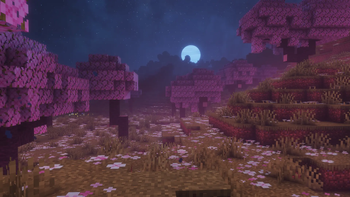
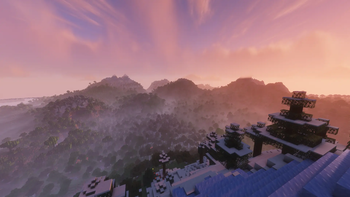
✨ ShadersComes with a curated selection of lightweight, pre-configured shaders. |
🎙️ Voice ChatBuilt-in proximity voice chat support for compatible SMP servers. |
🗺️ NavigationClean minimap and full-screen world map complete with customizable waypoints. |
🛠️ UtilitiesPractical tools including smooth zoom, auto-sorting, shulker box previews, and much more. |
📺 Dream DisplayWatch videos and media directly on in-game screens together with friends. |
🔄 UpdatesConstantly maintained and quickly updated for new Minecraft versions. |
Best For:
- Vanilla Players: Want maximum FPS and clean visuals without changing base gameplay.
- Builders: Need high render distances to view massive builds without performance loss.
- SMP Players: Benefit from proximity voice chat, waypoints, and interactive maps.
- Server Owners: A reliable, client-only pack recommendation for community players.
Installation
1 Download Install via the Modrinth App or Prism Launcher.
2 Memory Allocate 4–8 GB RAM in your launcher settings.
3 Play Launch and enjoy! Note: FPS is capped by default; unlock it in video settings for maximum performance.
Keybinds:
Communication
| Feature | Key | Action |
|---|---|---|
| Voice Chat | V | Open voice chat settings |
Navigation
| Feature | Key | Action |
|---|---|---|
| Minimap | Y | Toggle visibility; hold to enlarge |
| World Map | M | Toggle full-screen map |
| Waypoints | B | Create a new waypoint |
Utilities
| Feature | Key | Action |
|---|---|---|
| Lighty Overlay | F8 | Show potential monster spawn locations |
| 360° Screenshot | F9 | Capture a 360° screenshot for your main menu background |
FAQ:
How do I use Dream Display in Multiplayer?
For setup steps and screen controls, visit the official Dream Display page. Note that the server must also have the mod/plugin installed for shared viewing!
Can I join any server with this modpack?
Yes! The pack is strictly client-side and works on almost all servers. However, some strict servers might restrict minimap or voice chat features.
Does this actually boost FPS?
Yes. The optimization stack substantially improves framerates and eliminates frame drops compared to standard vanilla Minecraft.
Got a low-end PC or need even more FPS?
If you experience lag, go to
Options ➔ Video Settings and disable Voxy. Turning it off provides a significant performance boost on weaker hardware while retaining all other FPS optimizations.
Can I disable specific mods?
Yes, you can toggle mods off directly in your launcher. Please note that disabling core mods may lead to instability or crashes.
Crafted Plus Maintained by Slyze
Thanks to all the mod creators who made this project possible!
Галерея