COWMODSКаталог модов

Core Teams

CoreTeams is a lightweight, modern, and highly configurable team management plugin designed for Spigot/Paper servers (1.20+). It features unique gradient-based team visuals, string-based IDs for custom team names, and a comprehensive admin GUI.

2,8 тыс.4обновлён 5 окт. 2026 г.
Механики игрыУправлениеОбщение

Описание

CoreTeams (CoreSeries)

CoreTeams is a lightweight, modern, and highly configurable team management plugin designed for Spigot/Paper servers (1.20+). Built with a focus on professional aesthetics and performance, it provides a seamless experience for both players and administrators through its "Elegant Midnight" design language.

Features

CORETEAMS » VISUAL IDENTITY

Every team is assigned a unique, persistent RGB gradient based on their ID. These visuals are automatically applied to chat messages and tab-lists, ensuring your team stands out with a premium feel.

CORETEAMS » STRING-BASED IDS

Break away from generic numbering. Teams can use custom text IDs like Admins, Red-Rebels, or Pros. Perfect for roleplay or competitive environments.

CORETEAMS » ADMINISTRATIVE SUITE

Manage the entire server's team structure via /teamadmin. The intuitive GUI allows admins to monitor members, teleport to players, and disband teams with a single click.

CORETEAMS » TOGGLEABLE MODULES

  • Global PVP: Toggle team-based PVP dynamics instantly.
  • Creation Control: Restrict team creation to specific ranks or disable it globally.

CORETEAMS » COMMUNICATION & UTILITIES

  • Invitation System: Professional click-to-accept chat prompts.
  • Team Chat: Private channel for strategic coordination (/tc).
  • Location Ping: Broadcast your coordinates to teammates with a resonant sound effect.
  • Voice Integration: Native support for Simple Voice Chat group synchronization.

CORETEAMS » DATA & INTEGRATIONS

  • Persistence: All data is saved securely to teams.yml or SQLite.
  • PlaceholderAPI: Full support for custom placeholders in scoreboards/tab-lists.
  • Version Checker: Stay updated with automatic Modrinth version notifications.

Placeholders

  • %coreteams_team% : The raw team name/ID (e.g. 12)
  • %coreteams_prefix% : The team prefix formatted with legacy color codes (e.g. §x§f§f§5§5§5§5[12]§r)
  • %coreteams_prefix_modern% : The team prefix formatted with modern MiniMessage tags (e.g. <gradient:#ff5555:#ffaa00>[12]</gradient><reset>)
  • %coreteams_color% : The team's raw color/gradient code (e.g. <gradient:#ff5555:#ffaa00>)
  • %coreteams_members% : Number of players in the team (e.g. 3)
  • %coreteams_team_size% : Number of players in the team (e.g. 3)
  • %coreteams_is_leader% : Returns Yes or No depending on if the player is team leader
  • %coreteams_sort% : Sorting key for TAB/scoreboard configurations (e.g. 01_0012_1)

Commands

Player Commands

  • /team create <name> » Establish a new team
  • /team invite <player> » Invite a player to join
  • /team join <id> » Join an existing team
  • /team leave » Depart from your current team
  • /team disband » Dissolve the team (Leader only)
  • /team ping » Alert teammates to your location
  • /tc <message> » Send a message to team chat

Admin Commands

  • /teamadmin » Open the Management GUI
  • /teamadmin setid <p> <id> » Force player into a team
  • /teamadmin pvp <on|off> » Toggle global PVP status

Configuration

# CoreTeams | Professional Configuration

# Generation: SEQUENTIAL (001) or RANDOM (842)
generation-mode: RANDOM

# Gameplay Dynamics
pvp-enabled: true
creation-enabled: true
allow-custom-names: true

# Visual Branding
visuals:
  prefix-mode: true # [ID] Name vs Name [ID]

# Messaging System (MiniMessage Supported)
messages:
  prefix: "<bold><#F8F9FA>CORETEAMS</#F8F9FA></bold> <#636E72>»</#636E72> "
  no-team: "<#D63031>You are not currently in a team."
  success: "<#55EFC4>Action completed successfully."
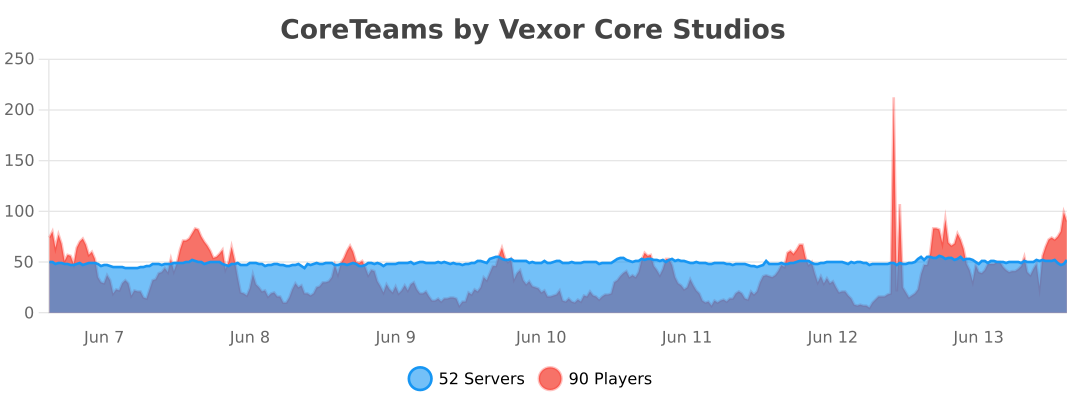
bStats

Галерея

Gradient Team NumberAdmin GuiTeam manger

Последние версии

Все версии →
release

Core Teams 4.1.0-SNAPSHOT

4.1.0-SNAPSHOT
5 окт. 2026 г.435Minecraft: 1.18, 1.18.1, 1.18.2, 1.19, 1.19.1, 1.19.2, 1.19.3, 1.19.4, 1.20, 1.20.1, 1.20.2, 1.20.3, 1.20.4, 1.20.5, 1.20.6, 1.21, 1.21.1, 1.21.2, 1.21.3, 1.21.4, 1.21.5, 1.21.6, 1.21.7, 1.21.8, 1.21.9, 1.21.10, 1.21.11, 26.1, 26.1.1, 26.1.2, 26.2, 26.3bukkit, folia, paper, purpur, spigot
Скачать
Что нового
# CoreTeams 4.1.0-SNAPSHOT Clearer automatic team formats and easier player/admin menus, with full member browsing, better navigation, and more informative team-management screens. ## Added - `/ta autoteam TO2` and `TO3` create teams of up to 2 or 3 players. `/ta autoteam 2T` and `3T` create exactly 2 or 3 teams, distributing eligible players as evenly as possible. Any positive number works, and input is case-insensitive. - Tab completion suggests both team-size and team-count formats, plus the existing assignment modes. Plain numeric arguments continue to mean players per team. - Automatic Teams menu in the admin browser, with examples explaining players per team versus number of teams, selection of `random`, `balanced`, `snake`, or `captains`, and a shortcut to the existing command preview. - All Members browser for players and staff, including members beyond the seven shown on the team overview. Lists are paginated and sorted with the leader first, then online members and names. - Search and Clear Search controls in the admin browser. Search and Create a Team shortcuts provide clickable command suggestions in chat. - Leave Team confirmation with a clear explanation of leadership transfer or removal of the last member's team. ## Changed - Menus use subtle header/footer strips, readable control names, consistent action hints, and visible page indicators. - Settings explain what they change and whether the next click enables or disables them. Open Joining is labelled Join Without an Invite; Friendly Fire is labelled Teammate Damage. - Member-limit cards distinguish the server default, this team's setting, and its current limit. Increase/decrease controls describe their effect. - Team splitting supports multiple pages and preserves selections between them. Selected players show green checks; the summary shows moving/staying counts and the new leader. - Icon pickers identify the current icon with a green check. The custom model category is labelled Custom Icons. - Merge previews show team summaries and explain which team is removed and where members will go. - Empty team searches, invite lists, icon categories, and merge lists explain what to do next. - Staff controls unavailable through permissions remain visible with an explanation. Teleport to Member is disabled while the player is offline. ## Fixed - Player Home buttons are no longer removed by the menu theme. - Members beyond the first seven can be reached from the player/admin team overview; members beyond the first split page can also be selected. - Returning from the split screen or merge-selection pages preserves the original admin-browser page. - Split member cards no longer show a misleading Click to manage hint, and merge candidates describe opening a merge preview. - Dragging items into modern team menus is blocked, matching their click protection. - Mode tab completion no longer suggests assignment modes after `/ta autoteam apply`. ## Compatibility - Exact team counts cannot exceed the number of eligible players. In captains mode, the eligible captain count must match the requested team count. - Existing auto-team eligibility settings and `/ta autoteam apply` continue to work. Command previews now explain the requested size or count. - Java 21 and Paper requirements are unchanged. No storage migration is required.
release

Core Teams 4.0.0-SNAPSHOT

4.0.0-SNAPSHOT
22 сент. 2026 г.144Minecraft: 1.20, 1.20.1, 1.20.2, 1.20.3, 1.20.4, 1.20.5, 1.20.6, 1.21, 1.21.1, 1.21.2, 1.21.3, 1.21.4, 1.21.5, 1.21.6, 1.21.7, 1.21.8, 1.21.9, 1.21.10, 1.21.11, 26.1, 26.1.1, 26.1.2, 26.2, 26.3bukkit, folia, paper, purpur, spigot
Скачать
Что нового
# CoreTeams 4.0.0 Major update to team management: a player GUI, a redesigned admin browser, team icons, merge/split tooling, a unified visual theme, and automatic TAB/LPC integration for team tags. ## Added - Player GUI opened via `/team` with no arguments. Shows team identity, leader, roster, online state, member limit, and available actions. Existing `/team ...` commands are unchanged. - Member management screen, opened by clicking a member's head. Shows role (Leader/Member) and online status; leaders can transfer leadership or remove members. - Team icons, with three modes set via `team-icons.mode`: `DISABLED`, `ADMIN_ONLY`, `PLAYER_SELECTABLE` (requires `coreteams.team.icon`). Icons are chosen from categorized lists (Blocks, Items, Colours, Banners, Heads, CustomModelData) or custom model data entries, and stored in `team-icons.yml`. - Merge preview: `/ta merge <destination> <source>` (or the admin GUI) shows the combined roster and lets staff choose which team's name, colour, icon, and leader to keep before confirming. Blocked if the combined roster would exceed the destination's member limit. - Team split: staff can select online members from an existing team and move them into a new team via the admin GUI (`coreteams.admin.split`). At least one member must remain in the source team. - Auto-team assignment (`/ta autoteam`) with `random`, `balanced`, `snake`, and `captains` modes, previewed before applying. Supports excluding spectators, preserving existing teams, `coreteams.autoteam.skip`, and a configurable PlaceholderAPI value for balancing. - Audit history: `/ta history [query]` searches persistent `audit.jsonl` records (actor, source, target, before/after values, timestamps). Covers icon changes, merges, splits, leadership transfers, cap changes, and destructive operations. - Public `CoreTeamsAPI` and lifecycle events: `TeamCreateEvent`, `TeamDisbandEvent`, `TeamJoinEvent`, `TeamLeaveEvent`, `TeamEliminateEvent`, `TeamMergeEvent`, `TeamLeaderChangeEvent`, `TeamFriendlyFireEvent`. - PlaceholderAPI support for team ID, display name, member counts, leader, admin state, caps, colour, and prefix. New placeholders: `%coreteams_has_team%` / `%coreteams_in_team%`. - TAB integration: adds `%coreteams_sort%` to `scoreboard-teams.sorting-types` and `%coreteams_prefix%` to every group's `tabprefix`/`tagprefix` in `groups.yml`, so the tab list and nametags work without manual TAB configuration. Controlled by `integrations.auto-configure-tab-sorting` and `integrations.auto-configure-tab-prefix`. - LPC (LuckPermsChat) integration: appends `%coreteams_prefix%` to LPC's `chat-format`/`group-formats` when LPC is installed. Controlled by `integrations.auto-configure-lpc-chat`. - `/coreteams setup` command (`coreteams.admin` or `coreteams.admin.integrations`) applies the TAB/LPC configuration on demand and reports what it changed. - Warning, in console and in-game to admins, if TAB is installed but no configuration actually shows the team prefix. - `friendly-fire.enabled` and `friendly-fire.multiplier`, replacing `pvp-enabled` (existing configs migrate automatically). `TeamFriendlyFireEvent` allows inspecting, modifying, or cancelling teammate damage. Source resolution now covers projectiles, TNT, tameable mobs, evoker fangs, and area-effect clouds in addition to direct attacks. - GitHub Actions build workflow (Maven, Java 21). ## Changed - `/teamsadmin` browser redesigned: team cards lead with display name, leader, online/member counts, and status, using icons or colour fallbacks instead of leader heads. - Team totals now include offline members; teams are no longer disbanded because remaining members are offline. Total and online member counts are tracked separately throughout GUIs, placeholders, and lifecycle logic. - Automatic leader promotion when a leader leaves or is removed, preventing orphaned teams. - Team moves are atomic: destination, cap, and event validation happen before the player's current team changes. - Member limit semantics are unchanged (`-1` inherits the global value, `0` is unlimited, positive values override), but the GUI now shows Global/This Team/Effective values instead of raw storage values. - Settings use enabled/disabled state cards; disabled or admin-controlled options stay visible with an explanation instead of disappearing. - Unified colour palette across the GUI: off-white primary text, slate secondary text, mint for success, coral for destructive actions, soft gold for leadership, team colour for identity accents. - MiniMessage input from players is escaped by default. Team chat formatting requires `coreteams.formatting`; player-created team name formatting requires `coreteams.teamname.formatting`. Team names are validated instead of accepting unrestricted input. - Scoreboard teams (used for nametags) are per-player instead of shared per-team, so each member's prefix/suffix toggle is independent. - Chat is always formatted by CoreTeams regardless of TAB; TAB only takes over the tab list and nametags. - Maven is the sole build system; the duplicate Gradle configuration has been removed. ## Fixed - PlaceholderAPI expansion re-registers itself if PlaceholderAPI is (re)loaded after CoreTeams, instead of only checking once at startup. - Chat prefixes no longer double up when TAB is also handling chat. - TAB auto-configuration uses the same Folia-safe scheduling as the rest of the plugin and no longer interrupts startup on Folia. - Scoreboard entries are cleared on team leave/disband; a startup sweep also removes any left over from a crash or an older build. - Removed a LuckPerms-meta prefix integration that produced doubled or garbled text when combined with other plugins reading LuckPerms meta. Servers that applied it should run `/lp group default meta removeprefix 100` to remove the leftover entry. ## Removed - `pvp-enabled` (replaced by `friendly-fire.enabled` / `friendly-fire.multiplier`; migrated automatically). - Reflective Simple Voice Chat API discovery; CoreTeams now uses the official API path only. - Committed build caches, local test-server data, and machine-specific development files. ## Storage - SQLite membership loading is batched instead of querying per team. - Joins/leaves use incremental membership updates instead of rewriting the full roster. - Database/file writes are serialized through a dedicated storage executor. - Team icons are stored separately in `team-icons.yml`; the team database schema is unchanged. ## Known limitations - Death elimination removes players from active team membership. A persistent alive/eliminated/placement state model is out of scope for this release. ## Support Issues and feedback: [discord.gg/zwj5sEbmDs](https://discord.gg/zwj5sEbmDs)
beta

Core Teams 4.0.0-SNAPSHOT

4.0.0-SNAPSHOT
16 авг. 2026 г.336Minecraft: 1.20, 1.20.1, 1.20.2, 1.20.3, 1.20.4, 1.20.5, 1.20.6, 1.21, 1.21.1, 1.21.2, 1.21.3, 1.21.4, 1.21.5, 1.21.6, 1.21.7, 1.21.8, 1.21.9, 1.21.10, 1.21.11, 26.1, 26.1.1, 26.1.2, 26.2bukkit, folia, paper, purpur, spigot
Скачать
Что нового
# CoreTeams v4.0.0 CoreTeams 4.0 is a major update focused on making teams easier to use and manage. ## What's new - `/team` now opens a proper player GUI, while all existing commands still work. - `/teamsadmin` has been redesigned with cleaner team cards, member info and better navigation. - Member heads now open dedicated management menus. - Teams can now use custom icons, with admin-only or player-selectable modes. - Team member limits are much easier to understand and edit. - Team merging now shows a preview before anything changes. - Staff can split selected members into a new team. - Team leaders and online members are shown much more clearly. - The GUI now uses a cleaner layout with less stained glass and more consistent spacing. - CoreTeams now has a unified colour scheme with muted blues, off-white text, mint success, coral danger and gold leadership. - Team colours and default gradients have also been cleaned up. - Friendly fire, permissions, audit history, storage and Simple Voice Chat support have all been improved. CoreTeams 4.0 is mainly about making team management feel cleaner, safer and much nicer to use.
release

Core Teams 3.7.4

3.7.4
11 июл. 2026 г.491Minecraft: 1.2.1, 1.2.2, 1.2.3, 1.2.4, 1.2.5, 1.20, 1.20.1, 1.20.2, 1.20.3, 1.20.4, 1.20.5, 1.20.6, 1.21, 1.21.1, 1.21.2, 1.21.3, 1.21.4, 1.21.5, 1.21.6, 1.21.7, 1.21.8, 1.21.9, 1.21.10, 1.21.11, 26.1, 26.1.1, 26.1.2, 26.2bukkit, folia, paper, purpur, spigot
Скачать
Что нового
- Fixed to work on latest version!
release

Core Teams 3.7.3

3.7.3
10 июл. 2026 г.27Minecraft: 1.2.1, 1.2.2, 1.2.3, 1.2.4, 1.2.5, 1.20, 1.20.1, 1.20.2, 1.20.3, 1.20.4, 1.20.5, 1.20.6, 1.21, 1.21.1, 1.21.2, 1.21.3, 1.21.4, 1.21.5, 1.21.6, 1.21.7, 1.21.8, 1.21.9, 1.21.10, 1.21.11, 26.1, 26.1.1, 26.1.2, 26.2folia, paper, purpur, spigot
Скачать
Что нового
- Fixed Bug in 26.2 With chatting on a team
release

Core Teams 3.7.2

3.7.2
10 июл. 2026 г.27Minecraft: 1.2.1, 1.2.2, 1.2.3, 1.2.4, 1.2.5, 1.20, 1.20.1, 1.20.2, 1.20.3, 1.20.4, 1.20.5, 1.20.6, 1.21, 1.21.1, 1.21.2, 1.21.3, 1.21.4, 1.21.5, 1.21.6, 1.21.7, 1.21.8, 1.21.9, 1.21.10, 1.21.11, 26.1, 26.1.1, 26.1.2, 26.2bukkit, folia, paper, purpur, spigot
Скачать
Что нового
# 3.7.2 PATCH - Fixed Team Prefix Doubling - Added VexorAnalytics - fixed some minor bugs
release

Core Teams 3.7.1

3.7.1
7 июл. 2026 г.47Minecraft: 1.2.1, 1.2.2, 1.2.3, 1.2.4, 1.2.5, 1.20, 1.20.1, 1.20.2, 1.20.3, 1.20.4, 1.20.5, 1.20.6, 1.21, 1.21.1, 1.21.2, 1.21.3, 1.21.4, 1.21.5, 1.21.6, 1.21.7, 1.21.8, 1.21.9, 1.21.10, 1.21.11, 26.1, 26.1.1, 26.1.2, 26.2folia, paper, purpur, spigot
Скачать
Что нового
# CoreTeams v3.7.1 Changelog ## Custom Team Names & Nametag Sync CoreTeams v3.7.1 focuses on how teams look in-game: custom team names are now enabled by default, visible team labels support MiniMessage formatting and emojis, and scoreboard nametags now show team prefixes even without TAB. ## Team Names Update - **Custom team names are now enabled by default.** New teams use a visible display name instead of exposing the raw internal ID first. - **Team names now support MiniMessage formatting and emojis.** Use colors, gradients, and symbols directly in the visible team name. - **Nametags now show team prefixes without TAB.** CoreTeams now syncs Bukkit scoreboard teams so the above-head nametag matches the team style even on vanilla servers. --- ## Support & Community Need help or want to suggest a feature? Join our community Discord: [discord.gg/zwj5sEbmDs](https://discord.gg/zwj5sEbmDs)
release

Core Teams 3.7.0

3.7.0
29 июн. 2026 г.158Minecraft: 1.2.1, 1.2.2, 1.2.3, 1.2.4, 1.2.5, 1.20, 1.20.1, 1.20.2, 1.20.3, 1.20.4, 1.20.5, 1.20.6, 1.21, 1.21.1, 1.21.2, 1.21.3, 1.21.4, 1.21.5, 1.21.6, 1.21.7, 1.21.8, 1.21.9, 1.21.10, 1.21.11, 26.1, 26.1.1, 26.1.2, 26.2bukkit, folia, paper, purpur, spigot
Скачать
Что нового
# CoreTeams v3.7.0 Changelog ## Administrative Powers & Vanilla Tab Overhaul! We are excited to release CoreTeams v3.7.0! This release introduces powerful new administrative tools (Force Rename, Force Merge, and Admin Chat Spy), player transfer options, customizable timed invite lifetimes with expiration alerts, and native tablist prefixes for vanilla servers. --- ## New Features & Enhancements ### Administrative Control Commands - **Force Rename (`/teamadmin rename <team_id> <new_id>`):** Change a team's ID on the fly. Automatically updates active player mappings, SQLite/YAML databases, and rebuilds/re-associates the Simple Voice Chat group. - **Force Merge (`/teamadmin merge <team1> <team2>`):** Consolidate two teams instantly. Merges `team2`'s members into `team1` (keeping `team1`'s leader and demoting `team2`'s leader to a member), transfers voice chat links, and deletes the empty team. - **Admin Chat Spy (`/teamadmin spy`):** Admins can toggle this in-memory mode to view all team chat (`/tc`) messages across the server with a prominent `[SPY]` identifier. ### Player & Invitation Management - **Direct Transfer (`/team transfer <player>`):** Hand over team leadership to another member of your team instantly. - **Customizable Timed Invites:** You can now configure invite durations in `config.yml` under `invite-expiration-seconds` (defaults to 60s). Both the inviter and target player are notified via chat when an invite expires. ### Vanilla Tablist Compatibility - **No Dependencies Needed:** Team prefixes and suffixes will now render natively on the player list (tab list) even if the TAB plugin is not installed. - **Color Bleeding Reset:** Formats are followed by a clean reset to prevent team colors from bleeding into player names. - **Smooth Integration:** If the TAB plugin is installed, CoreTeams automatically yields to TAB as normal. --- ## Support & Community Need help or want to suggest a feature? Join our community Discord: [discord.gg/zwj5sEbmDs](https://discord.gg/zwj5sEbmDs)
release

Core Teams 3.6.0

3.6.0
29 мая 2026 г.272Minecraft: 1.2.1, 1.2.2, 1.2.3, 1.2.4, 1.2.5, 1.19, 1.19.1, 1.19.2, 1.19.3, 1.19.4, 1.20, 1.20.1, 1.20.2, 1.20.3, 1.20.4, 1.20.5, 1.20.6, 1.21, 1.21.1, 1.21.2, 1.21.3, 1.21.4, 1.21.5, 1.21.6, 1.21.7, 1.21.8, 1.21.9, 1.21.10, 1.21.11, 26.1, 26.1.1, 26.1.2bukkit, paper, purpur, spigot
Скачать
Что нового
# CoreTeams v3.6.0 Changelog ## Massive UX & Aesthetic Redesign + Prefix/Suffix Toggles! We are proud to release CoreTeams v3.6.0! This release brings highly requested visibility toggles, a complete aesthetic visual redesign with soft curated palettes and small caps typography, a beautiful new startup sequence, and a massive interactive help menu overhaul for ultimate ease-of-use. --- ## New Features & Enhancements ### Global & Per-Player Prefix/Suffix Toggles - **Highly Custom Visibility:** Added advanced toggles allowing you to turn team prefixes and suffixes on or off completely, either one at a time or all at once, and globally (everyone) or for individual players. - **New Toggle Subcommands:** - `/teamadmin toggle prefix [everyone|player] [on|off]` - `/teamadmin toggle suffix [everyone|player] [on|off]` - `/teamadmin toggle all [everyone|player] [on|off]` - **Persistent Storage:** Per-player settings are saved in your plugin configuration (`disabled-prefixes` and `disabled-suffixes`) so settings survive server reloads. - **Smart Backwards Compatibility:** Seamlessly integrates with and falls back to your legacy `visuals.prefix-mode` config state. - **Keep Placeholders Working:** All PlaceholderAPI placeholders (like `%coreteams_prefix%` and `%coreteams_prefix_modern%`) continue to function normally, regardless of active toggle states! ### Curated Soft Color Palettes - Redesigned the entire color system to move away from generic bright/saturated colors. CoreTeams now utilizes a premium, professional soft palette: - **Mint Emerald (`#88D49E`):** A soft, premium success indicator. - **Soft Coral Red (`#FF8080`):** An eye-pleasing, modern error/restriction highlight. - **Steel Slate (`#94A3B8`):** Sleek accent/information color. - **Cool Clean White (`#F1F5F9`):** High-end readable titles. - **Sleek Separators (`#475569`):** Subtle dividers. ### Interactive Help Menus (Massive UX Upgrade) - Rebuilt `/team help` and `/teamadmin help` to make the plugin incredibly easy and intuitive to use: - **Descriptive Tooltips:** Hovering over any command displays a sleek description card showing what it does. - **Dynamic Clicking:** Click absolute commands (like `/ta reload`, `/team leave`, or `/ta gui`) to execute them instantly. Click parameterized commands (like `/team invite`, `/team join`, or `/ta setcolor`) to automatically suggest and pre-fill them directly in your chat box! --- ## Technical Improvements & Bug Fixes - **Refined Render Logic:** Rebuilt `TeamManager.updateTab` and chat `AsyncChatEvent` render pipelines to dynamically apply prefixes and suffixes selectively depending on toggle configuration. - **Command Completer expansions:** Full tab completions have been added for all new toggle variants, dynamically suggesting `prefix`, `suffix`, `all`, `everyone`, online players, and `on`/`off` settings. --- ## Support & Community Need help or want to suggest a feature? Join our community Discord: [discord.gg/zwj5sEbmDs](https://discord.gg/zwj5sEbmDs)
release

Core Teams 3.4.3

3.4.3
17 мая 2026 г.120Minecraft: 1.2.1, 1.2.2, 1.2.3, 1.2.4, 1.2.5, 1.18, 1.18.1, 1.18.2, 1.19, 1.19.1, 1.19.2, 1.19.3, 1.19.4, 1.20, 1.20.1, 1.20.2, 1.20.3, 1.20.4, 1.20.5, 1.20.6, 1.21, 1.21.1, 1.21.2, 1.21.3, 1.21.4, 1.21.5, 1.21.6, 1.21.7, 1.21.8, 1.21.9, 1.21.10, 1.21.11, 26.1, 26.1.2bukkit, paper, purpur, spigot
Скачать
Что нового
# CoreTeams v3.4.3 Changelog ## New Features & Compatibility - **Broad Multi-Version Compatibility (1.21 -> 26.1.2)**: - Standardized compile-time dependencies and builds to target JDK 21 (class version 65.0), ensuring the compiled jar can run flawlessly on Minecraft 1.21 and all newer releases up to Minecraft 26.1.2. - Fully resolved JDK major version compilation mismatches (e.g., class version 69.0 / Java 25 conflicts). - **SQLite Storage Implementation**: - High-performance team storage utilizing **HikariCP** connection pooling for maximum reliability and speed. - **Professional Design System**: - Introduced the **"Elegant Midnight"** color palette and a modern `Title » Message` structural format across the entire plugin. - **Admin GUI Total Overhaul**: - Completely redesigned management interface with professional icons, consistent styling, and a new **Settings** sub-menu for real-time configuration. - Implemented **PersistentDataContainer (PDC)** for GUI item identification, making the interface immune to translation or branding changes in titles. - **Expanded PlaceholderAPI Support**: - Added `%coreteams_is_leader%` and `%coreteams_team_size%` placeholders. ## Technical Improvements - **Modular Command Architecture**: Refactored monolithic command classes into clean, modular sub-command handlers. - **Invite Lifecycle Management**: Implemented a 60-second expiration for team invites to reduce memory clutter and improve player experience. - **Codebase Stabilization**: Removed legacy classes, resolved all compilation warnings, and standardized message handling via a centralized `Style` class. ## Bug Fixes - Fixed a major compilation error in the Voice Chat handler. - Resolved various visual inconsistencies between command feedback and GUI tooltips. - Improved database connection lifecycle management to prevent SQLite file locking. ## Support If you need help or have questions, join our community Discord: [discord.gg/zwj5sEbmDs](https://discord.gg/zwj5sEbmDs)