COWMODSКаталог модов

CompassLocator

Displays coordinates, direction, biome and locator bar while holding a compass. Compass ∙ Death Compass ∙ Locator Bar ∙ Lodestone ∙ Clock

Автор: kasperoid4504обновлён 17 июл. 2026 г.
ПриключенияМеханики игрыОбщение

Описание

CompassLocator Banner

Version Minecraft Platform Java

Modrinth Side Telegram

📌 This is a server-side plugin. A client-side mod version for Fabric/Forge is also available → Modrinth · CurseForge


📌 What is this?

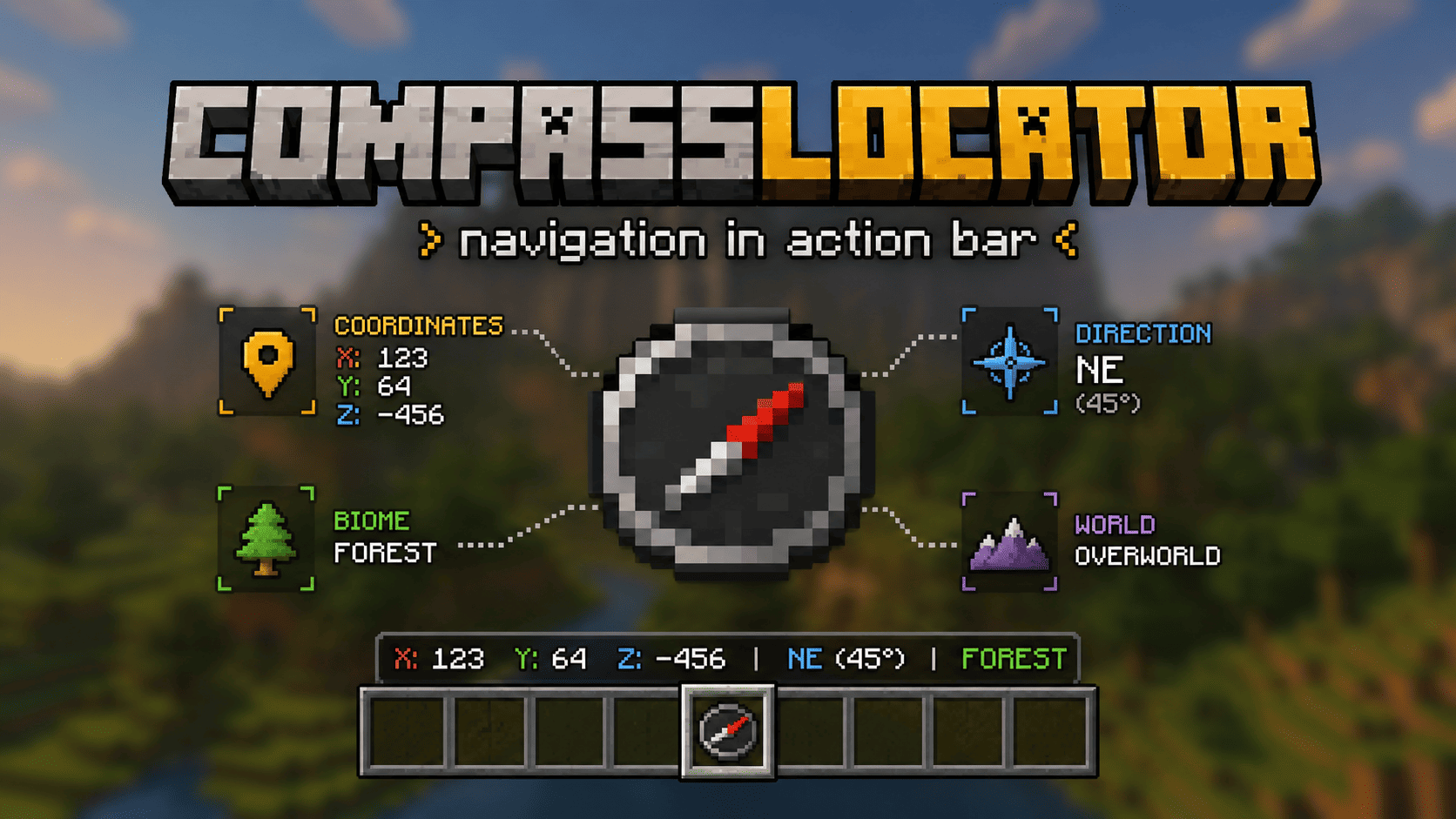
CompassLocator is the best, most flexible and functional plugin that adds useful information about the compass (and more) directly to the action bar. The only plugin that combines a compass, death compass, locator bar radar, and a clock HUD in one tool.

No more opening F3. Just hold a compass and see:

  • where you are
  • which direction you're facing
  • what biome you're in
  • where you died last time
  • what time it is (with a clock in hand)

✨ What does the compass show?

Normal Compass

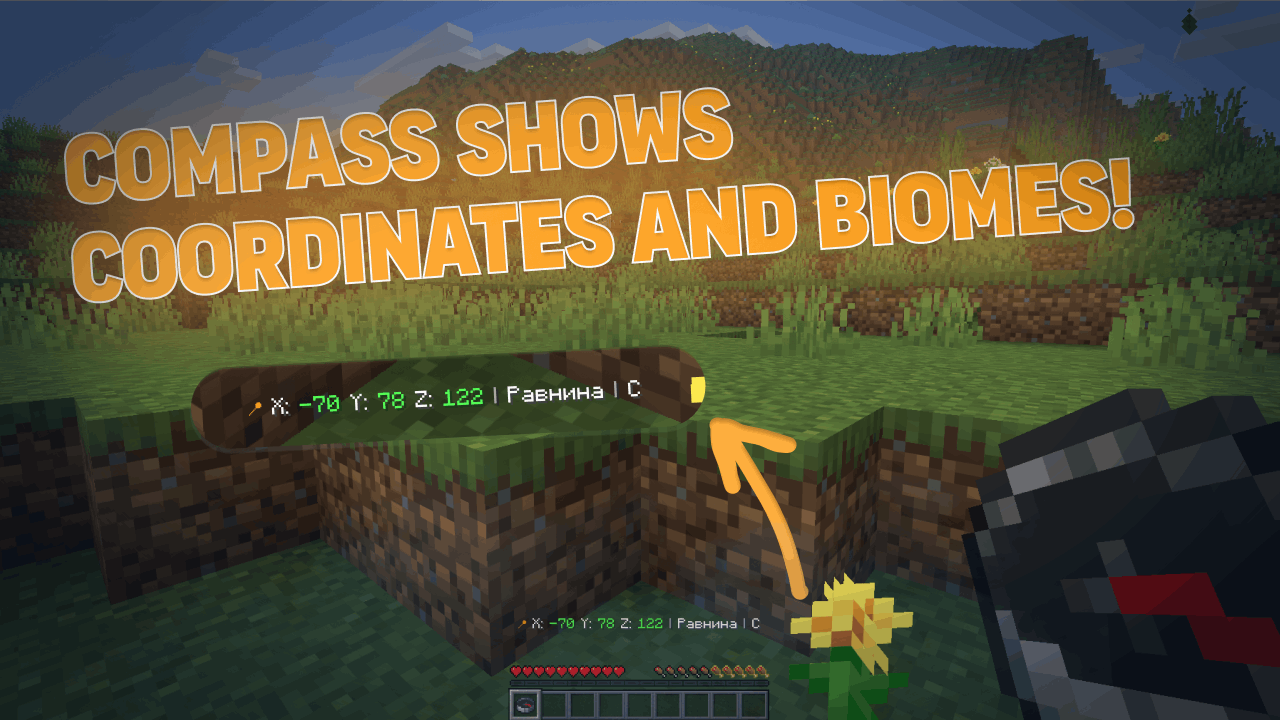
  • Coordinates (adjustable precision — integer or decimal)
  • Current biome
  • Cardinal direction (North/South or N/S — as you prefer)
  • Time of day (optional)
  • World name (optional)
  • If the compass is linked to a lodestone — shows lodestone coordinates
  • If the lodestone is broken — shows "broken" or last known coordinates (configurable)

Recovery Compass

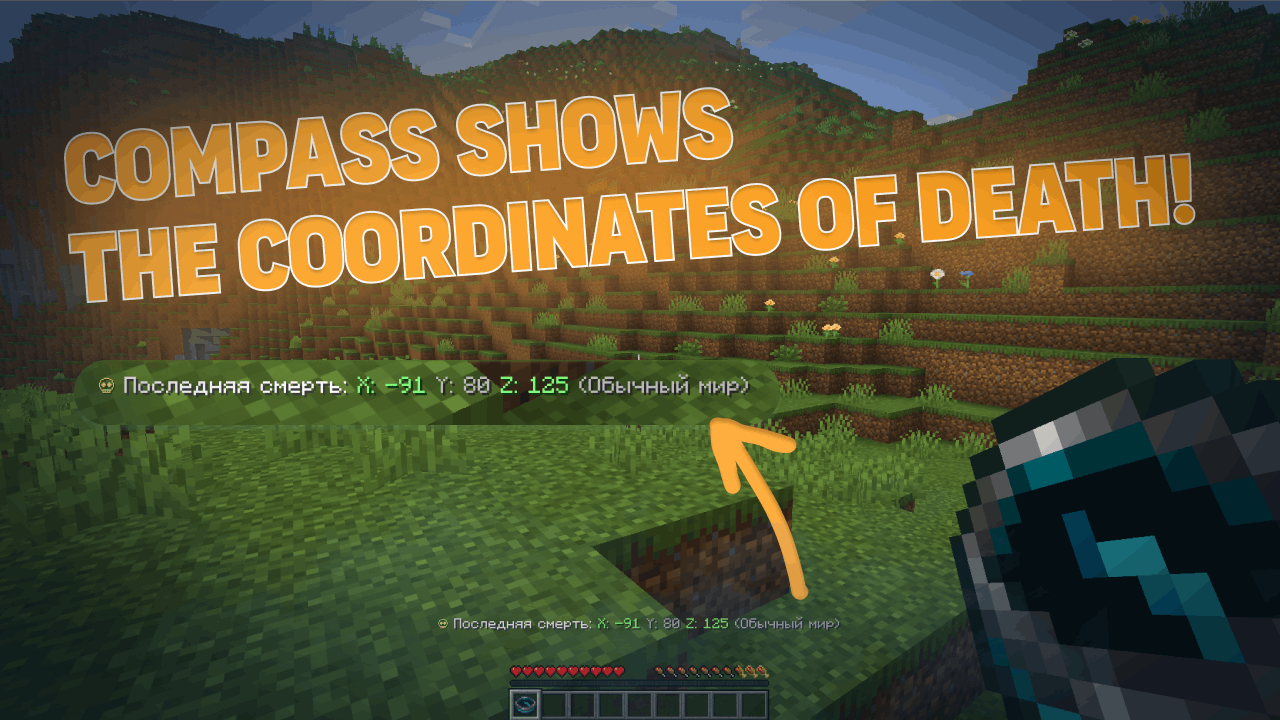
  • Where you last died (coordinates)
  • Which world
  • Time since death
  • Distance to death location
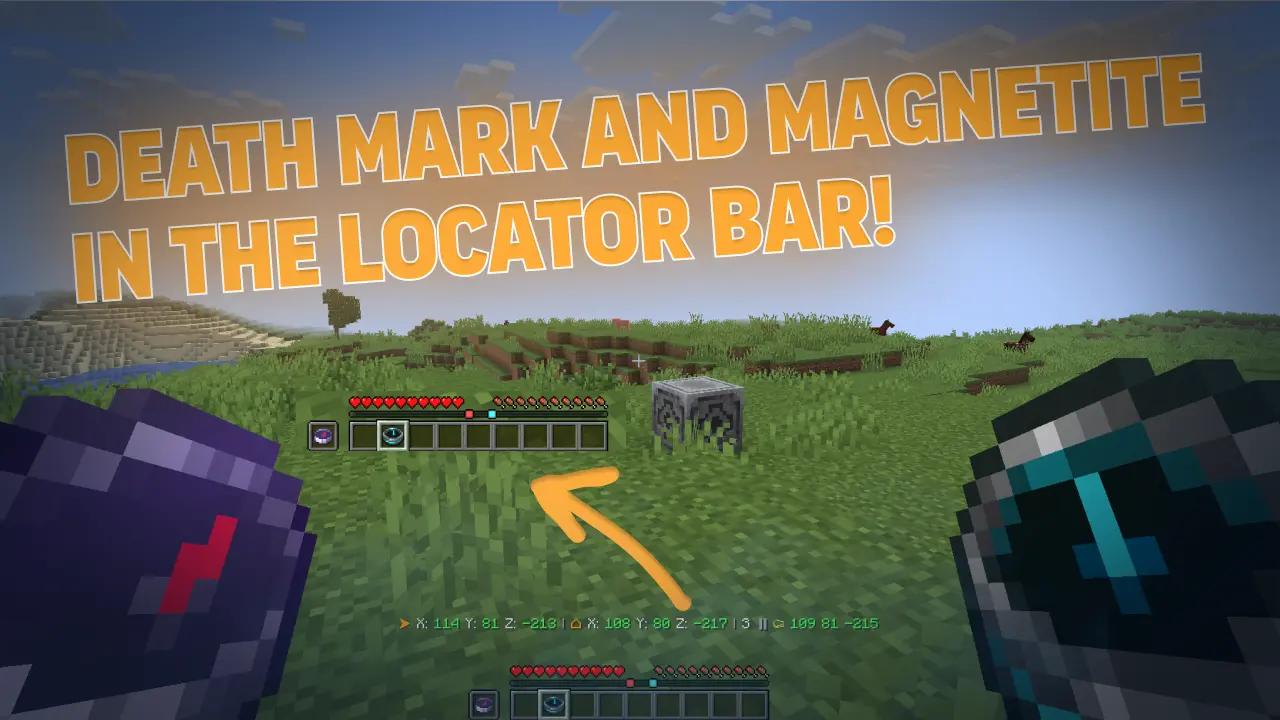
  • The marker indicates the point of your death in the locator bar (v3.6.0)
  • Height difference (up/down arrow) to your death point (v3.6.0)

Combined Mode

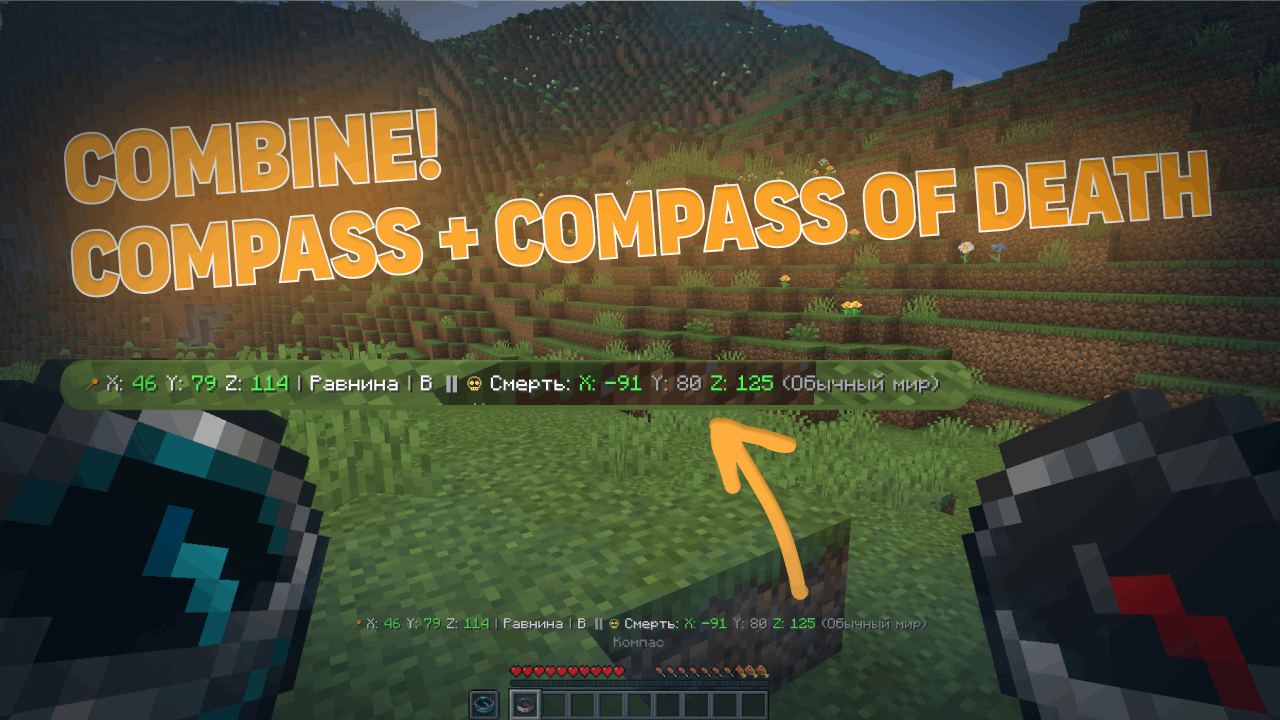
  • Hold a normal compass in one hand and a recovery compass in the other
  • The action bar shows information from both at once

📡 Locator Bar (for 1.21.6+)

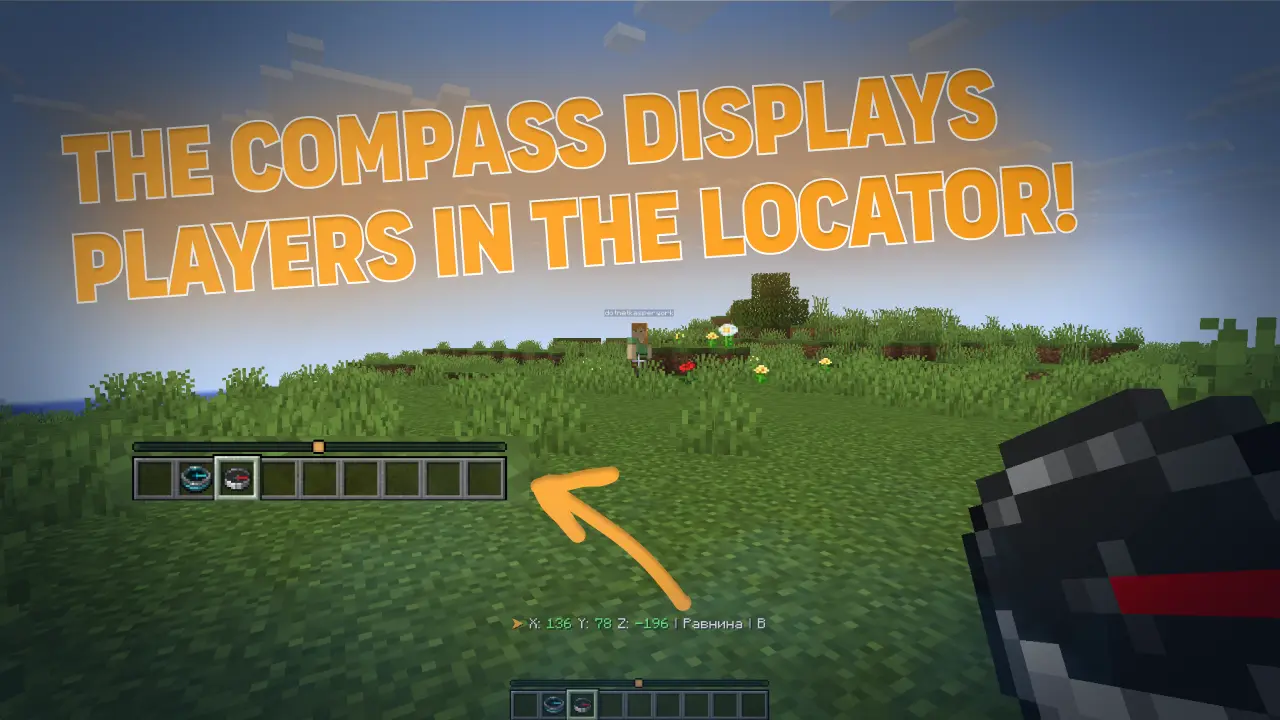
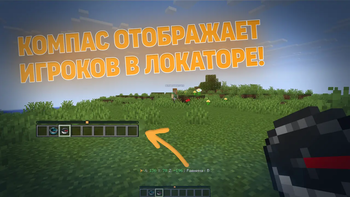
With a normal compass in hand, you can see other players on the radar (like a minimap). Range is configurable — up to the entire world.

New in v3.6.0:

  • Death point markers on the locator bar (colored dot where you died)
  • Lodestone markers on the locator bar (colored dot where your compass is bound)
  • Hide low-health players from the radar (configurable)
  • Per-world control — turn it off completely in specific worlds

🕐 Clock HUD (v3.6.0)

Starting from version 3.6.0, CompassLocator adds a clock HUD — hold a clock in your hand and see the in-game time, day number, and weather right in the action bar.

Features:

  • Shows exact time (24h or 12h format — configurable)
  • Displays the current day number
  • Shows current weather (Clear / Rain / Thunder)
  • Works independently of compasses — hold it alongside a compass or on its own
  • Fully configurable: choose which info to show, toggle 24h format, use custom display presets, and more

💎 Why CompassLocator is the best choice

Unlike other solutions that give you just ONE feature, CompassLocator offers EVERYTHING in one plugin — no commands, no extra installations, no compromises.

Instead of installing a plugin for coordinates, a plugin for biome, a plugin for direction, a plugin for death compass, a separate datapack for radar, a mod for radar markers, and something else for clock HUD — just one plugin: CompassLocator.


⚡ Lightweight & Performance

CompassLocator is so lightweight you won't even notice it on your server.

  • Minimal load — updates only when data actually changes (head rotation, movement, slot change), not every tick.
  • Optimized events — PlayerMoveEvent only triggers on block changes, not every step.
  • No unnecessary loops — built on events, not constant checks.
  • Runs on any server — from small setups to large projects with hundreds of players.

Compare this to other plugins that refresh the action bar every second regardless of changes. CompassLocator is smarter — it updates only when needed.


🛠️ Full control — like coding your own plugin

In CompassLocator, you can customize absolutely everything. Every feature can be toggled on and off independently. No limits.

  • Modular system — want only coordinates? Disable everything else. Need only radar? Done. Don't want clock HUD? One parameter turns it off.
  • Every parameter is configurable — coordinate precision, time format, cardinal directions (full or short), what to show in action bar, what to hide.
  • Flexible presets — choose classic, compact, or minimal format, or create your own.
  • Color & icon customization — all in language files, change to match your style.
  • Radar customization — visibility range, who appears (everyone / compass holders only), hide wounded players, disable in specific worlds.
  • Marker color customization — death and lodestone colors via #RRGGBB.
  • Language — Russian, English, or auto-detect.

You enable only what your server needs. Everything else simply doesn't run — no wasted resources, no cluttered screens for players.


🎯 Bottom line

  • One plugin instead of five — coordinates, death compass, radar, markers, clock HUD.
  • No commands — no /waypoint, /home, /settarget. Just right-click a lodestone.
  • Lightweight — no server lag, updates only on events.
  • Flexible — toggle any feature on or off.
  • Configurable — absolutely everything to fit your server.
  • Vanilla — works like part of the game, not an add-on.

CompassLocator is the only solution that covers all your navigation needs. Install it and forget about F3 forever. 🔥


🖼️ Screenshots

Normal CompassRecovery CompassCombined Mode
Locator BarDeath & Lodestone Markers

🎮 For Players

  • Works right out of the box — just hold a compass
  • Information only appears when you're holding a compass
  • Recovery compass shows the way to your items after death
  • Hold a clock to see the time, day, and weather without opening F3

🛠 For Server Admins

The plugin is highly configurable via config.yml:

  • Which information is shown (coordinates, biome, direction, world, time)
  • Coordinate precision (integer or decimal)
  • Short or full cardinal directions
  • Action bar update frequency
  • Who is visible in Locator Bar (everyone / only compass holders)
  • Enable/disable any module
  • Language (Russian, English, or auto-detect)
  • Clock HUD settings (time format, day number, weather)
  • Recovery compass settings (height hint, direction arrow, markers on locator bar)
  • And much more

📥 Installation

  1. Download the .jar file
  2. Put it in your plugins/ folder
  3. Restart the server
  4. Done! (Optionally, edit config.yml)

⚙️ Requirements

  • Minecraft 1.21+
  • Paper / Spigot / Purpur (or compatible forks)
  • Java 21

Locator Bar requires Minecraft 1.21.6+ on the client.


🔄 There's also a client mod version!

A separate client-side mod for Fabric and Forge on Minecraft 1.21.6 — 26.1.2.

Functionality will differ from the plugin (client-side capabilities are broader). Details — after release.

👉 CompassLocator — Mod Version


❓ FAQ

Do I need to install anything on the client? No. The plugin runs on the server. For Locator Bar, you need Minecraft 1.21.6+ on the client.
Does the compass work in both hands? Yes, you can hold it in either hand. Both are checked.
What if the compass is linked to a lodestone? The plugin will show lodestone coordinates after your own coordinates. If the lodestone is broken, you can configure it to show the last known coordinates.
Does the recovery compass drop on death? Configurable. If you enable the option, the compass stays in your inventory even on death (when keepInventory is disabled).
What's the difference between the mod and the plugin? The plugin is for the server, the mod is for the client. Functionality is similar but the mod has access to more client-side features.

🔍 Поисковые теги / Search keywords

Русский: компас, координаты, направление, биом, радар, локатор бар, action bar, locator bar, компас смерти, death compass, recovery compass, точка смерти, магнетит, lodestone, навигация, стороны света, время суток, мир, часы, время в майнкрафт, F3, замена F3, текст над инвентарем, текст над сердечками, action bar текст, информация на экране, hud, интерфейс, плагин майнкрафт, серверный плагин

English: compass, coordinates, direction, biome, radar, locator bar, action bar, death compass, recovery compass, death point, lodestone, navigation, cardinal directions, time of day, world, clock, minecraft time, F3, F3 alternative, action bar text, above inventory text, above hearts text, hud, interface, minecraft plugin, server plugin


🔗 Links

Modrinth Telegram


Version: 3.6.0 (latest) · Released: 17 July 2026 · Supported: 1.21-26.2

© 2026 kasperoid — All Rights Reserved

Галерея
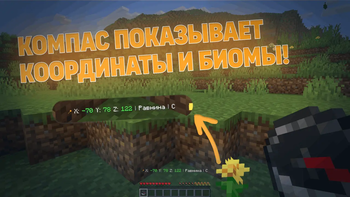
Обычный компасВозвратный компасСовмещенный режимПанель локатора игроков

Последние версии

Все версии →
release

CompassLocator 3.6.0

3.6.0
17 июл. 2026 г.218Minecraft: 1.21, 1.21.1, 1.21.2, 1.21.3, 1.21.4, 1.21.5, 1.21.6, 1.21.7, 1.21.8, 1.21.9, 1.21.10, 1.21.11, 26.1, 26.1.1, 26.1.2, 26.2bukkit, paper, purpur, spigot
Скачать
Что нового
### **v3.6.0** ## **◆ Added** - ➕ Added a clock HUD — hold a clock to see the in-game time, the day number, and the weather right in the action bar - ➕ Added death and lodestone markers directly on the locator bar — a colored dot shows where you died (while holding a recovery compass) and where your compass's lodestone is - ➕ Added a height hint to the recovery compass — an up/down arrow and the vertical distance to your death point - ➕ Added a direction arrow to the recovery compass — points toward your death point based on where you're facing - ➕ Added the option to hide low-health players from the locator bar — players at 20% health or below vanish from the bar until they heal - ➕ Added per-world control for the locator bar — you can turn it off completely in specific worlds - ➕ Added the `/cl info` command — shows what the plugin is, who made it, the version, and where to download it ## **◆ Changed** - 🔧 Bumped the plugin version and all configs to 3.6.0 - 🔧 The clock works independently of the compasses — you can hold it alongside a compass or on its own - 🔧 The recovery compass's height hint and direction arrow only kick in when you're in the same world where you died > ℹ️ **Note:** the death/lodestone dots on the locator bar need the **PacketEvents** plugin installed on the server. Without it, everything else still works normally — those two dots just don't show up.
release

CompassLocator 3.5.1

3.5.1
20 июн. 2026 г.58Minecraft: 1.21.6, 1.21.7, 1.21.8, 1.21.9, 1.21.10, 1.21.11, 26.1, 26.1.1, 26.1.2, 26.2bukkit, paper, purpur, spigot
Скачать
Что нового
### **v3.5.1** ## **◆ Added** - ➕ Added support for Minecraft 26.2 - ➕ Added the `recovery_compass.persist-deaths` option — death points are saved to `deaths.yml` and survive a server restart - ➕ Added cross-platform `keep-after-death` — the recovery compass is now kept on death on Spigot too, not only Paper ## **◆ Changed** - 🔧 Bumped the plugin version and all configs to 3.5.1 - 🔧 Migrated the action bar from the deprecated BungeeCord chat API to **Adventure** (`sendActionBar(Component)`); legacy `§` color codes still work - 🔧 Plugin version is now read via `getPluginMeta().getVersion()` with a safe fallback for older cores - 🔧 `PlayerMoveEvent` now refreshes the action bar only on block-coordinate changes instead of every movement (including head rotation) — far fewer packets - 🔧 Inventory events (`InventoryClickEvent` / `InventoryDragEvent`) now trigger a state recalculation only when a compass is actually involved (hand / slot / cursor), not on every click in any chest - 🔧 `keep-after-death` now uses pure Bukkit API (items removed from drops and restored on respawn) instead of the Paper-only `getItemsToKeep()` ## **◆ Fixed** - 🐛 Fixed an NPE that crashed the recovery compass every tick when the death world was unloaded or deleted — `getWorldName(...)` is now null-safe and returns "Unknown" - 🐛 Fixed a crash on malformed format strings — `distance-format` / `time-formats` now run through a guarded `safeFormat(...)` that warns instead of throwing - 🐛 Fixed the locator bar flickering for all players whenever someone equipped/unequipped a compass — `ensureWorldLocatorBarEnabled()` no longer re-applies `setGameRule(LOCATOR_BAR, true)` on every refresh (re-setting it broadcast a packet to every client in the world)
release

CompassLocator 3.5.0

3.5.0
9 июн. 2026 г.40Minecraft: 1.21, 1.21.1, 1.21.2, 1.21.3, 1.21.4, 1.21.5, 1.21.6, 1.21.7, 1.21.8, 1.21.9, 1.21.10, 1.21.11, 26.1, 26.1.1, 26.1.2, 26.2paper, purpur, spigot
Скачать
Что нового
### **v3.5.0** ## **◆ Added** - ➕ Added lodestone support for the normal compass — shows the bound lodestone's coordinates and the direction to it - ➕ Added a separate "Lodestone broken" state with a real block check (lag-free — only in already-loaded chunks) - ➕ Added the compass.use-lodestone-target option - ➕ Added the compass.show-last-known-lodestone-when-broken option (show the last known coordinates instead of the "broken" label) - ➕ Added the compass.format-preset option: - classic - compact - minimal - ➕ Added the recovery_compass.format-preset option: - classic - compact - minimal - ➕ Added the recovery_compass.keep-after-death option — the recovery compass is no longer dropped on death - ➕ Added the messages.lodestone-broken string to the language files (ru / en) - ➕ Added translatable distance units: - messages.meters - messages.kilometers - messages.unknown - ➕ Added auto-update for config.yml — new keys are appended while existing settings are preserved - ➕ Added auto-update for the language files lang/ru.yml and lang/en.yml ## **◆ Changed** - 🔧 Bumped the plugin version and all configs to 3.5.0 - 🔧 config-version is now automatically synced with the plugin version on startup - 🔧 Extended the normal compass logic with lodestone handling without losing the old behavior (coordinates, biome, direction, time, world) - 🔧 The recovery compass and dual-mode now respect the format presets - 🔧 The recovery compass distance now uses translatable units (m / km) ## **◆ Fixed** - 🐛 Fixed: after a plugin update the old config.yml was not topped up with new keys (you had to delete the config manually) - 🐛 Fixed: on an old language file the "Lodestone broken" label was shown in English - 🐛 Fixed lodestone "broken" detection — Bukkit used to return the stored position even after the block was destroyed, so the "broken" state never triggered - 🐛 Fixed leftover English strings by moving distance units (m / km / unknown) into the language files
release

CompassLocator 3.4.0

3.4.0
25 мая 2026 г.24Minecraft: 1.21, 1.21.1, 1.21.2, 1.21.3, 1.21.4, 1.21.5, 1.21.6, 1.21.7, 1.21.8, 1.21.9, 1.21.10, 1.21.11, 26.1, 26.1.1, 26.1.2paper, purpur, spigot
Скачать
Что нового
### **v3.4.0** ## **◆ Добавлено** - ➕ Добавлен vanilla Locator Bar для обычного компаса на Minecraft / Paper 1.21.6+ - ➕ Обычный COMPASS теперь может одновременно показывать старый actionbar и locator bar - ➕ Добавлен отдельный раздел locator-bar в config.yml - ➕ Добавлена настройка, кого показывать в locator bar: - everyone - normal_compass - any_compass - ➕ Добавлены дополнительные настройки locator bar: - force-world-gamerule - restore-gamerule-on-disable - visible-range - hidden-receive-range - equip-pulse-delay-ticks - unequip-restore-delay-ticks - unequip-final-refresh-delay-ticks - ➕ Добавлены настройки обновления целей locator bar - ➕ Добавлена настройка compass.show-world - ➕ Добавлена настройка settings.clear-actionbar-when-no-compass - ➕ Добавлена настройка settings.send-death-reminder-on-join - ➕ Добавлена настройка settings.update-actionbar-on-move - ➕ Добавлена настройка settings.update-period-ticks - ➕ Добавлен config-version - ➕ Добавлен расширенный debug-раздел в config.yml - ➕ Добавлены новые debug-настройки: - log-events - log-viewer-state-changes - log-target-state-changes - log-attribute-writes - log-actionbar-text - log-viewer-refreshes - status-targets-limit - ➕ Добавлены новые команды: - /cl status [player] - /cl refresh [player|all] - /cl debug <on|off|toggle> - ➕ Добавлены новые permission-ноды для status, refresh и debug - ➕ Добавлен перевод биома sulfur_caves → Серные пещеры ## **◆ Изменено** - 🔧 Полностью переработан config.yml - 🔧 Конфиг переведен на русский язык - 🔧 В конфиг добавлены подробные комментарии, пояснения и примеры - 🔧 Возвращена расширенная шапка конфига в дружелюбном стиле - 🔧 Логика locator bar сделана на vanilla waypoint attributes без замены старого actionbar - 🔧 Обычный компас теперь не теряет свои прошлые функции при включении locator bar - 🔧 Улучшена система reload и обновления состояний игроков - 🔧 Улучшена структура языковых файлов - 🔧 Улучшена диагностика и вывод отладочной информации - 🔧 Улучшено описание и читаемость настроек для обычных пользователей - 🔧 Подготовлена более удобная конфигурация для публикации и поддержки ## **◆ Исправлено** - 🐛 Исправлена проблема, из-за которой locator bar мог не появляться или работать нестабильно - 🐛 Исправлена проблема, из-за которой locator bar мог не исчезать после убирания компаса - 🐛 Исправлена логика отображения игроков в locator bar - 🐛 Исправлен конфликт между locator bar и старым actionbar обычного компаса - 🐛 Исправлено поведение обычного COMPASS, чтобы он снова показывал координаты, биом, направление и другие старые данные - 🐛 Исправлены обновления состояния при смене слота, смене руки, кликах в инвентаре, drag-действиях, выбрасывании предмета, смерти, респавне, смене мира, входе и выходе игрока - 🐛 Исправлена читаемость и понятность конфига
release

CompassLocator 3.3.0

3.3.0
16 мая 2026 г.29Minecraft: 1.21, 1.21.1, 1.21.2, 1.21.3, 1.21.4, 1.21.5, 1.21.6, 1.21.7, 1.21.8, 1.21.9, 1.21.10, 1.21.11, 26.1, 26.1.1, 26.1.2paper, purpur, spigot
Скачать
Что нового
### v3.3.0 ### ◆ Удалено - 🗑️ Удалена неиспользуемая система Waypoint Range - 🗑️ Удален обработчик onPlayerRespawn - 🗑️ Удален механизм keep-alive - 🗑️ Удалена поддержка Folia ### ◆ Добавлено - ➕ Добавлена мультиязычность - ➕ Добавлена настройка языка в config.yml - ➕ Добавлена настройка количества знаков после запятой в координатах - ➕ Настройка debug-mode - ➕ Новые иконки ### ◆ Изменено - 🔧 Локализация из config.yml вынесена в отдельные файлы - 🔧 Частота обновления с 20 до 10 тиков - 🔧 Новая логика обновления - 🔧 Настройка цветов перемещена в языковые файлы - 🔧 Время суток и другие форматы переведены в языковые файлы ### ◆ Исправлено - 🐛 Исправлены предупреждения при загрузке о существующих языковых файлов - 🐛 Сокращен код
release

CompassLocator 3.2.1

3.2.1
26 мар. 2026 г.33Minecraft: 1.21, 1.21.1, 1.21.2, 1.21.3, 1.21.4, 1.21.5, 1.21.6, 1.21.7, 1.21.8, 1.21.9, 1.21.10, 1.21.11paper, purpur, spigot
Скачать
Что нового
### **v3.2.1** ### ◆ Добавлено - ➕ Добавлена совместимость со всеми ядрами: Paper, Purpur, Spigot, Folia > Для Folia рекомендуется использовать версию 3.2.0!
release

CompassLocator 3.2.0 Release

3.2.0
26 мар. 2026 г.48Minecraft: 1.21, 1.21.1, 1.21.2, 1.21.3, 1.21.4, 1.21.5, 1.21.6, 1.21.7, 1.21.8, 1.21.9, 1.21.10, 1.21.11folia, paper, purpur
Скачать
Что нового
### **v3.2.0** ### ◆ Добавлено - ➕ Добавлена настройка use-short-directions — короткие названия направлений (С, В, Ю, З) вместо полных - ➕ Добавлено отображение времени суток (День/Ночь/Утро/Вечер) с настраиваемыми иконками - ➕ Добавлен keep-alive механизм обновления action bar (раз в секунду), чтобы он не исчезал ### ◆ Изменено - 🔧 Улучшена производительность — обновление только при изменении данных - 🔧 Добавлена поддержка поворота головы для обновления направления