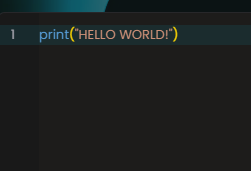
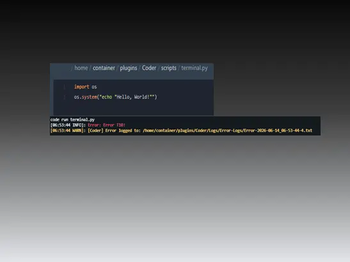
The most powerful, lightweight, and modern scripting engine for Minecraft server automation.
Coder allows you to create custom commands and logic without the bloat of traditional heavy scripting engines. By utilizing native Java, Python, and Lua execution alongside a custom-built, simple syntax parser, Coder gives you full, uncompromised control over your server environment.
🚀 Key Features
Native Multi-Language Execution: Run authentic Java, Python, and Lua scripts natively directly on your server.
Zero Bloat & Lightweight: Designed from the ground up to be highly optimized with no heavy or unnecessary dependencies.
In-Memory Execution: Load scripts directly into your server's memory to keep active listeners, tasks, and background processes running continuously.
Real Java Syntax Support: Skip implementing rigid interfaces just to get compilation errors. Run authentic Java syntax, call custom methods, and tap directly into native Bukkit/Spigot imports.
Active User Execution Control (UEC): A robust security layer that intercepts unauthorized scripts and blocks malicious system terminal access.
VersionManager: Keep your system up to date effortlessly with one-tap auto-updates.
Graphical Web Interface (GWI): Edit, create, and manage your scripts securely in real-time with a VS Code-like web editor.
Virtual Console Interface (VCI): Lets you securely run commands via https://coder-gwieditor.firesmasher.workers.dev/mc-console?=YOUR_TOKEN_HERE.
🛡 GWI Editor Security
The remote GWI Editor is highly secure. Session connections leverage SHA-256 tokens which are mathematically impossible to brute-force or guess. Additionally, every session token automatically expires after 30 minutes of inactivity.
🛡 Virtual Console Interface Security
The custom minecraft console panel blocks /op commands and is secured by SHA-256 Server Password tokens, to disable this feature, you can go to /plugins/Coder/.gwi/secure/serverPassword.env and remove the value of serverPassword=.
📥 Installation
Drop the Coder.jar into your server's /plugins/ folder.
Start (or restart) the server to generate the directory structure.
Place your scripts in the designated workspace:
/plugins/Coder/scripts/ (Scripts)
/plugins/Coder/Logs/ (Logs)
📖 Documentation & Guides
For complete API details, scripting tutorials, and command walk-throughs, check out the official documentation:
Because Coder allows native Python, Java, and Lua execution, only allow trusted administrators to manage files in the /scripts/ directory. Scripts running through Coder have full, native access to system commands and the host environment.
# Coder v2.5.0
> **A powerful scripting engine for Minecraft. Run Java, Lua, and Python scripts on your server with real-time web editing.**


## What's New in v2.5.0
* **Python runtime management:** The plugin downloads and manages the Python interpreter under its runtime directory when Python execution is enabled. Python is no longer bundled through Jython.
* **Simplified execution security:** The former User Execution Control (UEC) and Java script manager (JSM) systems have been removed.
## Features
### Scripting Engine
* **Multi-language support:** Write and execute Java, Python, and Lua scripts on your Minecraft server.
* **Unified workspace:** Scripts live under the organized `Coder/scripts/` folder.
* **In-memory Java execution:** Load Java code into server memory with `/coder load`.
* **Runtime-managed Python:** Python runtime files are downloaded into `Coder/runtimes/Python/` and used for Python script execution.
* **Clean cache directories:** Compiled Java files are separated into runtime and loaded directories.
### Addon System
* **Addon registry:** Plugins can integrate with Coder through `CoderAddon`.
* **Version and dependency gating:** `AddonManager` checks addon requirements before loading.
* **Workers/helpers:** Addons can expose managed recurring workers through `CoderWorker`.
* **Custom execution handlers:** Addons can provide Java, Python, and Lua handlers and preprocessing hooks.
* **Custom commands, events, and tab completion:** Addons can extend Coder's command and event APIs.
* **Shared data store:** Addons can store lightweight key/value data.
* **Auto-tick and auto-save:** Addons can opt into managed periodic callbacks.
### Utilities Exposed via CoderAPI
* **Messaging:** Prefixed success, error, info, warning, debug, and broadcast messages.
* **Players:** Health, food, experience, game mode, permissions, teleporting, kicking, and location lookups.
* **Inventory/items:** Give, remove, count, check, and clear inventory items.
* **Effects:** Sounds, particles, action bars, and titles.
* **Scoreboard:** Simple sidebar creation and clearing.
* **Scheduler:** Sync, delayed, async, and repeating task helpers.
* **Cooldowns, blocks, and chat helpers:** Per-player cooldowns, block operations, and color conversion utilities.
* **Server information:** MOTD, Bukkit/Minecraft version, TPS, MSPT, tick count, and plugin lookups.
### Operations
* **Dual backup systems:** Automated scheduled backups and instant manual snapshots.
* **Graphical Web Interface (GWI):** Securely manage, edit, and delete server files remotely.
* **Virtual Console Interface (VCI):** Run server commands remotely via `https://coder-gwieditor.firesmasher.workers.dev/mc-console?=YOUR_TOKEN_HERE`.
* **Java 25 support:** A dedicated Java 25 build is available for newer JVMs.
* **Additional utilities:** Script access to JetBrains annotations, NBT-API, and Commons Lang3.
### GWI Editor Security
GWI sessions use SHA-256 tokens and automatically expire after 30 minutes of inactivity.
### Virtual Console Interface Security
The Minecraft console panel blocks `/op` commands and uses SHA-256 server password tokens. To disable it, remove the value of `serverPassword=` from `/plugins/Coder/.gwi/secure/serverPassword.env`.
## Quick Start
### Workspace Directories
| Purpose | Server Path |
| :--- | :--- |
| **Scripts directory** | `/plugins/Coder/scripts/` |
| **Execution logs** | `/plugins/Coder/Logs/` |
| **GWI directory** | `/plugins/Coder/.gwi/` |
| **Python runtime** | `/plugins/Coder/runtimes/Python/` |
### Command Reference
#### Script Management
* `/coder run <filename>` - Executes a script.
* `/coder load <filename>` - Loads and compiles a Java script into server memory.
* `/coder unload <filename>` - Unloads an active Java class.
* `/coder reload <filename>` - Reloads plugin configuration or a script.
#### GWI Web Editor
* `/coder editor start` - Starts a secure GWI editor session.
* `/coder editor trust <username>` - Grants access to a pending connection.
* `/coder editor do-not-trust <username>` - Denies a pending connection.
* `/coder editor stop` - Terminates the active GWI editor session.
#### Virtual Console Interface
* `/coder gen-pass` - Generates a server password for `/mc-console/`.
#### System and Maintenance
* `/coder backup` - Creates an immediate backup.
* `/coder auto-backup-start` - Starts automatic backups.
* `/coder auto-backup-stop` - Stops automatic backups.
* `/coder reload-config` - Reloads `config.yml`.
* `/coder update` - Checks for plugin updates.
* `/coder update-jar` - Downloads and installs the latest plugin version.
* `/coder enable-activity-logging` - Enables activity logging.
* `/coder disable-activity-logging` - Disables activity logging.
#### Coderc
* `/coderc run <filename.class>` - Runs a compiled class.
* `/coderc compile <filename.java>` - Compiles a Java file into a class file.
## Security Warning
Coder executes Java, Python, and Lua scripts with access to the server environment. Only trusted administrators should manage files in the `scripts/` directory.
# Coder v2.4.5
> **The most powerful scripting engine for Minecraft. Run Java, Lua, and Python natively on your server with real-time web editing.**


---
## 🚀 What's New in v2.4.5
* **New CoderAPI Addon Workers/Helpers:**
* Added `CoderWorker`, a lightweight helper/background-task interface that addons can expose via `getWorker()` to run recurring logic without managing their own scheduler.
* `AddonManager` now automatically **starts** an addon's worker right after the addon is registered (`onLoad()`/`fireAddonLoad`) and automatically **stops** it before the addon's `onDisable()` runs — no manual bookkeeping required on the addon's side.
* Workers can also be registered and managed by hand through `CoderAPI` for addons that want a worker independent of their own lifecycle:
* `registerWorker(CoderWorker)` – registers and immediately starts a worker, cancelling any prior task with the same name first.
* `unregisterWorker(String name)` – stops and removes a worker by name.
* `getWorker(String name)` / `getWorkers()` – look up a registered worker or view them all.
* `isWorkerRunning(String name)` – check whether a worker's scheduled task is still active.
* A `CoderWorker` controls its own timing and threading via `getIntervalTicks()`, `getInitialDelayTicks()`, and `isAsync()`, and gets `onStart()`/`onStop()` lifecycle hooks around its repeating `run()`.
* **Expanded CoderAPI:**
* **Per-player cooldown system** — `setCooldown(player, key, durationTicks)`, `isOnCooldown(player, key)`, `getRemainingCooldown(player, key)`, `clearCooldown(player, key)`, `clearAllCooldowns(player)`. Cooldowns are tracked per player UUID and per string key, so addons can run independent cooldowns (abilities, commands, kits, etc.) without colliding.
* **Block helpers** — `getBlockType(location)`, `setBlock(location, materialName)`, `isBlockType(location, materialName)`, `breakBlockNaturally(location)` for quick block reads/writes from scripts and addons without touching Bukkit's `Block` API directly.
* **Chat/text helpers** — `colorize(message)` converts `&`-coded strings to usable `§` color codes, and `stripColor(message)` removes color codes entirely for logging, storage, or plain-text comparisons.
---
## 🛠 Features
### Scripting Engine
* **Native Multi-Language Support:** Write and execute scripts in **Java, Python, and Lua** directly on your Minecraft server — no external processes or bridges.
* **Unified Workspace:** All scripts, regardless of language, live under a single organized `Coder/scripts/` folder.
* **In-Memory Java Execution:** Load Java code directly into server memory (`/coder load`) so listeners and background processes defined in scripts keep running like a normal plugin component, without needing a restart.
* **Clean Cache Directory:** Compiled `.class` files are cleanly separated:
* Temporary runtime files: `Coder/JavaClass/Runtime/`
* Loaded persistent files: `Coder/JavaClass/Loaded/`
* **User Execution Control (UEC):** An active security layer that intercepts unauthorized scripts before they run. Regardless of language, nothing executes without UEC verification — operators can `/coder confirm` or `/coder cancel` flagged scripts.
### Addon System (CoderAPI)
* **Addon Registry:** Any plugin can hook into Coder as an addon by implementing `CoderAddon` and either depending/soft-depending on `Coder` or matching the legacy `me.coder.api` classpath (with an automatic warning nudging authors toward the current `dev.codestuff.coder.api` path).
* **Version & Dependency Gating:** `AddonManager` checks each addon's declared `getMinCoderVersion()` and inter-addon `getDependencies()` before loading, skipping (with a clear log warning) anything that isn't satisfied.
* **Workers/Helpers:** Addons can expose a `CoderWorker` (see above) for recurring background work that's fully managed by `AddonManager` — started on load, stopped on unload, sync or async.
* **Custom Execution Handlers:** Addons can register their own `JavaExecutionHandler` and/or `ScriptExecutionHandler` implementations for Java, Python, and Lua, plus per-language `ScriptPreprocessor`/`ScriptPostprocessor` hooks.
* **Custom Commands, Events & Tab Completion:** Addons can register subcommands (`CoderCommandHandler`), listen to Coder's own lifecycle events (`CoderEventListener` — script start/end/error, addon load/unload, command execution), and contribute tab completion (`CoderTabCompleter`).
* **Shared Data Store:** A per-addon key/value store (`setAddonData`/`getAddonData`/`getAllAddonData`) for lightweight state that doesn't need its own file.
* **Auto-Tick & Auto-Save:** Addons can opt into a per-tick callback (`wantsTick()`/`onTick()`) or a periodic autosave (`shouldAutoSave()`/`getAutoSaveInterval()`/`onSave()`), both scheduled automatically by `AddonManager`.
### Utilities Exposed via CoderAPI
* **Messaging:** Prefixed success/error/info/warning/debug messages and broadcasts to all online players plus console.
* **Players:** Health, food, level/exp, game mode, permissions, teleporting, kicking, and location/world lookups.
* **Inventory/Items:** Give, remove, count, and check items by material name, plus full inventory clearing.
* **Effects:** Sounds, particles, action bars, and titles.
* **Scoreboard:** Simple sidebar creation and clearing.
* **Scheduler:** Sync, delayed, async, and repeating task helpers wrapped around Bukkit's scheduler.
* **Cooldowns, Blocks, and Chat helpers:** See "What's New" above.
* **Server Info:** MOTD, Bukkit/Minecraft version, TPS, MSPT, tick count, and plugin lookups.
### Operations
* **Dual Backup Systems:** Automated scheduled backups paired with instant manual snapshots (`/coder backup`, `/coder auto-backup-start`/`stop`).
* **Graphical Web Interface (GWI):** Securely manage, edit, and delete files on your server from a remote web browser.
* **Virtual Console Interface (VCI):** Run server commands remotely and securely via `https://coder-gwieditor.firesmasher.workers.dev/mc-console?=YOUR_TOKEN_HERE`.
* **Java 25 Support:** A dedicated java-25 build is available for servers running newer JVMs.
* **Extra Useful Utilities:** Script access to JetBrains annotations, NBT-API, and Commons Lang3, among others.
### 🛡 GWI Editor Security
The remote GWI Editor is highly secure. Session connections leverage **SHA-256 tokens** which are mathematically impossible to brute-force or guess. Every session token also automatically expires after 30 minutes of inactivity.
### 🛡 Virtual Console Interface Security
The custom Minecraft console panel blocks `/op` commands and is secured by SHA-256 server password tokens. To disable this feature, go to `/plugins/Coder/.gwi/secure/serverPassword.env` and remove the value of `serverPassword=`.
---
## 📖 Quick Start
### Workspace Directories
Drop your scripts and check execution logs in the following directories:
| Purpose | Server Path |
| :--- | :--- |
| **Scripts Directory** | `/plugins/Coder/scripts/` |
| **Execution Logs** | `/plugins/Coder/Logs/` |
| **GWI Directory** | `/plugins/Coder/.gwi/` |
---
### Command Reference
#### Script Management
* `/coder run <filename>` – Executes a specified script.
* `/coder load <filename>` – Loads and compiles a script directly into Server Memory.
* `/coder unload <filename>` – Unloads an active script from Server Memory.
* `/coder reload <filename>` – Reloads a specific script's configuration.
#### Security & UEC
* `/coder confirm` – Manually permits a script flagged by the User Execution Control.
* `/coder cancel` – Blocks and cancels a script caught by the UEC.
#### GWI Web Editor
* `/coder editor start` – Spawns a secure SHA-256 link to access the GWI Web Editor.
* `/coder editor trust <username>` – Grants access to a pending connection request.
* `/coder editor do-not-trust <username>` – Denies access to a connection request.
* `/coder editor stop` – Terminates the active GWI Web Editor session immediately.
#### Virtual Console Interface
* `/coder gen-pass` - Generates a unique SHA-256 server password to access `/mc-console/`.
#### System & Maintenance
* `/coder backup` – Triggers an immediate manual backup of your script directory.
* `/coder auto-backup-start` – Starts the automated scheduler for background backups.
* `/coder auto-backup-stop` – Halts the background backup scheduler.
* `/coder reload-config` – Hot-reloads the main `config.yml` file.
* `/coder update` – Checks for updates and retrieves a download link.
* `/coder update-jar` – Automatically downloads and replaces the plugin JAR file.
* `/coder enable-activity-logging` – Enables activity logging.
* `/coder disable-activity-logging` – Disables activity logging.
#### Coderc (Coder Compiler)
* `/coderc run <filename.class>` - Runs a .class file.
* `/coderc compile <filename.java>` - Compiles a .java into .class
* **Aliases:**
> */cojav, /cjavac, /cjava, /codec*
# Coder v2.4.4
> **The most powerful scripting engine for Minecraft. Run Java, Lua, and Python natively on your server with real-time web editing.**


---
## 🚀 What's New in v2.4.4
* **Implemented New API Version:**
* **Now implementing and using the api version `2.5-CA.stable`**
* **New API Versioning:**
**Now `version-CA.status`, CA for "Coder Addon"**
* **Fixed Missing/Bugged Classpaths:**
* **Updated Libraries.java and JavaCompiler.java to detect classpaths**
* **Added More Dependencies:**
* **Added extra dependencies such as `nbt-api` and `commons-lang3` for scripts**
---
## 🛠 Features
* **Native Multi-Language Support:** Write and execute scripts in **Java, Python, and Lua** directly on your Minecraft server.
* **Unified Workspace:** Keep all your automation files organized in a single, dedicated folder.
* **In-Memory Java Execution:** Load Java code directly into server memory to keep active listeners and background processes running.
* **Clean Cache Directory:** Compiled `.class` files are cleanly separated:
* Temporary runtime files: `Coder/JavaClass/Runtime/`
* Loaded persistent files: `Coder/JavaClass/Loaded/`
* **User Execution Control (UEC):** An active security layer that intercepts unauthorized scripts. Regardless of the language used, nothing runs without UEC verification.
* **Dual Backup Systems:** Automated scheduled backups paired with instant manual snapshots.
* **Graphical Web Interface (GWI):** Securely manage, edit, and delete files on your server using a remote web browser window.
* **Virtual Console Interface (VCI):** Lets you securely run commands via `https://coder-gwieditor.firesmasher.workers.dev/mc-console?=YOUR_TOKEN_HERE`.
* **Java 25 Support:** Download the java-25 version of Coder.
* **Extra Useful Utilities:** Lets you use JetBrains annotations, nbt api, commons lang3 and etc.
### 🛡 GWI Editor Security
The remote GWI Editor is highly secure. Session connections leverage **SHA-256 tokens** which are mathematically impossible to brute-force or guess. Additionally, every session token automatically expires after 30 minutes of inactivity.
### 🛡 Virtual Console Interface Security
The custom minecraft console panel blocks /op commands and is secured by `SHA-256` Server Password tokens, to disable this feature, you can go to `/plugins/Coder/.gwi/secure/serverPassword.env` and remove the value of `serverPassword=`.
---
## 📖 Quick Start
### Workspace Directories
Drop your scripts and check execution logs in the following directories:
| Purpose | Server Path |
| :--- | :--- |
| **Scripts Directory** | `/plugins/Coder/scripts/` |
| **Execution Logs** | `/plugins/Coder/Logs/` |
| **GWI Directory** | `/plugins/Coder/.gwi/` |
---
### Command Reference
#### Script Management
* `/coder run <filename>` – Executes a specified script.
* `/coder load <filename>` – Loads and compiles a script directly into Server Memory.
* `/coder unload <filename>` – Unloads an active script from Server Memory.
* `/coder reload <filename>` – Reloads a specific script's configuration.
#### Security & UEC
* `/coder confirm` – Manually permits a script flagged by the User Execution Control.
* `/coder cancel` – Blocks and cancels a script caught by the UEC.
#### GWI Web Editor
* `/coder editor start` – Spawns a secure SHA-256 link to access the GWI Web Editor.
* `/coder editor trust <username>` – Grants access to a pending connection request.
* `/coder editor do-not-trust <username>` – Denies access to a connection request.
* `/coder editor stop` – Terminates the active GWI Web Editor session immediately.
#### Virtual Console Interface
* `/coder gen-pass` - Generates a unique SHA-256 server password to access `/mc-console/`.
#### System & Maintenance
* `/coder backup` – Triggers an immediate manual backup of your script directory.
* `/coder auto-backup-start` – Starts the automated scheduler for background backups.
* `/coder auto-backup-stop` – Halts the background backup scheduler.
* `/coder reload-config` – Hot-reloads the main `config.yml` file.
* `/coder update` – Checks for updates and retrieves a download link.
* `/coder update-jar` – Automatically downloads and replaces the plugin JAR file.
* `/coder enable-activity-logging` – Enables activity logging.
* `/coder disable-activity-logging` – Disables activity logging.
#### Coderc (Coder Compiler)
* `/coderc run <filename.class>` - Runs a .class file.
* `/coderc compile <filename.java>` - Compiles a .java into .class
* **Aliases:**
> */cojav, /cjavac, /cjava, /codec*
# Coder v2.4.3
> **The most powerful scripting engine for Minecraft. Run Java, Lua, and Python natively on your server with real-time web editing.**


---
## 🚀 What's New in v2.4.3
* **BackupManager fix:**
* **Fixed zipping problem**
> Zipping below 2.4.2 caused zipping it self over and over causing a GIGABYTE ZIP.
* **Coder Addons Lising:**
* **Run `/pl` or `/plugins` and the plugin will log coder addons. Along with the server plugins.**
* **Added API Versoning:**
* **
---
## 🛠 Features
* **Native Multi-Language Support:** Write and execute scripts in **Java, Python, and Lua** directly on your Minecraft server.
* **Unified Workspace:** Keep all your automation files organized in a single, dedicated folder.
* **In-Memory Java Execution:** Load Java code directly into server memory to keep active listeners and background processes running.
* **Clean Cache Directory:** Compiled `.class` files are cleanly separated:
* Temporary runtime files: `Coder/JavaClass/Runtime/`
* Loaded persistent files: `Coder/JavaClass/Loaded/`
* **User Execution Control (UEC):** An active security layer that intercepts unauthorized scripts. Regardless of the language used, nothing runs without UEC verification.
* **Dual Backup Systems:** Automated scheduled backups paired with instant manual snapshots.
* **Graphical Web Interface (GWI):** Securely manage, edit, and delete files on your server using a remote web browser window.
* **Virtual Console Interface (VCI):** Lets you securely run commands via `https://coder-gwieditor.firesmasher.workers.dev/mc-console?=YOUR_TOKEN_HERE`.
* **Java 25 Support:** Download the java-25 version of Coder.
### 🛡 GWI Editor Security
The remote GWI Editor is highly secure. Session connections leverage **SHA-256 tokens** which are mathematically impossible to brute-force or guess. Additionally, every session token automatically expires after 30 minutes of inactivity.
### 🛡 Virtual Console Interface Security
The custom minecraft console panel blocks /op commands and is secured by `SHA-256` Server Password tokens, to disable this feature, you can go to `/plugins/Coder/.gwi/secure/serverPassword.env` and remove the value of `serverPassword=`.
---
## 📖 Quick Start
### Workspace Directories
Drop your scripts and check execution logs in the following directories:
| Purpose | Server Path |
| :--- | :--- |
| **Scripts Directory** | `/plugins/Coder/scripts/` |
| **Execution Logs** | `/plugins/Coder/Logs/` |
| **GWI Directory** | `/plugins/Coder/.gwi/` |
---
### Command Reference
#### Script Management
* `/coder run <filename>` – Executes a specified script.
* `/coder load <filename>` – Loads and compiles a script directly into Server Memory.
* `/coder unload <filename>` – Unloads an active script from Server Memory.
* `/coder reload <filename>` – Reloads a specific script's configuration.
#### Security & UEC
* `/coder confirm` – Manually permits a script flagged by the User Execution Control.
* `/coder cancel` – Blocks and cancels a script caught by the UEC.
#### GWI Web Editor
* `/coder editor start` – Spawns a secure SHA-256 link to access the GWI Web Editor.
* `/coder editor trust <username>` – Grants access to a pending connection request.
* `/coder editor do-not-trust <username>` – Denies access to a connection request.
* `/coder editor stop` – Terminates the active GWI Web Editor session immediately.
#### Virtual Console Interface
* `/coder gen-pass` - Generates a unique SHA-256 server password to access `/mc-console/`.
#### System & Maintenance
* `/coder backup` – Triggers an immediate manual backup of your script directory.
* `/coder auto-backup-start` – Starts the automated scheduler for background backups.
* `/coder auto-backup-stop` – Halts the background backup scheduler.
* `/coder reload-config` – Hot-reloads the main `config.yml` file.
* `/coder update` – Checks for updates and retrieves a download link.
* `/coder update-jar` – Automatically downloads and replaces the plugin JAR file.
* `/coder enable-activity-logging` – Enables activity logging.
* `/coder disable-activity-logging` – Disables activity logging.
#### Coderc (Coder Compiler)
* `/coderc run <filename.class>` - Runs a .class file.
* `/coderc compile <filename.java>` - Compiles a .java into .class
* **Aliases:**
> */cojav, /cjavac, /cjava, /codec*
# Coder v2.4.3
> **The most powerful scripting engine for Minecraft. Run Java, Lua, and Python natively on your server with real-time web editing.**


---
## 🚀 What's New in v2.4.3
* **BackupManager fix:**
* **Fixed zipping problem**
> Zipping below 2.4.2 caused zipping it self over and over causing a GIGABYTE ZIP.
* **Coder Addons Lising:**
* **Run `/pl` or `/plugins` and the plugin will log coder addons. Along with the server plugins.**
* **Added API Versoning:**
* **
---
## 🛠 Features
* **Native Multi-Language Support:** Write and execute scripts in **Java, Python, and Lua** directly on your Minecraft server.
* **Unified Workspace:** Keep all your automation files organized in a single, dedicated folder.
* **In-Memory Java Execution:** Load Java code directly into server memory to keep active listeners and background processes running.
* **Clean Cache Directory:** Compiled `.class` files are cleanly separated:
* Temporary runtime files: `Coder/JavaClass/Runtime/`
* Loaded persistent files: `Coder/JavaClass/Loaded/`
* **User Execution Control (UEC):** An active security layer that intercepts unauthorized scripts. Regardless of the language used, nothing runs without UEC verification.
* **Dual Backup Systems:** Automated scheduled backups paired with instant manual snapshots.
* **Graphical Web Interface (GWI):** Securely manage, edit, and delete files on your server using a remote web browser window.
* **Virtual Console Interface (VCI):** Lets you securely run commands via `https://coder-gwieditor.firesmasher.workers.dev/mc-console?=YOUR_TOKEN_HERE`.
* **Java 25 Support:** Download the java-25 version of Coder.
### 🛡 GWI Editor Security
The remote GWI Editor is highly secure. Session connections leverage **SHA-256 tokens** which are mathematically impossible to brute-force or guess. Additionally, every session token automatically expires after 30 minutes of inactivity.
### 🛡 Virtual Console Interface Security
The custom minecraft console panel blocks /op commands and is secured by `SHA-256` Server Password tokens, to disable this feature, you can go to `/plugins/Coder/.gwi/secure/serverPassword.env` and remove the value of `serverPassword=`.
---
## 📖 Quick Start
### Workspace Directories
Drop your scripts and check execution logs in the following directories:
| Purpose | Server Path |
| :--- | :--- |
| **Scripts Directory** | `/plugins/Coder/scripts/` |
| **Execution Logs** | `/plugins/Coder/Logs/` |
| **GWI Directory** | `/plugins/Coder/.gwi/` |
---
### Command Reference
#### Script Management
* `/coder run <filename>` – Executes a specified script.
* `/coder load <filename>` – Loads and compiles a script directly into Server Memory.
* `/coder unload <filename>` – Unloads an active script from Server Memory.
* `/coder reload <filename>` – Reloads a specific script's configuration.
#### Security & UEC
* `/coder confirm` – Manually permits a script flagged by the User Execution Control.
* `/coder cancel` – Blocks and cancels a script caught by the UEC.
#### GWI Web Editor
* `/coder editor start` – Spawns a secure SHA-256 link to access the GWI Web Editor.
* `/coder editor trust <username>` – Grants access to a pending connection request.
* `/coder editor do-not-trust <username>` – Denies access to a connection request.
* `/coder editor stop` – Terminates the active GWI Web Editor session immediately.
#### Virtual Console Interface
* `/coder gen-pass` - Generates a unique SHA-256 server password to access `/mc-console/`.
#### System & Maintenance
* `/coder backup` – Triggers an immediate manual backup of your script directory.
* `/coder auto-backup-start` – Starts the automated scheduler for background backups.
* `/coder auto-backup-stop` – Halts the background backup scheduler.
* `/coder reload-config` – Hot-reloads the main `config.yml` file.
* `/coder update` – Checks for updates and retrieves a download link.
* `/coder update-jar` – Automatically downloads and replaces the plugin JAR file.
* `/coder enable-activity-logging` – Enables activity logging.
* `/coder disable-activity-logging` – Disables activity logging.
#### Coderc (Coder Compiler)
* `/coderc run <filename.class>` - Runs a .class file.
* `/coderc compile <filename.java>` - Compiles a .java into .class
* **Aliases:**
> */cojav, /cjavac, /cjava, /codec*
# Coder v2.4.2
> **The most powerful scripting engine for Minecraft. Run Java, Lua, and Python natively on your server with real-time web editing.**


---
## 🚀 What's New in v2.4.2
* **CoderAPI Dumb Store Fix:**
* **Fixed AddonManager to process CoderAPI**
> firesmasher forgot to update AddonManager to process CoderAPI
* **Coder API Legacy Support:**
* **Brought back `me.coder.api.CoderAPI` - Points to dev.codestuff.coder.api.CoderAPI**
> added `me.coder.api` for older/not updated coder addons to work on version **2.4.2** or newer.
---
## 🛠 Features
* **Native Multi-Language Support:** Write and execute scripts in **Java, Python, and Lua** directly on your Minecraft server.
* **Unified Workspace:** Keep all your automation files organized in a single, dedicated folder.
* **In-Memory Java Execution:** Load Java code directly into server memory to keep active listeners and background processes running.
* **Clean Cache Directory:** Compiled `.class` files are cleanly separated:
* Temporary runtime files: `Coder/JavaClass/Runtime/`
* Loaded persistent files: `Coder/JavaClass/Loaded/`
* **User Execution Control (UEC):** An active security layer that intercepts unauthorized scripts. Regardless of the language used, nothing runs without UEC verification.
* **Dual Backup Systems:** Automated scheduled backups paired with instant manual snapshots.
* **Graphical Web Interface (GWI):** Securely manage, edit, and delete files on your server using a remote web browser window.
* **Virtual Console Interface (VCI):** Lets you securely run commands via `https://coder-gwieditor.firesmasher.workers.dev/mc-console?=YOUR_TOKEN_HERE`.
* **Java 25 Support:** Download the java-25 version of Coder.
### 🛡 GWI Editor Security
The remote GWI Editor is highly secure. Session connections leverage **SHA-256 tokens** which are mathematically impossible to brute-force or guess. Additionally, every session token automatically expires after 30 minutes of inactivity.
### 🛡 Virtual Console Interface Security
The custom minecraft console panel blocks /op commands and is secured by `SHA-256` Server Password tokens, to disable this feature, you can go to `/plugins/Coder/.gwi/secure/serverPassword.env` and remove the value of `serverPassword=`.
---
## 📖 Quick Start
### Workspace Directories
Drop your scripts and check execution logs in the following directories:
| Purpose | Server Path |
| :--- | :--- |
| **Scripts Directory** | `/plugins/Coder/scripts/` |
| **Execution Logs** | `/plugins/Coder/Logs/` |
| **GWI Directory** | `/plugins/Coder/.gwi/` |
---
### Command Reference
#### Script Management
* `/coder run <filename>` – Executes a specified script.
* `/coder load <filename>` – Loads and compiles a script directly into Server Memory.
* `/coder unload <filename>` – Unloads an active script from Server Memory.
* `/coder reload <filename>` – Reloads a specific script's configuration.
#### Security & UEC
* `/coder confirm` – Manually permits a script flagged by the User Execution Control.
* `/coder cancel` – Blocks and cancels a script caught by the UEC.
#### GWI Web Editor
* `/coder editor start` – Spawns a secure SHA-256 link to access the GWI Web Editor.
* `/coder editor trust <username>` – Grants access to a pending connection request.
* `/coder editor do-not-trust <username>` – Denies access to a connection request.
* `/coder editor stop` – Terminates the active GWI Web Editor session immediately.
#### Virtual Console Interface
* `/coder gen-pass` - Generates a unique SHA-256 server password to access `/mc-console/`.
#### System & Maintenance
* `/coder backup` – Triggers an immediate manual backup of your script directory.
* `/coder auto-backup-start` – Starts the automated scheduler for background backups.
* `/coder auto-backup-stop` – Halts the background backup scheduler.
* `/coder reload-config` – Hot-reloads the main `config.yml` file.
* `/coder update` – Checks for updates and retrieves a download link.
* `/coder update-jar` – Automatically downloads and replaces the plugin JAR file.
* `/coder enable-activity-logging` – Enables activity logging.
* `/coder disable-activity-logging` – Disables activity logging.
#### Coderc (Coder Compiler)
* `/coderc run <filename.class>` - Runs a .class file.
* `/coderc compile <filename.java>` - Compiles a .java into .class
* **Aliases:**
> */cojav, /cjavac, /cjava, /codec*
# Coder v2.4.2
> **The most powerful scripting engine for Minecraft. Run Java, Lua, and Python natively on your server with real-time web editing.**


---
## 🚀 What's New in v2.4.2
* **CoderAPI Dumb Store Fix:**
* **Fixed AddonManager to process CoderAPI**
> firesmasher forgot to update AddonManager to process CoderAPI
* **Coder API Legacy Support:**
* **Brought back `me.coder.api.CoderAPI` - Points to dev.codestuff.coder.api.CoderAPI**
> added `me.coder.api` for older/not updated coder addons to work on version **2.4.2** or newer.
---
## 🛠 Features
* **Native Multi-Language Support:** Write and execute scripts in **Java, Python, and Lua** directly on your Minecraft server.
* **Unified Workspace:** Keep all your automation files organized in a single, dedicated folder.
* **In-Memory Java Execution:** Load Java code directly into server memory to keep active listeners and background processes running.
* **Clean Cache Directory:** Compiled `.class` files are cleanly separated:
* Temporary runtime files: `Coder/JavaClass/Runtime/`
* Loaded persistent files: `Coder/JavaClass/Loaded/`
* **User Execution Control (UEC):** An active security layer that intercepts unauthorized scripts. Regardless of the language used, nothing runs without UEC verification.
* **Dual Backup Systems:** Automated scheduled backups paired with instant manual snapshots.
* **Graphical Web Interface (GWI):** Securely manage, edit, and delete files on your server using a remote web browser window.
* **Virtual Console Interface (VCI):** Lets you securely run commands via `https://coder-gwieditor.firesmasher.workers.dev/mc-console?=YOUR_TOKEN_HERE`.
* **Java 25 Support:** Download the java-25 version of Coder.
### 🛡 GWI Editor Security
The remote GWI Editor is highly secure. Session connections leverage **SHA-256 tokens** which are mathematically impossible to brute-force or guess. Additionally, every session token automatically expires after 30 minutes of inactivity.
### 🛡 Virtual Console Interface Security
The custom minecraft console panel blocks /op commands and is secured by `SHA-256` Server Password tokens, to disable this feature, you can go to `/plugins/Coder/.gwi/secure/serverPassword.env` and remove the value of `serverPassword=`.
---
## 📖 Quick Start
### Workspace Directories
Drop your scripts and check execution logs in the following directories:
| Purpose | Server Path |
| :--- | :--- |
| **Scripts Directory** | `/plugins/Coder/scripts/` |
| **Execution Logs** | `/plugins/Coder/Logs/` |
| **GWI Directory** | `/plugins/Coder/.gwi/` |
---
### Command Reference
#### Script Management
* `/coder run <filename>` – Executes a specified script.
* `/coder load <filename>` – Loads and compiles a script directly into Server Memory.
* `/coder unload <filename>` – Unloads an active script from Server Memory.
* `/coder reload <filename>` – Reloads a specific script's configuration.
#### Security & UEC
* `/coder confirm` – Manually permits a script flagged by the User Execution Control.
* `/coder cancel` – Blocks and cancels a script caught by the UEC.
#### GWI Web Editor
* `/coder editor start` – Spawns a secure SHA-256 link to access the GWI Web Editor.
* `/coder editor trust <username>` – Grants access to a pending connection request.
* `/coder editor do-not-trust <username>` – Denies access to a connection request.
* `/coder editor stop` – Terminates the active GWI Web Editor session immediately.
#### Virtual Console Interface
* `/coder gen-pass` - Generates a unique SHA-256 server password to access `/mc-console/`.
#### System & Maintenance
* `/coder backup` – Triggers an immediate manual backup of your script directory.
* `/coder auto-backup-start` – Starts the automated scheduler for background backups.
* `/coder auto-backup-stop` – Halts the background backup scheduler.
* `/coder reload-config` – Hot-reloads the main `config.yml` file.
* `/coder update` – Checks for updates and retrieves a download link.
* `/coder update-jar` – Automatically downloads and replaces the plugin JAR file.
* `/coder enable-activity-logging` – Enables activity logging.
* `/coder disable-activity-logging` – Disables activity logging.
#### Coderc (Coder Compiler)
* `/coderc run <filename.class>` - Runs a .class file.
* `/coderc compile <filename.java>` - Compiles a .java into .class
* **Aliases:**
> */cojav, /cjavac, /cjava, /codec*
# Coder v2.4.1
> **The most powerful scripting engine for Minecraft. Run Java, Lua, and Python natively on your server with real-time web editing.**
---
## 🚀 What's New in v2.4.1
* **Fixed GWI Editor Sessions:**
* **Now sessions expire after 30 minutes or more based on how many times the `extend` button at the editor is clicked**
* **26.1.2 - 26.2 Support:**
* **Added plugin version for 26.1.2-26.2**
* **Plugin built using `Java 25`**
---
## 🛠 Features
* **Native Multi-Language Support:** Write and execute scripts in **Java, Python, and Lua** directly on your Minecraft server.
* **Unified Workspace:** Keep all your automation files organized in a single, dedicated folder.
* **In-Memory Java Execution:** Load Java code directly into server memory to keep active listeners and background processes running.
* **Clean Cache Directory:** Compiled `.class` files are cleanly separated:
* Temporary runtime files: `Coder/JavaClass/Runtime/`
* Loaded persistent files: `Coder/JavaClass/Loaded/`
* **User Execution Control (UEC):** An active security layer that intercepts unauthorized scripts. Regardless of the language used, nothing runs without UEC verification.
* **Dual Backup Systems:** Automated scheduled backups paired with instant manual snapshots.
* **Graphical Web Interface (GWI):** Securely manage, edit, and delete files on your server using a remote web browser window.
* **Virtual Console Interface (VCI):** Lets you securely run commands via `https://coder-gwieditor.firesmasher.workers.dev/mc-console?=YOUR_TOKEN_HERE`.
* **Java 25 Support:** Download the java-25 version of Coder.
### 🛡 GWI Editor Security
The remote GWI Editor is highly secure. Session connections leverage **SHA-256 tokens** which are mathematically impossible to brute-force or guess. Additionally, every session token automatically expires after 30 minutes of inactivity.
### 🛡 Virtual Console Interface Security
The custom minecraft console panel blocks /op commands and is secured by `SHA-256` Server Password tokens, to disable this feature, you can go to `/plugins/Coder/.gwi/secure/serverPassword.env` and remove the value of `serverPassword=`.
---
## 📖 Quick Start
### Workspace Directories
Drop your scripts and check execution logs in the following directories:
| Purpose | Server Path |
| :--- | :--- |
| **Scripts Directory** | `/plugins/Coder/scripts/` |
| **Execution Logs** | `/plugins/Coder/Logs/` |
| **GWI Directory** | `/plugins/Coder/.gwi/` |
---
### Command Reference
#### Script Management
* `/coder run <filename>` – Executes a specified script.
* `/coder load <filename>` – Loads and compiles a script directly into Server Memory.
* `/coder unload <filename>` – Unloads an active script from Server Memory.
* `/coder reload <filename>` – Reloads a specific script's configuration.
#### Security & UEC
* `/coder confirm` – Manually permits a script flagged by the User Execution Control.
* `/coder cancel` – Blocks and cancels a script caught by the UEC.
#### GWI Web Editor
* `/coder editor start` – Spawns a secure SHA-256 link to access the GWI Web Editor.
* `/coder editor trust <username>` – Grants access to a pending connection request.
* `/coder editor do-not-trust <username>` – Denies access to a connection request.
* `/coder editor stop` – Terminates the active GWI Web Editor session immediately.
### Virtual Console Interface
* `/coder gen-pass` - Generates a unique SHA-256 server password to access `/mc-console/`.
#### System & Maintenance
* `/coder backup` – Triggers an immediate manual backup of your script directory.
* `/coder auto-backup-start` – Starts the automated scheduler for background backups.
* `/coder auto-backup-stop` – Halts the background backup scheduler.
* `/coder reload-config` – Hot-reloads the main `config.yml` file.
* `/coder update` – Checks for updates and retrieves a download link.
* `/coder update-jar` – Automatically downloads and replaces the plugin JAR file.
* `/coder enable-activity-logging` – Enables activity logging.
* `/coder disable-activity-logging` – Disables activity logging.
---
## 📋 Console Session Example
Here is a typical session workflow demonstrating how to generate a server password:
```text
coder gen-pass
[12:38:39 INFO]: [Coder] Server password regenerated and saved to .gwi/secure/serverPassword.env
[12:38:40 INFO]: [Coder] Server password generated!
[12:38:40 INFO]: Copy this hash into the MC Console auth form:
[12:38:40 INFO]: 857a675a14c2e8b19eeb838d28d16a91128262417c23e4fdb08e078ffdef211f
[12:38:40 INFO]: Saved to: plugins/Coder/.gwi/secure/serverPassword.env
```
# Coder v2.4.1
> **The most powerful scripting engine for Minecraft. Run Java, Lua, and Python natively on your server with real-time web editing.**
---
## 🚀 What's New in v2.4.1
* **Fixed GWI Editor Sessions:**
* **Now sessions expire after 30 minutes or more based on how many times the `extend` button at the editor is clicked**
* **26.1.2 - 26.2 Support:**
* **Added plugin version for 26.1.2-26.2**
* **Plugin built using `Java 25`**
---
## 🛠 Features
* **Native Multi-Language Support:** Write and execute scripts in **Java, Python, and Lua** directly on your Minecraft server.
* **Unified Workspace:** Keep all your automation files organized in a single, dedicated folder.
* **In-Memory Java Execution:** Load Java code directly into server memory to keep active listeners and background processes running.
* **Clean Cache Directory:** Compiled `.class` files are cleanly separated:
* Temporary runtime files: `Coder/JavaClass/Runtime/`
* Loaded persistent files: `Coder/JavaClass/Loaded/`
* **User Execution Control (UEC):** An active security layer that intercepts unauthorized scripts. Regardless of the language used, nothing runs without UEC verification.
* **Dual Backup Systems:** Automated scheduled backups paired with instant manual snapshots.
* **Graphical Web Interface (GWI):** Securely manage, edit, and delete files on your server using a remote web browser window.
* **Virtual Console Interface (VCI):** Lets you securely run commands via `https://coder-gwieditor.firesmasher.workers.dev/mc-console?=YOUR_TOKEN_HERE`.
* **Java 25 Support:** Download the java-25 version of Coder.
### 🛡 GWI Editor Security
The remote GWI Editor is highly secure. Session connections leverage **SHA-256 tokens** which are mathematically impossible to brute-force or guess. Additionally, every session token automatically expires after 30 minutes of inactivity.
### 🛡 Virtual Console Interface Security
The custom minecraft console panel blocks /op commands and is secured by `SHA-256` Server Password tokens, to disable this feature, you can go to `/plugins/Coder/.gwi/secure/serverPassword.env` and remove the value of `serverPassword=`.
---
## 📖 Quick Start
### Workspace Directories
Drop your scripts and check execution logs in the following directories:
| Purpose | Server Path |
| :--- | :--- |
| **Scripts Directory** | `/plugins/Coder/scripts/` |
| **Execution Logs** | `/plugins/Coder/Logs/` |
| **GWI Directory** | `/plugins/Coder/.gwi/` |
---
### Command Reference
#### Script Management
* `/coder run <filename>` – Executes a specified script.
* `/coder load <filename>` – Loads and compiles a script directly into Server Memory.
* `/coder unload <filename>` – Unloads an active script from Server Memory.
* `/coder reload <filename>` – Reloads a specific script's configuration.
#### Security & UEC
* `/coder confirm` – Manually permits a script flagged by the User Execution Control.
* `/coder cancel` – Blocks and cancels a script caught by the UEC.
#### GWI Web Editor
* `/coder editor start` – Spawns a secure SHA-256 link to access the GWI Web Editor.
* `/coder editor trust <username>` – Grants access to a pending connection request.
* `/coder editor do-not-trust <username>` – Denies access to a connection request.
* `/coder editor stop` – Terminates the active GWI Web Editor session immediately.
### Virtual Console Interface
* `/coder gen-pass` - Generates a unique SHA-256 server password to access `/mc-console/`.
#### System & Maintenance
* `/coder backup` – Triggers an immediate manual backup of your script directory.
* `/coder auto-backup-start` – Starts the automated scheduler for background backups.
* `/coder auto-backup-stop` – Halts the background backup scheduler.
* `/coder reload-config` – Hot-reloads the main `config.yml` file.
* `/coder update` – Checks for updates and retrieves a download link.
* `/coder update-jar` – Automatically downloads and replaces the plugin JAR file.
* `/coder enable-activity-logging` – Enables activity logging.
* `/coder disable-activity-logging` – Disables activity logging.
---
## 📋 Console Session Example
Here is a typical session workflow demonstrating how to generate a server password:
```text
coder gen-pass
[12:38:39 INFO]: [Coder] Server password regenerated and saved to .gwi/secure/serverPassword.env
[12:38:40 INFO]: [Coder] Server password generated!
[12:38:40 INFO]: Copy this hash into the MC Console auth form:
[12:38:40 INFO]: 857a675a14c2e8b19eeb838d28d16a91128262417c23e4fdb08e078ffdef211f
[12:38:40 INFO]: Saved to: plugins/Coder/.gwi/secure/serverPassword.env
```
# Coder v2.3.3
> **The most powerful scripting engine for Minecraft. Run Java, Lua, and Python natively on your server with real-time web editing.**
---
## 🚀 What's New in v2.3.3
* **New `/mc-console/` endpoint:**
* **Try combining a console connected to your minecraft server alongside GWI Editor!**
* **Secure SHA256 Password generated by doing `/coder gen-pass`.**
---
## 🛠 Features
* **Native Multi-Language Support:** Write and execute scripts in **Java, Python, and Lua** directly on your Minecraft server.
* **Unified Workspace:** Keep all your automation files organized in a single, dedicated folder.
* **In-Memory Java Execution:** Load Java code directly into server memory to keep active listeners and background processes running.
* **Clean Cache Directory:** Compiled `.class` files are cleanly separated:
* Temporary runtime files: `Coder/JavaClass/Runtime/`
* Loaded persistent files: `Coder/JavaClass/Loaded/`
* **User Execution Control (UEC):** An active security layer that intercepts unauthorized scripts. Regardless of the language used, nothing runs without UEC verification.
* **Dual Backup Systems:** Automated scheduled backups paired with instant manual snapshots.
* **Graphical Web Interface (GWI):** Securely manage, edit, and delete files on your server using a remote web browser window.
* **Virtual Console Interface (VCI):** Lets you securely run commands via `https://coder-gwieditor.firesmasher.workers.dev/mc-console?=YOUR_TOKEN_HERE`.
### 🛡 GWI Editor Security
The remote GWI Editor is highly secure. Session connections leverage **SHA-256 tokens** which are mathematically impossible to brute-force or guess. Additionally, every session token automatically expires after 30 minutes of inactivity.
### 🛡 Virtual Console Interface Security
The custom minecraft console panel blocks /op commands and is secured by `SHA-256` Server Password tokens, to disable this feature, you can go to `/plugins/Coder/.gwi/secure/serverPassword.env` and remove the value of `serverPassword=`.
---
## 📖 Quick Start
### Workspace Directories
Drop your scripts and check execution logs in the following directories:
| Purpose | Server Path |
| :--- | :--- |
| **Scripts Directory** | `/plugins/Coder/scripts/` |
| **Execution Logs** | `/plugins/Coder/Logs/` |
| **GWI Directory** | `/plugins/Coder/.gwi/` |
---
### Command Reference
#### Script Management
* `/coder run <filename>` – Executes a specified script.
* `/coder load <filename>` – Loads and compiles a script directly into Server Memory.
* `/coder unload <filename>` – Unloads an active script from Server Memory.
* `/coder reload <filename>` – Reloads a specific script's configuration.
#### Security & UEC
* `/coder confirm` – Manually permits a script flagged by the User Execution Control.
* `/coder cancel` – Blocks and cancels a script caught by the UEC.
#### GWI Web Editor
* `/coder editor start` – Spawns a secure SHA-256 link to access the GWI Web Editor.
* `/coder editor trust <username>` – Grants access to a pending connection request.
* `/coder editor do-not-trust <username>` – Denies access to a connection request.
* `/coder editor stop` – Terminates the active GWI Web Editor session immediately.
### Virtual Console Interface
* `/coder gen-pass` - Generates a unique SHA-256 server password to access `/mc-console/`.
#### System & Maintenance
* `/coder backup` – Triggers an immediate manual backup of your script directory.
* `/coder auto-backup-start` – Starts the automated scheduler for background backups.
* `/coder auto-backup-stop` – Halts the background backup scheduler.
* `/coder reload-config` – Hot-reloads the main `config.yml` file.
* `/coder update` – Checks for updates and retrieves a download link.
* `/coder update-jar` – Automatically downloads and replaces the plugin JAR file.
* `/coder enable-activity-logging` – Enables activity logging.
* `/coder disable-activity-logging` – Disables activity logging.
---
## 📋 Console Session Example
Here is a typical session workflow demonstrating how to generate a server password:
```text
coder gen-pass
[12:38:39 INFO]: [Coder] Server password regenerated and saved to .gwi/secure/serverPassword.env
[12:38:40 INFO]: [Coder] Server password generated!
[12:38:40 INFO]: Copy this hash into the MC Console auth form:
[12:38:40 INFO]: 857a675a14c2e8b19eeb838d28d16a91128262417c23e4fdb08e078ffdef211f
[12:38:40 INFO]: Saved to: plugins/Coder/.gwi/secure/serverPassword.env
```