COWMODSКаталог модов

CodeBots

CodeBots is a Minecraft plugin that allows you to create and program bots inspired by ComputerCraft's turtles.

Автор: alantr71,5 тыс.8обновлён 9 мая 2026 г.
Механики игрыТехнологии

Описание

Warning

This plugin is in experimental phase. I am still working on core features before I can polish everything and make it more user friendly. I also can change many things between versions so things can break, bugs can show up, issues can occur.

For all questions and problems that you may encounter, you can contact me on Discord, or create an issue on GitHub.

What is CodeBots?

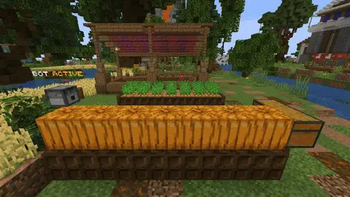
CodeBots is a Minecraft plugin that allows players to create and program their own bots. These bots can be used to automate farms, create redstone contraptions, make fun minigames, and more! CodeBots uses a custom programming language, so the possibilities are endless.

Getting Started

To create a bot, use /codebots give bot command. You will receive an item which spawns the bot upon placing it. Right-clicking the bot opens up a GUI which allows you to interact with it.

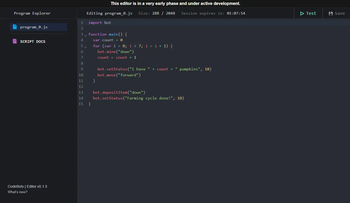
When you create a new file, it will come with a default program which prints "Hello World" when the bot is started. To edit programs, right-click on a bot to open its GUI, go to programs and in the bottom left there's a button to create a code editor session. This will give you a link to an editor which allows you to code your own bots.

Commands & Permissions

To see all commands and permissions please check this link: Commands & Permissions

Future plans

  • Add bot networks and routers
  • Custom models for bots (by using block displays or custom models with resource packs provided by other plugins)
  • Fuel mechanic

Scripting Language

Please check the Scripting Language Wiki for details about the scripting language.

If you'd like to donate, click here. Thank you ♥!
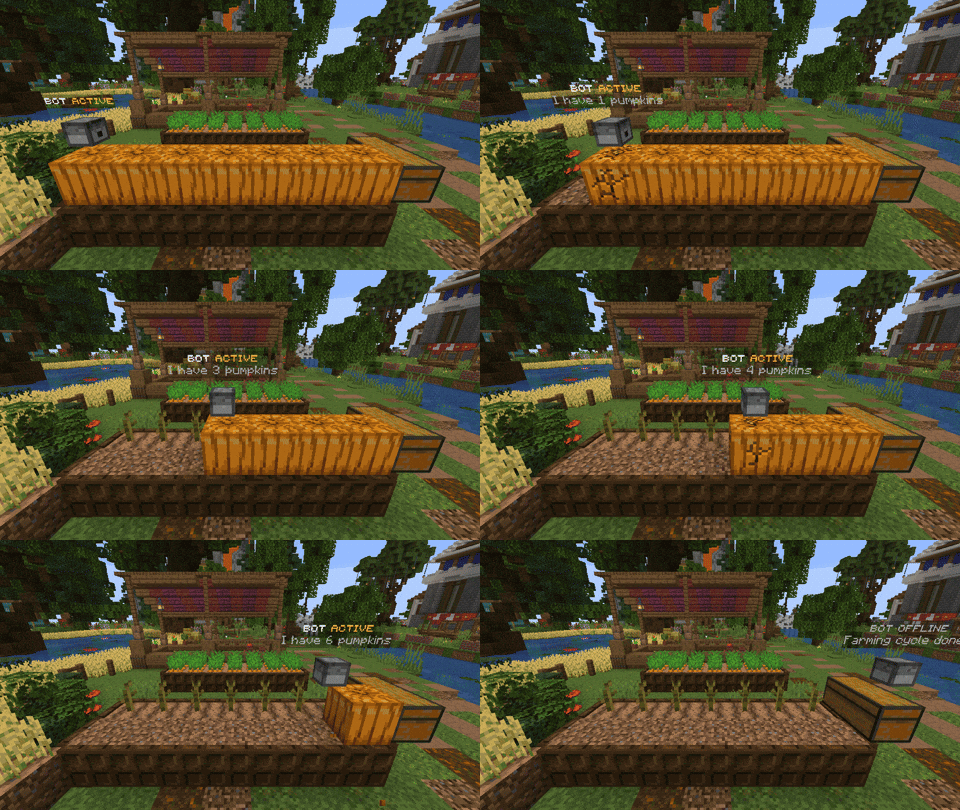
Click to see farming bot GIF

Галерея

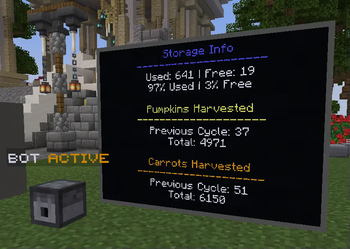
Code EditorFarming BotMonitors

Последние версии

Все версии →
release

New language & complete rework!

1.0.0
9 мая 2026 г.503Minecraft: 1.19, 1.19.1, 1.19.2, 1.19.3, 1.19.4, 1.21, 1.21.5, 1.21.11paper, spigot
Скачать
Что нового
Hey everyone! I've been working on this update for a very long time. Many things were changed and redone from scratch so this update is **completely incompatible with previous versions**! Please let me know if there are any issues! This is a big update and I couldn't fully test everything alone. Changes: - **NEW LANGUAGE!** I've made a new scripting language that is similar to C, because of easier state management, cleaner code under the hood, more accurate code generation for people who use AI for bots - **Bots will now pause and unpause when chunk reloads or server restarts!** - Bots, monitors and redstone transmitters now save to their region files inside world folders, and only load when their chunk is loaded - Bots will now attempt to reconnect to the monitor after chunk reload or server restart - Entites used by bots, monitors and redstone transmitters no longer persist through server restarts but are instead respawned when needed - When picking up a bot, all of it's files will be saved onto the item - Added `bot.place(string direction)` function to bots for placing blocks - Added `bot.play_sound(string sound, float volume, float pitch` function to bots for playing sounds - Added `math` module with functions `abs(float)`, `floor(float)`, `ceil(float)`, `round(float)`, `random()`, `sin(float)`, `cos(float)`, `tan(float)`, `cot(float)`, `atan(float)`, `atan2(float, float)`, `sqrt(float)` - Improved syntax for the `give` command - Removed commands: `create_bot`, `delete_bot`, `sel`, `inv`, `tp`, `rotate`, `setskin`, `editor` - Monitors will now remember their text alignment - Program will now auto-load if it's the only one that exists when created - Prevented creating or deleting files while editor session is active for the bot - Prevented creating code editor session if bot has no files - Updated code editor URL - Code editor sessions will now be reused after server restart instead of having to make new ones - **Added bStats* - Updated keys to snake case in the config file - Added timeouts for HTTP calls to the editor - Added automatic deletion for expired editor sessions - Fixed access token being fetched twice from the editor on server startup - Fixed closing editor session not refreshing programs GUI - REMOVED STRUCTS: they will be back one day... Editor changes: - Full support for the new language including: parsing, autocompletion, type checking, error and warning marking - Added file size and cursor position info to the bottom right - Added AI prompt button to the sidebar - When alt-tabbing, editor will check if session status has changed and redirect users accordingly - Added the "there are unsaved changes" warning when closing tab or reloading - Fixed session author not showing up
beta

Redstone input & transmitters!

0.8.0
20 июн. 2025 г.233Minecraft: 1.21.4, 1.21.5paper
Скачать
Что нового
What's new? - Added Redstone Transmitter block - Added redstone module for reading redstone input and signals - Fixed negative numbers issue when parsing code
beta

CodeBots 0.7.3

0.7.3
10 июн. 2025 г.50Minecraft: 1.21.4, 1.21.5paper
Скачать
Что нового
What's new? - Added code author to the code editor - Added error & warning highlighting in the editor - Improved default programs to import monitor module by default and some formatting changes
beta

CodeBots 0.7.2

0.7.2
10 июн. 2025 г.41Minecraft: 1.21.4, 1.21.5paper
Скачать
Что нового
What's new? - Added monitor#setBackgroundColor - Added color code translation for "&" character - Updated a list of standard colors (now includes: black, dark_blue, dark_green, dark_aqua, dark_red, dark_purple, gold, gray, dark_gray, blue, green, aqua, red, light_purple, yellow, white)
beta

CodeBots 0.7.1 - Small fix

0.7.1
15 апр. 2025 г.76Minecraft: 1.21.4paper
Скачать
Что нового
Fixed `/codebots delete` not removing holograms
beta

CodeBots v0.7.0 - Monitors Update!

0.7.0
11 апр. 2025 г.38Minecraft: 1.21.4paper
Скачать
Что нового
What's new? - Added monitors and functions to interact with them - More details on how to use monitors are provided on the [Wiki](https://github.com/alantr7/codebots/wiki)
beta

CodeBots 0.6.0

0.6.0
10 февр. 2025 г.91Minecraft: 1.21paper
Скачать
Что нового
What's new? - You can now edit multiple programs at once - Added automatic code update as soon as opening bot GUI - Added "Create Bot Editor" button to the programs GUI - Improved status hologram movement (text above bots) - More reliable bot movement (by using teleport_delay instead of translation interpolation) - Fixed a bug where sessions weren't getting deleted - Fixed a bug where bot locations weren't saving after their movements - Added backwards support to code editor for older versions of the plugin API changes: - Moved BotLoadEvent to the api package Plans for the next update: - Improve identification in the editor so that "old" sessions cannot be interacted with - "Test" feature in the editor that allows users to check if their code is properly written and if it can be compiled **Please report any issues encountered!** Multiple file editing feature required some rewrites, both on plugin and on editor sides, so there might be some issues.
beta

CodeBots 0.5.0

0.5.0
22 окт. 2024 г.102Minecraft: 1.20.1, 1.21paper
Скачать
Что нового
What's new? - Added holograms for showing status and status messages above bots - Added setStatus(message, duration) for the standard bot module - Chat messages by bots will now appear above them - Fixed issues with Multiverse worlds during server startup - Improved formatting for the editor link message, and added a message showing that editor session is being made API updates: - Added CodeBot#chat(message) - Added CodeBot#setStatus(message, duration?) - Added BotLoadEvent (this event is called whenever a chunk containing the bot is loaded) Why isn't the text moving smoothly? - I tried to make this work with TextDisplay interpolation, but it causes visual issues when walking around it. I'm not sure what to do about this, I might use holograms from other plugins for smoother movement of the text. Please report any issues encountered.
beta

CodeBots 0.4.0

0.4.0
15 окт. 2024 г.45Minecraft: 1.20.1, 1.21paper
Скачать
Что нового
What's new? - Bots are now using ItemDisplay entities, and they display a player head item which allows many more "models" - Added /codebots setskin command - Added an error message when code editor can not be reached for server token - Renamed default programs to program_0 - Fixes and improvements to code error reports - Fixed: Missing files in GUI when deleting programs Old bots should be automatically converted to new bots that use ItemDisplay. **Note: Please report any issues if encountered!**
beta

CodeBots 0.3.2

0.3.2
8 окт. 2024 г.48Minecraft: 1.20.1, 1.21paper
Скачать
Что нового
**This update made some bigger changes to the GUI and program creation/deletion! Please report any bugs encountered. If it breaks something, try using the previous version until the fix is made.** What's new? - Bots will now have a default program built-in - Added a button for creating new programs in bot's GUI - Added shift-right click to delete a program - Added shift-right click to close the code editor from in-game (instead of using /codebots close-editor command) - Added error reports. If there are compilation errors, or errors that ocurred during program execution, they will appear when you hover over the programs or start/stop button depending on what type of an error it is. Compilation errors are sent in the chat as well - Added an option for a maximum number of local programs that bots can have - Fixed an issue that didn't allow bots to start after crashing