COWMODSКаталог модов

Cloud Layers

Customizable layers of vanilla-style clouds

Автор: pymsrps33,9 тыс.94обновлён 20 окт. 2026 г.
ДекорБиблиотекиУтилиты

Описание

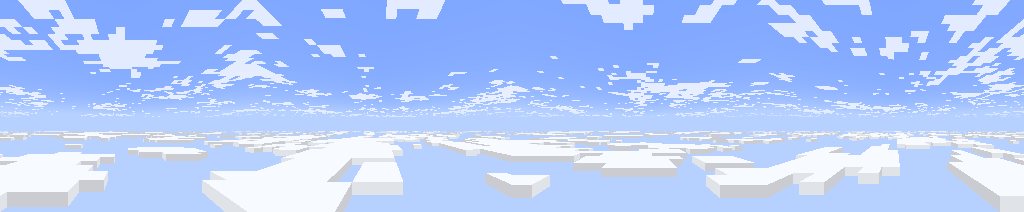
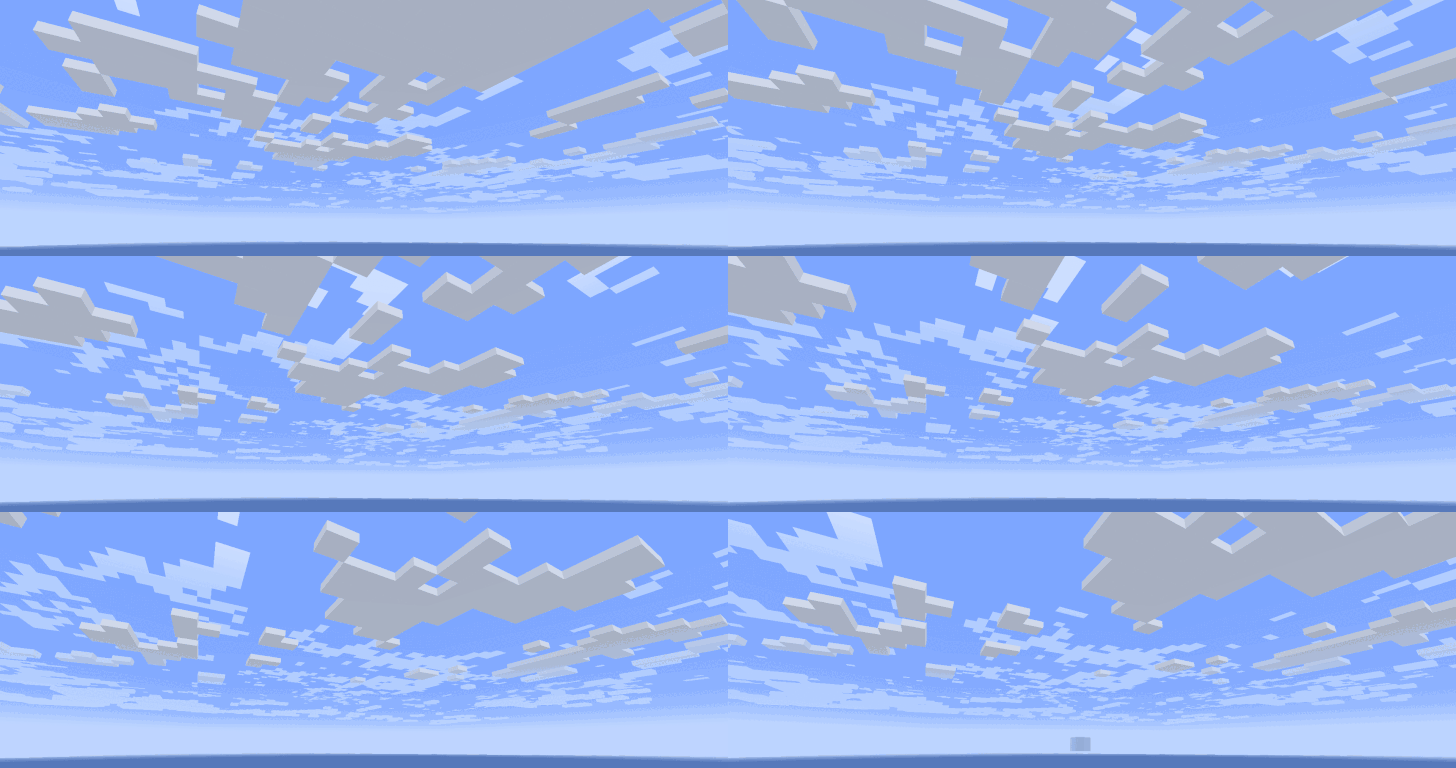
Panorama screenshot between two cloud layers

A customizable mod that adds multiple layers of clouds. It also brings 1.21.6+ cloud features to older versions.

Features (as of v2.1)

  • Multiple cloud layers
  • Clouds render further out
  • New 1.21.6+ clouds.png texture
  • Fully customizable using the configuration menu
  • Supports resource packs

Default Layers

By default, there are two layers of clouds:

  • Fancy style clouds at Y: 160
  • Fast style clouds at Y: 256

The lower layer uses the new 1.21.6+ cloud texture, while the upper layer uses the pre 1.21.6 texture. They resemble Cumulus and Cirrus clouds.
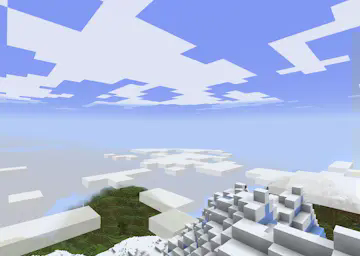
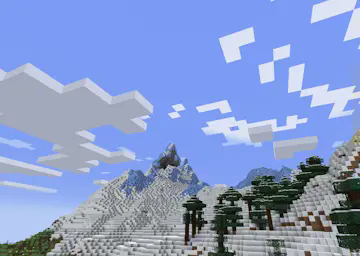
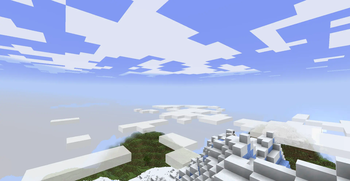
Between two cloud layers on a mountain top Lower fancy clouds on the left, higher fast clouds on the right

Custom Layers

You can add or edit existing cloud layers using the config menu (accessible with mod menu). Or edit the config file at config/cloud-layers.json.
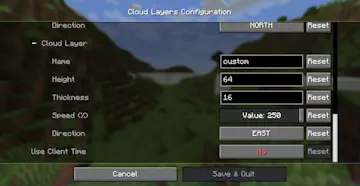
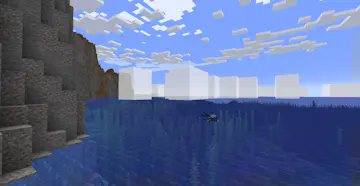
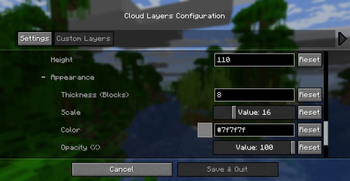
A custom cloud layer being added in the config menu A tall cloud layer floating just above the sea

Cloud Appearance

Use the following options to change the shape and appearance of clouds:

  • Thickness, the vertical width of the cloud layer
    • If 0, they are rendered as Fast style clouds
    • Vanilla Fancy style clouds have thickness 4
  • Scale, the horizontal width of each cloud pixel
    • This is always 12 in vanilla
  • Texture, the cloud texture used to render clouds
    • "NEW", the new texture added in 1.21.6+ vanilla MC
    • "OLD", this is the original texture before 1.21.6
    • "OVERCAST", the cloud layer covers the sky completely

You can also change the color and transparency of clouds. The lower the alpha, the more transparent they are.
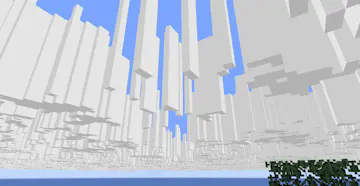
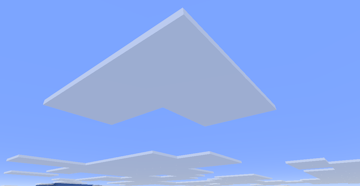
Tall and thin clouds Wide, flat and slightly transparent clouds

Cloud Movement

You can change the speed that clouds move, and select the direction of movement.
Fast moving cloud layers

The option Skybox Mode makes a cloud layer appear to stay fixed in the sky, regardless of how high the player goes, this creates a skybox effect.

Conditions

You can make a layer only show up when certain conditions are met, like only when raining or during the night.

Other Info

Clouds in MC settings must be set to "Layers" or "Fancy", for the mod to render its clouds.

Resource Packs

Resource packs have much more control over cloud layers, using json files.

Layer files

Cloud layers are defined by .json files stored in assets/cloud_layers/layers/.

  • height (mandatory): Y position at the bottom of the layer.
  • scale: How many blocks wide each cloud cell is.
  • skybox_mode: Either true or false, skybox mode is described above.
  • velocity: [x, z] Movement of the layer in blocks per second.
  • offset: [x, z] Initial position, useful to prevent layers matching.
  • color: Either [red, green, blue, alpha] or Texture Map (see below).
  • opacity: Single value between 0 and 1, or Texture Map. This is in addition to color's alpha value. It can be used to make large areas of clear sky.
  • thickness: Single value or Texture Map, this is how many blocks above height the layer extends.

More fields will be added in the future, for more complex weather / cloud systems.

Texture Map

Texture maps can be used to have different values across a single layer. Like thickness varying from one cloud to the next.

  • texture (mandatory): Full resource location for the texture used.
  • multiply (mandatory): [red, green, blue, alpha], each channel is multiplied by these. For single value fields, they are then added together.
  • scale: How many cells each pixel in the map corresponds to.
  • velocity: [x, z] Movement of the texture map in cells per second.
  • offset: [x, z] Offset in cells
  • add: Value or Texture Map, this is added to the final value. Does not work in color.

Example (default lower layer at assets/cloud_layers/layers/lower.json)

{
  "height": 160,
  "scale": 12,
  "velocity": [-0.6, 0],
  "color": {
    "texture": "cloud_layers:textures/color/new_vanilla.png",
    "multiply": [ 1, 1, 1, 0.9 ]
  },
  "thickness": 4
}

layers.json (assets/cloud_layers/layers.json)

This file defines which layers render in each dimension, and also their conditions (weather, time, etc.). The file should contain fields for each dimension with a list of layer entries:

  • layer: The layer's resource location, without "layer/" or ".json".
  • weather: Which types of weather can the layer appear in:
    • clear: Either true or false.
    • rain: Either true or false.
    • thunder: Either true or false.
  • time: Time of day range the layer is visible for.
    • start: Between 0 and 24000
    • end: Between 0 and 24000

There can be multiple entries for the same layer, for different sets of conditions.

Example

{
  "minecraft:overworld": [
    { "layer": "cloud_layers:upper" },
    { "layer": "cloud_layers:lower",
      "weather": {"clear": true, "rain": true, "thunder": false}
    },
    { "layer": "cloud_layers:storm_clouds",
      "weather": { "clear": false, "rain": false, "thunder": true }
    },
    { "layer":"cloud_layers:morning_fog",
      "time": { "start": 22000, "end": 1000 }
    }
  ],
  "some_mod:custom_dimension": [
    { "layer": "cloud_layers:storm_clouds" }
  ]
}

Cell Texture

The texture used to render cloud cell walls. It is stored at assets/cloud_layers/textures/cell.png.

Галерея
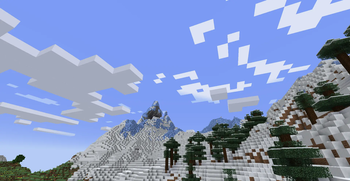
Default Configuration Cloud LayersBetween the cloudsConfig MenuPanorama

Последние версии

Все версии →
release

Cloud Layers 2.2

2.2
20 окт. 2026 г.76Minecraft: 1.21, 1.21.1fabric, quilt
Скачать
Что нового
- Fixed crash when installed on server. - Bug fixes.
release

Cloud Layers 2.1

2.1
11 сент. 2026 г.1,4 тыс.Minecraft: 1.21, 1.21.1neoforge
Скачать
Что нового
- At render distances below 20, clouds render beyond the render distance. - Added an __opacity__ field to layer files. This can be used to create large areas of clear sky that move independently. - Texture maps can be scaled and have their own velocities. - __add__ field to add multiple texture maps. - Fixed texture issue with channels mixed up.
release

Cloud Layers 2.1

2.1
11 сент. 2026 г.332Minecraft: 1.21, 1.21.1fabric, quilt
Скачать
Что нового
- At render distances below 20, clouds render beyond the render distance. - Added an __opacity__ field to layer files. This can be used to create large areas of clear sky that move independently. - Texture maps can be scaled and have their own velocities. - __add__ field to add multiple texture maps. - Fixed texture issue with channels mixed up.
release

Cloud Layers 2.0

2.0
8 сент. 2026 г.290Minecraft: 1.20, 1.20.1fabric, quilt
Скачать
Что нового
- Ported to Neoforge - Each cloud layer can use different textures. - In the default configuration, the lower layer uses the new 1.21.6 + cloud texture, as it more resembles cumulus clouds. - Config menu changes - "Color" option for cloud layers. - "Texture" option to select the new or old cloud texture, or make the layer fully overcast. - "Time start" and "Time end" lets you set the time of day the layer shows up. - Renamed "Relative Height" to "Skybox Mode". - Custom cloud layers can now be configured using resourcepacks. - This allows for much more control than a config menu. - You can set "thickness" to use a texture, so thickness can vary across a single layer. This feature will be expanded to more options in the future, for making complex cloud / weather systems.
release

Cloud Layers 2.0

2.0
6 сент. 2026 г.103Minecraft: 1.21, 1.21.1fabric, quilt
Скачать
Что нового
- Ported to Neoforge - Each cloud layer can use different textures. - In the default configuration, the lower layer uses the new 1.21.6 + cloud texture, as it more resembles cumulus clouds. - Config menu changes - "Color" option for cloud layers. - "Texture" option to select the new or old cloud texture, or make the layer fully overcast. - "Time start" and "Time end" lets you set the time of day the layer shows up. - Renamed "Relative Height" to "Skybox Mode". - Custom cloud layers can now be configured using resourcepacks. - This allows for much more control than a config menu. - You can set "thickness" to use a texture, so thickness can vary across a single layer. This feature will be expanded to more options in the future, for making complex cloud / weather systems.
release

Cloud Layers 2.0

2.0
6 сент. 2026 г.161Minecraft: 1.21, 1.21.1neoforge
Скачать
Что нового
- Ported to Neoforge - Each cloud layer can use different textures. - In the default configuration, the lower layer uses the new 1.21.6 + cloud texture, as it more resembles cumulus clouds. - Config menu changes - "Color" option for cloud layers. - "Texture" option to select the new or old cloud texture, or make the layer fully overcast. - "Time start" and "Time end" lets you set the time of day the layer shows up. - Renamed "Relative Height" to "Skybox Mode". - Custom cloud layers can now be configured using resourcepacks. - This allows for much more control than a config menu. - You can set "thickness" to use a texture, so thickness can vary across a single layer. This feature will be expanded to more options in the future, for making complex cloud / weather systems.
release

Cloud Layers 1.1+1.19.2

1.1+1.19.2
6 нояб. 2024 г.356Minecraft: 1.19.2fabric, quilt
Скачать
Что нового
- Split layer configuration into the sections _Appearance_, _Movement_, and _Conditions_. - Added an option to only render the layer when it is raining. - Added height offset options to adjust the height of every cloud layer at once. - Added relative height mode, the clouds stay at a fixed height above the player, and acts like a skybox. - Clouds can now be rendered at higher render distances, and added an option to remove cloud fog. - Vertical height culling of cloud layers - Removed speed limit ![The sky with render distance turned up and fog removed](https://cdn.modrinth.com/data/cached_images/9e9712e2a9c1e528d69cbc73afdc9bbbad1075ee.png)
release

Cloud Layers 1.0+1.19.2

1.0+1.19.2
6 окт. 2024 г.129Minecraft: 1.19.2fabric, quilt
Скачать
Что нового
- Split layer configuration into the sections _Appearance_, _Movement_, and _Conditions_. - Added an option to only render the layer when it is raining. - Added height offset options to adjust the height of every cloud layer at once. - Added relative height mode, the clouds stay at a fixed height above the player, and acts like a skybox. - Clouds can now be rendered at higher render distances, and added an option to remove cloud fog. - Vertical height culling of cloud layers - Removed speed limit ![The sky with render distance turned up and fog removed](https://cdn.modrinth.com/data/cached_images/9e9712e2a9c1e528d69cbc73afdc9bbbad1075ee.png)
release

Cloud Layers 1.1+1.20.4

1.1+1.20.4
6 окт. 2024 г.16,2 тыс.Minecraft: 1.20.4fabric, quilt
Скачать
Что нового
- Split layer configuration into the sections _Appearance_, _Movement_, and _Conditions_. - Added an option to only render the layer when it is raining. - Added height offset options to adjust the height of every cloud layer at once. - Added relative height mode, the clouds stay at a fixed height above the player, and acts like a skybox. - Clouds can now be rendered at higher render distances, and added an option to remove cloud fog. - Vertical height culling of cloud layers - Removed speed limit ![The sky with render distance turned up and fog removed](https://cdn.modrinth.com/data/cached_images/9e9712e2a9c1e528d69cbc73afdc9bbbad1075ee.png)
release

Cloud Layers 1.1+1.20.1

1.1+1.20.1
5 окт. 2024 г.6,3 тыс.Minecraft: 1.20.1fabric, quilt
Скачать
Что нового
- Split layer configuration into the sections _Appearance_, _Movement_, and _Conditions_. - Added an option to only render the layer when it is raining. - Added height offset options to adjust the height of every cloud layer at once. - Added relative height mode, the clouds stay at a fixed height above the player, and acts like a skybox. - Clouds can now be rendered at higher render distances, and added an option to remove cloud fog. - Vertical height culling of cloud layers - Removed speed limit ![The sky with render distance turned up and fog removed](https://cdn.modrinth.com/data/cached_images/9e9712e2a9c1e528d69cbc73afdc9bbbad1075ee.png)