COWMODSКаталог модов

Click Shop

A simple, innovative, highly customizable shop plugin.

Автор: Clickism10,9 тыс.77обновлён 11 янв. 2025 г.
ДекорЭкономикаУтилиты

Описание

WARNING: Version 1.0 is not compatible with version 0.1! Before updating: back up and remove the folder “plugins/ClickShop”. All shop data will be lost, so collect your earnings and remove all shops in advance.

What is ClickShop?

Features

  • NEW in 1.0:
    • Multi-language support: English & German
    • Two new background themes: Mosaic & Checkerboard
    • Custom shop names
    • Add a sale text to your shop!
    • Select different buy sounds
  • Effortless usage with no commands.
  • Custom product displays.
  • Custom color themes
  • Supports custom currencies.
  • Ability to sell various products
  • Be notified when your shop runs out of stock

How to use

Creating a shop

  • To create a shop, simply click on a chest or a barrel with a sign in your hand (any wood)

  • Then, put the price and products you want to sell into their areas, and click "Create Shop".

Controls:

  • Left click with an item to place it.
  • You can right click with an empty hand to half the amount of items.
  • Right click with the same item to increase the amount by one.

Editing the shop

  • After creating a shop, Right Click on your shop to access it.
  • Here, you can customize your shop, change its settings and much more!

Stocking

  • You can stock the shop's inner storage by clicking "Stock Chest" and putting the items in the inventory.

Stockpiles

  • If you don't want to constantly top up the shop's inner storage, you can connect a stockpile
  • To add a stockpile, click "Connect Stockpile" in the shop interface.
  • Now walk around and click on a (double) chest or a barrel.
  • Congrats! You connected a stockpile. Your shop will automatically sell items out of your stockpile(s).

Earnings piles

  • Similar to a stockpile, you can connect an earnings pile to multiple shops and collect all their earnings from a single spot.

  • To connect an earnings pile, click "Connect Earnings Pile" in the shop interface and click on an Ender Chest

  • To access the earning pile interface, you can Shift + Right click on the Ender Chest. (Without shifting, you can simply use it as an ender chest)

  • Alternatively, you can add shops to your earnings pile from this interface.

  • To do that, click "Connect Shop" and click on a valid shop to be able to collect earnings from it.

Collecting your earnings

  • To collect your earnings from a single shop, open the shop interface and click on "Collect Earnings".
  • To collect earnings from multiple shops at an earnings pile, Shift + Right click to access the earnings pile interface, there you can click on "Collect Earnings".

Changing price & products

  • To change the price and products you're selling at a shop after creating it, click on "Change Price and Products"

  • You can modify the price and products as you want and click "Save Changes to confirm it.

  • You can also delete your shop in this menu by clicking "Delete Shop"

  • You will then have to confirm again to delete your shop.

Shop Settings

  • You can adjust various settings through the menu "Settings".
  • Such as enabling/disabling buy notifications and stock warnings.

Customization

NEW: Custom Shop Name

  • You can now add a custom shop name to your shops!
  • Go to "Customize Shop" and click "Set Shop Name" and enter your shop name in chat.

Changing Background Theme & Buy Sound

  • To change the color theme of your shop, click "Customize Shop" from the main shop interface, click "Theme & Sound Settings" and choose on any color theme you want from the top row.
  • Click "Change Buy Sound" to change the shop's buy sound. This sound will be played to them when people buy from your shop.

Changing Shop Block

  • To change the shop block, click "Customize Shop" from the main shop interface and click on "Change Shop Block" with the block you want.

Glass Displays

  • To add a glass display, click "Customize Shop" from the main shop interface and click "Build Glass Display"

  • You can click on "Change Glass" with a colored glass block in your hand to change the display glass color.

  • You can click on "Change Base" with a block in your hand to change the display base.

  • You can add/remove a backlight to your glass display by clicking "Add Light" or "Remove Light".

NEW: Sale Text

  • To add a sale text, first build a glass display then click "Add Sale Text" and enter your sale text in chat.

Frame displays

  • To add a frame display, click "Customize Shop" from the main shop interface, then:

    • You can click on "Build Frame Display" to create a simple frame display.

    • The frame display will always be placed based on the direction you're facing.

    • You can click on "Add Frame" with a block in your hand to add a custom outer frame to the frame display.

NEW: Move To Top

  • You can now move your frame displays to the top!
  • Click "Move To Top" after building a frame display.

Remove All Displays

  • Lastly, to remove all displays, click "Customize Shop" from the main shop interface, and click on "Remove Display"

Галерея
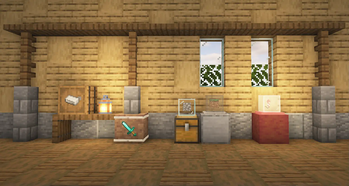
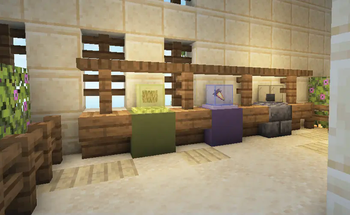
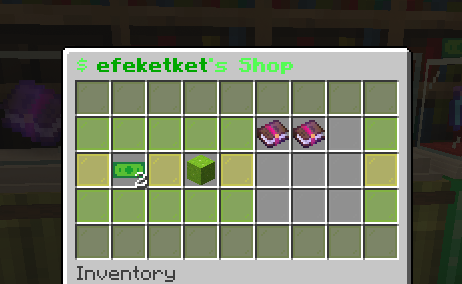
Different possible shop stylesBuy interface (Green)

Последние версии

Все версии →
release

ClickShop 1.0.2

1.0.2
11 янв. 2025 г.10 тыс.Minecraft: 1.20, 1.20.1, 1.20.2, 1.20.3, 1.20.4, 1.20.5, 1.20.6, 1.21, 1.21.1, 1.21.2, 1.21.3, 1.21.4, 1.21.5, 1.21.6, 1.21.7, 1.21.8, 1.21.9, 1.21.10, 1.21.11, 26.1, 26.1.1, 26.1.2, 26.2bukkit, paper, purpur, spigot
Скачать
Что нового
- Ignore creating a shop when sneaking
release

ClickShop 1.0.1

1.0.1
18 окт. 2024 г.344Minecraft: 1.20, 1.20.1, 1.20.2, 1.20.3, 1.20.4, 1.20.5, 1.20.6, 1.21, 1.21.1bukkit, paper, purpur, spigot
Скачать
Что нового
- Fix update checker - Fix bug: Stockpile can't be removed
release

ClickShop 1.0

1.0
18 окт. 2024 г.120Minecraft: 1.20, 1.20.1, 1.20.2, 1.20.3, 1.20.4, 1.20.5, 1.20.6, 1.21, 1.21.1bukkit, paper, purpur, spigot
Скачать
Что нового
- **WARNING: Version 1.0 is not compatible with version 0.1! Back up and remove the folder “plugins/ClickShop” before updating! All shop data will be lost, so collect your earnings and remove shops before updating!** - The plugin has been rewritten from scratch. - Configuration added (config.yml) with various settings. - Multi-language support added: - Currently supported: English & German - Messages & sound effects have been revamped. - Two new background themes: **MOSAIC** and **CHECKERBOARD** - You can now turn on unlimited stock for a shop, this is only available to admins. - You can now choose a different **Buy Sound** for your shop, there are currently 5 alternatives. - You can now add a **custom name** to your shop. This will be displayed in the buy screen instead of your name. - You can now add a **Sale Text** to a Glass Display. It will be colored rainbow. - You can now move **Frame Displays** to the top. - Frame Displays will now be built correctly according to the direction you’re facing. - Particle effects have been added when adjusting display settings. - Particle effects have been added when connecting stockpiles/earnings piles. - You can now extend tethers more than once, the maximum distance is defined in the config. (Wireless connections are removed as a result) - Already connected stockpiles are now marked with red when connecting. - Already connected shops (to an earnings pile) are now marked with blue when connecting. - Revamped buy/sell messages: - Buy/sell messages will now show which items were bought on hover. - Shop details will be shown (coordinates and custom name) on hover. - All sub-menus now have a **Back** button. - The **Buy** button now has a preview showing the price and seller. - The **Collect Earnings** button now has a preview showing how much earnings have accumulated. - Stockpiles now have a custom title showing the coordinates of the shop they’re connected to. - The **Customization** menu has been revamped. - Settings for the current display will only show once it’s built. - Made buttons clearer and more intuitive. - Selecting **background themes** and **buy sounds** have been moved into a separate menu **Theme & Sound Settings.** - New menu: **Settings** - Enable/disable buy notifications - Enable/disable stock warning - Disconnect all stockpiles - Enable/disable unlimited stock (only for admins) - Shop, earnings pile and stockpile limits have been added and are configurable through the config.yml. - The plugin will now automatically check for updates. - Changed the way shop data is stored, this should increase performance esp. in bigger servers. - Shops are now stored in a separate file for each player, rather than in a single file. - You can no longer break shops, instead use: **Change Price & Products → Delete Shop** - You will now have to confirm to delete your own shop. - To delete someone else’s shop, Shift + Right Click on their shop and click Delete Shop. - Increased compatibility with many plugins. - Shops are now protected from explosions. - Shops can’t be moved by pistons anymore. (Configurable in config.yml) - Earnings piles now have an owner, and can only be owned by one player. - Earnings piles can now be as far away as the connection limit allows. (Not limited to 10 blocks) - Added new controls and sound effects when adjusting price & products: - Left click with an item to place it. - You can right click with an empty hand to half the amount of items. - Right click with the same item to increase the amount by one. - Permissions added: - **clickshop.create**: Allows a player to create a shop. - **clickshop.buy**: Allows a player to buy from a shop. - **clickshop.customize**: Allows a player to customize a shop. - **clickshop.display**: Allows a player to build custom shop displays. (Player also to have clickshop.customize) - **clickshop.sale-text**: Allows a player to add a sale text to a shop. (Player also needs to have clickshop.customize) - **clickshop.stockpile**: Allows a player to connect stockpiles. - **clickshop.earnings-pile**: Allows a player to connect earnings piles. - **clickshop.delete**: Allows a player to delete anyone's shop. - **clickshop.bypass-stockpile**: Allows a player to open anyone's stockpiles. - **clickshop.unlimited-stock**: Allows a player to enable unlimited stock for their shops. - Fixed bugs: - Items occasionally sucked in when adjusting price & products - Items can be duped when adjusting price & products - Plugin fails if block or item display entities are killed (#8) - Duping Items with non existing Items in Stockpile (#6) - Light not destroyed when shop broken (#7) - Stockpiles can be stolen by adding them as stockpiles to another shop (#2) - Stockpiles can be hopper emptied (#1)
alpha

ClickShop 0.1

0.1
12 июл. 2023 г.429Minecraft: 1.20, 1.20.1bukkit, paper, spigot
Скачать
Что нового
- Stable version