Clangor
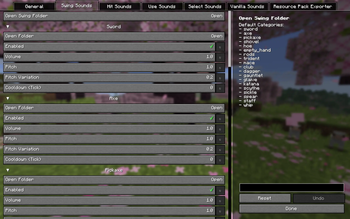
Add your own sounds for weapon swings, uses, hits, and hotbar swaps by simply dropping your audio files into the folder.
Описание
Clangor


Player animation: Punchy!
Target Dummy: MmmMmmMmmMmm
Intro
An audio tool for your gear.
Just hit Open Folder.
Drop .ogg files in.
Every weapon and tool gets its own sounds.
From swings and hits to uses and hotbar swaps.
No .ogg files?
Check out Clangor Soundpack Collection for ready-made sound packs.
Drop them into the resourcepacks folder and apply them (or press F3 + T to reload).
Customization
Mapping
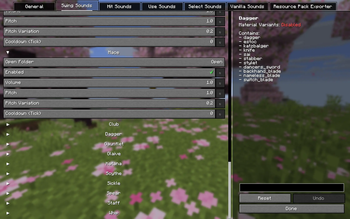
The mod auto-assigns items to gear categories by ID keywords.
Some modded items may not match any category because their IDs are unusual.
Hold the item and press V (rebindable) to assign one manually.
Pick a preset category, or create your own.
Audio Specs
Format: .ogg
Codec: Vorbis, not Opus
Channels: Mono
Sample Rate: 44100 or 48000 Hz
Bitrate: 128 or 192 kbps
Naming: English-only, no special symbols
ResourcePack Exporter
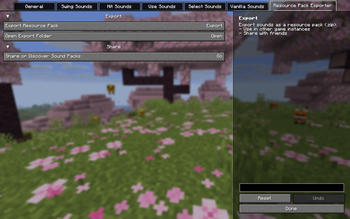
Build your own sound pack from your setup with the built-in exporter or the /clangor export command.
Use it to move to another instance without redoing files or mappings, and to share it with friends or the community.
Compatibility
Vanilla items
Modded items
Better Combat (adjust Weapon swing sound volume if overlapping)
Requirements
Fabric API (Fabric only)
Mod Menu (optional, Fabric only)
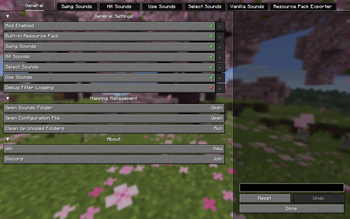
You can also press F12 (rebindable) to Open Config.


Credits
Featured in Punchy! Compat Collection by Godku
Галерея