COWMODSКаталог модов

CIDE-CC

A better, more user friendly computer craft editor that is entirely in-game, including built-in wiki, jumping to definitions and many of the familiar shortcuts.

Автор: kivts917,5 тыс.25обновлён 1 июн. 2026 г.
ТехнологииУтилиты

Описание

In-game editor for computer craft is practically unusable - very small screen, no copy and paste, no undo and redo. Anyone that is actually busy with computer craft use an external editor, like VSC.

This mod aims to rectify such problem as multiplayer makes using an external editor hard and giving a proper editor for computer craft code would make quick editing much easier. Right clicking a function name will try to jump to where its defined in the file, right clicking computer craft (or lua) functions will open a wiki in game. a file tree, and so on.

What is currently working:

  • variable autocomplete in a given context (Wont offer you the variable that is declared inside a for loop 300 lines up
  • fully functional file/folder tree, paired with zoom
  • right clicking a variable / function name will jump to its definition in that file
  • Peripherals that is wrapped in a variable will send you to the wiki of that peripheral if the variable is right clicked, doesnt work if the peripheral is not hardcoded, with the exception being of wrapping sides of the computer - that will correctly give you the wiki page.

By default, only Advanced computer is given such functionality, and is opened by shift-right clicking the PC. But can be given to all computers via config.

Its not feature complete, but you'll likely have a better experience than the Computer craft editor, if you find any issues (Like a variable being suggested when it shouldn't be or otherwise should be when it isn't) feel free to make an issue report on the issue tracker.

Requires CC:Tweaked. Lua and CC functions for wiki are baked in, everything else is not.

For adding your own autocomplete, read the example mod that adds both autocomplete and a wiki entry Click me for example mod

Галерея
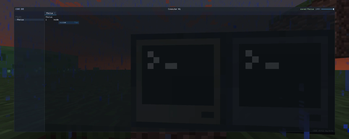
Editor itself.

Последние версии

Все версии →
alpha

CIDE-CC 1.1.0

1.1.0
1 июн. 2026 г.6 тыс.Minecraft: 1.21.1neoforge
Скачать
Что нового
- Utilizes lua hooks to implement a debugger - you can add a breakpoint and the code will stop execution at that point, showing current variable, step to the next execution and a few more extremely useful abilities. Due to the nature of the change, this is alpha release, and if you find any bugs please report them.
beta

CIDE-CC 1.0.5

1.0.5
1 июн. 2026 г.141Minecraft: 1.21.1neoforge
Скачать
Что нового
- Editor will now parse wired network, and will give all options in peripheral.wrap() - a bit of logging added.
release

CIDE-CC 1.0.0h-1

1.0.0h-1
31 мая 2026 г.448Minecraft: 1.21.1neoforge
Скачать
Что нового
- fixed a critical regex failing to strip the peripheral number
release

CIDE-CC 1.0.0

1.0.0
31 мая 2026 г.33Minecraft: 1.21.1neoforge
Скачать
Что нового
- All autocomplete is now automatic, that means all peripherals/modules will very likely have at least some sort of autocomplete going for it. Wiki is obviously not included. There was effort invested to make this work on as much examples I found as possible. - Added item name IDs as autocomplete entries. That means you can type `aeronautics:` and it will offer all blocks from aeronautics. - holding ctrl while hitting keys will move you left/right by whole word - tabs make 4 spaces instead of 2 - hardcoded utf8 autocomplete, removed some of the misleading autocomplete - other minor fixes and changes.
beta

CIDE-CC 0.9.4

0.9.4
22 мая 2026 г.531Minecraft: 1.21.1neoforge
Скачать
Что нового
- Horizontal lines are now culled instead of rendering the entire line, excesively long lines would tank the FPS even though you didnt see more than 10% of it. - Autocomplete kicks in after a single letter was typed. - Fixed a network crash with overly long files. - File tree now takes Copy and paste shortcuts. - File sizes are now properly linked to computer craft, you cannot type/paste or add whitespace if the computer has no space for it. - you can press del then enter to quickly delete a file through file tree. - The editor wouldn't update to fit to loaded file tree divider. - Session restore now goes back to the correct file.
alpha

CIDE-CC 0.9.1

0.9.1
21 мая 2026 г.65Minecraft: 1.21.1neoforge
Скачать
Что нового
- hitting f5 while in a file will now open a split-screen of a console and try to launch that file. - /cide admin command will now open the admin view editor with all present computer ID. You can shuffle, move, edit and delete files from there - essentially file explorer in-game for admins. - Improved functionality of double clicking an already selected field.
beta

CIDE-CC 0.9.0

0.9.0
20 мая 2026 г.91Minecraft: 1.21.1neoforge
Скачать
Что нового
- You can now open a new computer craft console tab through a button on the center top of CIDE for a more seamless experience. - File tree (which folders are open) and open tabs are now persistent. Opening the same computer will reopen those tabs and unfold those folders, opening a different computer will reset this. - Couple of autocomplete fixes regarding variable suggestions in a given context - Right clicking will now bring up a context menu with option to either open a wiki or go to variable definition, bundled with a couple of click detection fixes. - Minor visual polishing
beta

CIDE-CC 0.8.8

0.8.8
19 мая 2026 г.53Minecraft: 1.21.1neoforge
Скачать
Что нового
- Fixed not being able to open CIDE on a sable sub-level - Fixed a crash with handheld computer. - Added a lock feature that allows only the user that enabled the lock to open CIDE.
beta

CIDE-CC 0.8.7

0.8.7
16 мая 2026 г.110Minecraft: 1.21.1neoforge
Скачать
Что нового
- Visual fixes - Parser fixes - Wiki visuals upgrade - Bug fixes
beta

CIDE-CC 0.7.8

0.7.8
15 мая 2026 г.27Minecraft: 1.21.1neoforge
Скачать
Что нового
Instant variable auto complete in the given context, Most of the variables will be able to be jumped where its defined / wiki entry. UI improvements Redo, more key shortcuts on virtually all things. Adding more support for externally added wiki/autocomplete.