
Chat MagicСкачатьСкачатьСкачатьСкачатьСкачать
ВЕРСИИ (5)
release
Chat Magic 2.2.0
2.2.013 сент. 2024 г.373Minecraft: 1.20.4, 1.20.5, 1.20.6fabric
Что нового
* We now support block/item numerical id (those before 1.13)
* Single item id is not permitted (e.g. `1`), but material with multiple ids are supported (e.g. `` 1,2,3:2)
* Old id with meta are also supported (such as `1:2` etc.)
release
Chat Magic 2.1.0
2.1.04 сент. 2024 г.64Minecraft: 1.20.4, 1.20.5, 1.20.6fabric
Что нового
* Removed the sliders on the chat screen to avoid several input issues;
* Now we use malilib to make configs file and gui config screen possible: use `C+T` in game to open the config menu
release
Chat Magic 2.0.0
2.0.022 авг. 2024 г.76Minecraft: 1.20.4, 1.20.5, 1.20.6fabric
Что нового
* Complex worldedit materials, including selector start with `#` and recursive material expressions. Each selector's param list can expand to display simply by moving the mouse on to it.
* For example: `//set 15%stone[foo=1,bar=2],20%dirt[foo=[1,2,3],bar={4}],30%#perlin[5][3][#perlin[3][5][10%stone,10%diorite],oak_planks,andesite[foo=bar,11111=22222],redstone,red_terracotta],10%#simplex[3][stone,dirt,grass_block][5][1.14514]` will look like this: 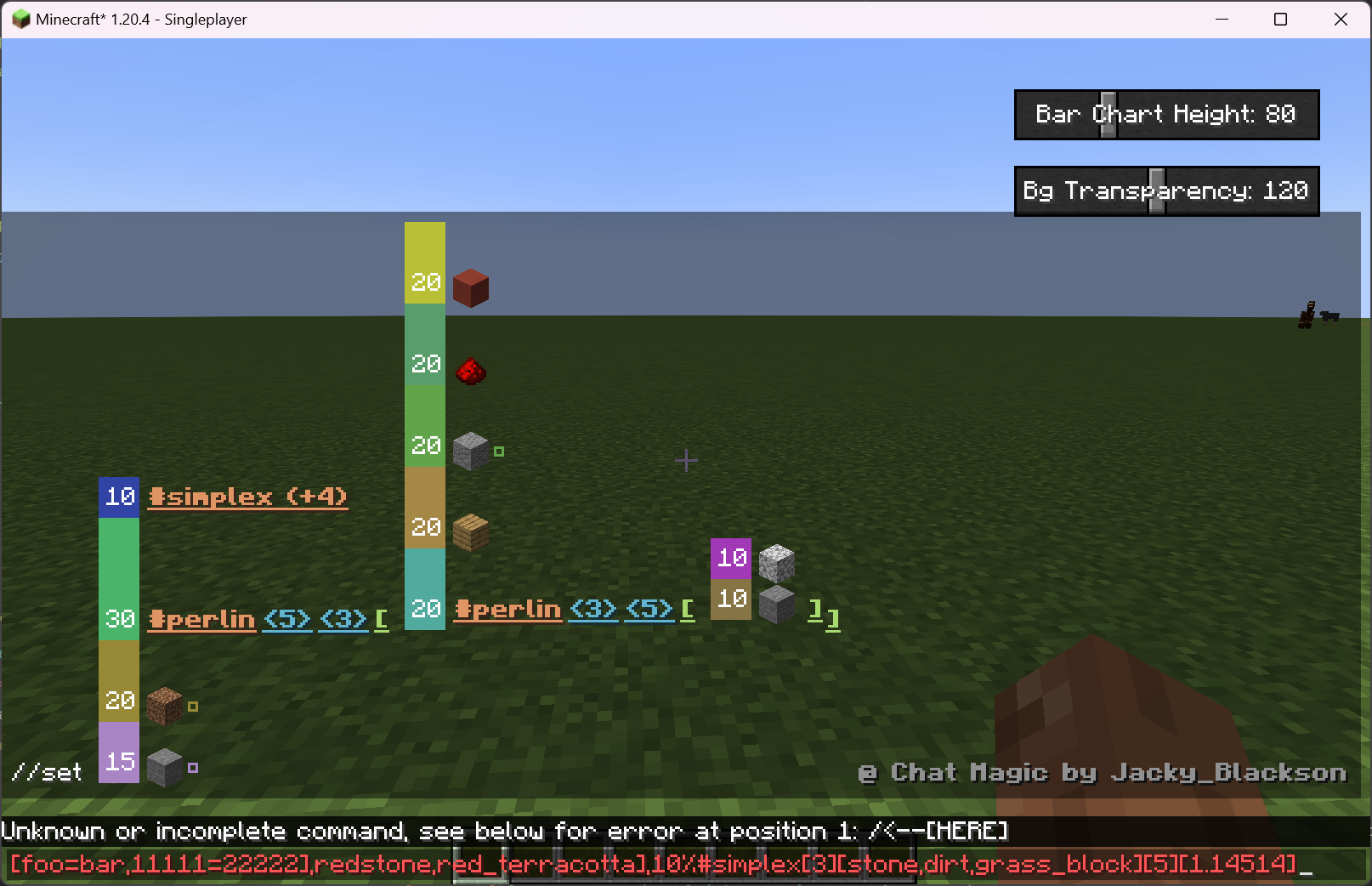
* Better display system with fixs on positionings and font and style.
* Making adjustments to charts' height and background transparency possible by adding 2 slide bars to the chat screen: 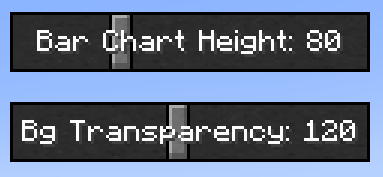
release
Chat Magic 1.3.0
1.3.019 авг. 2024 г.52Minecraft: 1.20.4, 1.20.5, 1.20.6fabric
Что нового
* Change item hover tooltips' styles, now using mojang's tooltip function to draw it, with multiple color and font varients.
* Now a small `·` would appear on the right of the item if custom blockstate is defined in the command to indicate the difference.
* Cleaned the code to be more concise.
release
Chat Magic 1.2.0
1.2.018 авг. 2024 г.53Minecraft: 1.20.4, 1.20.5, 1.20.6fabric
Что нового
# Initial Features
* Parse, render and display items when mentions `Identifier` in chat. Supports both `name` and `namespace:name`.
* When input WorldEdit random materials, such as `30%stone,70%grass` etc, will display a bar chart to indicate the portions of each single material.
* Supports materials with custom blockstate such as `stone_stairs[top=true,face=west]`, will display in the tooptip when you put your mouse on the item.