
CC:GamepadСкачатьСкачатьСкачать
ВЕРСИИ (3)
release
CC:Gamepad 1.0.2-neoforge-1.21.1
1.0.2-neoforge-1.21.116 июн. 2026 г.1,1 тыс.Minecraft: 1.21.1neoforge
Что нового
Crafting Recipes for Gamepad, Gamepad Peripheral
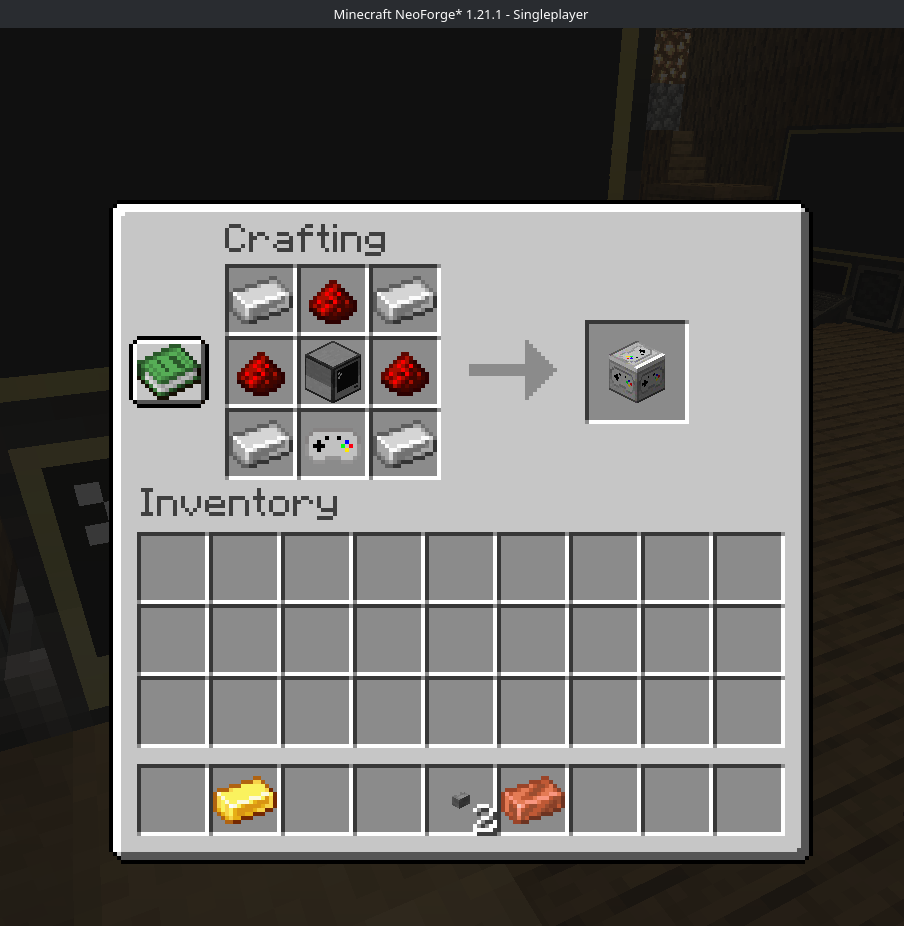
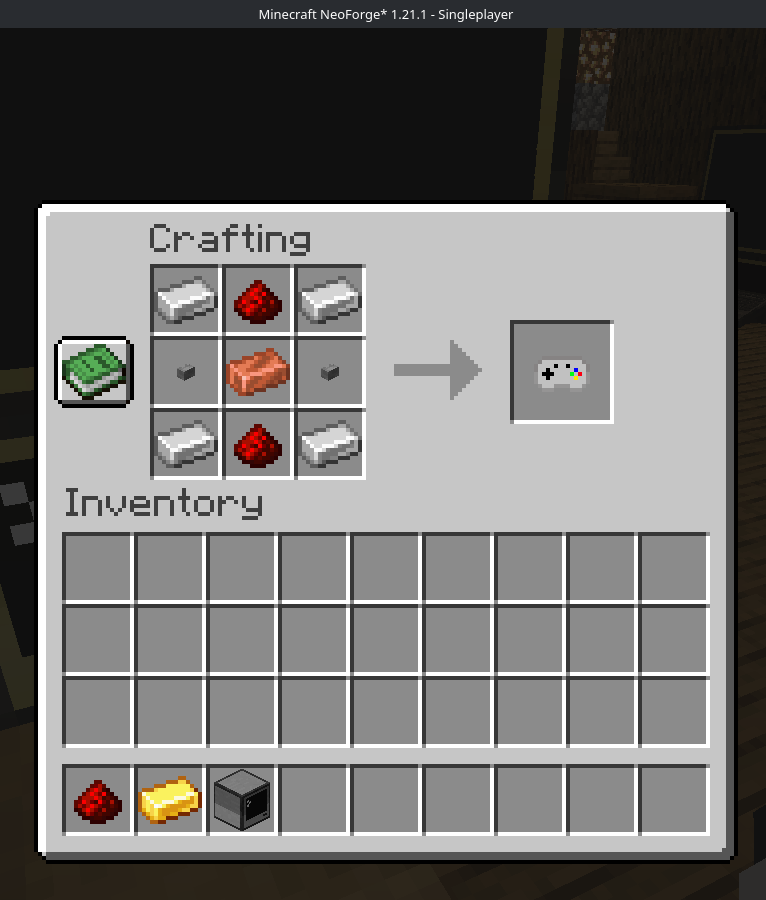
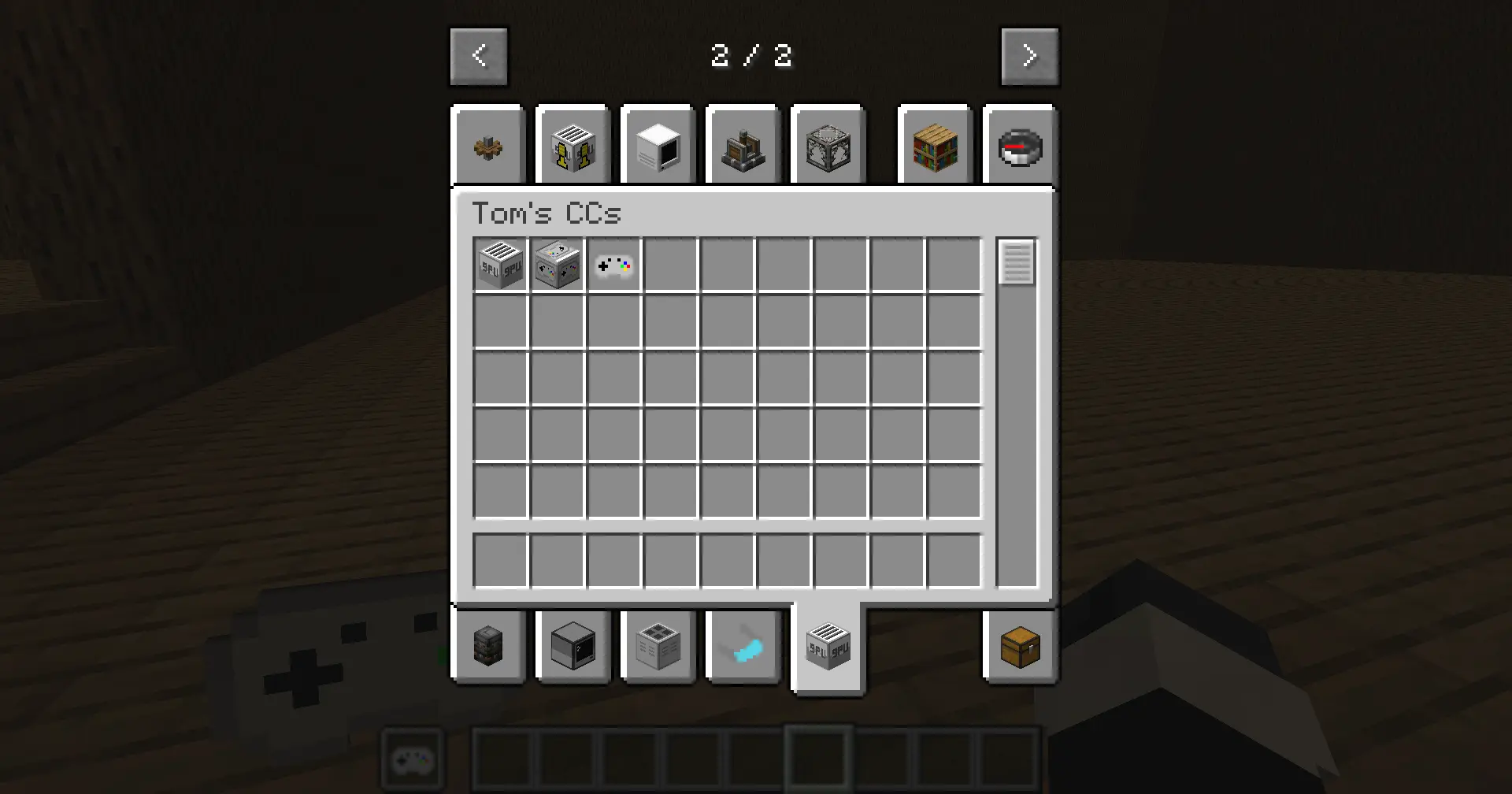
"also now if both directgpu is installed and cc:gamepads it makes its own singular tab instead of 2 separate for eachother."
release
CC:Gamepad 1.0.1-neoforge-1.21.1
1.0.1-neoforge-1.21.130 мая 2026 г.170Minecraft: 1.21.1neoforge
Что нового
Added a config button picker for controllers to the config mod page, so you can select a preferred/default controller of your choice for it to always use and automatically use if available.
release
CC:Gamepad 1.0.0-neoforge-1.21.1
1.0.0-neoforge-1.21.128 мая 2026 г.96Minecraft: 1.21.1neoforge
Что нового
How To Use
Place a Gamepad Peripheral block next to, or connected by modem to, a CC:Tweaked computer.
Hold a Gamepad item.
Sneak-right-click the Gamepad Peripheral with the Gamepad item to bind it.
Keep the bound Gamepad item in your main hand or off hand.
Plug in/connect with bluetooth your/a controller and run Lua code on the computer.
Up to 4 players can send input to the same Gamepad Peripheral at once. Each player gets a slot from 1 to 4.
Lua Peripheral.