
CC:DirectGPUСкачатьСкачатьСкачатьСкачатьСкачатьСкачатьСкачатьСкачатьСкачатьСкачатьСкачатьСкачатьСкачатьСкачатьСкачатьСкачатьСкачатьСкачатьСкачатьСкачатьСкачатьСкачать
ВЕРСИИ (22)
release
CC:DirectGPU 1.0.25-neoforge-1.21.1
1.0.25-neoforge-1.21.13 окт. 2026 г.1,4 тыс.Minecraft: 1.21.1neoforge
Что нового
"Added:
- Create: Pocket Sized support (sable scaling)
- Resolution support like gpu.autoDetectAndCreateDisplay(320, 200), also works with createDisplay and resolution multiplier is now (0.1) - (4)
- Functions:
- clipRect
- clearClip
- loadBlurredImage
- loadBlurredImageBytes
- restoreBackdrop
- clearBackdrop
- loadCoverImageRegion
- loadCoverImageRegionBytes
- get3DStats
- enableMouseEvents
- enableMouseEvents(displayId, true/false): turns mouse events on or off for a display. When off, you can click through it and use scroll etc etc.
- Server config limits:
- maxUpdatesPerSecond
- maxKBpsPerDisplay
(0 = unlimited)
Fixed:
- Fixed a bug where autoDetectMonitor("monitor_1") stopped finding monitors behind a wired modem after a recent update. It works again.
- Draw calls and jpg rendering, including a fullscreen jpg with a smaller overlay jpg
- Optimized 3D rendering, including its network packets, so servers can handle it far better (3D on a 3x3 monitor used to overwhelm low-end servers like old laptops)
- Displays rendering with grassier grass messing and distorting the display render and other ingame renders, create contraption controls wont show through displays anymore, including other renders etc
- Clicking displays from any distance, now uses normal block reach and cant click through blocks
- Anti aliasing giving text a black outline
- Many more fixes

Jar is a bit bigger due to the new rendering fixes and network packet optimizations."
release
CC:DirectGPU 1.0.24-neoforge-1.21.1
1.0.24-neoforge-1.21.130 авг. 2026 г.3,3 тыс.Minecraft: 1.21.1neoforge
Что нового
Fixed Draw Calls to render over jpg's instead of the jpg always overlapping.
added pocket computer and turtle directgpu support
Pocket computer DGPU GUI Render's physically on the pocket computer render offhand, inhand, lectern.
Turtle DGPU Gui renders on the gui of the turtle terminal.
to use gui's: gpu.createDisplay("gui", w, h)
Gui's work on pocket computer, turtle, computer.
release
CC:DirectGPU 1.0.23-neoforge-1.21.1
1.0.23-neoforge-1.21.116 авг. 2026 г.486Minecraft: 1.21.1neoforge
Что нового
Fixed 3D Rendering once again.
release
CC:DirectGPU 1.0.22-neoforge-1.21.1
1.0.22-neoforge-1.21.13 авг. 2026 г.1,5 тыс.Minecraft: 1.21.1neoforge
Что нового
DirectGPU Peripheral Block is now mineable, and drops as a item.
release
CC:DirectGPU 1.0.21-neoforge-1.21.1
1.0.21-neoforge-1.21.19 июл. 2026 г.507Minecraft: 1.21.1neoforge
Что нового
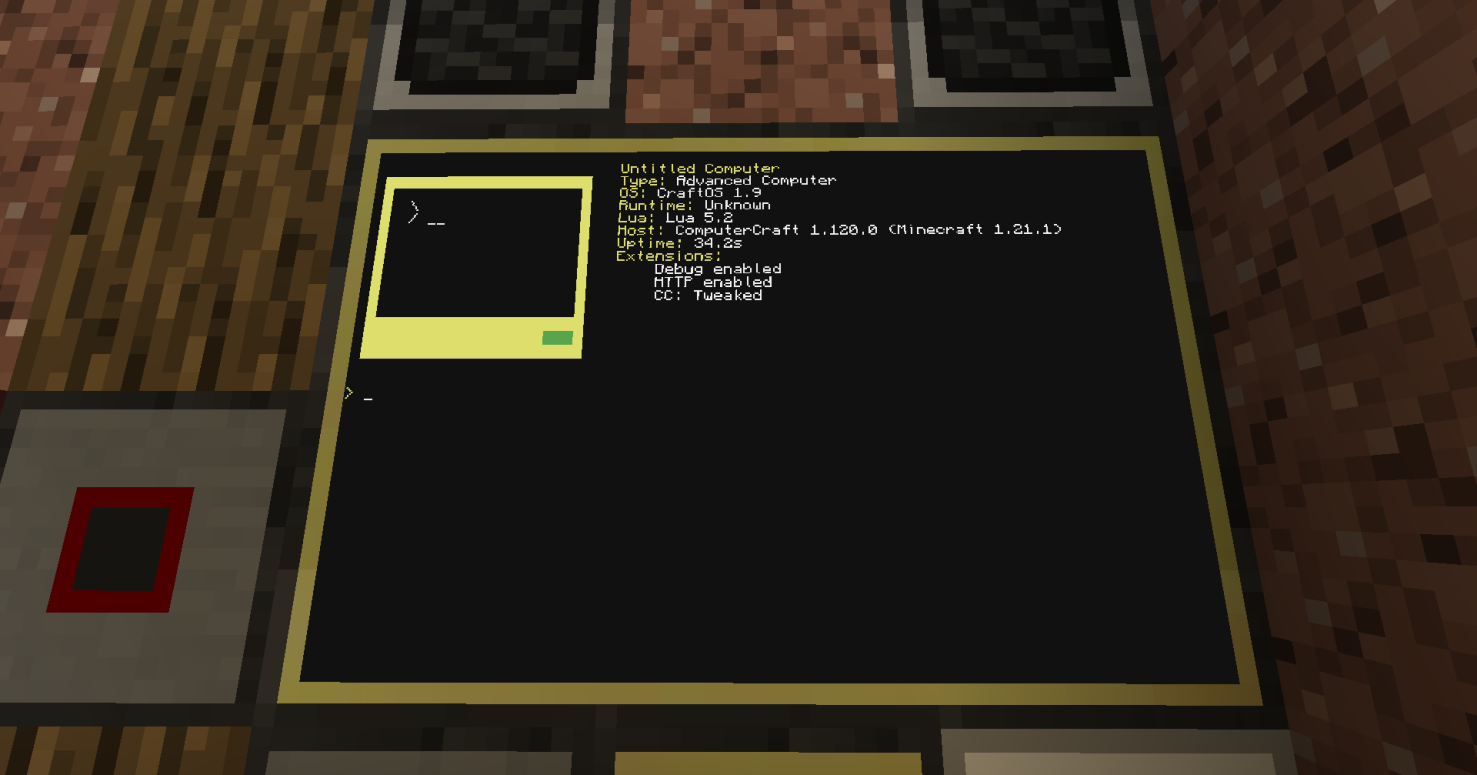
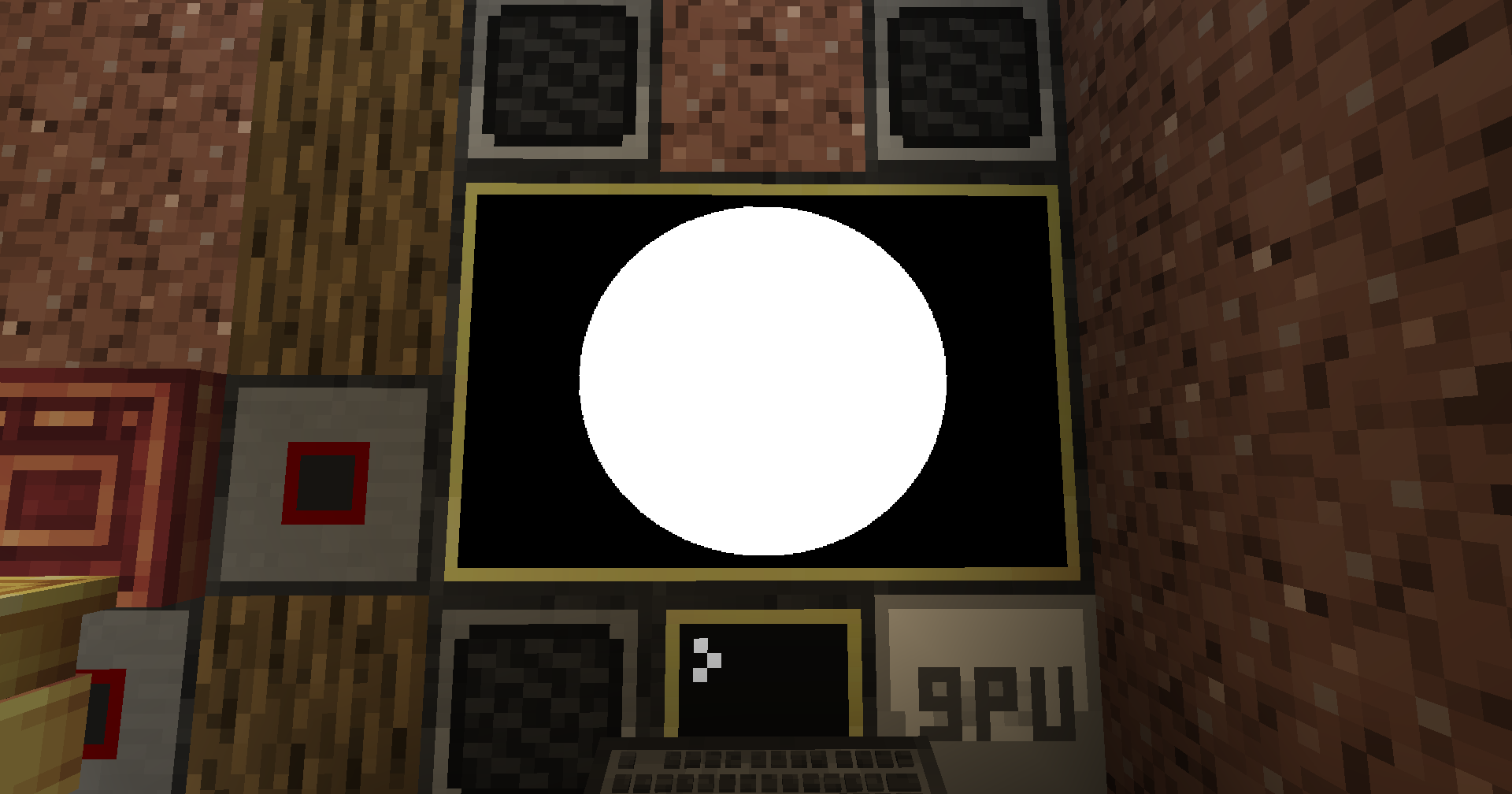
changed 1x1 to 164x164 instead of 164x81, so no more 'taller than wide' pixel, and drawCircle display's as a circle now instead of an oval.
release
CC:DirectGPU 1.0.20-neoforge-1.21.1
1.0.20-neoforge-1.21.116 июн. 2026 г.452Minecraft: 1.21.1neoforge
Что нового
DirectGPU 1.0.20 for NeoForge 1.21.1
is built on CC:Tweaked 1.117.1.
DirectGPU displays work on Create entities,
Create Aeronautics contraptions, and Elevator entities. Sable/
Create Aeronautics support means DirectGPU displays work on
them.
Term redirect style support is available through gpu.run /
termRender.
The controller API has been removed from DirectGPU since it has
been made into its own mod: CC-Gamepads.
https://github.com/tiktop101/CC-Gamepads
CC-Gamepads uses cc_event events and supports up to 4 bound
gamepads.
There will probably be bugs I have not noticed or found yet, so
let me know in my Discord server or as a GitHub issue.
Suggestions can also go in either the Discord server or as a
GitHub issue.
createDisplay("gui", pixelWidth, pixelHeight) creates a GUI on
the computer used and on the front texture of the computer
createDisplay("gui", pixelWidth, pixelHeight,
[resolutionMultiplier]) same as "creates a GUI on the computer
used and on the front texture of the computer" but with the
optional arg to use the resolution multiplier.
Manual display creation also supports relative positions from
the DirectGPU block.
createDisplay(x, y, z, facing, width, height, true) creates a
display at a relative block offset from the DirectGPU block.
createDisplay(x, y, z, facing, width, height, scale, true) does
the same but with the optional scale arg.
Example:
gpu.createDisplay(1, 0, 0, "north", 2, 1, true)
gpu.createDisplay(1, 0, 0, "north", 2, 1, 1.0, true)
Example Term Redirect* script.
local gpu = peripheral.wrap("directgpu_1") or
peripheral.find("directgpu")
local id = gpu.autoDetectAndCreateDisplay(1)
gpu.run(id, "clear")
gpu.run(id, "multishell")
Monitor anchor example
local gpu = peripheral.wrap("directgpu_1") or
peripheral.find("directgpu")
local x, y, z = gpu.autoDetectMonitor("top")
local displayId = gpu.createDisplayAt(x, y, z)
gpu.setOpacity(displayId, 100)
gpu.setBackgroundOpacity(displayId, 0)
CC:Advanced Math Quaternion model rotation example
local gpu = peripheral.wrap("directgpu_1") or
peripheral.find("directgpu")
local displayId = gpu.autoDetectAndCreateDisplay(1)
local modelData = [[
v -0.5 -0.5 0
v 0.5 -0.5 0
v 0 0.5 0
f 1 2 3
]]
local modelId = gpu.load3DModel(modelData)
gpu.setupCamera(displayId, 50, 0.05, 100)
gpu.setCameraPosition(displayId, 0, 0, -4)
gpu.lookAt(displayId, 0, 0, 0)
local angle = math.rad(90)
local half = angle / 2
local qx = 0
local qy = math.sin(half)
local qz = 0
local qw = math.cos(half)
gpu.clear(displayId, 0, 0, 0)
gpu.clearZBuffer(displayId)
gpu.draw3DModel(displayId, modelId, 0, 0, 0, 0, 0, 0, 1, 255,
255, 255, qx, qy, qz, qw)
if gpu.updateDisplay then
gpu.updateDisplay(displayId)
end
Textured quaternion model example
local gpu = peripheral.wrap("directgpu_1") or
peripheral.find("directgpu")
local displayId = gpu.autoDetectAndCreateDisplay(1)
local modelData = [[
v -0.5 -0.5 0
v 0.5 -0.5 0
v 0 0.5 0
vt 0 1
vt 1 1
vt 0.5 0
f 1/1 2/2 3/3
]]
local textureData = "base64_png_here"
local modelId = gpu.load3DModel(modelData)
local textureId = gpu.loadTexture(textureData)
gpu.setupCamera(displayId, 50, 0.05, 100)
gpu.setCameraPosition(displayId, 0, 0, -4)
gpu.lookAt(displayId, 0, 0, 0)
local angle = os.clock()
local half = angle / 2
local qx = 0
local qy = math.sin(half)
local qz = 0
local qw = math.cos(half)
gpu.clear(displayId, 0, 0, 0)
gpu.clearZBuffer(displayId)
gpu.draw3DModelTextured(displayId, modelId, textureId, 0, 0, 0,
0, 0, 0, 1, 255, 255, 255, qx, qy, qz, qw)
if gpu.updateDisplay then
gpu.updateDisplay(displayId)
end
DirectGPU Peripheral (gpu)
autoDetectAndCreateDisplay([resolutionMultiplier]) -> number
autoDetectAndCreateDisplays([maxCount, resolutionMultiplier]) ->
table
autoDetectMonitor([nameOrSide]) -> x, y, z
autoDetectMonitors([maxCount]) -> table
createDisplay(x, y, z, facing, width, height, [relative]) ->
number
createDisplay(x, y, z, facing, width, height, [scale, relative])
-> number
createDisplayAt(x, y, z, [relative]) -> number
createDisplayAt(x, y, z, facing, width, height, [scale,
relative]) -> number
createDisplayWithResolution(x, y, z, facing, width, height,
[resolutionMultiplier, relative]) -> number
mirrorDisplay(sourceDisplayId, targetDisplayIds) -> table
getDisplayPosition(displayId) -> table
setDisplayPosition(displayId, x, y, z)
getRotation(displayId) -> table
setRotation(displayId, pitch, yaw)
moveDisplay(displayId, targetX, targetY, targetZ, [speed, ...])
stopDisplayMovement(displayId)
enableDeltaMode(displayId)
getDisplayFrameJpeg(displayId, [quality]) -> string
setOpacity(displayId, opacity)
setBackgroundOpacity(displayId, opacity)
loadPNGFullscreen(displayId, base64PngData)
loadPNGRegion(displayId, pngBinaryData, x, y, w, h)
loadPNGRegionBytes(displayId, base64PngData, x, y, w, h)
decodePNG(base64PngData) -> table
decodeAndScalePNG(base64PngData, targetWidth, targetHeight) ->
table
getPNGDimensions(base64PngData) -> table
loadGIFFullscreen(displayId, gifData)
loadGIFRegion(displayId, gifBinaryData, x, y, w, h)
loadGIFRegionBytes(displayId, base64GifData, x, y, w, h)
loadGIFFrame(displayId, gifData, frameIndex, x, y, w, h)
stopGIF(displayId)
decodeGIF(base64GifData) -> table
decodeAndScaleGIF(base64GifData, targetWidth, targetHeight) ->
table
getGIFDimensions(base64GifData) -> table
getGIFFrameInfo(base64GifData) -> table
loadImageFullscreen(displayId, base64ImageData)
loadImageRegionBytes(displayId, base64ImageData, x, y, w, h)
decodeImage(base64ImageData) -> table
decodeAndScaleImage(base64ImageData, targetWidth, targetHeight)
-> table
getImageDimensions(base64ImageData) -> table
detectImageFormat(base64ImageData) -> string
load3DModel(objData) -> number
unload3DModel(modelId)
draw3DModel(displayId, modelId, x, y, z, rotX, rotY, rotZ,
scale, r, g, b, [qx, qy, qz, qw])
draw3DModel(displayId, modelId, x, y, z, rotX, rotY, rotZ,
scale, r, g, b, [quaternion])
loadTexture(base64ImageData) -> number
unloadTexture(textureId)
draw3DModelTextured(displayId, modelId, textureId, x, y, z,
rotX, rotY, rotZ, scale, r, g, b, [qx, qy, qz, qw])
draw3DModelTextured(displayId, modelId, textureId, x, y, z,
rotX, rotY, rotZ, scale, r, g, b, [quaternion])
termRender(displayId, lines, ...) -> MethodResult
run(displayId, program, ...) -> MethodResult
3D model quaternion args
draw3DModel still supports rotX, rotY, rotZ.
Quaternion rotation can be passed using qx, qy, qz, qw after the
color args.
draw3DModel(displayId, modelId, x, y, z, 0, 0, 0, scale, r, g,
b, qx, qy, qz, qw)
draw3DModel can also accept a quaternion object/table as the
final arg.
draw3DModel(displayId, modelId, x, y, z, 0, 0, 0, scale, r, g,
b, pose.orientation)
draw3DModelTextured supports the same optional quaternion args.
draw3DModelTextured(displayId, modelId, textureId, x, y, z, 0,
0, 0, scale, r, g, b, qx, qy, qz, qw)
draw3DModelTextured(displayId, modelId, textureId, x, y, z, 0,
0, 0, scale, r, g, b, pose.orientation)
Opacity
setOpacity(displayId, opacity) changes anything drawn to the
display.
setBackgroundOpacity(displayId, opacity) only changes the
display background.
opacity is 0-100.
0 = invisible / fully transparent
100 = fully visible / fully opaque
"also now if directgpu and cc:gamepads is installed it makes one single tab instead of 2 separate tabs."
release
CC:DirectGPU 1.0.19
1.0.1914 февр. 2026 г.3,2 тыс.Minecraft: 1.20.1forge
Что нового
New features in this release include full support for GIFs and transparent PNGs along with the addition of double buffering to prevent program flickering. A moveDisplay function has been added to allow for manual repositioning of displays. This update also introduces the map reader peripheral block for viewing Minecraft maps, Players can also now interact with inventory and Minecraft GUIs while looking at a DirectGPU display.
Technical fixes ensure that displays are cleared when a computer shuts down or a GPU block is broken. Display IDs now restart from zero and are tied to the specific GPU block that created them, meaning only that block can clear them. The 3D renderer and setupCamera functions have been fully fixed, and display rotation for pitch and yaw is now smooth.
Stability and compatibility improvements include full support for dedicated servers and Valkyrien Skies 2, specifically allowing autoDetectMonitor to work on ships. The right-click interaction on the GPU block was removed to stop reported crashes, and JPEGs were updated to properly account for blockUUIDs.
release
CC:DirectGPU 1.0.18
1.0.1815 янв. 2026 г.375Minecraft: 1.20.1forge
Что нового
REMAKE, since first 1.0.18 fcked packets up with display.
Changelog, AutoDetectMonitor fully working, as far as i know
since im on linux so lmk if it works for u in my discord server.
Controller Scanning every 5 seconds ish since it only did it once when you launched minecraft.
added a config .toml to either enable or disable logging, disabled by default.
added metaballs sorta function cuz it looks cool on displays as a sorta screensaver thing.
release
CC:DirectGPU 1.0.17
1.0.171 дек. 2025 г.323Minecraft: 1.20.1forge
Что нового
optimized JPEG for streaming and watching with other people, managed to optimize JPEG packets so it dont do as many, think i was able to fix Display not clearing for windows but dk if it didnt work make a issue abt it.
release
CC:DirectGPU 1.0.16
1.0.1626 нояб. 2025 г.71Minecraft: 1.20.1forge
Что нового
Added Player UUID's to controller input so you can have multiplayer support for controllers and etc, shouldve added it when i first added Controller Support but oh well.
release
CC:DirectGPU 1.0.15
1.0.1522 нояб. 2025 г.59Minecraft: 1.20.1forge
Что нового
Fixed Renderer so displays dont get unrendered in any sort of menu or gui.
release
CC:DirectGPU 1.0.14
1.0.1420 нояб. 2025 г.28Minecraft: 1.20.1forge
Что нового
Added drawPolylines and drawPolygon function
release
CC:DirectGPU 1.0.13
1.0.1318 нояб. 2025 г.56Minecraft: 1.20.1forge
Что нового
Added Controller Support! Fixed fillRect.
release
CC:DirectGPU 1.0.12
1.0.1216 нояб. 2025 г.25Minecraft: 1.20.1forge
Что нового
Fixed draw Functions since previous update somehow fcked them up.
release
CC:DirectGPU 1.0.11
1.0.1115 нояб. 2025 г.24Minecraft: 1.20.1forge
Что нового
Packets Fully working, can see screens on both client and server, still be there if client leaves and rejoins.
release
CC:DirectGPU 1.0.10
1.0.1013 нояб. 2025 г.42Minecraft: 1.20.1forge
Что нового
Added Packets.
release
CC:DirectGPU 1.0.9
1.0.99 нояб. 2025 г.39Minecraft: 1.20.1forge
Что нового
Added createDisplay function for manual screen pos.
release
CC:DirectGPU 1.0.8
1.0.88 нояб. 2025 г.33Minecraft: 1.20.1forge
Что нового
added new function that gets time, weather status, moon/sun position thingy and 3D rendering on display and built in font bitmap
release
CC:DirectGPU MOD 1.0.7
1.0.75 нояб. 2025 г.904Minecraft: 1.20.1fabric, forge
Что нового
Added A GPU Block And fixed Mouse_Click Function :3
release
CC:DirectGPU MOD 1.0.2
1.0.228 окт. 2025 г.21Minecraft: 1.20.1forge
Что нового
Fixed Crashing issue if streaming something to cc then directgpu when you pressed ESC or go back to game
release
CC:DirectGPU MOD 1.0.1
1.0.126 окт. 2025 г.27Minecraft: 1.20.1forge
Что нового
Fixed Menu Error and Multiple Same periphs glitch
release
CC:DirectGPU MOD 1.0.0
1.0.026 окт. 2025 г.33Minecraft: 1.20.1forge