Bigger Ender Chests
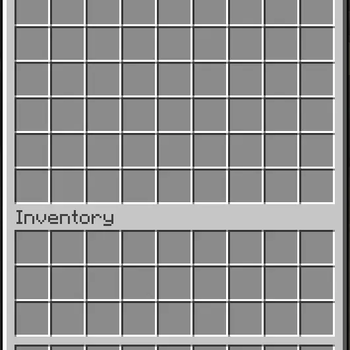
Replace vanilla ender chests with a bigger custom GUI.
Описание
Bigger Ender Chests
Replace vanilla ender chests with a bigger custom GUI. Per-player sizing, Bukkit item serialization, SQL or JSON storage.
⚠ Before installing: This plugin uses separate storage and does not automatically import vanilla ender chest contents. Empty vanilla ender chests before installation and back up your server data.

Platforms




Requirements
- Minecraft: targets the Bukkit API for 1.13+. Check the available versions for your release.
- Java: use the Java version required by your server. The plugin targets Java 8 bytecode, which does not override your server’s Java requirements.
- LuckPerms: optional. Permissions are checked through Bukkit, so compatible permission managers can assign the nodes below.
Features
- Replaces vanilla ender chests — right-click opens a bigger GUI, no commands needed
- Per-player sizing — grant exactly the right number of rows via permissions
- Bukkit item serialization — saves item data using Bukkit’s
ItemStack.serialize()format - Three storage backends — JSON files, SQLite, or MySQL — pick what fits your server
- Human-readable JSON — stores serialized item data in per-player files under
userdata/ - SQLite & MySQL — built-in SQLite driver or connect to an external MySQL server
- Current chest contents on reopen — reuses the player’s live inventory instead of loading an older saved copy
- Movement saves — clicks and drags queue a save after the server applies the movement
- Permission-manager support — assign chest sizes per group or player using Bukkit permission nodes, including through LuckPerms
- One JAR — targets the Bukkit API for Minecraft 1.13 and newer
- Coalesced movement saves — queues at most one movement-save task per chest per tick
How it works
BiggerEnderChest intercepts vanilla ender chest interactions and opens a larger custom GUI instead. Player contents are persisted across restarts in either human-readable JSON files, SQLite, or MySQL.
When a player right-clicks an ender chest, the plugin cancels the default behaviour and opens an inventory sized to the player's highest permission level (1-6 rows). The 54-slot maximum matches a double chest for maximum space.
Each connected player has one live server inventory. Reopening sends a fresh window using the current contents instead of loading an older saved copy. Clicks and drags schedule a save on the next tick, after the movement is processed. Closing, disconnecting, and disabling the plugin also save chest contents.
Items are stored through the selected backend using Bukkit's ItemStack.serialize() format. A failed load refuses to open an empty replacement chest, and a failed disconnect save keeps the live inventory in memory. Resolve storage errors before restarting, because that in-memory copy does not survive a process exit.
| Storage | Setup | Best for |
|---|---|---|
| JSON | Zero — drops files in userdata/ | Single-server, easy file editing |
| SQLite | Zero — creates data.db | Single-server, no file clutter |
| MySQL | Connection config required | A server using an external database |
Database
Choose JSON files, a local SQLite database, or an external MySQL database. JSON is the default in the bundled configuration.
The plugin does not provide cross-server locking, so sharing a MySQL table does not make simultaneous access to the same player’s chest safe across servers.
SQLite (optional local database — no external database server required):
storage:
  method: sqlite
Creates plugins/BiggerEnderChest/data.db automatically on first start.
MySQL (external server):
storage:
  method: mysql
  mysql:
    host: your.db.host
    port: 3306
    database: minecraft
    username: db_user
    password: "yourpassword"
    table: ender_chest_data
LuckPerms Permissions
The plugin checks Bukkit permissions. LuckPerms or another compatible permission manager can assign these nodes. The highest granted size permission wins.
Size changes take effect on the next connection after a successful save. Empty any rows being removed before reducing the size, because items outside the new size are not retained.
| Permission | Default | Description |
|---|---|---|
biggerenderchest.use | true | Use the chest command and its aliases |
biggerenderchest.size.1 | false | 1 row (9 slots) |
biggerenderchest.size.2 | false | 2 rows (18 slots) |
biggerenderchest.size.3 | false | 3 rows (27 slots) |
biggerenderchest.size.4 | false | 4 rows (36 slots) |
biggerenderchest.size.5 | false | 5 rows (45 slots) |
biggerenderchest.size.6 | true | 6 rows (54 slots) |
biggerenderchest.* | OP | All permissions |
Set a player's chest size to three rows via LuckPerms:
/lp user kevin permission set biggerenderchest.size.6 false
/lp user kevin permission set biggerenderchest.size.3 true
The six-row node defaults to true, so explicitly deny it when assigning a smaller chest. Deny any other higher size nodes granted by groups or wildcards as well.
Assign a size to a group:
/lp group default permission set biggerenderchest.size.6 false
/lp group default permission set biggerenderchest.size.4 true
Chest size also respects inherited permissions. Simply unsetting the six-row node can restore its default true value; an explicit false is needed to deny that default.
Commands
| Command | Description |
|---|---|
/enderchest | Opens enderchest GUI |
/echest | Opens enderchest GUI |
/ec | Opens enderchest GUI |
Configuration
config.yml
# Number of rows for the bigger ender chest (1-6, each row = 9 slots)
# Used when no size permission is granted; size.6 defaults to true.
rows: 6

# Title shown on the GUI
gui-title: "&8Bigger Ender Chest"

# Command settings
command:
  # Set to false to disable /enderchest, /echest, and /ec commands entirely
  enabled: true

# Storage settings
storage:
  # Available methods: json, sqlite, mysql
  method: json

  # JSON file storage settings
  json:
    # Directory for JSON files (relative to plugin folder)
    folder: userdata

  # SQLite settings (used when method: sqlite)
  sqlite:
    # Database file path (relative to plugin folder)
    file: data.db

  # MySQL settings (used when method: mysql)
  mysql:
    host: localhost
    port: 3306
    database: minecraft
    username: root
    password: ""
    # Table name for storing ender chest data
    table: ender_chest_data
File Structure
With the default JSON storage, the plugin folder will look like this after a player’s chest is saved:
plugins/BiggerEnderChest/
├── config.yml
└── userdata/
    └── (Minecraft User ID).json
With SQLite selected, contents are stored in data.db instead. MySQL stores them in the configured external database table.
Support

This project is maintained by sqidgeon. You are NOT allowed to re-distribute this plugin without consent from us!
Галерея