

BanMenu
BanMenu is a powerful Minecraft moderation plugin featuring a GUI, ticket system, Discord integration, and comprehensive punishment management for Spigot and Paper
Автор: EndCrystalTV6115обновлён 28 дек. 2025 г.
УправлениеОбщениеУтилиты
Описание

BanMenu – The Ultimate Minecraft Moderation Plugin
BanMenu is a powerful, modular moderation plugin for Spigot, Paper and Bukkit and fully supports Geyser / Bedrock cross-platform servers.
It provides a complete all-in-one moderation solution including punishments, tickets, Discord integration, role synchronization, security systems and detailed logging — all configurable and scalable.
Current Version: 1.4.2
🎯 Main Features

- Ban, Mute & Kick (temporary & permanent)
- Flexible ID-based punishment system
- Automatic expiration for temporary punishments
- Undo actions (Unban / Unmute)
- Admin & bypass permissions

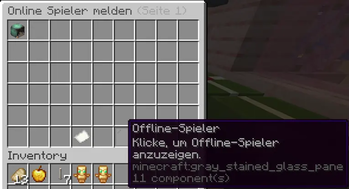
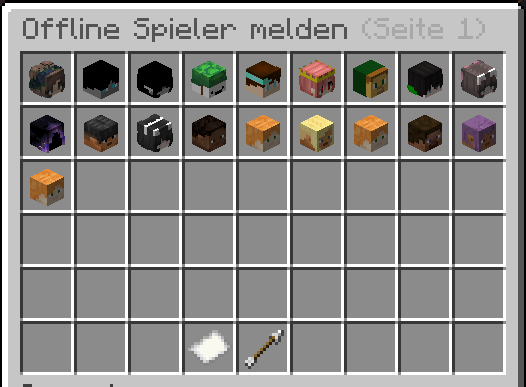
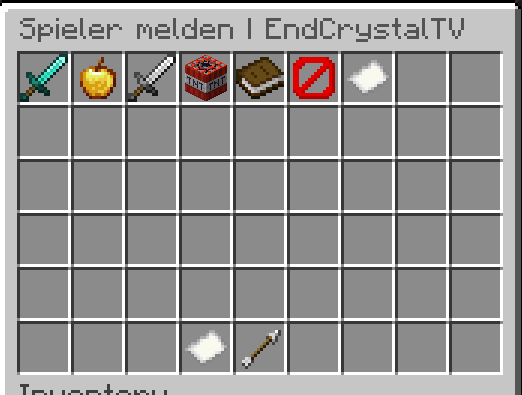
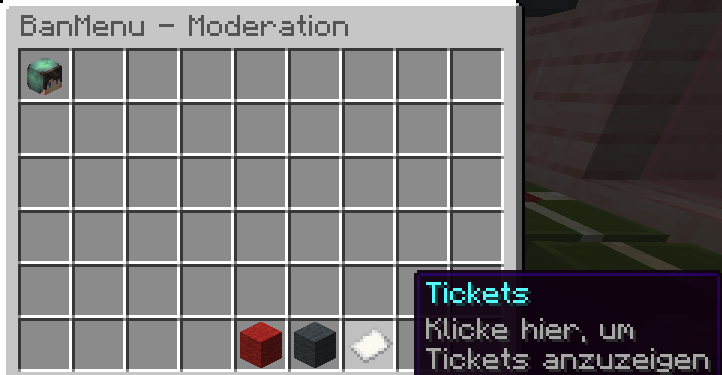
- Modern, user-friendly moderation GUI
- Visual player overview
- Fast moderation without command spam

- GUI-based ticket creation & management
- Cooldown system to prevent abuse
- Ticket states: Open, Closed, Reopened
- Discord notifications for staff
 (Extended in 1.4.0)

- Quiz runs directly in the Rules channel (no DMs)
- Ephemeral questions & final summary only
- Verified users skip the quiz automatically
- Multilingual messages (DE / EN)
- Fully configurable via
discord_rules_bot.yml

- Role management via Discord Slash Commands
- Admin / Moderator permission groups
- Configurable role permissions
- New config:
discord_role-permissions.yml - Slash Commands:
/role give/role remove
- Minecraft command:
/discord-role

- Bidirectional sync: Minecraft ↔ Discord
- Priority modes:
minecraft,discord,both - Manual sync command:
/dc-sync/dc-sync <player>
- Fully configurable sync messages
📝 Discord Slash Commands
- All Rules Bot commands available as Slash Commands
- Channel-restricted execution
- Commands registered even if modules are disabled
- Multi-line embedded help messages

- IP tracking (alt account detection)
- Optional automatic IP bans
- Optional VPN detection
- Chat filter with blacklist & regex
- Chat delay / anti-spam system
📊 History & Statistics
- Full punishment history per player
- Detailed stats (bans, mutes, kicks, tickets)
- Deletable history with reasons
- Complete logging of moderation actions

- MySQL & SQLite support
- Full proxy support (BungeeCord / Velocity) (Comming Soon)
- Geyser / Bedrock compatible
- PlaceholderAPI integration
- LuckPerms & GroupManager support
- Multi-language (EN / DE)
- Modular system (disable unused features)
- YAML-based configuration
- Hot-reload without restart

| Command | Description |
|---|---|
/banmenu | Main command (reload, update, stats) |
/ban <player> <ID> | Ban a player |
/unban <player> | Unban a player |
/mute <player> <ID> | Mute a player |
/unmute <player> | Unmute a player |
/kick <player> [reason] | Kick a player |
/check <player> | Player information |
/history <player> | Punishment history |
/gui | Open GUI |
/ticket | Ticket system |
/dc-verify <code> | Link Discord account |
/dc-unverify | Remove Discord link |
/dc-sync | Sync own roles |
/dc-sync <player> | Sync other players |
/discord-role | Manage Discord roles |
/maintenance on | Start Maintenance Mode Fix |
/maintenance on <time> | Start Maintenance Mode with Timer |
/maintenance off | Stop Maintenance Mode |

🔐 Permissions
Main Permissions
| Permission | Description | Default |
|---|---|---|
banmenu.* | All BanMenu permissions | op |
banmenu.banmenu | Use main command /banmenu | op |
banmenu.reload | Reload plugin | op |
banmenu.checkupdate | Check for updates | op |
Ban System
| Permission | Description | Default |
|---|---|---|
banmenu.ban.* | All ban permissions | op |
banmenu.ban.all | Ban players | op |
banmenu.ban.admin | Perform admin bans | op |
banmenu.ban.ID | Use specific ban ID (e.g. banmenu.ban.1) | op |
banmenu.ban.bypass | Ban bypass | op |
banmenu.unban.* | All unban permissions | op |
banmenu.unban.admin | Unban players | op |
banmenu.unban.ID | Use specific unban ID | op |
Mute System
| Permission | Description | Default |
|---|---|---|
banmenu.mute.* | All mute permissions | op |
banmenu.mute.admin | Perform admin mutes | op |
banmenu.mute.ID | Use specific mute ID | op |
banmenu.mute.bypass | Mute bypass | op |
banmenu.unmute.* | All unmute permissions | op |
banmenu.unmute.admin | Unmute players | op |
banmenu.unmute.ID | Use specific unmute ID | op |
Kick System
| Permission | Description | Default |
|---|---|---|
banmenu.kick.* | All kick permissions | op |
banmenu.kick.admin | Kick players | op |
banmenu.kick.bypass | Kick bypass | op |
General Commands
| Permission | Description | Default |
|---|---|---|
banmenu.check | View player information | op |
History System
| Permission | Description | Default |
|---|---|---|
banmenu.history.* | All history permissions | op |
banmenu.history.show | View history | op |
banmenu.history.delete | Delete history | op |
GUI System
| Permission | Description | Default |
|---|---|---|
banmenu.gui | Open GUI menu | op |
banmenu.gui.* | All GUI permissions | op |
banmenu.gui.ban | Open ban GUI | op |
banmenu.gui.mute | Open mute GUI | op |
banmenu.gui.kick | Open kick GUI | op |
banmenu.gui.unban | Open unban GUI | op |
banmenu.gui.unmute | Open unmute GUI | op |
Logs System
| Permission | Description | Default |
|---|---|---|
banmenu.logs.* | All log permissions | op |
banmenu.logs.show | View logs | op |
banmenu.logs.clear | Clear logs | op |
Notifications
| Permission | Description | Default |
|---|---|---|
banmenu.notify | Receive team notifications | op |
Chat Features
| Permission | Description | Default |
|---|---|---|
banmenu.bypasschatfilter | Bypass chat filter | op |
banmenu.bypasschatdelay | Bypass chat delay | op |
banmenu.bypassadvertising | Bypass anti-link / advertising | op |
Ticket System
| Permission | Description | Default |
|---|---|---|
banmenu.ticket.* | All ticket permissions | op |
banmenu.ticket.use | Create tickets | false |
banmenu.ticket.team | Manage tickets | op |
banmenu.ticket.admin | Delete tickets | op |
banmenu.ticket.bypass | Cannot be reported | op |
banmenu.ticket.delaybypass | Bypass ticket cooldown | op |
banmenu.ticket.notify | Receive ticket notifications | op |
Custom Commands
| Permission | Description | Default |
|---|---|---|
banmenu.customcommand | See/use custom command in player GUI | op |
banmenu.use.customcommand | Execute custom command | false |
Discord Integration
| Permission | Description | Default |
|---|---|---|
banmenu.discord.verify.use | Link Discord account | false |
banmenu.discord.verify.delete | Delete player’s Discord verification | op |
banmenu.discord.unverify | Delete own Discord verification | false |
banmenu.discord.role.sync.use | Sync own Discord ↔ Minecraft roles | false |
banmenu.discord.role.sync.other | Sync roles for other players | op |
banmenu.discord.role.use | Use /discord-role command | op |
Statistics
| Permission | Description | Default |
|---|---|---|
banmenu.stats.all | View all statistics | op |
🚧 Maintenance Permissions
| Permission | Description | Default |
|---|---|---|
banmenu.maintenance.use | Enable and disable maintenance mode | op |
banmenu.maintenance.join | Join the server during maintenance | false |
banmenu.maintenance.countdown.info | View maintenance Admin countdown information | false |
banmenu.maintenance.bossbar.show | See the maintenance bossbar | false |
banmenu.maintenance.cooldownbypass | Bypass cooldowns for maintenance commands | op |

- Minecraft 1.20+
- Java 17+
- Optional:
- LuckPerms / GroupManager
- PlaceholderAPI
- JDA (for Discord features)

- Download the plugin
- Place it into
/plugins - Restart the server

- The following configuration files and folders will be created in
plugins/BanMenu/:
plugins/BanMenu/
├── Discord-Configs/
│   ├── discord.yml
│   ├── discord_rules_bot.yml
│   └── discord_role-permissions.yml
├── languages/
│   ├── de_DE.yml
│   └── en_GB.yml
├── punishment/
│   ├── ban_id_config.yml
│   ├── mute_config.yml
│   ├── kick_config.yml
│   ├── unban_config.yml
│   └── unmute_config.yml
├── banmenu.db
├── chat.yml
├── config.yml
├── history.yml
├── maintenance.yml
├── motd.yml
├── stats.yml
├── ticket.yml
├── bungee.yml            #only by BungeeCord
└── velocity-plugin.json  #only by Velocity
📚 Support


Developed by EndCrystalTV
Version 1.4.2
Галерея
Последние версии
Все версии →release
MotD and Maintenance Mode
1.4.228 дек. 2025 г.525Minecraft: 1.21, 1.21.1, 1.21.2, 1.21.3, 1.21.4, 1.21.5, 1.21.6, 1.21.7, 1.21.8, 1.21.9, 1.21.10, 1.21.11bukkit, paper, spigot
Что нового
# 🎉 BanMenu Update 1.4.2
## Update from 1.4.1 to 1.4.2
Thank you for using BanMenu!
Version **1.4.2** introduces a **fully configurable maintenance system** with dynamic MOTD and server icon handling, including deep Minecraft and Discord integration.
This update focuses on **server availability control**, **player flow during maintenance**, and **visual server state management**.
---
## ✨ New Features
### 🧱 Server State Management (Maintenance, MOTD & Icons)
#### 🚧 Advanced Maintenance Mode
- New global maintenance system with full control over player access.
- Activate maintenance using:
- `/maintenance on`
- `/maintenance on <time>`
- `/maintenance off`
- Supported time units:
- `s` (seconds), `m` (minutes), `h` (hours), `d` (days)
Example: `/maintenance on 10m`, `/maintenance on 2h`, `/maintenance on 1d`
- If **no timer** is provided, maintenance is enabled immediately and a **configurable kick countdown** (defined in `maintenance.yml`) starts.
- If a **timer is provided**, it defines the **duration of the maintenance mode**, after which maintenance is automatically disabled.
- During an active countdown:
- Players **without `banmenu.maintenance.join`** are kicked once the countdown expires.
- Players **with `banmenu.maintenance.join`** may join **even while the countdown is running**.
- Fully configurable kick, join, and maintenance messages.
---
#### ⏳ Dynamic Countdown System
- Countdown time formatting adapts automatically based on remaining duration:
- `> 48 hours` → days only (e.g. `5 days`)
- `> 24h & ≤ 48h` → days + hours (e.g. `1 day 14 hours`)
- `≥ 2h & ≤ 24h` → hours only
- `≥ 60m & < 120m` → hours + minutes
- `≥ 2m & < 60m` → minutes only
- `≥ 60s & < 120s` → minutes + seconds
- `< 60s` → seconds only
- All time unit names are configurable in `maintenance.yml`.
---
#### 📊 Maintenance Bossbar
- Optional bossbar displayed **only during maintenance**.
- Shows dynamic countdown information.
- Bossbar visibility is permission-based:
- Only players with `banmenu.maintenance.bossbar.show` will see it.
- Fully customizable text and appearance.
---
### 🌐 Dynamic MOTD System
- New `motd.yml` with support for:
- Multiple MOTDs
- Random MOTD selection **per server refresh**
- Separate MOTD pools for:
- Normal operation
- Maintenance mode
- Maintenance MOTDs are only active if explicitly enabled.
- MOTDs automatically switch based on server state.
---
### 🖼️ Dynamic Server Icon System
- New `server-icons/` directory structure.
- Supports:
- Multiple server icons
- Random icon per server refresh
- Separate icon pools for:
- Normal operation
- Maintenance mode
- Maintenance icons are only used if enabled.
- Icons automatically switch together with maintenance state.
---
### 🤖 Discord Integration
- All maintenance commands are available via Discord:
- `/maintenance on`
- `/maintenance on <time>`
- `/maintenance off`
- Command availability via Discord depends on:
- Properly configured Discord integration
- Linked Minecraft permissions
- Current permission checks are based on Minecraft permissions.
- **Planned feature:** native Discord role-based permission checks.
---
## 🔐 New Permissions
| Permission | Description |
|----------|------------|
| `banmenu.maintenance.use` | Allows enabling and disabling maintenance mode |
| `banmenu.maintenance.join` | Allows joining the server during maintenance |
| `banmenu.maintenance.countdown.info` | Allows viewing maintenance countdown information |
| `banmenu.maintenance.bossbar.show` | Allows seeing the maintenance bossbar |
| `banmenu.maintenance.cooldownbypass` | Bypasses command cooldowns for maintenance commands |
---
## 🔧 Technical Changes
- New configuration files:
- `maintenance.yml`
- `motd.yml`
- New directory structure:
- `server-icons/`
- All existing configuration files have been **extended**.
- Internal refactoring for:
- Improved maintenance state handling
- Optimized server ping logic for MOTD & icon refresh
- Better synchronization between server state and visual output
---
## ⚠️ Important Notes
- **Backup recommended before updating.**
- This update introduces **soft breaking changes**.
- Recommended update process:
1. Create backups of all configs.
2. Stop the server.
3. Delete the `BanMenu` plugin folder.
- SQLite users may keep the database file.
- MySQL users do not need any database changes.
4. Start the server to regenerate fresh configs.
5. Manually transfer configuration values **section by section** from backups.
- Server restart required after updating.
- Test maintenance permissions and Discord integration before production use.
release
BanMenu 1.4.1 – Improved Discord Integration & Bugfixes
1.4.126 дек. 2025 г.28Minecraft: 1.21, 1.21.1, 1.21.2, 1.21.3, 1.21.4, 1.21.5, 1.21.6, 1.21.7, 1.21.8, 1.21.9, 1.21.10, 1.21.11bukkit, paper, spigot
Что нового
# 🎉 BanMenu Update 1.4.1
## Update from 1.4.0 to 1.4.1
Thank you for using BanMenu! Version 1.4.1 brings new features, improvements, and bugfixes for Discord integration and the Unverify system.
---
## ✨ New Features
### 🔄 Discord Role Sync
- `default-role` for unmapped Minecraft groups.
- `/role give` now optionally removes all mapped roles before adding the assigned role.
- `/dc-sync` keeps roles players should retain based on their Minecraft groups.
### 🛡️ Role Change Restrictions
- Protect Discord roles (`cant-change-user-with-discord-role`) and Minecraft groups (`cant-change-user-with-minecraft-role`).
- Self-modification protection; bypass with `banmenu.discord.role.change.ignore`.
- Configurable error messages.
### 🔓 Unverify System
- Codes stored in database (`discord_unverify`) with automatic expiry.
- Tab-completion for `/dc-unverify confirm <code>` works for Java & Bedrock.
- Multi-line messages with `{code}` placeholder.
- Bedrock support improved (`SUGGEST_COMMAND`, correct button formatting).
---
## 🐛 Bugfixes
- Discord button formatting for Bedrock fixed.
- Tab-completion for Unverify codes fixed.
- `/dc-sync` removes only mapped roles.
- Codes no longer lost on server restart.
---
## 🔧 Technical Changes
- New configs in `discord_role-permissions.yml` and `discord.yml`.
- New permission: `banmenu.discord.role.change.ignore`.
- Refactored code for better Bedrock support and optimized database queries.
---
## 📋 Notes
- No breaking changes; fully backward compatible.
- Backup configs and database before updating.
- Restart server after replacing the jar.
- Test default role, role protection, and Unverify codes.
release
Discord Role Sync
1.4.025 дек. 2025 г.23Minecraft: 1.21, 1.21.1, 1.21.2, 1.21.3, 1.21.4, 1.21.5, 1.21.6, 1.21.7, 1.21.8, 1.21.9, 1.21.10, 1.21.11bukkit, paper, spigot
Что нового
# 🎉 BanMenu Update **1.4.0**
**Update from 1.3.1 to 1.4.0**
Thank you for using BanMenu! Here are the most important changes and new features in this version:
---
## ✨ New Features
### 🤖 Discord Rules Bot
- **Quiz system improved**: Conducted directly in the Rules channel with ephemeral messages (no DMs anymore)
- **Better overview**: Only summary at the end, no immediate feedback after each question
- **Verification check**: Players with the `role-to-assign` role don’t need to retake the quiz
- **Multilingual support**: “Already verified” messages configurable in `discord_rules_bot.yml` (DE/EN)
### 🎯 Discord Role Management
- **Flexible role management** via Discord Slash Commands
- **Group-based permissions**: Admin/Moderator groups with individual rights
- **New config**: `discord_role-permissions.yml` for flexible role management
- **Slash Commands**: `/role give` & `/role remove`
- **Minecraft integration**: Roles also manageable via `/discord-role`
### 🔄 Role Synchronization
- **Bidirectional**: Minecraft groups ↔ Discord roles
- **Configurable priority**: `minecraft`, `discord`, or `both`
- **Manual sync**: `/dc-sync` for self- or other-player synchronization
- **Customizable messages**: All `/dc-sync` messages configurable via config
### 📝 Discord Slash Commands
- All Rules Bot commands now available as **Slash Commands**
- Configurable channel restrictions
- Always registered, even if modules are disabled
- New IDs: `rule-config-channel-id` & `role-permission-set-channel-id`
- Multi-line help messages in embed format
### 📁 Configuration Improvements
- Discord configs moved to **subfolder** `Discord-Configs/`
- New files: `discord_role-permissions.yml`, extended `discord.yml`
- Many messages now **configurable**
---
## 🐛 Bug Fixes
### Discord Integration
- Fixed `IllegalStateException` on `/role give`
- Fixed permission issue for `/discord-role`
- Discord ↔ Minecraft sync now works correctly
- Fixed `IllegalAccessException` in LuckPerms
- Graceful shutdown warnings removed
### General
- More stable LuckPerms integration
- Improved GroupManager support
- Enhanced logging for better debugging
---
## 🔧 Technical Changes
### New Commands
- `/dc-sync` – manual sync for yourself
- `/dc-sync <player>` – sync for other players (requires `banmenu.discord.role.sync.other`)
### New Permissions
- `banmenu.discord.role.sync.use` – self sync
- `banmenu.discord.role.sync.other` – other-player sync
- `banmenu.discord.role.use` – use `/discord-role`
### Code Improvements
- Refactored DiscordRoleSyncManager
- Optimized error handling & logging
- Improved JDA integration
---
## 📋 Important Notes
### ⚠️ Breaking Changes
- All Discord configs now in `plugins/BanMenu/Discord-Configs/`
- Move config files after updating
- New `discord_role-permissions.yml` created on first start
### 📥 Update Instructions
1. Backup your config & database
2. Replace old `banmenu-*.jar`
3. Move Discord configs to the new folder
4. Restart your server
5. Check new options in `discord_role-permissions.yml`
### 💡 Recommendations
- Enable Discord Role Sync: `discord-role-sync: true`
- Check & assign permissions
- Test features on a test server before production
---
## 📚 Documentation
- **German**: [BanMenu Documentation DE (PDF)](https://endcrystal.eu/PDF/BanMenu_Dokumentation_DE.pdf)
- **English**: [BanMenu Documentation EN (PDF)](https://endcrystal.eu/PDF/BanMenu_Documentation_EN.pdf)
---
## 🙏 Feedback & Support
- **Website**: [endcrystal.eu](https://www.endcrystal.eu/)
- **Forum**: [endcrystal.eu/forum](https://www.endcrystal.eu/forum/)
- **Discord**: [Support Server](https://discord.gg/UZstsKfRm5)
---
**Enjoy BanMenu 1.4.0! 🎉**
*Developed by EndCrystalTV*
release
1.3.1
1.3.124 дек. 2025 г.35Minecraft: 1.21, 1.21.1, 1.21.2, 1.21.3, 1.21.4, 1.21.5, 1.21.6, 1.21.7, 1.21.8, 1.21.9, 1.21.10, 1.21.11bukkit, paper, spigot
Что нового
Summary / Description:
BanMenu is a powerful, modular Minecraft moderation plugin with a GUI, ticket system, Discord integration, and comprehensive punishment management. It supports Spigot, Paper, multi-server setups (BungeeCord, Velocity), and cross-platform servers via Geyser/Bedrock.
Features:
Ban, Mute & Kick system with temporary and permanent punishments
Intuitive GUI for fast moderation and punishment management
Ticket system with Open, Closed, and Reopened status
Discord integration with verification, notifications, and optional cross-ban/unban
IP tracking, optional VPN detection, chat filter, and chat delay
Complete history & statistics of all moderation actions
Multi-server, MySQL & SQLite support, PlaceholderAPI, LuckPerms & GroupManager integration
Fully configurable via YAML, multi-language support (English & German)
Changelog v1.3.1:
Added modular structure for all features (Ban, Mute, Kick, GUI, Ticket, Discord)
Optimized performance for multi-server setups
Improved GUI menu and Discord integration stability
Minor bug fixes and overall stability improvements