COWMODSКаталог модов

Axis World Editor

Vanilla WorldEdit: 1 Tool, ∞ Features.

Автор: Gm476,3 тыс.52обновлён 8 окт. 2026 г.
Механики игрыУправлениеУтилиты

Описание

⚙️ Core Features

  • Axis - is all-in-one vanilla toolset for easy and convenient real-time world editing.

Tools and Commands, Display Entities, Custom and Modded Support, Undo and Redo, Schematics, Smart Forceloading

💀 ToLongDieReading - If you prefer Actual text & screenshots
🛠️ Tools and Commands

Tons of Tools and Commands for speeding up your building process
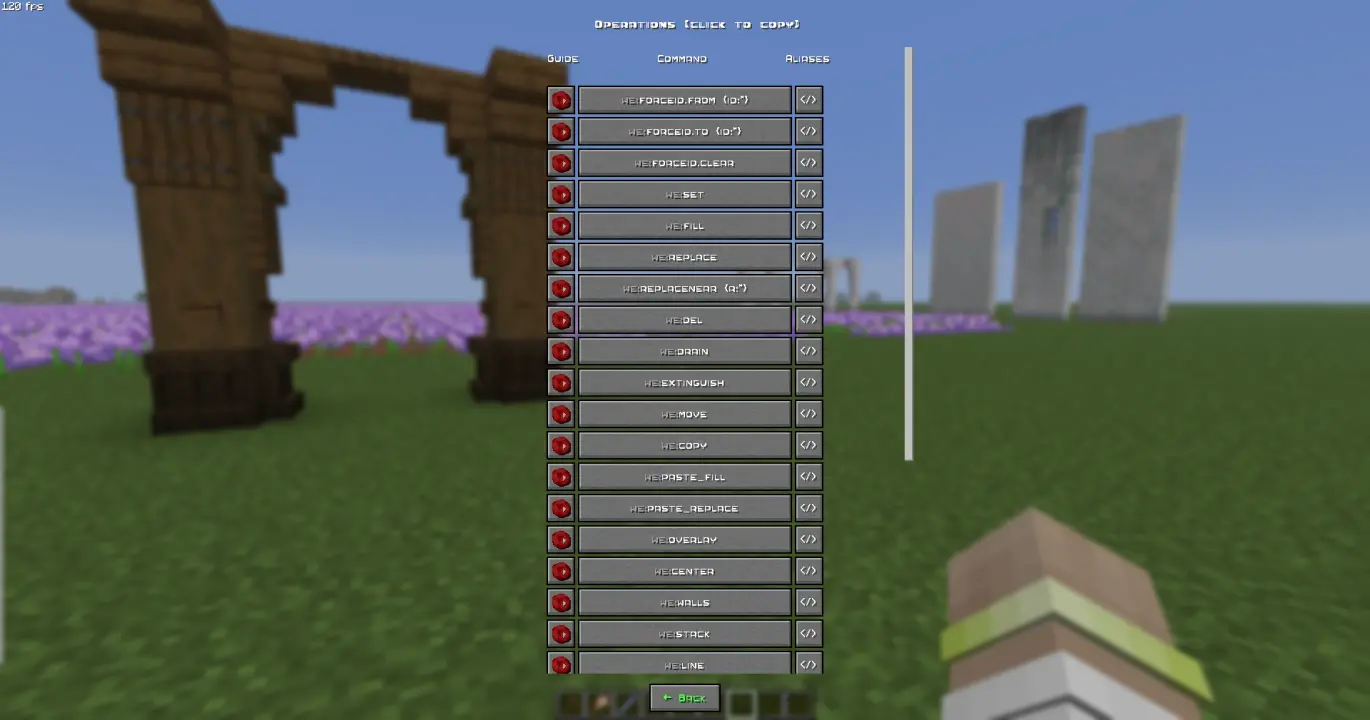
ℹ️ You will find a complete list of tools and commands, as well as their purposes, in the in-game wiki.

🔧Tools
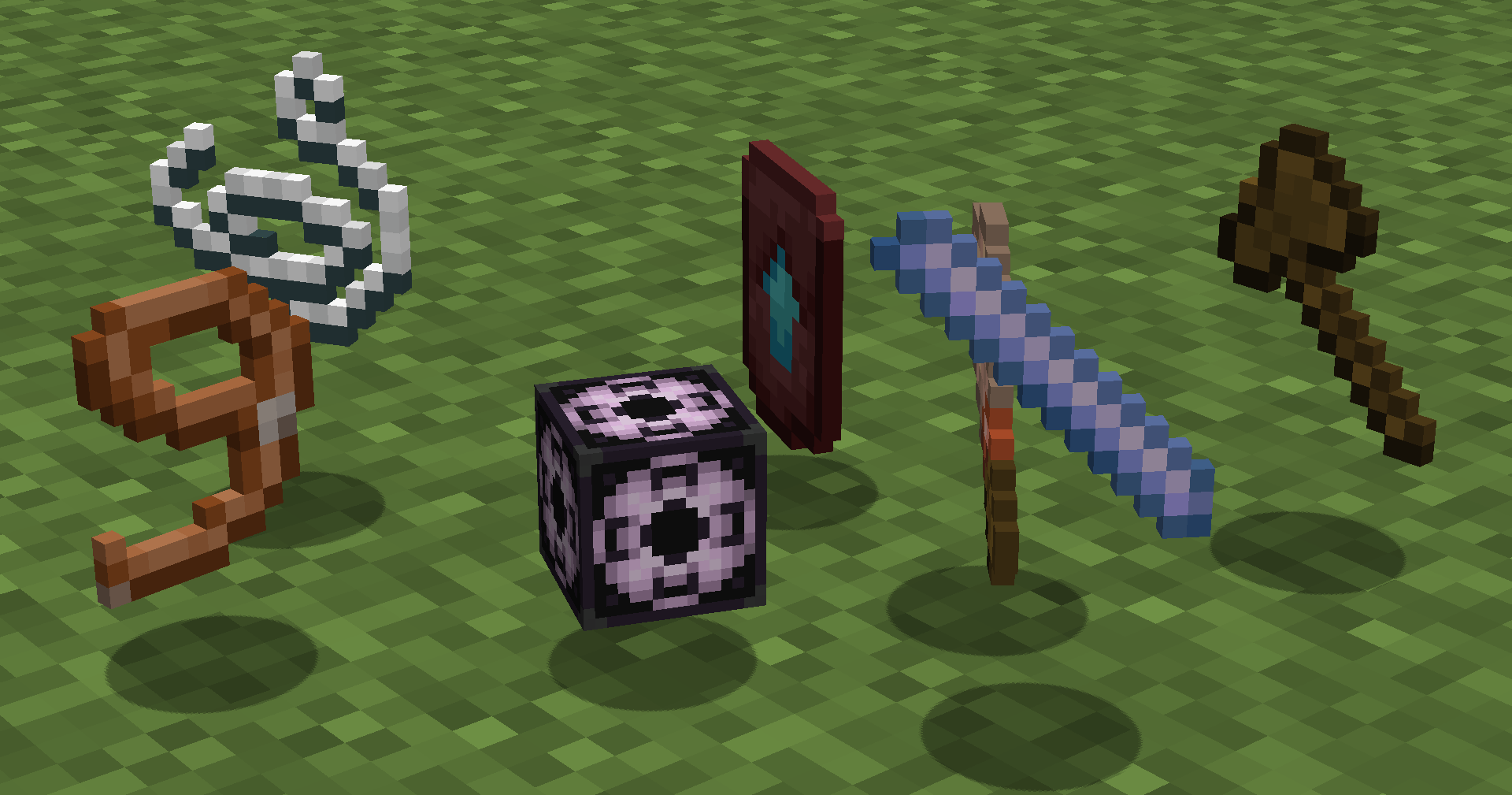
tools

Automatically run functions based on your actions. Each tool has several modes. Throw (default:Q) to change mode, put in offhand (default:F) to change tool. How to use (X) tool? Look at the item tooltip, or open the detailed documentation using /function we:help.

ToolModesDescription
Selector (Axe)Raycast Mid air 15 Mid air 10 Mid air 5Left and Right-mouse clicks to set both region corners.
Resize1 10 Double LassoLeft and Right-mouse clicks to resize region in the direction you are facing.
StringRaycast Mid air 30 Mid air 20 Mid air 10Use it to measure distance by clicking LMB and RMB.
Paste brushFill-paste (10/20/30/Ray) Replace-paste (10/20/30/Ray)Right-mouse click to paste (clone) selected region to any other place.
Block brushDiameter 1 Diameter 3 Diameter 5 Diameter 7Left-mouse click to pick block, Right-mouse click to paint.
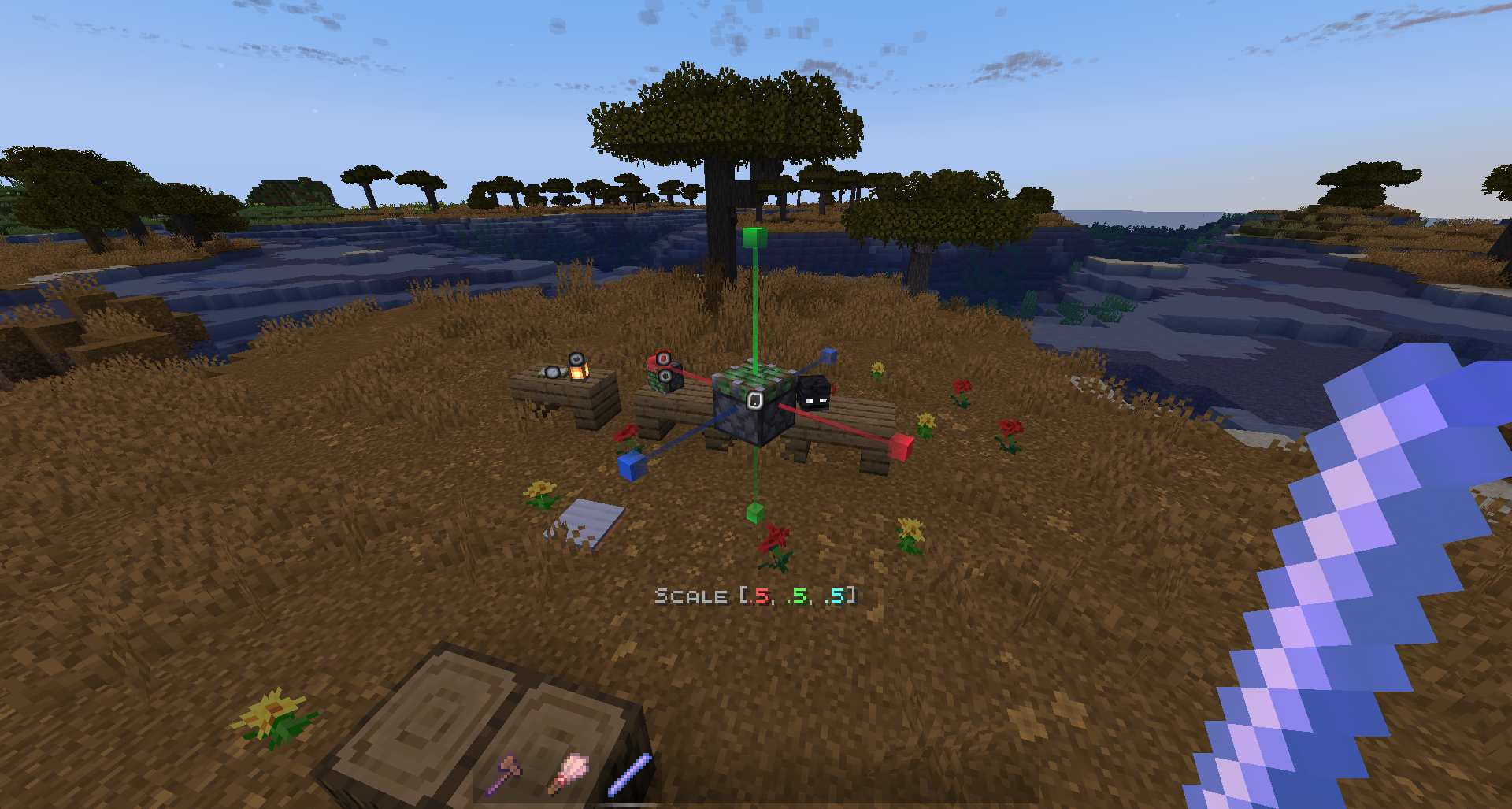
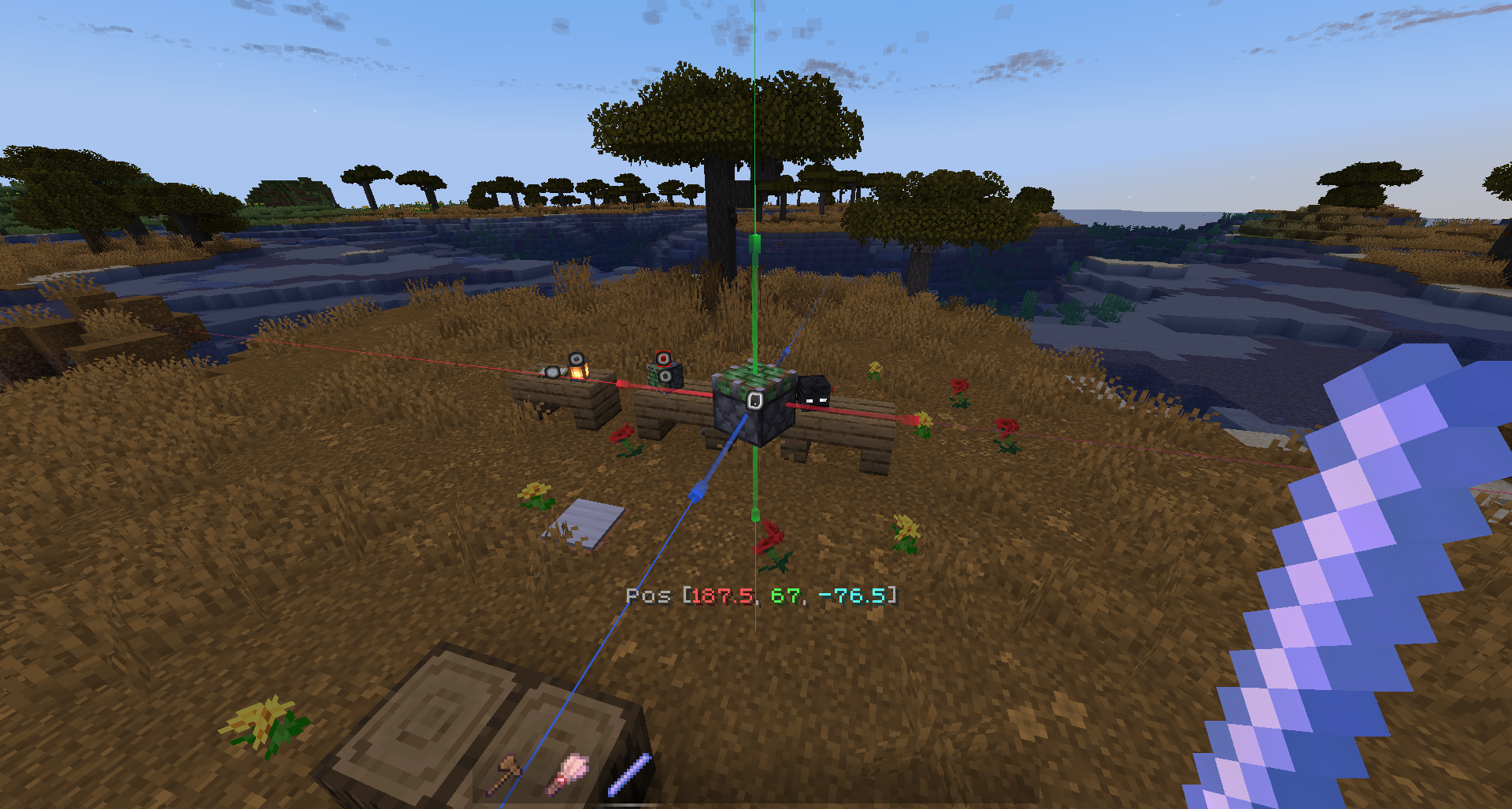
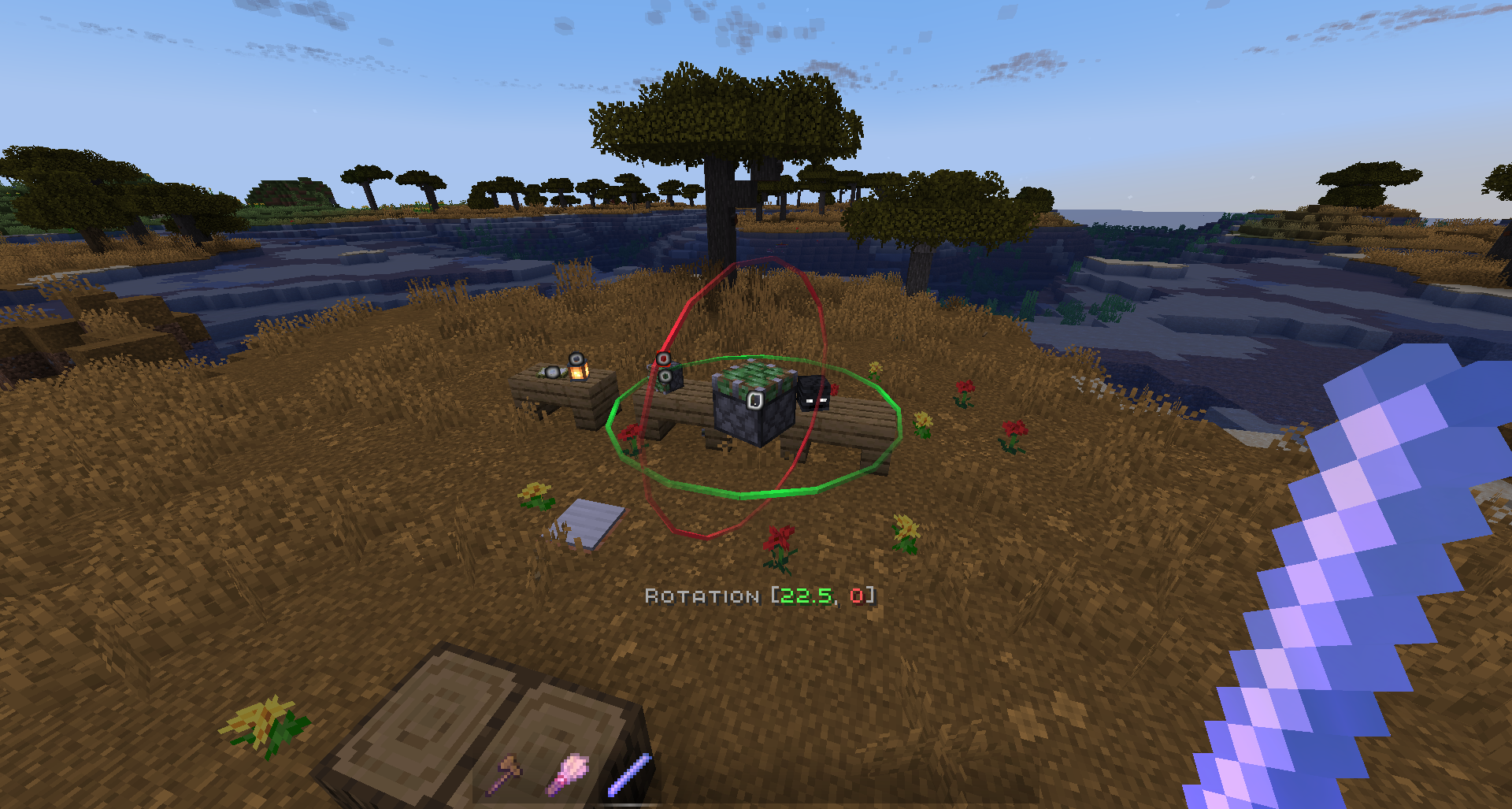
Display ModificationScale - 0.5, 0.125, 0.015625 Move - 0.5, 0.125, 0.015625 Rotate - 22.5, 5.625, 1.40625

[↑Collapse all]

💻 Commands

commands

Manual use. /function we:help for more info. How to use (X) command? All the user commands are available on the path /function we:. To view each command description, run /function we:help. You need OPerator rights in the world where you want to use the datapack.

Basic

CommandAliasesDescription
helphOpens help page
settingsconfigOpens settings page
wandw getGives you tool for selecting regions. You can take wooden axe from your creative inventory and it will become wand.
Click left mouse button to set the first point of the region, Click right mouse button to set the second point of the region. Both points create a region between them.
Read tooltips for more info about using tools and modes.
uniwandOpens UI with all the tools for you to choose
flightOpens the flight settings menu
pinAllows you to pin up to 10 custom commands above the Axis chat menu, and use them with a mouse click. Format: /function we:pin {slot:2,cmd:'say Hello World!'} <-- "cmd" without backslash (/)
uninstalluninsOpens the datapack uninstall menu

Regions

CommandAliasesDescription
1Set the first point of the region. Both points create a region between them
2Set the second point of the region. Both points create a region between them
expandExpands the region by 1 block in the direction you are facing. You can use resize tool unstead
contractExpands the region by 1 block in the direction you are facing. You can use resize tool unstead
clearcClears all selected points and regions

Operations

CommandAliasesDescription
forceid.from {id:*}From = the block that is normally taken from the left hand. Allows you to force the block ID, including the blockstate, when executing all commands that require a block ID.
forceid.to {id:*}To = the block that is normally taken from the right hand. Allows you to force the block ID, including the blockstate, when executing all commands that require a block ID.
forceid.clearClear = removes the Force ID from both storages. Allows you to force the block ID, including the blockstate, when executing all commands that require a block ID.
setReplaces all blocks in the region with the one you are holding in main hand. If you have no blocks in specified slot, it will be considered as air
fillFills all air blocks in the region with the one you are holding in main hand. If you have no blocks in specified slot, it will be considered as air
replaceReplaces all blocks in the region from the one you are holding in off hand with the one you are holding in main hand. if you have no blocks in specified slot, it will be considered as air
replacenearReplaces all blocks in radius ({r:1} or {r:5}, etc.) around player from the one you are holding in off hand with the one you are holding in main hand. if you have no blocks in specified slot, it will be considered as air
deletedelDeletes everything in the region
drainRemoves liquids from the selected region
extinguishRemoves fire from the selected region
moveMoves the region by 1 block in the direction you are facing
copySaves selected area to the buffer. Use together with paste. Copying/Pasting buffer differs from clonebrush, as you can do it between dimensions. The build pastes exactly like it was when you used copy. On the other side, clonebrush clones it from place 1 to place 2 in real time
paste.fillPastes saved area from buffer to the player and blends it with blocks/terrain. Use together with 'copy'
paste.replacePastes saved area from buffer to the player and deletes all the blocks/terrain on the way. Use together with 'copy'
overlayOverlays all blocks in your selection with one you are holding in main hand
centerFinds a center of your region and places 1 to 8 blocks of you are holding in main hand. If you have no blocks in specified slot, it will be considered as glass. If there are already solid blocks in the cetnter of the region, only particles will be displayed
wallsReplaces all outline blocks in the region with the one you are holding in main hand. If you have no blocks in specified slot, it will be considered as air
stackStacks the region in the direction you are facing
lineBuilds a line of block you are holding in main hand from point 1 to point 2. If you have no blocks in specified slot, it will be considered as glass
rotateRotates the region by the specified number of degrees. Affects entities
freerotateRotates the region without size or angle restrictions (diagonal rotation is possible). Does not affect entities.
flipMirrors the selected area in the direction of view. Affects entities
cutCopies a region to the clipboard and cuts it out
circleDraws a circle with the specified radius ({r:1} or {r:5}, etc.)
hcircleSimilar to we:circle, but draws a hollow circle instead of a filled one.
triggerupdatesupdTriggers updates of all blocks in the selected region
setnoise.perlinReplaces the selected area with Perlin noise. The noise can consist of two blocks: the one you hold in your left and one you hold in your right hand. If one of your hands is empty, the block will be considered as air.
setbiomeSets the specified biome to the selected region.
fillbiomeFills the selected region with the specified biome.
regenerateregenReverts everything within the selection box to its original state based on the world seed.

History

CommandAliasesDescription
undoCancels previous action
redoRedoes previous action (use after Undo)
clearhistoryDeletes all previously saved actions and clears history buffers. Clearing history is recommended when you want to make a 'checkpoint' during building, so you don't accidently undo/redo old actions you don't want to

Brushes

CommandAliasesDescription
b/wandb/w b/getGives you brush tool. You can take regular brush from your creative inventory and it will become brush tool. Left-click to choose block, Right-click to paint. Read tooltips for more info about using tools and modes.

Displays

ℹ This is much more convenient to use the quick menu to modify displays than to write these commands manually. To open the menu, take the display modification tool (/function we:d/w) and select the desired display.

CommandAliasesDescription
d/wandd/wGives a display modification tool
d/create_block_displayCreates a block display entity from the item in your main hand. If the chosen item doesnt have a block state, null display (existing entity with size 0,0 and no visuals) will be summoned
d/create_item_displayCreates an item display entity from the item in your main hand. If the chosen item doesnt have an item state, null display (existing entity with size 0,0 and no visuals) will be summoned
d/duplicateCreates the exact copy of the selected display entity
d/billboard/centerDisplay will automatically rotate towards the player on both axes
d/billboard/fixedDisplay will NOT automatically rotate towards the player
d/billboard/horizontalDisplay will automatically rotate towards the player on X and Z axes
d/billboard/verticalDisplay will automatically rotate towards the player on Y axis
d/brightness/blockSets block brightness (light level) override for display
d/brightness/skySets sky brightness (light level) override for display
d/culling/heightSets display hitbox height. Setting the culling hitbox allows not to render the display entity if it is outside the border of the screen. For optimization purposes
we:d/culling/widthSets display hitbox width. Setting the culling hitbox allows not to render the display entity if it is outside the border of the screen. For optimization purposes
we:d/culling/rangeSets the maximum distance from player in proportion to player's entity rendering distance (default=1) at which the entity will be rendered. (Not in blocks! If the player's entity rendering distance = 8 chunks -> the value 1 = 8 chunks, the value 0.5 = 4 chunks, etc.)
d/glow_colorChanges the color of the glow effect outline. Decimial format
d/interpolation_ticksSets the amount of ticks needed to interpolate from state1 to state2 in game ticks (State = scale, rotation, etc.) (1 second = 20 game ticks)
d/teleportation_ticksSets the amount of ticks needed to interpolate from pos1 to pos2 in game ticks (Pos = xyz position) (1 second = 20 game ticks)
d/reset_brightnessResets block and sky brightness overrides
d/reset_cullingResets culling width, height, and view range
d/reset_glowResets glow color and removes the glow outline
d/reset_interpolationsResets interpolation and teleportation duration
d/reset_positionResets position / snaps entity to the block grid
d/reset_rotationResets rotation. (resets only the entity format rotation, not the quaderion format rotation)
d/reset_scaleResets scale
d/removedeleteDeletes the selected display entity

[↑Collapse all]

🚀 Smart Forceloading

Smart Forceloading - edit millions of blocks even in unloaded chunks safely.

50+ Million blocks successfully replaced (in one go)
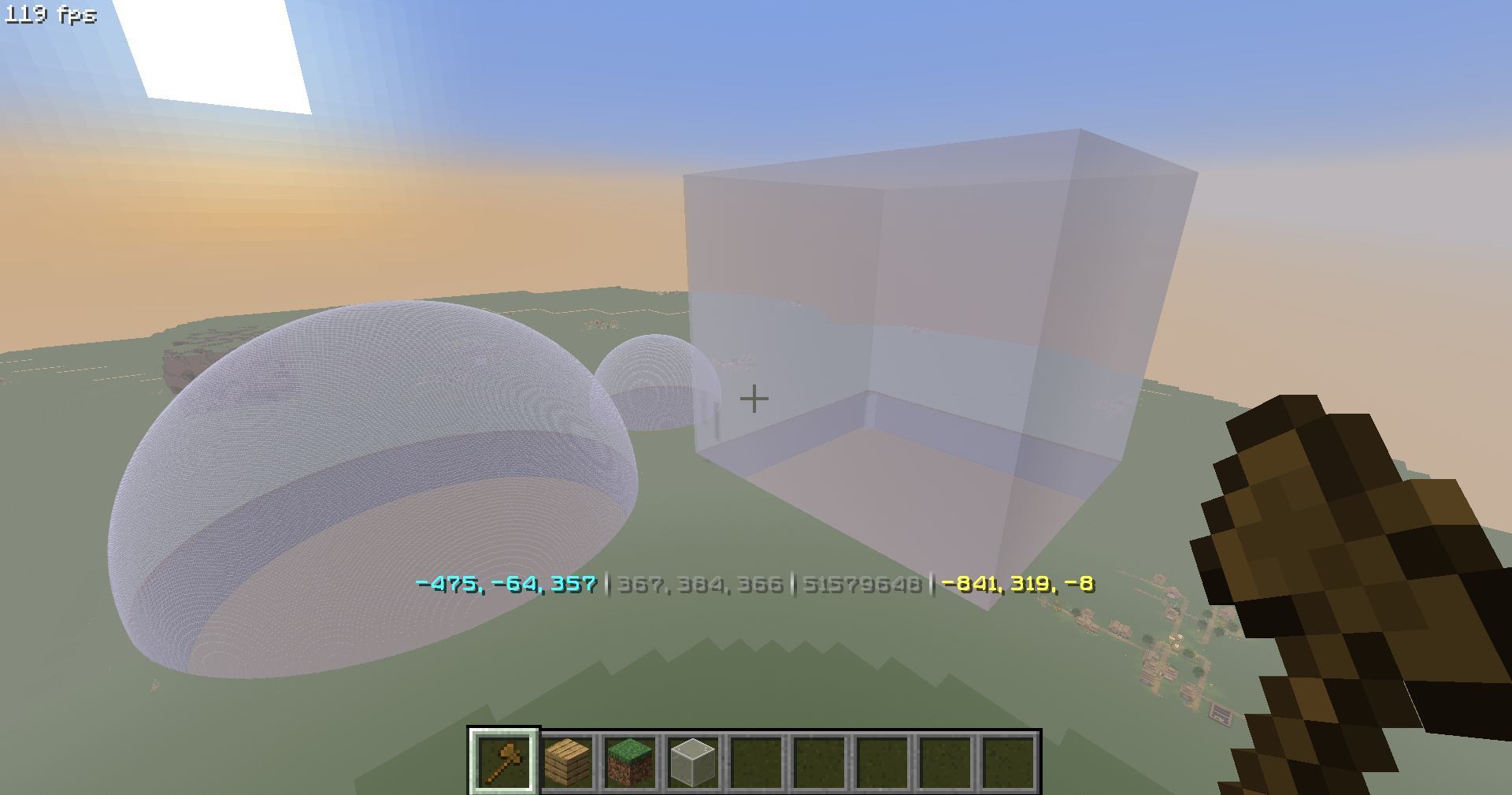
50 million blocks

📖 Undo / Redo

Undo / Redo - so you could revert up to 58.000 actions. (in a row)
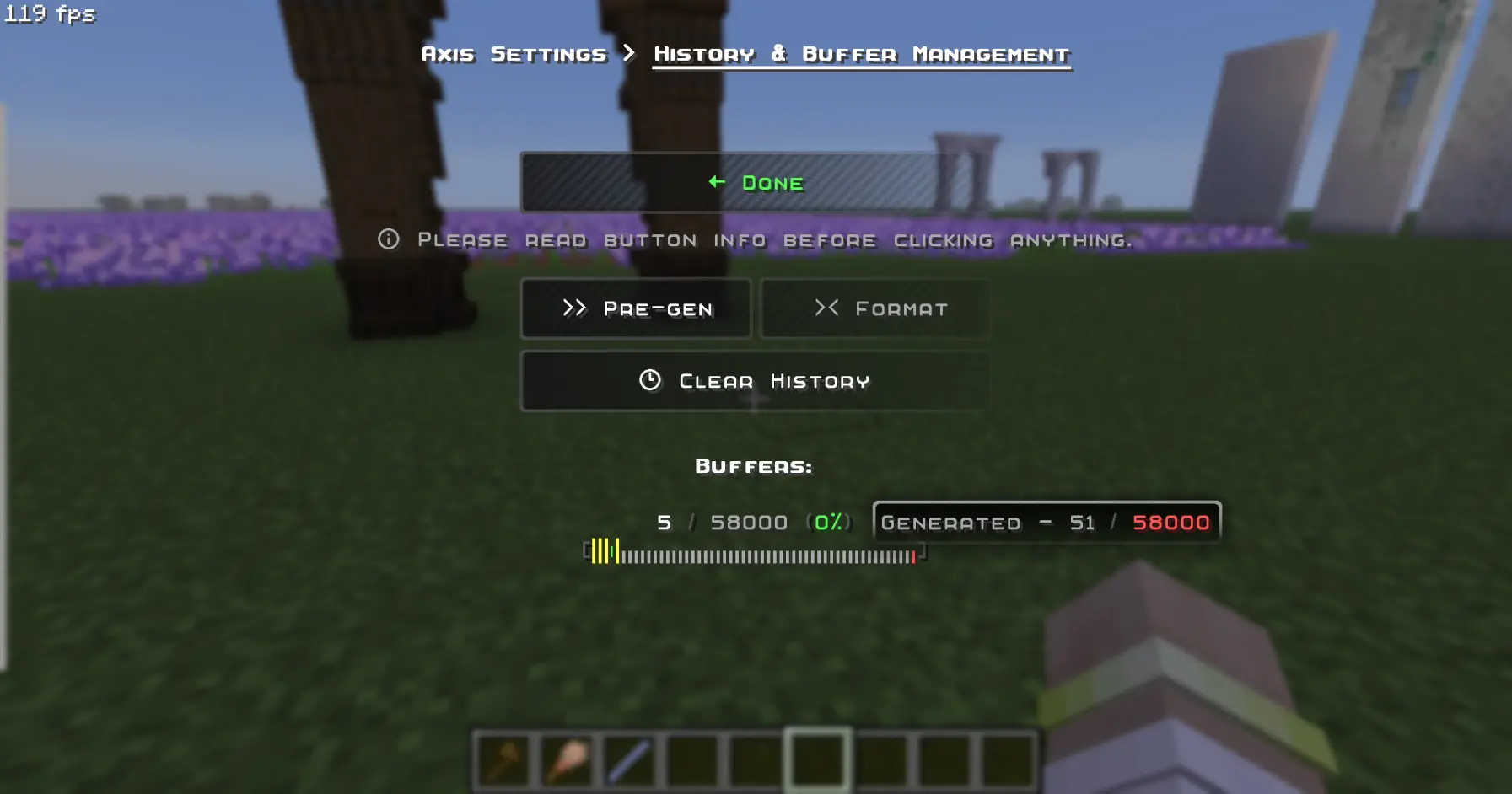
history management menu

🪄 Display-Entity Modification

Display-Entity Modification - Create and edit models directly in-game.
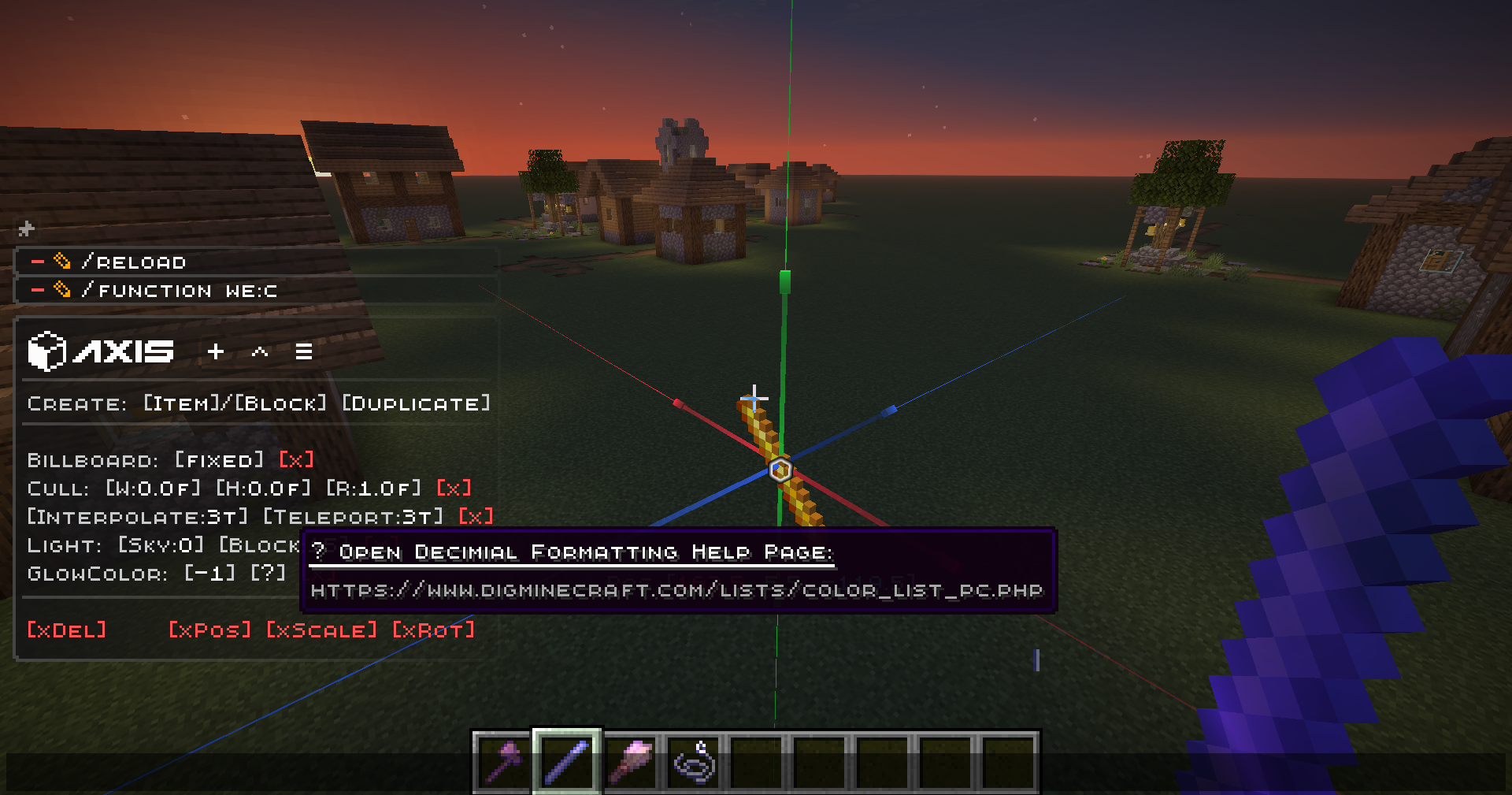
menu scalemoverotate

[↑Collapse all]

🧩 Custom & Modded Support

Every command Supports Custom & Modded blocks, biomes, and dimensions.

Pasting trees from Biomes O Plenty mod, consisting of modded blocks, using the PasteBrush tool:
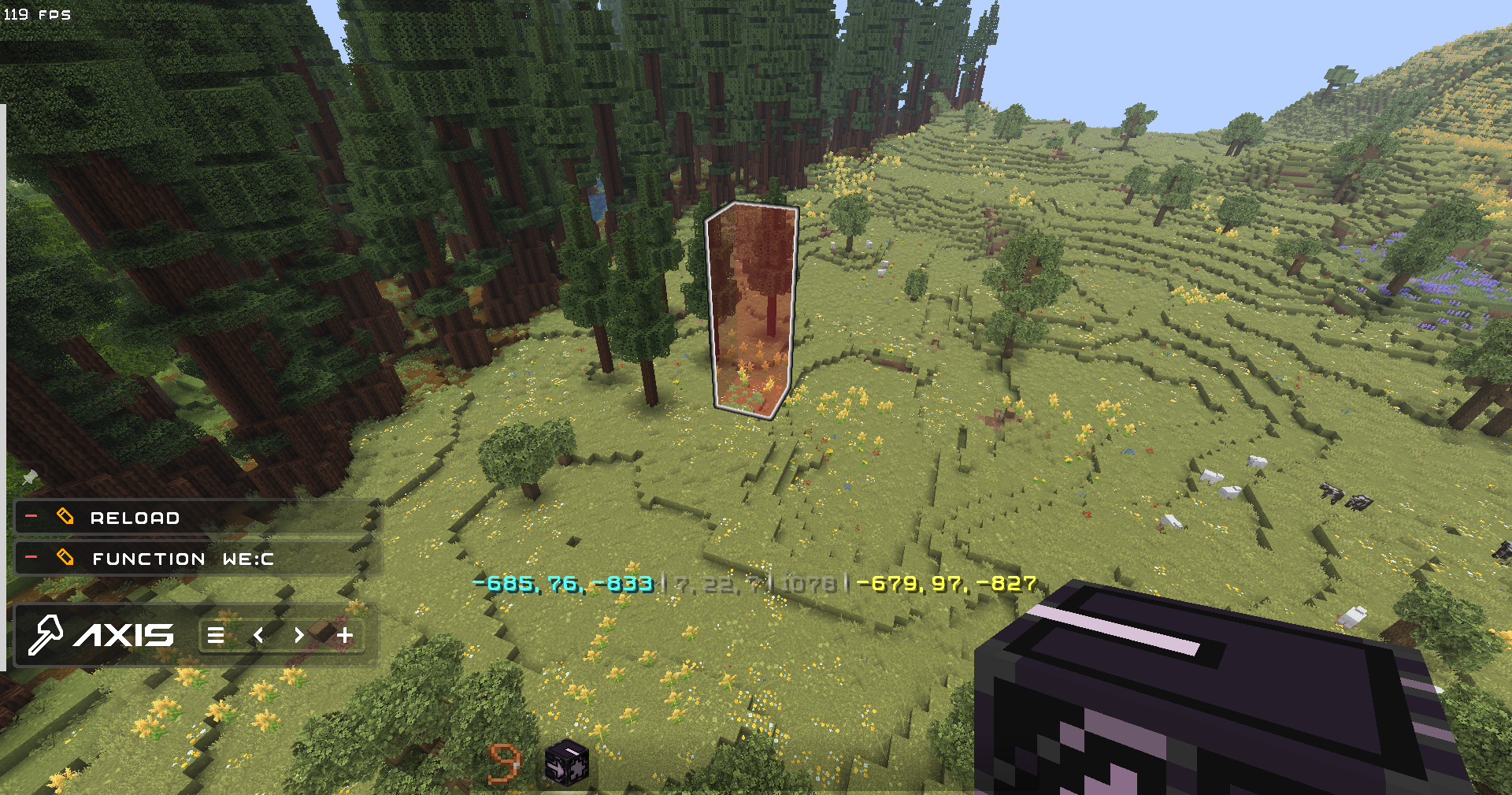
pastebrush

✨ QOL

  • Settings to disable all the features you don't like, and Help Menu containing descriptions for every feature and command in the datapack
  • Ghost-Flight and Boost-Flight creative abilities
  • Pinning Commands to the chat for further use in 1 click!
  • Fast-Typing via chat-menu - you don't have to write "/function:we" every time - just click 1 button!
  • Multi-Hotbar - quickly swap 9 independent hotbars
  • Hot-Reload - Press key combination for instant /reload: useful for datapackers and mapmakers

🎨 Visuals & Sounds

  • Color-Themes - Customize the interface appearance with presets or HEX-code colors
  • Highlighting Markers (entities) with text displays
  • Nice Sound Effects & Visual Previews for actions

🌐 Localizations

Don't use Google in parallel with building!

  • English (en_us) - GamerGoBC (Non-Natvie)
  • Deutsch (de_de) - Corrwinn (Native)
  • Русский (ru_ru) - GamerGoBC (Native)
  • 简体中文 (zh_cn) - GamerGoBC (Machine-Assisted)
  • Español Uruguay (es_uy) - GamerGoBC (Machine-Assisted)
  • Español España (es_es) - GamerGoBC (Machine-Assisted)
  • Português Brasil (pt_br) - GamerGoBC (Machine-Assisted)
  • Português Portugal (pt_pt) - GamerGoBC (Machine-Assisted)
  • More coming soon... join the Discord server if you want to help!

📚 Guides

📦 Installation
Video
Step-by-Step

1. Look at the top right corner of the screen and click "Download".

download1

2. Select your game version, and platform "Datapack".
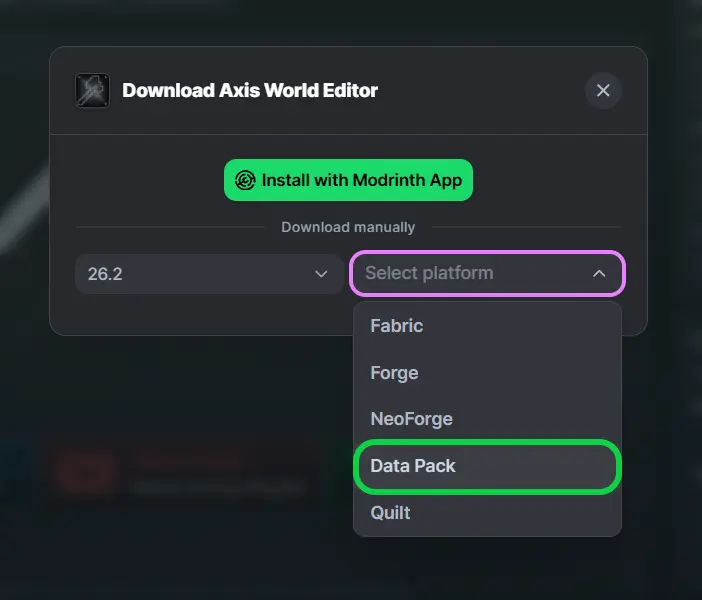
download2

3. You will see two files for downloading: Datapack and Resourcepack - download them.
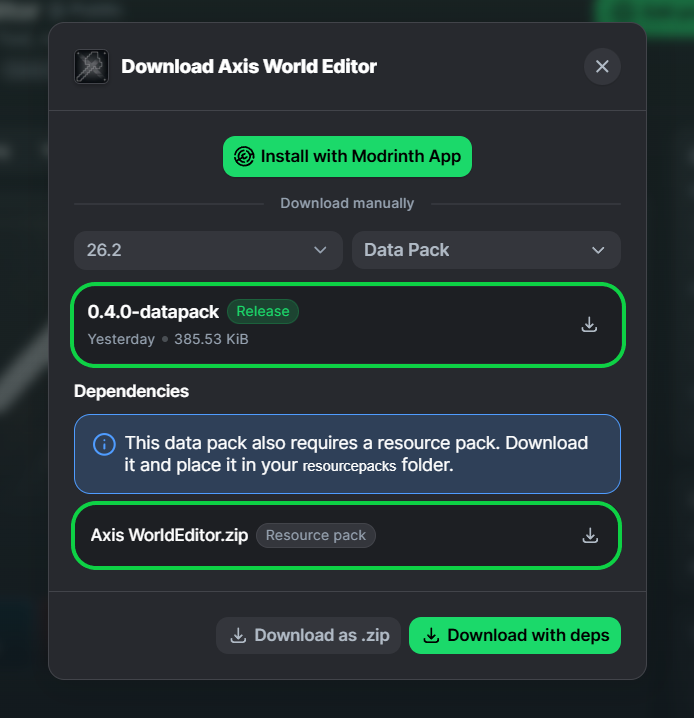
download3

4. Press [Win] + [R] and type %AppData% in the search box and click [OK]
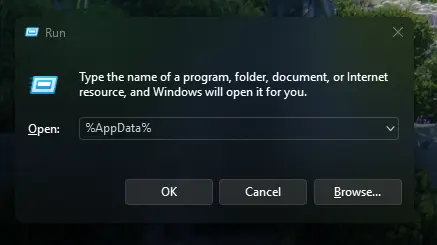
download4

5. Look for the .minecraft folder and open it.
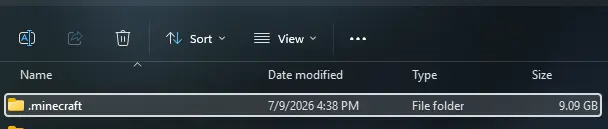
download5

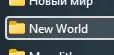
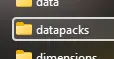
6. Put Datapack in saves\YourWorld\datapacks
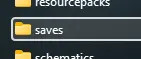
download6download7download8

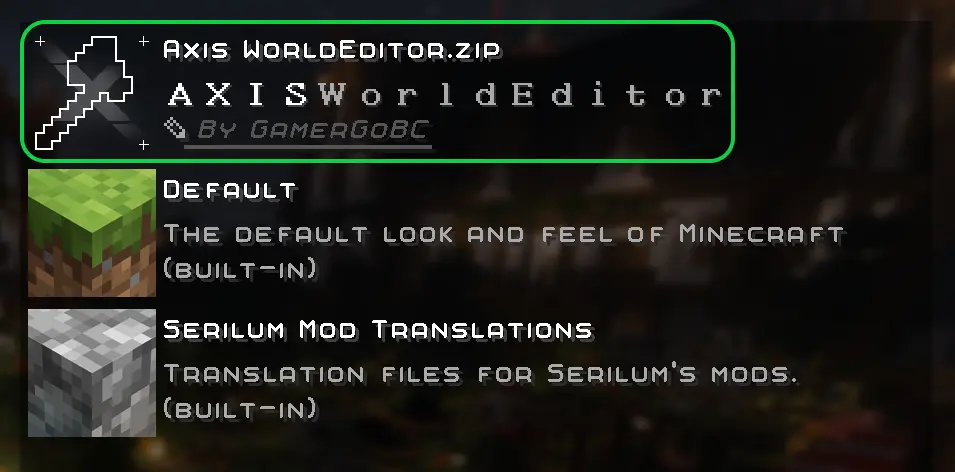
7. Put Resourcepack in resourcepacks and choose it in - game: (ESC>settings>resourcepacks)

download10 download11

8. Rejoin your world or type /reload in chat
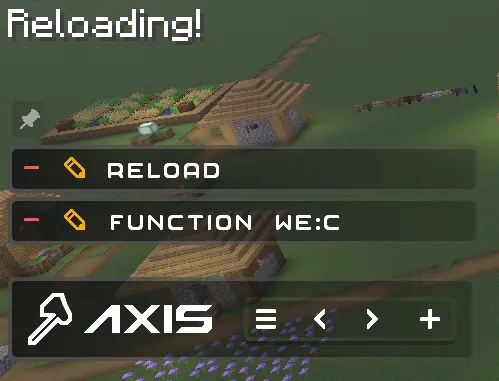
download12

[↑Collapse all]

GamerGoBC Plushie

Галерея

 50+ Million blocks successfully replaced in one goCustomizable interafce colors [📟]Tons of visual, sound, technical and QOL settings [📟]

Последние версии

Все версии →
release

0.6.1 - Sharing Schemas Patch 1

0.6.1-mod
8 окт. 2026 г.4,4 тыс.Minecraft: 26.3-pre-3, 26.3-rc-1, 26.3-rc-2, 26.3-rc-3, 26.3, 26.4-snapshot-1, 26.4-snapshot-2, 26.4-snapshot-3, 26.4-snapshot-4, 26.4-snapshot-5fabric, forge, neoforge, quilt
Скачать
Что нового
### 🛠️Fixes - Survival players are no longer softlocked on Axis Updater screen (Thanks **Weltschmerz** for bug report!) - Neoforge Mode verification is no longer triggered on datapack update, but IS during actual block operations
release

0.6.1 - Sharing Schemas Patch 1

0.6.1-datapack
8 окт. 2026 г.651Minecraft: 26.3-pre-3, 26.3-rc-1, 26.3-rc-2, 26.3-rc-3, 26.3, 26.4-snapshot-1, 26.4-snapshot-2, 26.4-snapshot-3, 26.4-snapshot-4, 26.4-snapshot-5datapack
Скачать
Что нового
### 🛠️Fixes - Survival players are no longer softlocked on Axis Updater screen (Thanks **Weltschmerz** for bug report!) - Neoforge Mode verification is no longer triggered on datapack update, but IS during actual block operations
release

0.6.0 - Sharing Schemas

0.6.0-mod
30 сент. 2026 г.1,2 тыс.Minecraft: 26.3-pre-3, 26.3-rc-1, 26.3-rc-2, 26.3-rc-3, 26.3, 26.4-snapshot-1, 26.4-snapshot-2, 26.4-snapshot-3, 26.4-snapshot-4, 26.4-snapshot-5fabric, forge, neoforge, quilt
Скачать
Что нового
### ⚙️Technical - Updated to 26.3 - Added translations: - 简体中文 (zh_cn) - Español Uruguay (es_uy) - Español España (es_es) - Português Brasil (pt_br) - Português Portugal (pt_pt) - User directory was changed from "we" to "a". All the user commands now start with "/function a:" instead of "/function we:" - Added commands: - schem.del - Alias for "delete" - schem.delete {name:\*,type:\*} - Deletes the local or shared schematic - schem.editpath {path:\*} - Allows you to select the exact custom path to your minecraft world for further convenient copying - schem.export {name:\*} - Moves local schematic to Shared space - schem.import {name:\*} - Moves Shared schematic to Local space - schem.list - Shows and pins the full list of local and shared schematics - schem.paste {name:\*} - Pastes local schematic into world - schem.paste.c - Alias for "clipboard" - schem.paste.clipboard {name:\*} - Pastes local schematic into clipboard - schem.rename {type:\*,name:\*,name_new:\*} - Renames local or shared schematic - schem.save {name:\*} - Saves new local schematic from the selection box (region) - schem.save.c - Alias for "clipoard" - schem.save.clipboard {name:\*} - Saves new local schematic from the clipboard - schem.wipeall - Deletes all the local and shared schmatics - schems - Alias for "list" - "Axis Updater" window was revamped and now shows the customized version, with an option to fall back to the default one. - Buttons "update" and "deny" no longer show confirmation windows (work via triggers) - If the user has no resourcepack installed, he will see a warn with link to the modrinth page, and a button to close the window - The texture pack can now support any characters in its custom fonts, including logograms (for the translations into Chinese, Japanese, Korean, etc.). - Chunk verification fail now enabled NeoForge mode, allowing to still use some datapack functions. - Axis Wiki now generates from macro-modules, taking tens of times less code and effort for me to add new commands - You can now click on any command in the Wiki to open its detailed description. - Added alias "wiki" for command "help" - All the .json dialogs related to the cmd help pages were deleted - Advancement and predicate optimizations - Updated DataVersion ID list to support future 26.4+ - Rewrote all the functions for the new Smart Log system - this system is now universal, and legacy debug modes "Event console" and "Tick console" will be removed in some time. - Removed axis_loading font - no longer used - Optimized custom dialogue multipart parcing - Added all the missing commands to Help page - Added many missing translation keys - Toasts are now translated too - Merged all the vanilla symbols into a single universal atlas, allowing them to be pixel-perfect in any conditions / location ### 👁️Visual - "Axis Updater" window now supports custom theme - Reloading sound was changed from "pop" to "page_turn" - Region corner selection sound was changed from "magnetite_comapss_lock" to "crafter_craft" - UI button sound was changed from "glass_hit" to "glass_place" - Axis Help dialogue page was renamed to Axis Wiki - Axis Wiki now supports custom themes - Returned text shadows to some specific text elements which have no background - "Basic commands" wiki page was divided into "basic" and "region" - When viewing any Wiki page, you now see the path from the main menu to that page at the top of the screen, just as in the settings menu. - The Axis Home screen now counts as the starting page for both paths of the Settings and Wiki menus ### 🛠️Fixes - Survival mode players should no longer see a prompt to update the datapack version when loading a world. - Region corner selecting sound could offset if the player was moving in the process - Opening "Creators" page played legacy "page_turn" sound - Region selection box (visual) could not rescale in a custom dimension - Buffer factor could calculate wrongly and negatively affect performance because of typo in the math function - Fixed wrong texture path in a resourcepack for yellow HD tooltip - Custom Logging/Debugging system now hides technical symbols in the server console for readability - Some UI sounds are no longer played twice under certain conditions - Fixed a bug when Axis Updater UI sometimes ignored version change. - Fixed perlin noise scale "1" not working - Fixed "Cut" not saving relative player position
release

0.6.0 - Sharing Schemas

0.6.0-datapack
30 сент. 2026 г.263Minecraft: 26.3-pre-3, 26.3-rc-1, 26.3-rc-2, 26.3-rc-3, 26.3, 26.4-snapshot-1, 26.4-snapshot-2, 26.4-snapshot-3, 26.4-snapshot-4, 26.4-snapshot-5datapack
Скачать
Что нового
### ⚙️Technical - Updated to 26.3 - Added translations: - 简体中文 (zh_cn) - Español Uruguay (es_uy) - Español España (es_es) - Português Brasil (pt_br) - Português Portugal (pt_pt) - User directory was changed from "we" to "a". All the user commands now start with "/function a:" instead of "/function we:" - Added commands: - schem.del - Alias for "delete" - schem.delete {name:\*,type:\*} - Deletes the local or shared schematic - schem.editpath {path:\*} - Allows you to select the exact custom path to your minecraft world for further convenient copying - schem.export {name:\*} - Moves local schematic to Shared space - schem.import {name:\*} - Moves Shared schematic to Local space - schem.list - Shows and pins the full list of local and shared schematics - schem.paste {name:\*} - Pastes local schematic into world - schem.paste.c - Alias for "clipboard" - schem.paste.clipboard {name:\*} - Pastes local schematic into clipboard - schem.rename {type:\*,name:\*,name_new:\*} - Renames local or shared schematic - schem.save {name:\*} - Saves new local schematic from the selection box (region) - schem.save.c - Alias for "clipoard" - schem.save.clipboard {name:\*} - Saves new local schematic from the clipboard - schem.wipeall - Deletes all the local and shared schmatics - schems - Alias for "list" - "Axis Updater" window was revamped and now shows the customized version, with an option to fall back to the default one. - Buttons "update" and "deny" no longer show confirmation windows (work via triggers) - If the user has no resourcepack installed, he will see a warn with link to the modrinth page, and a button to close the window - The texture pack can now support any characters in its custom fonts, including logograms (for the translations into Chinese, Japanese, Korean, etc.). - Chunk verification fail now enabled NeoForge mode, allowing to still use some datapack functions. - Axis Wiki now generates from macro-modules, taking tens of times less code and effort for me to add new commands - You can now click on any command in the Wiki to open its detailed description. - Added alias "wiki" for command "help" - All the .json dialogs related to the cmd help pages were deleted - Advancement and predicate optimizations - Updated DataVersion ID list to support future 26.4+ - Rewrote all the functions for the new Smart Log system - this system is now universal, and legacy debug modes "Event console" and "Tick console" will be removed in some time. - Removed axis_loading font - no longer used - Optimized custom dialogue multipart parcing - Added all the missing commands to Help page - Added many missing translation keys - Toasts are now translated too - Merged all the vanilla symbols into a single universal atlas, allowing them to be pixel-perfect in any conditions / location ### 👁️Visual - "Axis Updater" window now supports custom theme - Reloading sound was changed from "pop" to "page_turn" - Region corner selection sound was changed from "magnetite_comapss_lock" to "crafter_craft" - UI button sound was changed from "glass_hit" to "glass_place" - Axis Help dialogue page was renamed to Axis Wiki - Axis Wiki now supports custom themes - Returned text shadows to some specific text elements which have no background - "Basic commands" wiki page was divided into "basic" and "region" - When viewing any Wiki page, you now see the path from the main menu to that page at the top of the screen, just as in the settings menu. - The Axis Home screen now counts as the starting page for both paths of the Settings and Wiki menus ### 🛠️Fixes - Survival mode players should no longer see a prompt to update the datapack version when loading a world. - Region corner selecting sound could offset if the player was moving in the process - Opening "Creators" page played legacy "page_turn" sound - Region selection box (visual) could not rescale in a custom dimension - Buffer factor could calculate wrongly and negatively affect performance because of typo in the math function - Fixed wrong texture path in a resourcepack for yellow HD tooltip - Custom Logging/Debugging system now hides technical symbols in the server console for readability - Some UI sounds are no longer played twice under certain conditions - Fixed a bug when Axis Updater UI sometimes ignored version change. - Fixed perlin noise scale "1" not working - Fixed "Cut" not saving relative player position
release

0.5.2 - Crunchy Toasts Patch 2

0.5.2-mod
15 сент. 2026 г.2 тыс.Minecraft: 26.3-pre-3, 26.3-rc-1, 26.3-rc-2, 26.3-rc-3, 26.3, 26.4-snapshot-1, 26.4-snapshot-2, 26.4-snapshot-3, 26.4-snapshot-4, 26.4-snapshot-5fabric, forge, neoforge, quilt
Скачать
Что нового
- Fixed MultiHotar
release

0.5.2 - Crunchy Toasts Patch 2

0.5.2-datapack
15 сент. 2026 г.333Minecraft: 26.3-pre-3, 26.3-rc-1, 26.3-rc-2, 26.3-rc-3, 26.3, 26.4-snapshot-1, 26.4-snapshot-2, 26.4-snapshot-3, 26.4-snapshot-4, 26.4-snapshot-5datapack
Скачать
Что нового
- Fixed MultiHotar
release

0.5.1 - Crunchy Toasts Patch 1

0.5.1-mod
8 сент. 2026 г.170Minecraft: 26.3-pre-3, 26.3-rc-1, 26.3-rc-2, 26.3-rc-3, 26.3, 26.4-snapshot-1, 26.4-snapshot-2, 26.4-snapshot-3, 26.4-snapshot-4, 26.4-snapshot-5fabric, forge, neoforge, quilt
Скачать
Что нового
- Updated to 26.3
release

0.5.1 - Crunchy Toasts Patch 1

0.5.1-datapack
8 сент. 2026 г.57Minecraft: 26.3-pre-3, 26.3-rc-1, 26.3-rc-2, 26.3-rc-3, 26.3, 26.4-snapshot-1, 26.4-snapshot-2, 26.4-snapshot-3, 26.4-snapshot-4, 26.4-snapshot-5datapack
Скачать
Что нового
- Updated to 26.3
release

0.5.0 - Crunchy Toasts

0.5.0-mod
20 июл. 2026 г.10,1 тыс.Minecraft: 26.2fabric, forge, neoforge, quilt
Скачать
Что нового
### 📝Developer Notes - Before updating, It is highly recommended to delete the folder .minecraft/saves/YourWorld/dimensions/xwe <-- this. It will free up a lot of your disk space. ### ⚙️Technical - Added "fixliquid {r:*}" command - Levels the entire volume of liquid within a complex-shaped container to the same height. - Added "sphere {r:*}" command. Alias - "sph {r:*}" - Creates spheres out of the material held in your main hand. Accepts decimal radius values. - Added "cylinder" {r:*,h:*} command. Alias - "cyl {r:*,h:*}" - Creates cylinder of the material in your main hand. The "h" value is height. Accepts decimal radius values. - Added "paste" command - which is an alias for "paste.replace" - Added alias "ch" for command "clearhistory" - Added alias "rpn" for command "replacenear" - Commands Fill, Cut, and Walls now support buffer-snapshoting (run x2 faster) - All commands have been fully migrated to the "smart" chunk loading system and now support operations exceeding 256 chunks in size. - Command "version" (Alias "v") now also returns time, data version, and guesses a game version. - Dimensions: - Removed dimension "buffer" - Dimensions "limbo/overworld", "limbo/the_end", "limbo/the_nether", "noise/perlin_0-3" now share the folder "cache" and can be deleted any time to free up some disk space. - All the "perlin_0-3" dimensions now share a new subfolder "cache/noise/perlin" - Added dimensions "history", "data", "schematics/saved", "schematics/exported", "cache/temp" - Because of the fact, history is stored in a separate dimension now, you can delete it to clear history without loosing your saved multi-hotbar and some other data - All the debug logs now return local time - Toasts have been added for some of the missing commands. - Instead of the single "Region not loaded" error message that appeared in any ambiguous situation, there are now several errors displayed as toasts: - Axis Works Only in Creative mode. - Too Many Players. - Version Denied. - Rejoin to Complete Installation. - Another Task is Still Running. - Missing 1st Region Corner. - Missing 2nd Region Corner. - Region is Too Big. - Region verification now uses a json predicate instead of a macro. - Removed even more legacy PNGs and custom font links. ### 👁️Visual - Axis resourcepack was renamed from "Axis WorldEditor" to "Axis Resourcepack", to match "Axis Datapack" - Loading bar is now HD too - The texture resolution of region corners has been increased. - Most fonts have been de-shadowed so the text looks clearer - Chat-menu visuals have been slightly tweaked - Spacing between chat-menu buttons has been unified ### 🛠️Fixes - Error toasts were never displayed. - Fixed the display of all toasts that were broken in the previous version, as promised. - "Vertical Divider" UI element wasn't pixel-perfectly aligned. - Using any of the Rotate or Flip commands cleared the selection area. - Commands using temporary region markers would return a buffer-saving error if they intersected the world border (now they correctly shift inside the border and execute without error). - Clearing the history caused two chat menus to appear stacked one above the other. - After using the "freerotate" command, the region's visual bounding box shifted. - Some commands still used the legacy forceload system, so trying to operate a region bigger than 256 chunks caused a silent error - Some commands didn't un-load the forceloaded area in a technical dimension, causing a slight memory leak, until the next command was used.
release

0.5.0 - Crunchy Toasts

0.5.0-datapack
20 июл. 2026 г.1,2 тыс.Minecraft: 26.2datapack
Скачать
Что нового
### 📝Developer Notes - Before updating, It is highly recommended to delete the folder .minecraft/saves/YourWorld/dimensions/xwe <-- this. It will free up a lot of your disk space. ### ⚙️Technical - Added "fixliquid {r:*}" command - Levels the entire volume of liquid within a complex-shaped container to the same height. - Added "sphere {r:*}" command. Alias - "sph {r:*}" - Creates spheres out of the material held in your main hand. Accepts decimal radius values. - Added "cylinder" {r:*,h:*} command. Alias - "cyl {r:*,h:*}" - Creates cylinder of the material in your main hand. The "h" value is height. Accepts decimal radius values. - Added "paste" command - which is an alias for "paste.replace" - Added alias "ch" for command "clearhistory" - Added alias "rpn" for command "replacenear" - Commands Fill, Cut, and Walls now support buffer-snapshoting (run x2 faster) - All commands have been fully migrated to the "smart" chunk loading system and now support operations exceeding 256 chunks in size. - Command "version" (Alias "v") now also returns time, data version, and guesses a game version. - Dimensions: - Removed dimension "buffer" - Dimensions "limbo/overworld", "limbo/the_end", "limbo/the_nether", "noise/perlin_0-3" now share the folder "cache" and can be deleted any time to free up some disk space. - All the "perlin_0-3" dimensions now share a new subfolder "cache/noise/perlin" - Added dimensions "history", "data", "schematics/saved", "schematics/exported", "cache/temp" - Because of the fact, history is stored in a separate dimension now, you can delete it to clear history without loosing your saved multi-hotbar and some other data - All the debug logs now return local time - Toasts have been added for some of the missing commands. - Instead of the single "Region not loaded" error message that appeared in any ambiguous situation, there are now several errors displayed as toasts: - Axis Works Only in Creative mode. - Too Many Players. - Version Denied. - Rejoin to Complete Installation. - Another Task is Still Running. - Missing 1st Region Corner. - Missing 2nd Region Corner. - Region is Too Big. - Region verification now uses a json predicate instead of a macro. - Removed even more legacy PNGs and custom font links. ### 👁️Visual - Axis resourcepack was renamed from "Axis WorldEditor" to "Axis Resourcepack", to match "Axis Datapack" - Loading bar is now HD too - The texture resolution of region corners has been increased. - Most fonts have been de-shadowed so the text looks clearer - Chat-menu visuals have been slightly tweaked - Spacing between chat-menu buttons has been unified ### 🛠️Fixes - Error toasts were never displayed. - Fixed the display of all toasts that were broken in the previous version, as promised. - "Vertical Divider" UI element wasn't pixel-perfectly aligned. - Using any of the Rotate or Flip commands cleared the selection area. - Commands using temporary region markers would return a buffer-saving error if they intersected the world border (now they correctly shift inside the border and execute without error). - Clearing the history caused two chat menus to appear stacked one above the other. - After using the "freerotate" command, the region's visual bounding box shifted. - Some commands still used the legacy forceload system, so trying to operate a region bigger than 256 chunks caused a silent error - Some commands didn't un-load the forceloaded area in a technical dimension, causing a slight memory leak, until the next command was used.