COWMODSКаталог модов

Authority Admin

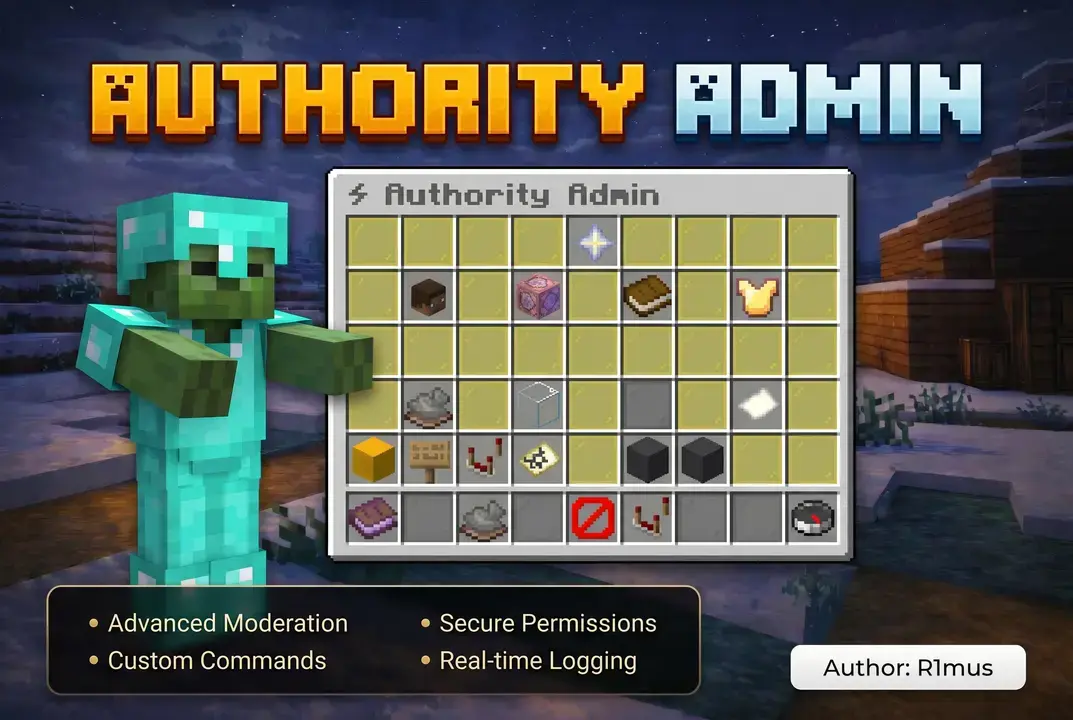
The ultimate Admin Panel GUI for Minecraft servers. Manage players, economy, punishments, effects

Автор: R1musx6604обновлён 23 июл. 2026 г.
Механики игрыУправлениеУтилиты

Описание

Banner

Authority Admin

A complete moderation and administration suite for Paper servers, built around a single control panel instead of a list of commands to memorise.

Every moderation action — bans, mutes, warnings, freezes, inventory inspection, economy, reports — is reachable from one GUI, and every one of them is also a proper command for staff who prefer typing. Punishments are stored in SQLite or MySQL, applied asynchronously, and cached in memory so permission checks never touch the database on the hot path.


The control panel

/admin opens the root panel: live TPS, memory and player counts, the open report count, and one click into every subsystem.

From there staff reach fourteen screens, including:

  • Player management — browse online players, open any player's action panel
  • Player actions — 24 operations on a single target: ban, tempban, kick, IP ban, mute, tempmute, warn, inventory, enderchest, stats, potion effects, freeze, heal, teleport, bring, flight, give items, economy, punishment history, unban, unmute
  • Server management — time, weather, entity cleanup, broadcasts, console commands
  • Reports — triage player reports, close or dismiss them
  • Punishment history — paginated, per player
  • Online staff — who is on duty right now
  • Staff audit log — everything your team has done

The panel is not a wrapper around commands. Actions that need input (a reason, a duration, a broadcast) prompt in chat and return you to where you were.

Punishments

TypePermanentTemporary
Ban/ban/tempban
Mute/mute/tempmute
IP ban/ipban—
Warning/warn—
Kick/kick—

Durations accept 30s, 10m, 2h, 7d, 1w, 1mo. Every punishment records the staff member, reason, timestamp and expiry, and stays queryable through /history long after it expires.

Automatic escalation. Warnings can trigger a command at a configurable threshold:

settings:
  max-warnings: 3
  warn-actions:
    3: "tempban {player} 1d Accumulated {count} warnings"

Bypass permissions. authorityadmin.bypass.ban, .kick, .mute and .freeze protect specific players, and respect-permission-hierarchy stops staff from punishing anyone above them.

Staff tools

  • Admin mode — /adminmode swaps your hotbar for nine tools (player finder, vanish, freeze, action tool, inventory inspector, ore vision, reports, staff chat, exit) and restores your original items when you leave
  • Spectator mode — /spectator patrols invisibly: flying, hidden, block breaking off, hotbar live. Right-click a player to open their inventory on the spot. Your game mode and position are restored on exit, even after a disconnect
  • Vanish — with configurable fake join and leave messages, and a separate permission for who can still see you
  • Freeze — blocks movement and commands, with a command whitelist so a frozen player can still use /report
  • Staff chat — /sc, or the panel button
  • Reports — players submit with /report, staff triage in a dedicated GUI

Ore vision and X-ray detection

Ore vision hides ordinary stone so ores stand out through rock. Nothing changes on the server: the blocks are rewritten on the staff member's client only, so other players see the world untouched and no block is ever modified.

X-ray detection judges how players find ores, not how many. Counting ores catches nobody — a player who mines for eight hours out-mines a cheater who plays for one. An ore with no air touching any of its six faces cannot be seen through solid rock, so a legitimate player only reaches one by tunnelling into it by chance. A player whose finds are mostly buried is not lucky.

Every mined ore is stored with whether it was exposed. Cross the threshold and staff get an in-game alert, an audit log entry and optionally a Discord message.

/minestats ranks the last 24 hours by buried finds. /minestats <player> opens a panel with the verdict, diamond counts, a per-ore breakdown and a switchable window from one hour to seven days. authorityadmin.bypass.mining exempts anyone who should never be tracked.

Staff audit log

Every action taken through the panel is recorded: console commands, broadcasts, inventory and enderchest access, balance changes, item grants, teleports, heals, flight toggles, potion effects, freezes, vanish, world control, entity purges and punishments.

Read it with /stafflog [staff] [page] or from the panel. Entries are trimmed automatically after a configurable retention window.

Console commands are written to the log before they execute, so the record survives a command that stops the server.

Cross-server support

Point several servers at one MySQL database and enable sync. A ban issued on the lobby applies on survival within seconds, and an unban clears everywhere.

database:
  type: mysql
  sync:
    enabled: true
    poll-interval: 5

Each server identifies itself through server-id, which also labels its entries in the audit log. Sync is off by default; single-server setups need no configuration.

Customisation

Menus. The admin panel and server panel are defined in menus.yml. Move buttons, change icons, rewrite text, restrict a button with a permission, or remove it — no recompiling. Buttons carry named actions rather than slot numbers, and live values like {tps}, {online}, {memory_percent} and {open_reports} work in any title, name or lore.

Languages. Ten translations ship with the plugin: English, Spanish, Portuguese (BR), German, French, Chinese (Simplified), Russian, Japanese, Korean and Italian. Enable auto-locale to serve each player their own client language. Custom files drop into lang/.

Formatting. All text is MiniMessage, so gradients, hover text and RGB work everywhere.

Config upgrades. New options from future versions are merged into your existing config.yml and language files automatically, without overwriting anything you changed.

Integrations

PluginWhat it adds
VaultEconomy management from the panel
PlaceholderAPIEight placeholders for scoreboards and chat
LiteBansReads existing punishment data
EssentialsX / FroskyVanishVanish state is shared instead of fought over
DiscordWebhook logging, per-event toggles

Placeholders: %authorityadmin_is_banned%, is_muted, is_frozen, is_vanished, is_adminmode, ban_reason, ban_staff, economy_balance.

Commands

CommandAliasesPermission
/admin [reload]aa, authorityadminauthorityadmin.admin
/adminmodeam, amodeauthorityadmin.adminmode
/ban <player> [reason]pban, permbanauthorityadmin.ban
/tempban <player> <duration> [reason]tbauthorityadmin.tempban
/unban <player>pardonauthorityadmin.unban
/ipban <player|ip> [reason]banipauthorityadmin.ipban
/kick <player> [reason]—authorityadmin.kick
/mute <player> [reason]silenceauthorityadmin.mute
/tempmute <player> <duration> [reason]tmauthorityadmin.tempmute
/unmute <player>—authorityadmin.unmute
/unbanip <player|ip>unipban, pardonipauthorityadmin.unbanip
/warn <player> [reason]—authorityadmin.warn
/unwarn <player> [amount]removewarn, delwarnauthorityadmin.unwarn
/clearwarns <player>cwauthorityadmin.clearwarns
/revoke <id>unpunishauthorityadmin.revoke
/history <player>punishments, phauthorityadmin.history
/freeze <player>ssauthorityadmin.freeze
/vanishv, invisibleauthorityadmin.vanish
/spectatorspec, patrolauthorityadmin.spectator
/minestats [player]xray, oremeterauthorityadmin.minestats
/sc <message>staffchat, staffauthorityadmin.staffchat
/report <player> <reason>—authorityadmin.report
/reportsreportlist, rpauthorityadmin.reports
/stafflog [staff] [page]auditlog, salogauthorityadmin.stafflog

Permissions

authorityadmin.* grants everything. Individual nodes match the command names above, plus:

NodeGrants
authorityadmin.vanish.seeSee vanished players
authorityadmin.inventoryView and edit player inventories
authorityadmin.potionApply potion effects
authorityadmin.economyManage balances
authorityadmin.serverServer management panel
authorityadmin.giveGive items through the panel
authorityadmin.stafflogRead the audit log
authorityadmin.spectatorUse invisible patrol mode
authorityadmin.orevisionSee ores through solid blocks
authorityadmin.minestatsView mining activity and X-ray analysis
authorityadmin.mining.alertsReceive in-game X-ray alerts
authorityadmin.reloadReload configuration
authorityadmin.keepinventoryKeep inventory and XP on death
authorityadmin.bypass.banCannot be banned
authorityadmin.bypass.kickCannot be kicked
authorityadmin.bypass.muteCannot be muted
authorityadmin.bypass.freezeCannot be frozen
authorityadmin.bypass.miningMining is never tracked or flagged

authorityadmin.report defaults to true so players can report. Everything else defaults to operators.

Requirements

  • Paper 1.21.4 or newer, or a Paper fork such as Purpur or Pufferfish. Spigot is not supported — the plugin uses Paper's Adventure and player APIs.
  • Java 21 or newer
  • Optional: Vault, PlaceholderAPI

Tested from 1.21.4 through 26.2 on a single build.

Installation

  1. Drop the jar into plugins/ and restart.
  2. Edit plugins/AuthorityAdmin/config.yml if you want MySQL, a different language, or different warning thresholds. SQLite works with no configuration at all.
  3. Grant authorityadmin.* to your staff rank, or individual nodes for finer control.

Upgrading from an earlier version is a drop-in replacement: new tables, config sections and language keys are created automatically and your existing settings are preserved.

Последние версии

Все версии →
release

Authority Admin 3.1.0

3.1.0
23 июл. 2026 г.405Minecraft: 1.21.4, 1.21.5, 1.21.6, 1.21.7, 1.21.8, 1.21.9, 1.21.10, 1.21.11, 26.1, 26.1.1, 26.1.2bukkit, paper, spigot
Скачать
Что нового
# Authority Admin 3.1.0 **Patrol and X-ray detection.** An invisible patrol mode with a working tool hotbar, ore vision, and X-ray detection that judges *how* players find ores rather than how many. --- ## Spectator mode `/spectator` — or the button in the panel — drops you into an invisible patrol: flying, hidden from players, with the admin hotbar equipped and block breaking disabled. Your game mode, position and flight state are saved on entry and handed back when you leave, including if you disconnect while patrolling. **A note on how this works.** It does not use vanilla's spectator game mode, and it can't: a spectator's right-click is consumed by the client to attach the camera to an entity, so no interact event ever reaches the server and every hotbar tool goes dead. The mode uses adventure mode plus vanish, flight and invisibility instead. From your side it behaves like spectator; unlike spectator, clicking a player actually works. ## Ore vision A hotbar toggle that hides ordinary stone so ores stand out through the rock. Nothing changes on the server. The blocks are rewritten on your client only, so other players see the world untouched and no block is ever modified — turning it off replays the real data. Only natural filler is hidden; ores, chests, and anything players built keep their real appearance. ```yaml ore-vision: radius: 16 # clamped to 4-24; the scanned volume grows with the cube of this mask-material: GLASS refresh-ticks: 30 move-threshold: 6 # rebuild only after moving this far ``` ## X-ray detection Counting ores catches nobody: a player who mines for eight hours out-mines a cheater who plays for one. This tracks something better. **An ore with no air touching any of its six faces cannot be seen through solid rock.** A legitimate player only reaches one by tunnelling into it by chance. A player whose finds are mostly buried is not lucky — that is what X-ray looks like from the server's side. Every mined ore is recorded with whether it was exposed. When a player's buried-find share crosses the threshold, staff with `authorityadmin.mining.alerts` get an in-game alert and the event is written to the audit log and optionally to Discord. ```yaml mining-analytics: enabled: true min-ores-before-alert: 12 # no verdict on a lucky first diamond hidden-ratio-threshold: 0.55 # 55% buried is suspicious hidden-ore-threshold: 8 alert-cooldown-seconds: 300 retention-days: 14 ``` `/minestats` lists the players with the most buried finds in the last 24 hours. `/minestats <player>` opens a panel with the verdict, diamond counts, per-ore breakdown and a switchable time window (1 hour to 7 days). Grant `authorityadmin.bypass.mining` to anyone who should never be tracked. ## Inventory: give as well as take The inventory inspector could take items and delete them, but never hand anything back. **Shift-click an empty slot to give the player the item you are holding.** Left-click still takes, right-click still deletes, and all three are now recorded in the audit log. The new inventory tool on the admin hotbar opens a player's inventory by right-clicking them directly, which is the point of patrolling. ## New hotbar layout The admin hotbar gained two tools: **inventory inspector** and **ore vision**. Server management and economy moved off the hotbar into the panel to make room — both are still one click away from `/admin`. --- ## Also in this release - **`/unwarn <player> [amount]`** — removes a player's most recent warnings. Omit the amount to clear them all. Previously the only option was `/clearwarns`, which wipes the entire record: a moderator who warned the wrong person had to erase that player's whole history to fix it. - **A warning button in the player panel** — left-click removes the newest warning, right-click removes all, with the live count shown on the player's head. - **`/revoke <id>`** — lifts one specific punishment by the ID shown in `/history`. - **`/unbanip <ip|player>`** — lifts an IP ban. This was previously impossible: the method existed in the code but nothing called it, so the only way to undo an IP ban was editing the database by hand. - **Fixed five broken English messages.** `en.yml` declared the `inventory:` section twice, so the YAML parser silently discarded the first one. Taking, deleting or clearing items printed `[Missing: inventory.item-stolen]` instead of a real message in the default language. - **All ten languages are complete.** Every bundled locale was missing the entire `report:` section and the update notice; the files are now verified to cover the same 157 keys. - Staff chat from the admin-mode tool now takes the same path as `/sc` instead of formatting its own message. ## Upgrading from 3.0.x Drop in the new jar and restart. The `aa_mining` table and the new config sections are created automatically, and your existing settings are preserved. If you customised `menus.yml`, the two new panel buttons (spectator, mining analytics) are merged into your file without touching what you changed.
release

Authority Admin 3.0.0

3.0.0
23 июл. 2026 г.13Minecraft: 1.21.4, 1.21.5, 1.21.6, 1.21.7, 1.21.8, 1.21.9, 1.21.10, 1.21.11, 26.1, 26.1.1, 26.1.2bukkit, paper, spigot
Скачать
Что нового
# Authority Admin 3.0.0 **The architecture update.** Cross-server support, configurable menus and a staff audit log. Everything from 2.x still works — your config, language files and database carry over untouched. --- ## Cross-server synchronisation Point several servers at the same MySQL database and punishments now apply everywhere instantly. Until now each server kept its ban and mute caches in memory and loaded them once at startup, so a ban issued on the lobby never reached survival, and a player unbanned on one server stayed banned on the others until a restart. Every change is now published to the database and picked up by the other servers within seconds. ```yaml database: type: mysql sync: enabled: true poll-interval: 5 ``` Each server identifies itself through the new `server-id` option (`auto` derives it from the port). Requires MySQL — a SQLite file cannot be shared between servers, and the plugin tells you so instead of failing quietly. ## Configurable menus — `menus.yml` The main panel and the server management panel are now defined in `menus.yml` instead of being hardcoded in Java. Move any button, swap its icon, rewrite its text, restrict it with a permission, or remove it entirely — no recompiling. ```yaml menus: main: title: "<dark_gray><bold>⚡ Authority Admin" items: player-management: material: PLAYER_HEAD name: "<green><bold>👥 Player Management" slot: 10 action: player-management ``` Buttons carry a named `action` rather than a slot number, so moving one can no longer break it. Toggle buttons (vanish, admin mode) support `material-active` / `name-active` / `lore-active` for their "on" appearance, and live values such as `{tps}`, `{online}`, `{memory_percent}` and `{open_reports}` can be used anywhere in a title, name or lore. The loader validates as it reads: unknown materials, out-of-range slots and two buttons claiming the same slot are reported in the console instead of silently drawing over each other. ## Staff audit log Every powerful action taken through the panel is now recorded: console commands, broadcasts, inventory and enderchest access, balance changes, item grants, teleports, heals, flight toggles, potion effects, freezes, vanish, world control, entity purges and punishments. Browse it with `/stafflog [staff] [page]` or the new button in the main panel. Console commands are written to the log *before* execution, so the trail survives a command that stops the server. ```yaml staff-log: enabled: true retention-days: 30 # 0 keeps entries forever ``` New permission: `authorityadmin.stafflog` (op by default). --- ## Other changes - **Server management now acts on the world you are standing in.** It previously always targeted the first world, so setting the time or clearing mobs did nothing visible when staff were in the nether, the end or a minigame world. The panel title shows which world is affected. - **Fixed a display bug in the main panel** where one slot was written three times, making the punishment history button flicker and disappear behind the online staff button. - **Expired punishments are now cleaned up.** An hourly task deactivates temporary bans and mutes whose expiry has passed; previously the rows stayed flagged active forever and every cache load had to filter them out. - **Database indexes added for SQLite** on the columns the plugin actually queries (`player_uuid`, `active`, `type`, player names and IPs, report status). - **Staff chat has a single delivery path** shared by `/sc` and the panel button, so both format messages identically instead of drifting apart. - `/sc` and the staff chat button now behave identically for console senders. ## Upgrading from 2.x Drop in the new jar and restart. New tables (`aa_staff_log`, `aa_sync`) and the new config sections are created automatically; existing options are preserved. `menus.yml` is generated on first start. Until you edit it, the panels look and behave exactly as they did in 2.5.2. Cross-server sync is **off** by default — single-server setups are unaffected.
release

Authority Admin 2.5.2

2.5.2
16 июл. 2026 г.40Minecraft: 1.21.4, 1.21.5, 1.21.6, 1.21.7, 1.21.8, 1.21.9, 1.21.10, 1.21.11, 26.1, 26.1.1, 26.1.2bukkit, paper, spigot
Скачать
Что нового
## AuthorityAdmin 2.5.2 **Supported versions:** Paper 1.21.4 → 26.2 (one jar for all) · Java 21+ ### 🌍 Language system fixed - Fixed a bug where most languages silently fell back to English. Setting `locale: pt_BR`, `de_DE`, `fr_FR`, etc. in config.yml now loads the correct file. - Locale codes are now case/format tolerant: `pt`, `pt-br`, `PT_BR` and `pt_BR` all resolve to the same bundled language. - `auto-locale` now works for every bundled language: short client codes (`de`, `fr`, `it`, `ja`, `ko`, `pt`, `ru`, `zh`) resolve to their regional file. - The console now logs exactly which language file was loaded, so misconfigured locales are easy to spot. ### 🆕 Minecraft 26.2 support - Fully compatible with the new Minecraft versioning scheme (26.1.x / 26.2) while still running on 1.21.4 servers with the same jar. - GUI sounds migrated off the deprecated `Sound.valueOf` API (marked for removal in 26.x). Both formats now work in config.yml: modern keys (`block.chest.open`) and legacy enum names (`BLOCK_CHEST_OPEN`). ### 📦 Seamless updates - The plugin now updates its own config files: new options and new language messages are added automatically on startup, keeping every setting and custom message the server owner already has. No more reconfiguring after updating. - Customized `warn-actions` are respected — removed thresholds are never re-added. ### 🔧 Misc - Invalid sound names in config.yml now fall back to a default sound instead of erroring.
beta

Authority Admin 2.5.1

2.5.1
3 июн. 2026 г.98Minecraft: 1.21.4, 1.21.5, 1.21.6, 1.21.7, 1.21.8, 1.21.9, 1.21.10, 1.21.11, 26.1, 26.1.1, 26.1.2bukkit, paper, spigot
Скачать
Что нового
### Added #### Quick Action Tool — new GUI (`gui/QuickActionGui.java`) The **Action Tool** (Blaze Rod) on the admin hotbar now opens a fully redesigned, professional quick-action panel instead of the full management screen. Designed for speed — everything is reachable in one click. **Layout (5 rows):** | Row | Content | |---|---| | 1 | Player head + live status (banned / muted / frozen) | | 2 | Custom punishments: Permanent Ban · Temp Ban · Kick · IP Ban · Perm Mute · Temp Mute · Warn | | 3 | Utilities: Freeze · TP To · Bring Here · Heal+Feed · Fly Toggle · View Inventory · View History | | 4 | **Ban Templates** — one-click, no input required | | 5 | **Mute / Kick Templates** — one-click, no input required | **Ban Templates (instant execution):** - Hacking / Cheating → Permanent ban - Griefing → 7-day ban - NSFW Content → Permanent ban - Advertising → 3-day ban - Bug Exploit → 7-day ban **Mute / Kick Templates (instant execution):** - Spam / Flood → 2-hour mute - Toxic Behavior → 24-hour mute - NSFW Chat → 7-day mute - AFK → Kick - Rule Violation → Kick All templates broadcast to the server and log to Discord exactly like manually issued punishments. A "Full Management Panel" button at the bottom opens the complete when needed. Right-clicking **air** with the Action Tool still opens the player list for selection. #### Player Finder Tool — new GUI The **Player Finder** (Compass) now opens a dedicated teleportation panel when a player is selected instead of the general management panel. **Options:** - **Teleport To Player** — admin travels to the selected player's location. - **Bring Player Here** — selected player is teleported to the admin. - **Send Player To...** — opens a second player list (new `TELEPORT_SEND` mode); clicking any player in that list sends the target to their location. - **Freeze / Unfreeze** — quick toggle directly from the finder panel. - **Bring Frozen Player** *(highlighted with glow, only visible when target is frozen)* — one-click to pull a frozen player directly to the admin's location without unfreezing them. The panel also shows the player's current world, block coordinates, and frozen status in the head lore.
release

Authority Admin 2.5.0

2.5.0
1 июн. 2026 г.36Minecraft: 1.21.4, 1.21.5, 1.21.6, 1.21.7, 1.21.8, 1.21.9, 1.21.10, 1.21.11, 26.1, 26.1.1, 26.1.2bukkit, paper, spigot
Скачать
Что нового
## [2.5.0] — 2026-05-28 ### Added #### Item Log System (new feature) Every item removed from a player's inventory is now recorded persistently in the database (`aa_item_logs` table). The log captures three action types: | Action | Trigger | |---|---| | `DELETED` | Admin right-clicks a slot to destroy the item | | `STOLEN` | Admin left-clicks a slot to take the item for themselves | | `CLEARED` | Admin hits *Clear Inventory*; every item is logged with a shared **batch ID** | Armor slots and the offhand slot are also included. **New GUI — Item Logs panel** (`gui/ItemLogGui.java`): - Accessible from two places: - **Player Action screen** → slot 40 (Knowledge Book icon, row 4) - **Player Inventory view** → slot 8 (top-right corner, always visible) - Paginated list — 36 entries per page, newest first. - Each entry shows: item icon, exact amount, action type (colour-coded), staff name, date, and restore status. - **Left-click** an entry → restore directly to the player (drops at their feet if inventory full). - **Right-click** an entry → restore to the admin's own inventory. - **Restore Last Clear** button (emerald, slot 47) → restores all items from the most recent unrestored inventory wipe in one click. - **Restore All** button (diamond, slot 51) → restores every single unrestored item across all actions (deleted + stolen + cleared) at once. - Restored entries display a visual glow to distinguish them clearly. **New DB method:** `markAllItemLogsRestored(UUID playerUuid)` — marks every pending log for a player as restored in one query. **New permission:** `authorityadmin.itemlogs` (default: op) — required to open the Item Logs panel. #### Plugin identity - Version bumped to **2.5.0** in `build.gradle.kts`. - New, detailed plugin description in `build.gradle.kts` (expanded from the old one-liner). - `plugin.yml`: added `website` field and 14 `tags` (admin, staff, gui, ban, mute, freeze, vanish, inventory, management, punishment, reports, economy, discord, moderation). ### Changed - `PlayerInventoryGui`: every item-removal action (delete, steal, clear, armor steal, offhand steal) now calls `DatabaseManager.logItemTake(...)` **before** modifying the inventory. - `PlayerInventoryGui`: new **Item Logs** shortcut button added at slot 8 (top-right of border row) — accessible whether the player is online or offline. - `PlayerActionGui`: row 4 (previously all filler) now contains the Item Logs button at slot 40. - `messages.yml`: added all previously-missing message keys referenced in code. - `plugin.yml`: added `authorityadmin.itemlogs` under the `authorityadmin.*` wildcard. ### Fixed - `messages.yml` was missing keys that produced silent/empty messages in-game: - `player-action.healed`, `player-action.teleported-to`, `player-action.teleported-here`, `player-action.fly-enabled`, `player-action.fly-disabled` - `inventory.item-deleted`, `inventory.item-stolen`, `inventory.admin-full`, `inventory.cleared` - `inventory.log-restored`, `inventory.log-restored-admin`, `inventory.log-batch-restored`, `inventory.log-no-batch`, `inventory.log-already-restored`, `inventory.log-restore-failed`, `inventory.log-no-pending`
release

Authority Admin 2.4.2

2.4.2
18 мая 2026 г.63Minecraft: 1.21.4, 1.21.5, 1.21.6, 1.21.7, 1.21.8, 1.21.9, 1.21.10, 1.21.11, 26.1, 26.1.1, 26.1.2bukkit, paper, spigot
Скачать
Что нового
Update