COWMODSКаталог модов

ATMOSPHERICS

Change fog, sky, clouds, haze and stars per biome in real time

Автор: Beash1,2 млн1,4 тыс.обновлён 22 окт. 2026 г.
ДекорМеханики игрыУправление

Описание

TITLE

📁All presets are saved in a folder -minecraft/config/ambientfog

compatible with "ModMenu" (but not recommended for use, as there is a hotkey "B" for convenience)

feat

✏️Features in text form
  • ✨Real-time per-biome customization for fog, sky, clouds, and haze
  • 🔄Smooth transitions between biomes
  • ☄️Falling comets customization
  • 🌙Separate day and night atmosphere settings
  • ⭐Star customization
  • ☁️Story Mode Clouds
  • ⚙️Dedicated settings menu for Story Mode Clouds
  • ☁️Solid clouds without shading
  • 🧭User-friendly menu with real-time viewing
  • 📊Live info panel
  • 📚Preset library
  • ✏️Settings copy editor
  • 🌌Biome teleport menu for easier setup
  • 🎨Create your own resource pack with a preset
  • 📁Preset import and export

- TO OPEN THE MENU, PRESS "B" MENU ⚙️(The current hotkey is "B", but you can change it in the game settings)

✨OWN CUSTOM PRESET

✨OWN CUSTOM PRESET

Also, you can create your own resource pack with a custom Atmospherics preset!

📁 How to create a preset:

assets\atmospherics\preset\your_preset.json

🖼️ How to add a preview:

assets\atmospherics\preset\your_preset.png

(.jpg and .jpeg formats are also supported)

⚠️ Important: the preview file name must exactly match the preset name!

⚠️ The name of preset should be without a space! (🚫Vibrant fog.json - ✅Vibrantfog.json)

📚 Your preset will automatically show up in the Preset Library within the menu.

📢 You can also publish your RP-preset on Modrinth or CurseForge!
(Don’t forget to add this mod as a required dependency when uploading your RP-preset)

-

REQUIRES

ㅤㅤㅤㅤ ㅤ1 2 3 4

FOX -

Галерея

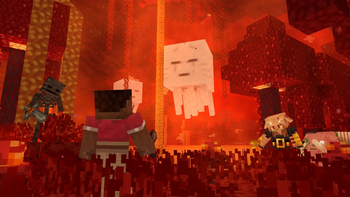
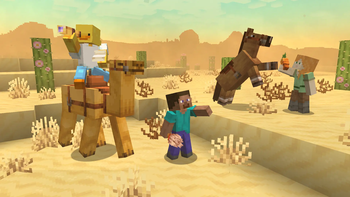
NetherDesertCherry GroveDesert

Последние версии

Все версии →
release

2.6.8

2.6.8
22 окт. 2026 г.1,3 тыс.Minecraft: 1.20.1forge
Скачать
release

ATMOSPHERICS 2.6.8

2.6.8
22 окт. 2026 г.660Minecraft: 1.20.1fabric
Скачать
release

2.6.8

2.6.8
22 окт. 2026 г.11,5 тыс.Minecraft: 26.3fabric
Скачать
Что нового
## New Features & Changes - Added a fog mode selection: global fog or separate settings for each biome. - Added a help section for the biome editor. - Ported the mod to **Minecraft 1.20.1** for both **Fabric** and **Forge**. - Improved menu rendering on low-resolution screens. - Refined the biome editor interface and button layout. - Smoothed out the lower edge of the haze. - Adjusted the positioning of interface elements. ## Bug Fixes & Improvements - The input of numeric values in fields has been fixed. - Improved the second layer of background haze. - Various minor fixes and improvements.
beta

2.6.7

2.6.7
11 окт. 2026 г.18,7 тыс.Minecraft: 26.3fabric
Скачать
Что нового
## New Features & Changes - The Biomes button can now be accessed in Survival Mode. - Added a setting to adjust global fog. - Updated cloud shapes. - Added tooltips to selected buttons. - Added a second layer of background haze, configurable per biome. - Added a sky dome option to remove fog from the sky. - Air Haze is now disabled by default but can be enabled manually. - Added Undo and Redo buttons. - Completely redesigned the menu with an Ore UI-inspired style. - Added an option to switch the menu to a dark theme. - Removed the sun texture. - Removed sandstorms. ## Bug Fixes & Improvements - Fixed an issue in Minecraft 26.3 that caused the sun and moon to change size and rotation incorrectly. - Fixed cloud flickering. - Fixed the import and export buttons. - Added support for `period_ticks` from data packs. - Fog, clouds, and night fog can no longer be modified in the End and Nether dimensions. - Fixed an issue when opening the menu in modded biomes. - Updated the default preset. - Fixed black fog appearing during rain and thunderstorms at sunrise and sunset. - Fixed the warm tint of fog in the End and Nether at sunrise and sunset. - Various minor changes and improvements.
release

26.3

2.6.6.1
16 сент. 2026 г.90,8 тыс.Minecraft: 26.3fabric
Скачать
Что нового
-port
release

26.2

2.6.6.1
16 сент. 2026 г.107,7 тыс.Minecraft: 26.2fabric
Скачать
Что нового
- The sounds of sandstorms have been removed.
release

1.21.11

2.6.6.1
16 сент. 2026 г.24,4 тыс.Minecraft: 1.21.11fabric
Скачать
Что нового
- The sounds of sandstorms have been removed.
release

1.21.1

2.6.5.2
16 сент. 2026 г.26,3 тыс.Minecraft: 1.21.1neoforge
Скачать
Что нового
- The sounds of sandstorms have been removed.
release

2.6.1

2.6.1
24 апр. 2026 г.35 тыс.Minecraft: 26.1, 26.1.1, 26.1.2fabric
Скачать
release

2.6.1

2.6.1
24 апр. 2026 г.180,1 тыс.Minecraft: 1.21.11fabric
Скачать
Что нового
EN: ---------------------------- 1. Weather has been reworked (weather now has its own colors regardless of biome). 2. Changelog has been removed. 3. New "Advanced" menu added. 4. More beautiful sunsets and sunrises. 5. New Sunset/Sunrise menu with color and time cycle adjustments. 6. New sliders for changing the size of the sun and moon. 7. Added glow effects for the sun and moon (also adjustable with sliders in the "Advanced" menu). 8. New Story Mode Clouds sliders (now you can make clouds look similar to those in Complementary Reimagined shaders). 9. Updated default preset. 10. Other minor changes. RU: ------------------------- 1. Погода была переработана (теперь у неё собственные цвета вне зависимости от биома). 2. Changelog был удалён. 3. Добавлено новое меню «Дополнительно». 4. Более красивые закаты и рассветы. 5. Добавлено новое меню «Закат/Рассвет» с настройкой цветов и временных циклов. 6. Добавлены новые слайдеры для изменения размера солнца и луны. 7. Добавлено свечение для солнца и луны (также регулируется слайдерами в меню «Дополнительно»). 8. Добавлены новые слайдеры Story Mode Clouds (теперь можно сделать облака похожими на облака из шейдеров Complementary Reimagined). 9. Обновлён стандартный пресет. 10. Другие мелкие изменения. ![BANNER](https://cdn.modrinth.com/data/cached_images/cb4a0bfa10fc615f631dccac4ff4f973c8d6da5f.jpeg)