AE2UD is an independently maintained and heavily reworked Applied Energistics 2 fork for Minecraft 1.12.2.
Important compatibility warning: AE2UD is not compatible with existing worlds that used AE2 Unofficial Extended Life. Addons made for AE2 UEL or standard AE2 are also incompatible unless they explicitly support AE2UD. Back up your world before installing or updating the mod.
It continues the work of AE2 Unofficial Extended Life, with further fixes, performance improvements, QoL features, fluid support, and substantial internal modernization.
Highlights
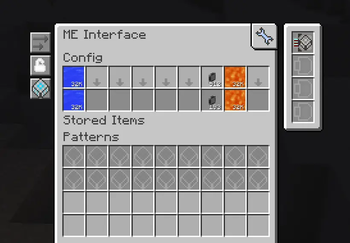
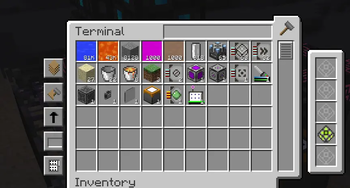
Improved item and fluid storage, terminals, cells, buses, interfaces, and autocrafting.
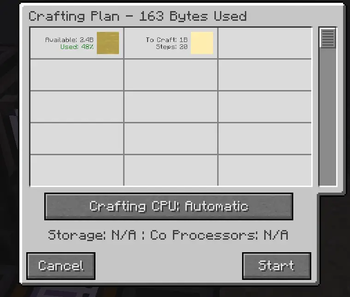
Better crafting planning and status information, including progress, steps, elapsed time, requesters, and ME stock usage.
Numerous fixes for large or heavily modded networks and Minecraft 1.12.2 mod interactions.
Additional QoL features for patterns, interfaces, terminals, wrenches, and creative storage cells.
Ongoing API and internal restructuring intended to make the codebase easier to maintain and extend.
AE2UD is not a drop-in replacement for standard AE2 or other AE2 forks. Existing worlds using AE2 UEL cannot be migrated safely, and addons must explicitly support AE2UD.
AE2UD is an independent project and is not affiliated with or endorsed by those projects or their maintainers.
License
The main mod code is distributed under LGPLv3, the API under MIT, textures and models under CC BY-NC-SA 3.0, and text and translations under CC0. Full attribution and licensing details are available in THIRD_PARTY_NOTICES.md.
# AE2UD 1.5.0
Autocrafting is the centre of this release: a visual crafting tree, crafting jobs that say why they would not start, and crafting CPUs you can reserve. The pattern terminal also grew from nine slots to forty, and ME Interfaces learned to drive many machines through a P2P tunnel.
## ⚠ Read before updating
**Back up your world.** Two items are removed and do not migrate:
- **ME Extended Processing Pattern Terminal** — the pattern terminal now does everything it did. Terminals already placed in a world **disappear when it loads**, along with any patterns left in their slots; copies in inventories become an unnamed item. Patterns those terminals *encoded* are unaffected and keep working.
- **Creative ME Fluid Storage Cell** — merged into the ordinary Creative ME Storage Cell, which now holds every kind of content at once. Cells already placed **disappear when the world loads**, along with what they were set to hold.
**Addon authors:** this release contains breaking API changes. See the bottom of these notes.
## Pattern terminal
- **Processing patterns now use a four-by-four grid: 32 inputs and 8 outputs.** A button turns the grid round into 8 inputs and 32 outputs, and a scrollbar pages through it. Crafting patterns keep their usual three-by-three matrix.
- The wireless pattern terminal has the same grid, orientation and paging.
- Recipes transferred from HEI turn the grid round on their own when a recipe has more outputs than the current orientation can show, and filling the grid sends it back to page one so the result is visible.
- Switching between the crafting and processing tabs carries one of each item across.
## Autocrafting
- **Crafting Tree** — a new view of a crafting plan, reached from the button in the top-right corner of the Crafting Plan screen. It shows what the plan needs and, under each thing, how it is obtained: taken from storage, crafted from a pattern, requested from a level emitter, or missing — and what that in turn costs. Drag and zoom with the mouse, fold branches away, and jump between search matches with Enter and Shift+Enter.
- **Missing only** hides every branch the network can supply, and turns itself on when a plan came up short.
- **Save as image** writes the *whole* tree — not just what is on screen — to a PNG in your `screenshots` folder and prints a clickable link in chat. The Crafting Plan screen can do the same with its list.
- **Shift+click a craft node** to highlight every machine of that kind in the world.
- Craft nodes show the machine the pattern would actually be pushed to. Both interface terminals now show the same machine beside each interface.
- **A job that cannot start now says why.** Instead of silently discarding the plan, a panel names the reason: an incomplete plan, no CPUs at all, the chosen CPU busy, offline or too small, an ingredient that has left the network since planning, or no suitable CPU — counted out as *"2 busy, 1 too small, 1 kept for other requests"*. **Retry** submits the same plan again, **Replan** works out a fresh one, **Cancel** puts the plan back on screen.
- **Reserve a crafting CPU for players or for automation.** Right-click any block of the CPU and choose. A player-only CPU is passed over when a level emitter, interface or export bus asks for a craft; an automation-only CPU is hidden from the Crafting Plan screen and refuses player jobs. Keep your pre-crafting CPUs on automation and your own requests will never queue behind them. The mode survives adding an accelerator.
- **The Crafting Plan screen now picks its CPU from a proper table**, the same one the Crafting Status screen uses, instead of a button cycled one CPU at a time. Its first row, **Automatic**, is the old behaviour. An idle CPU's row now shows how many accelerators it has beside the bytes it holds.
- **Hide stored items** on the Crafting Status screen drops the rows that are only waiting in the CPU.
- HEI recipe keybinds, bookmarks and tooltips work over the tree, over both crafting lists, and over the amount screen's slot.
## ME Interface P2P Tunnel
- **One ME Interface can now drive as many machines as the tunnel has outputs.** The input stands in front of an interface; every output stands in for it beside a machine of its own.
- Each output keeps its own queue, so a machine that has backed up does not stop the interface feeding the others — and blocking mode is judged per output for the same reason.
- Outputs also offer the interface's stocked items and fluids to their neighbour, which is how a machine there draws stock and hands results back. Network access is deliberately **not** offered; that is what the ME P2P Tunnel is for.
- Tunnels chain: an output may face another tunnel's input.
- An ME Interface now attunes a P2P tunnel to this type. Hoppers, chests and buses still give the item tunnel.
## Storage cells
- **A cell can now hold several kinds of content at once.** What a cell stores is decided by its own partition instead of being fixed by the item, so the merged Creative ME Storage Cell holds items and fluids together.
- **View Cells can be filtered by fluids**, not by items alone — and by any content type an addon registers.
- The ME Chest asks the installed cell what it can hold: it offers itself as a tank when the cell holds fluids, and its input slot accepts whatever the cell would really take.
- The IO Port counts a transfer per key, so a mixed cell moves an item at a time and a bucket at a time.
- Addons can ship multi-type cells; bytes are counted per content type, so each pays its own way.
## Terminals and HEI
- **Ctrl+Move Items on a HEI recipe now crafts whatever the crafting terminal is missing** instead of refusing the transfer. Ctrl+Shift starts that craft immediately, skipping the confirmation screen.
- **Shift+right-click a filled fluid container in your own inventory to pour it into the network.** Shift+Ctrl+right-click does the whole stack, and the same Ctrl modifier works when filling or emptying a held stack against a network row.
## Fixes
- Shift-previewing an encoded pattern now works for items drawn by their own renderer — a vanilla shield or chest, a GregTech machine, an IndustrialCraft cable — which previously showed an empty slot. The preview also works in a plain inventory and labels the slot with the amount the pattern makes.
- Dragging a filled container out of HEI onto a processing pattern now takes the fluid inside it, matching what clicking the same bucket by hand always did.
- HEI no longer draws its item list over the buttons beside the Crafting CPU and Crafting Status screens.
- The ME Interface Configuration Terminal no longer draws an empty frame around every row.
- Holding Alt no longer hides the pattern terminal's slot amounts behind the craftable "+".
- The craftable "+" no longer appears on real items sitting in the crafting terminal's own grid.
- The confirm button in the Certus Quartz Cutting Knife's renaming screen is no longer missing its bottom border.
- An internal inventory that grew between versions no longer loads back at its old size and throws on open.
## Breaking API changes
- `ICraftingCPU.getSelectionMode()` and `appeng.api.config.CpuSelectionMode` — anything implementing `ICraftingCPU` has to answer it.
- `ICraftingGrid.submitJob` returns `ICraftingSubmitResult` rather than a link; a caller that wants the link asks the result for it. New: `CraftingSubmitErrorCode`, `UnsuitableCpus`.
- `IBasicCellItem.getKeyType()` became `getKeyTypes()`, and `StorageCell.getSupportedKeyTypes()` is new and abstract. `ICellWorkbenchItem` no longer declares what a cell stores.
- Removed: `IParts.expandedProcessingPatternTerminal()` and `IItems.fluidCellCreative()`.
- Additive, with defaults: `ICraftingMedium.getMachineIdentity()`, `getMachineLocation()`, `ICraftingGrid.getMediums(pattern)`, `ICraftingMachine.of(tile, side)`.
# AE2 Unofficial Deconstructed 1.3.0
This is the first public CurseForge release of AE2UD. This cumulative changelog covers the complete development history of AE2UD since it was forked from AE2 Unofficial Extended Life. No earlier CurseForge release is required.
## Important compatibility notice
- AE2UD is not compatible with worlds created with AE2 Unofficial Extended Life.
- Addons made for standard AE2 or AE2 UEL are not compatible unless they explicitly support AE2UD.
- Back up the world before installing or updating the mod.
- AE2UD is a heavily reworked, API-breaking fork and is not a drop-in replacement for another AE2 build.
## Generic item and fluid storage
- Replaced the legacy `IAEStack` and storage-channel architecture with the modern type-erased `AEKey`, `AEKeyType`, `GenericStack`, `KeyCounter`, and `MEStorage` model.
- Unified item and fluid handling across storage, terminals, cells, buses, interfaces, monitors, planes, level emitters, crafting, packets, and integrations.
- Added a strategy-based world interaction layer so the same automation parts can support every registered key type.
- Reworked configuration inventories to hold items, fluids, and future key types without fluid placeholder items leaking into normal logic.
- Generic terminals can fill or empty held fluid containers.
- Generic import buses, export buses, storage buses, formation planes, annihilation planes, and level emitters can work with fluids.
- Import buses can be configured to accept selected key types.
- Interfaces can stock, serve, display, and push both items and fluids.
- Interface terminals can configure and display fluids directly.
- Fluid ingredients in processing patterns can be delivered to machines.
- Crafting patterns can use fluid contents directly from ME storage instead of requiring filled containers in the network.
- Removed the now-redundant legacy fluid terminals, fluid buses, fluid interfaces, fluid planes, and fluid level emitters after their functionality moved into the generic implementations.
- Removed the Identity Annihilation Plane.
## Storage cells and filters
- Added a configurable creative fluid storage cell.
- Creative item and fluid cells report `2^52 - 1` stored units instead of `Integer.MAX_VALUE`.
- Storage amount aggregation saturates at the `long` limits instead of wrapping on overflow.
- Cell partitions accept generic fluid keys and no longer list the same key more than once.
- Cell GUI handlers can be overridden per key type through the public API.
- Filter slots can be configured with fluids by clicking a held container, dragging from HEI, or entering an exact amount.
- Left and right mouse buttons can select the container itself or its contents when configuring a filter.
- Legacy fluid placeholders in existing configuration data are recognised and converted for display and use.
- Filter and card slots no longer display or retain meaningless stack counts.
- Shift tooltips show the exact configured amount using the key type's own unit and formatting.
- Fixed hotbar keys emptying some filter slots, rejecting valid replacements, or moving a filter into a cell of another type.
- Oversized stacks moved to the hotbar are split safely instead of being handed to a vanilla slot unchanged.
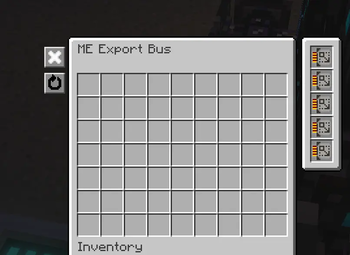
## Import and export buses
- Gave import and export buses dedicated containers and screens based on the modern upstream layout.
- Expanded their configurable filter to 63 slots.
- Added buttons for clearing filters.
- Collapsed the side button column to leave more space for the filter.
- Added key-type selection to import buses.
- Filter tooltips show how much of the configured item or fluid is currently stored in the ME network.
- Fixed stale disabled filter slots after upgrades or settings changed.
- Scrolling a configurable slot now respects that slot's actual limit instead of stopping at eight buckets.
## Autocrafting and patterns
- Crafting amount screens use the requested key type's own units and sensible default amounts.
- Amount screens show the accepted input range.
- Added `=amount` syntax to craft only enough to reach a requested total stored amount.
- Cancelling crafting confirmation returns to the amount screen without losing the original request.
- Dropping an encoded pattern onto the blank-pattern slot restores it to a blank pattern.
- Encoded pattern tooltips show the player who encoded the pattern.
- Crafting CPUs stop repeatedly asking the same provider after it refuses a push during the current scheduling pass.
- Crafting CPUs are released correctly when a job finishes.
- Fixed crafting progress counts and made craftable entries appear as soon as a terminal opens.
- Restored craftable entries in wireless terminals.
- Fixed pattern previews and CPU execution for fluid and other non-item ingredients.
- Fixed patterns reading generic fluid slots as placeholder items.
- Fixed interfaces sleeping while fluid work was still pending.
## Crafting confirmation and status
- Crafting Confirmation displays the total pattern execution step count.
- Ingredient rows show what percentage of the available ME stock the request will consume.
- Percentage reporting also works for mixed rows that combine stored, craftable, or missing amounts.
- Active Crafting Status CPUs show a red-yellow-green progress bar.
- Crafting Status tooltips show the craft name, remaining output, completed and total steps, percentage, elapsed time, and requester.
- Status information supports both item and fluid crafting jobs.
## Terminals, HEI, and interaction
- Terminal listings read the grid's cached inventory instead of walking every mounted storage device for every open terminal.
- Holding Shift can freeze terminal row order while amounts continue updating live.
- Terminal sorting is now a total order, preventing unstable rows when entries compare equally under the selected sort mode.
- HEI recipe and usage keybinds work over fluid rows.
- HEI ingredient dragging and quick-move interaction can configure fluid-aware slots.
- Middle-clicking a configurable slot opens an exact amount entry screen.
- Held-key repeat works in amount screens, level emitter screens, and other supported text fields.
- Fixed remote exact-amount configuration.
- Counts of one are no longer drawn redundantly on configured slots or repeated in their tooltips.
- Wrapped fluid and generic key names no longer recolour the remainder of a tooltip line.
- Partition tooltips show the configured resource name plainly.
- Fixed the locked player inventory slot being drawn on the wrong row.
## Automation and quality of life
- Wrench-dismantled blocks, parts, facades, and contained items go to the player's inventory first; only overflow drops into the world.
- The magnet card can insert collected items directly into ME storage.
- Magnet card processing is paced per player instead of once per matching item stack.
- Controller light transitions are smoothly interpolated between animation states.
- Level emitter thresholds use and display the selected key type's own units.
- A chest terminal can open without requiring a storage-cell GUI handler.
## Performance
- Added cached network snapshots for terminals that do not receive direct watcher updates.
- Cached the network craftables set and made single-key craftability checks use direct lookups instead of scanning every pattern.
- Terminal craftable diffs can be skipped entirely when the cached set has not changed.
- Reduced repeated work when a crafting provider temporarily cannot accept another push.
- Migrated item and fluid accounting to `KeyCounter`, avoiding legacy stack-copy and channel-conversion paths.
- Preserved earlier AE2 UEL performance work for large and channelless networks, storage drawers, interfaces, import buses, level emitters, and incremental network-content tracking.
## Fixes and stability
- Fixed the basic cell handler incorrectly claiming creative storage cells.
- Added the missing model for generic stack wrapper items.
- Fixed fluid filter callback dispatch, cell partition preference, and incorrect fluid amounts.
- Fixed generic buses initially moving items but not fluids.
- Fixed formation planes crashing when facing blocks without an item representation.
- Fixed formation planes losing generic filters and made them place every supported key type.
- Fixed crafting CPUs destroying non-item ingredients.
- Fixed equality and hash-code inconsistencies for keys with empty tags.
- Fixed sub-bucket amounts being read in the wrong unit.
- Fixed security stations incorrectly listing network craftables in their cell-only terminal.
- Fixed world unload aborting when a grid node was in the middle of propagation.
- Fixed crafting notification identity and text overflowing the toast.
- Fixed fluid interfaces and pattern terminals disagreeing about the generic NBT format.
- Fixed the wireless terminal being misclassified as cell-only storage.
- Preserved correct live updates for terminal counts, crafting flags, and fluid quantities.
## API, integrations, and distribution
- Migrated the complete public storage API to the `AEKey` model; addons must explicitly port to AE2UD.
- Added extensible key-type registration, storage strategies, generic filters, and per-key-type formatting and fuzzy behaviour.
- Exposed the storage-cell GUI handler registry through the API.
- Added API support for fluid substitution in crafting patterns and key-type selection in import buses.
- Migrated mod integrations to the generic storage model and Had Enough Items integration.
- Removed the obsolete built-in version checker and legacy `rv6`, stability, and build-number fields.
- Versions are derived from `v`-prefixed Git release tags.
- Added GitHub release automation and reproducible Java 17 builds targeting Java 8-compatible mod bytecode.
- Added complete project lineage, licensing, and third-party attribution documentation.
## Credits
AE2UD continues [AE2 Unofficial Extended Life](https://www.curseforge.com/minecraft/mc-mods/ae2-extended-life), which is based on [Applied Energistics 2](https://www.curseforge.com/minecraft/mc-mods/applied-energistics-2). Selected fixes, features, implementation ideas, and reference code were also adapted from [GTNewHorizons' Applied Energistics 2 Unofficial](https://github.com/GTNewHorizons/Applied-Energistics-2-Unofficial) and the actively maintained [Applied Energistics 2 upstream project](https://github.com/AppliedEnergistics/Applied-Energistics-2).
See [THIRD_PARTY_NOTICES.md](THIRD_PARTY_NOTICES.md) for complete attribution and licensing information.